
- articles
eBay Listing Software 2026: 12 Best Tools Ranked
Quick answer: The best eBay listing software depends on your volume and model, but Easync leads for dropshippers who want listing, inventory sync, and order automation in one subscription, eBay Seller Hub is the strongest free eBay listing software for anyone just starting out, and 3Dsellers or CrazyLister fit sellers who want branded, template-driven eBay shop software across several accounts. Below, all 12 options are ranked and compared so you can match the tool to your store instead of guessing.
Pricing on this page was checked against each vendor’s own public pricing page as of August 2026. Prices and free-tier limits change often, so always confirm current numbers on the vendor’s site before subscribing.
Remember when eBay felt more like garage-sale roulette? Since its humble beginnings back in 1995, the marketplace has become a serious sales engine. The competition is tougher, the rules are stricter, and the margins are razor-thin. That’s exactly why your eBay dropshipping tool stack carries more weight in 2026 than it did even a couple of years back.
Today’s sellers win by pairing smart sourcing with eBay listing automation, since that’s the piece that handles imports, price and stock syncing, order placement, and account-metric monitoring instead of leaving all of it to you by hand. That’s the whole premise behind eBay dropshipping software.
Of course, you’ll still need a sourcing strategy, but the right listing ebay software stack frees up your time for research, pricing, and customer care. Choosing listing software for eBay isn’t really about finding the flashiest dashboard, it’s about matching the tool to how many SKUs you actually move each month. This guide covers the 12 best options for eBay listing, inventory sync, and seller tools for 2026, including two additions since our last update: Auctiva, for sellers who still run scheduled auctions, and Sellbrite, for anyone juggling eBay alongside Amazon and Walmart. Dropshippers and resellers who use these tools can expect cleaner workflows, fewer pricing mistakes, and listing optimization that lifts both visibility and conversion.
eBay Listing Software at a Glance: A Quick eBay Seller Tools Comparison
| Software | Best for | Pricing / Trial |
|---|---|---|
| Easync | Dropshipping automation end-to-end | 7-day trial, no card; $49.99–$210/mo |
| 3Dsellers | Branded templates and messaging at scale | Free trial; $19–$79/mo |
| eBay Seller Hub | Native, free eBay listing software for beginners | Free |
| CrazyLister | Fast, visual design control | 7-day trial; $20–$600/mo (volume-based) |
| Frooition | Compliance-ready storefront branding | 30-day trial; custom quote |
| Snap2List | AI listing creation with profit tracking | Free (10 listings/mo); $9.99–$149.99/mo |
| ZIK Analytics | Product research and title building | $1 trial; $39.90–$59.90/mo |
| WonderLister | Desktop bulk listing for power users | 15-day trial; $25–$750/mo |
| Inventory Source | Supplier-fed inventory sync | Free directory tier; $199–$599/mo |
| Kyozou | eBay Motors and SMB operations | Demo required |
| Auctiva | eBay auction management software with free image hosting | Free trial; $12.95–$99.95/mo |
| Sellbrite | Best eBay Amazon listing software for order sync | Free (30 orders/mo); $24–$179/mo |
Why Use eBay Listing Software in 2026?
eBay is faster than ever, but it’s also just as complicated. Manual listing is a recipe for mistakes, and the right ebay listing tool helps you avoid them while giving you room to grow. eBay reported roughly 135 million active buyers in its most recent quarterly filing, so the audience is there. The job of your software is making sure your listings actually surface in front of them.
With the right eBay tech stack, sellers can:
- Launch bulk listings in minutes using reusable templates.
- Sync inventory across storefronts so prices and quantities never drift out of date.
- Map variants and auto-fill item specifics straight from connected supplier catalogs.
- Route orders through order automation for eBay with the correct address and shipping speed already attached.
- Catch mistakes early with rules for out-of-stock items, minimum prices, and tax settings.
- Standardize titles and item specifics for better eBay SEO optimization.
- Track store performance through clean, centralized analytics.
- Scale from dozens to thousands of SKUs without adding headcount just to keep up with listing volume.
Between these benefits, using dedicated eBay software frees up hours each week for sourcing and customer care instead of retyping the same fields.
What Are the Top Features to Look for in eBay Listing Software?
Before the rankings, use this checklist to compare any ebay listing tool against your own store:
- Bulk listing and bulk edits: changing many products at once instead of working through one tab at a time.
- eBay listing automation: creating, scheduling, and relisting without manual clicks.
- eBay inventory sync: keeping stock and prices current to prevent overselling.
- Order automation for eBay: placing orders for buyers with the correct address and shipping speed.
- eBay repricing tools: adjusting prices automatically within limits you set.
- Templates and listing optimization: saved designs and settings you can reuse across SKUs.
- eBay SEO optimization: titles and item specifics written so Cassini, and buyers, can find your store.
- eBay multi-account management: running more than one store from a single dashboard.
- eBay product sourcing: importing items directly from supplier partners.
Not every tool on this list covers all nine. Matching the checklist to your actual workflow, rather than chasing the longest feature list, is usually what separates a good pick from a subscription you cancel in month two.
How We Evaluated These Tools
Each tool on this list was compared against the same checklist: bulk listing depth, inventory sync reliability, whether pricing tools rely on real sold-comp data rather than guesses, transparency of published pricing, and the presence of automation features such as repricing, order placement, and relisting versus purely manual workflows. Pricing and feature claims were checked against each vendor’s own public pricing and feature pages as of August 2026, not against older reviews, screenshots, or marketing copy, and are called out separately for tools like Frooition and Kyozou that don’t publish pricing at all.
The 12 Best eBay Listing Software and Services for 2026
Below are the 12 standouts in eBay listing software and eBay listing services for 2026. Scan the “best for” line first to match your store size and model, whether that’s retail arbitrage, wholesale, or dropshipping.
1. Easync: Best Automated eBay Listing Software for Dropshipping
Official site: Easync
Best for: end-to-end automation for serious eBay dropshippers.
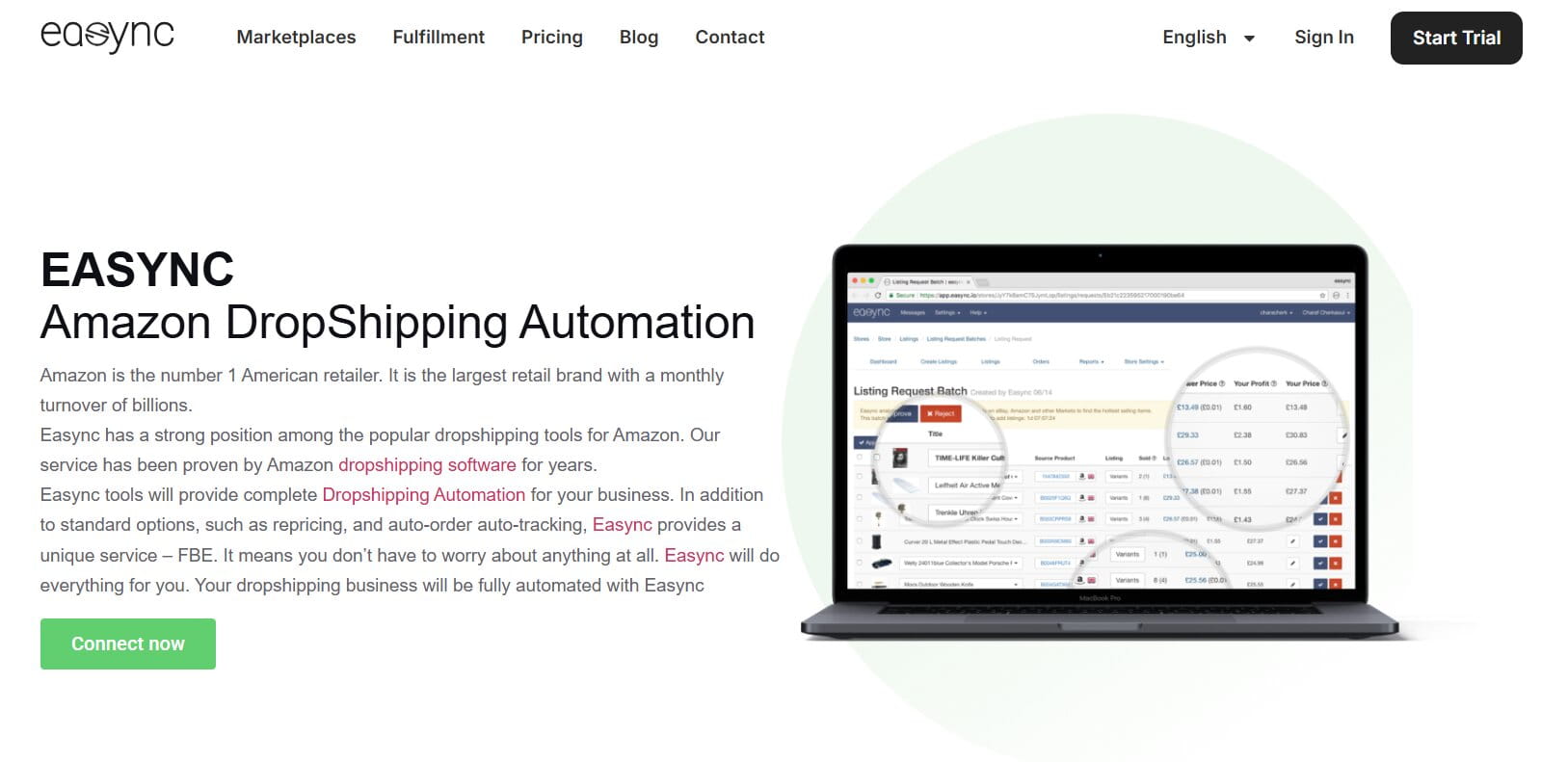
Easync chains listing, inventory sync, repricing, and order placement into a single automated workflow, built specifically for sellers running AliExpress, Amazon, or Walmart supply chains into eBay.
Features:
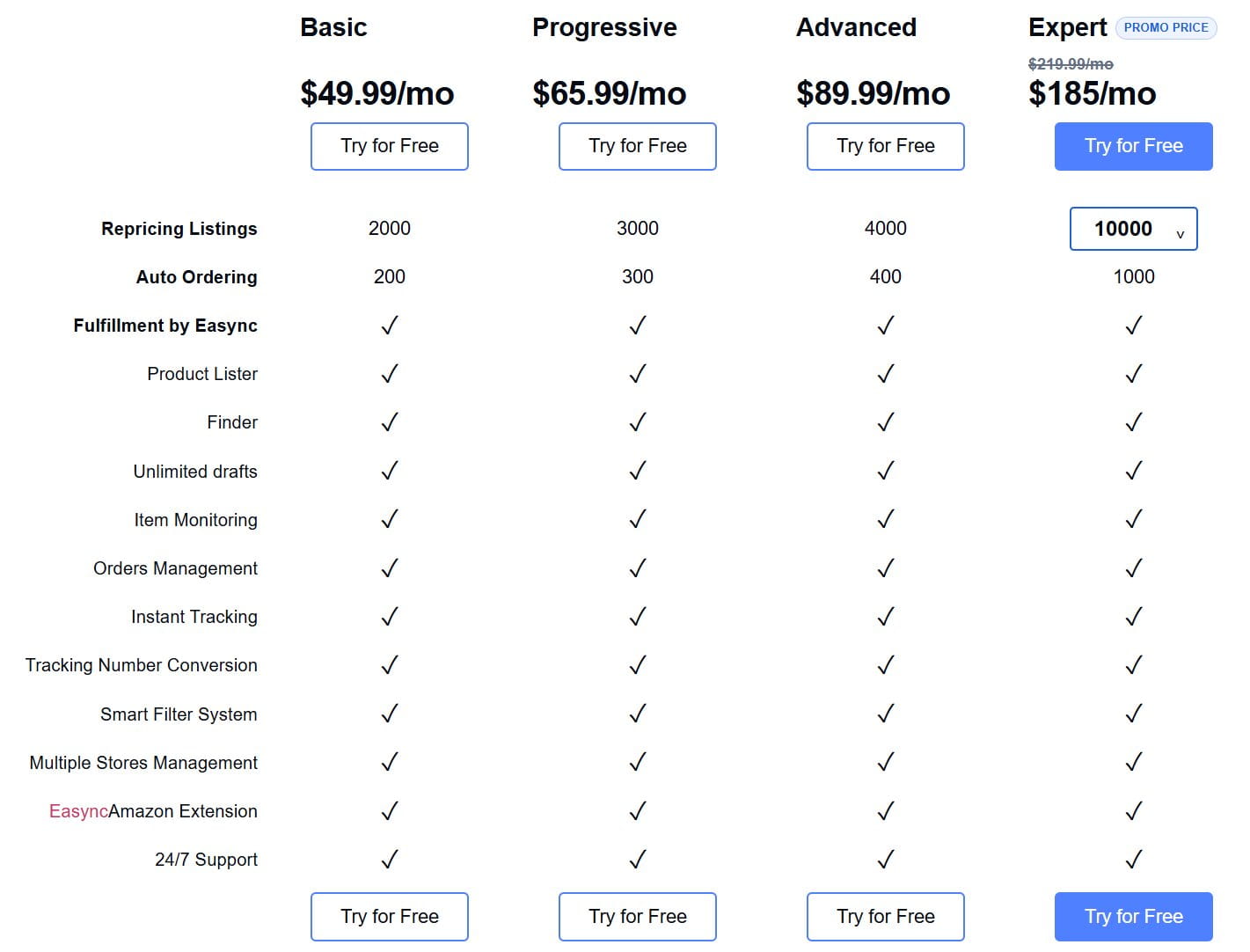
- eBay listing automation with bulk import via Chrome extension (AliExpress, Amazon, and Walmart), templates, and real-time eBay inventory sync that sets out-of-stock items to zero quantity and restores them the moment stock returns.
- Rapid order automation for eBay that places orders within roughly 60 seconds of a sale, with address checks, shipping speed selection, and automatic tracking.
- Competitive pricing through eBay repricing software with ongoing marketplace monitoring.
- A VERO blacklist and eBay multi-account management with proxy support, FBE fulfillment, and Aquiline tracking conversion for compliance at scale.
- A hot-items product finder and 24/7 support included on every plan, plus an optional REST API and custom fulfillment automation add-on through Sales for teams that want to connect Easync to their own system, CRM, or marketplace.
Pricing:
- Transparent pricing with a 7-day free trial, no credit card required.
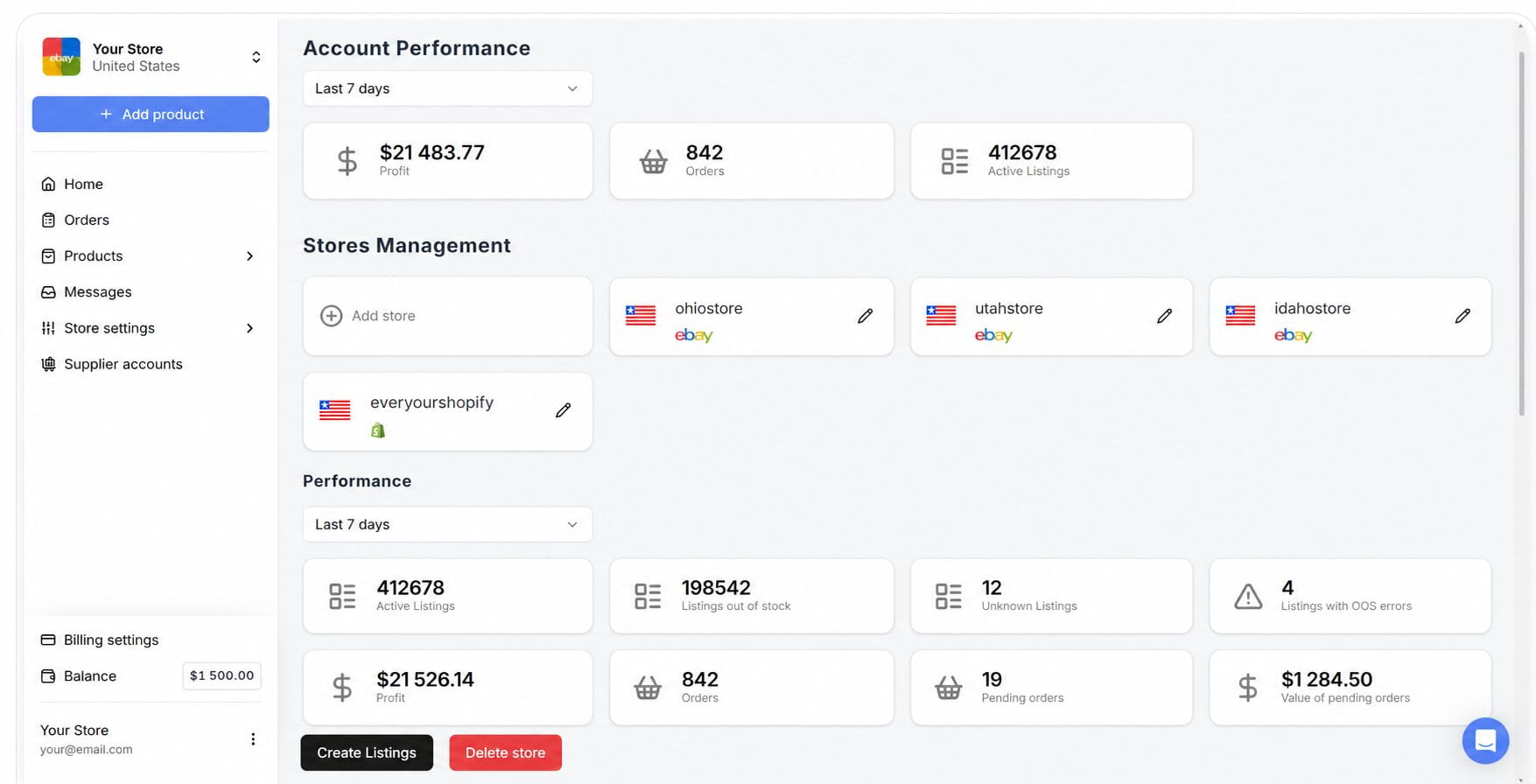
- Four core plans: Basic at $49.99/month, Progressive at $65.99/month, Advanced at $89.99/month, and Expert at $210/month.
- Repricing listing limits scale from 2,000/month on Basic up to 10,000-plus (adjustable) on Expert; auto-ordering limits scale from 200/month on Basic up to 1,000/month on Expert.
- The custom API and fulfillment automation add-on is quoted separately through Sales, starting at $500/month.
Pros:
- The full automation loop (list, sync, order, reprice) removes more manual touchpoints than any single-purpose tool on this list.
- Built-in VERO blacklist checking and proxy support handle compliance risk directly rather than leaving it entirely on the seller.
Cons:
- The entry price sits above most template-only tools here, which is more than needed if you only want bulk listing without order automation.
- The feature set is built around dropshipping workflows specifically, so wholesale or retail-arbitrage sellers may find some of the sourcing tools less relevant to their catalog.
Who it suits: high-volume dropshippers and growing sellers who want one automated eBay listing software subscription covering listing, syncing, repricing, and ordering, without hiring extra staff to babysit any single step.
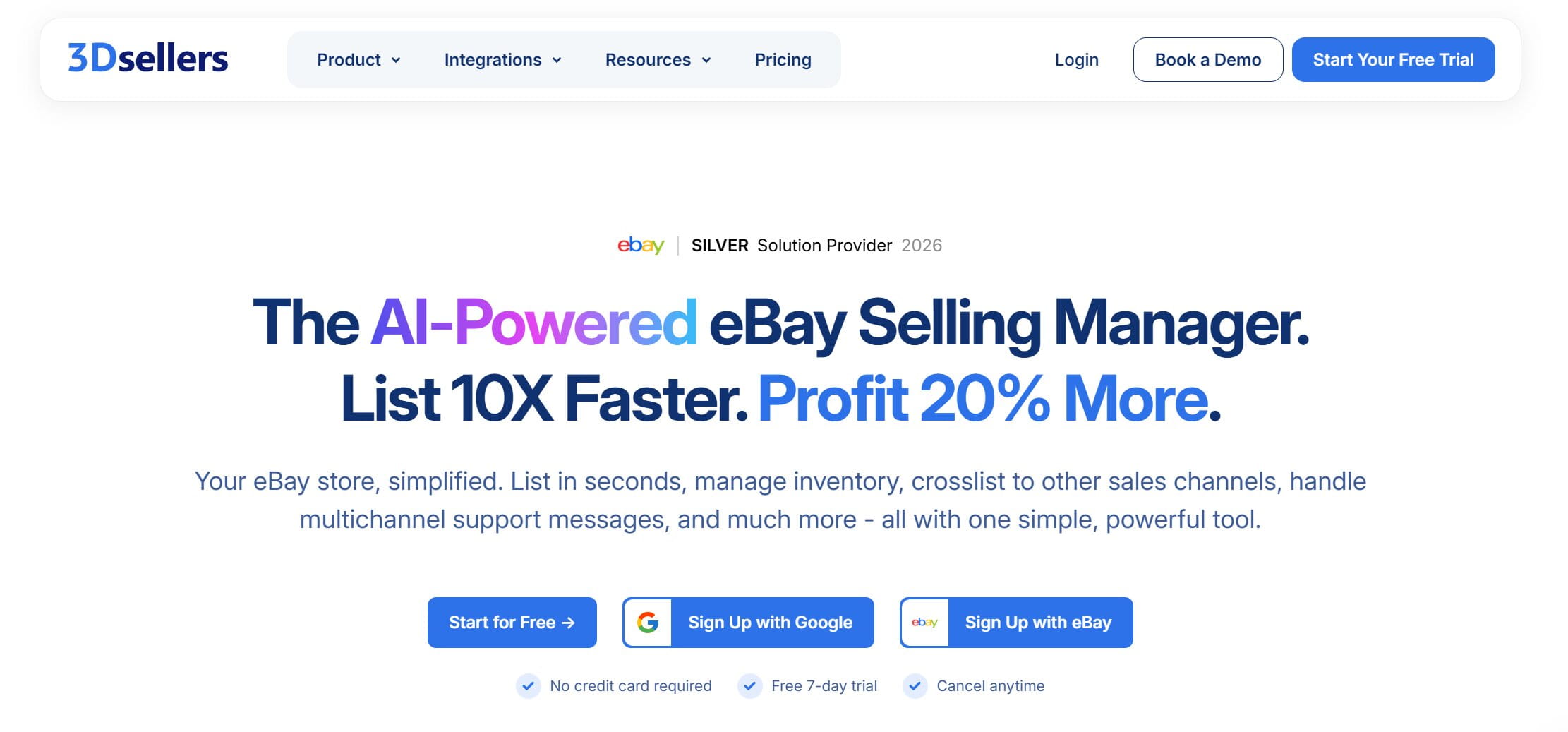
2. 3Dsellers: Templated eBay Shop Software for Branded Workflows
Official site: 3Dsellers
Best for: template-driven workflows, branding, and buyer communication at scale.
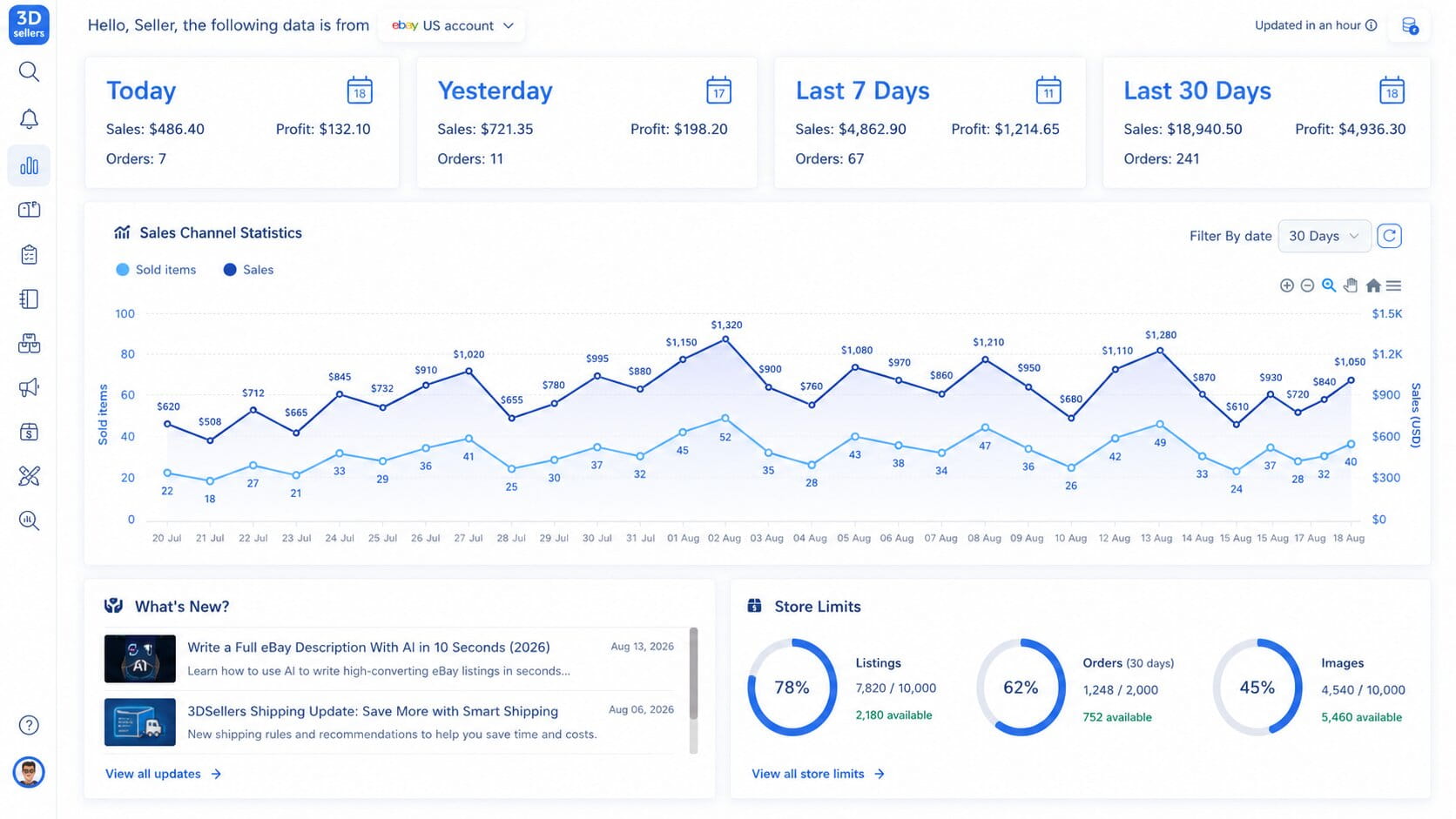
3Dsellers bundles bulk listing edits, buyer-messaging automation, and policy management for sellers running more than one eBay account who want consistent branding across all of them, with multichannel integrations reserved for its top tier.
Features:
- Drafts, templates, and a media library for faster listing optimization, plus a scheduler for new listings.
- Bulk editing across price, item specifics, titles, and images.
- CSV import and scheduled CSV updates pulled directly from suppliers, available from the Growth plan up (not on Essential).
- Built-in eBay seller tools for policy management, GPSR (General Product Safety Regulation) updates, and segmented product filtering.
- Automated buyer messages and feedback reminders on every tier, with fuller order and inventory automation starting at Growth.
- Multichannel catalog integrations for Shopify, WooCommerce, Amazon, Walmart, Etsy, Facebook, and TikTok, exclusive to the Professional tier.
Pricing:
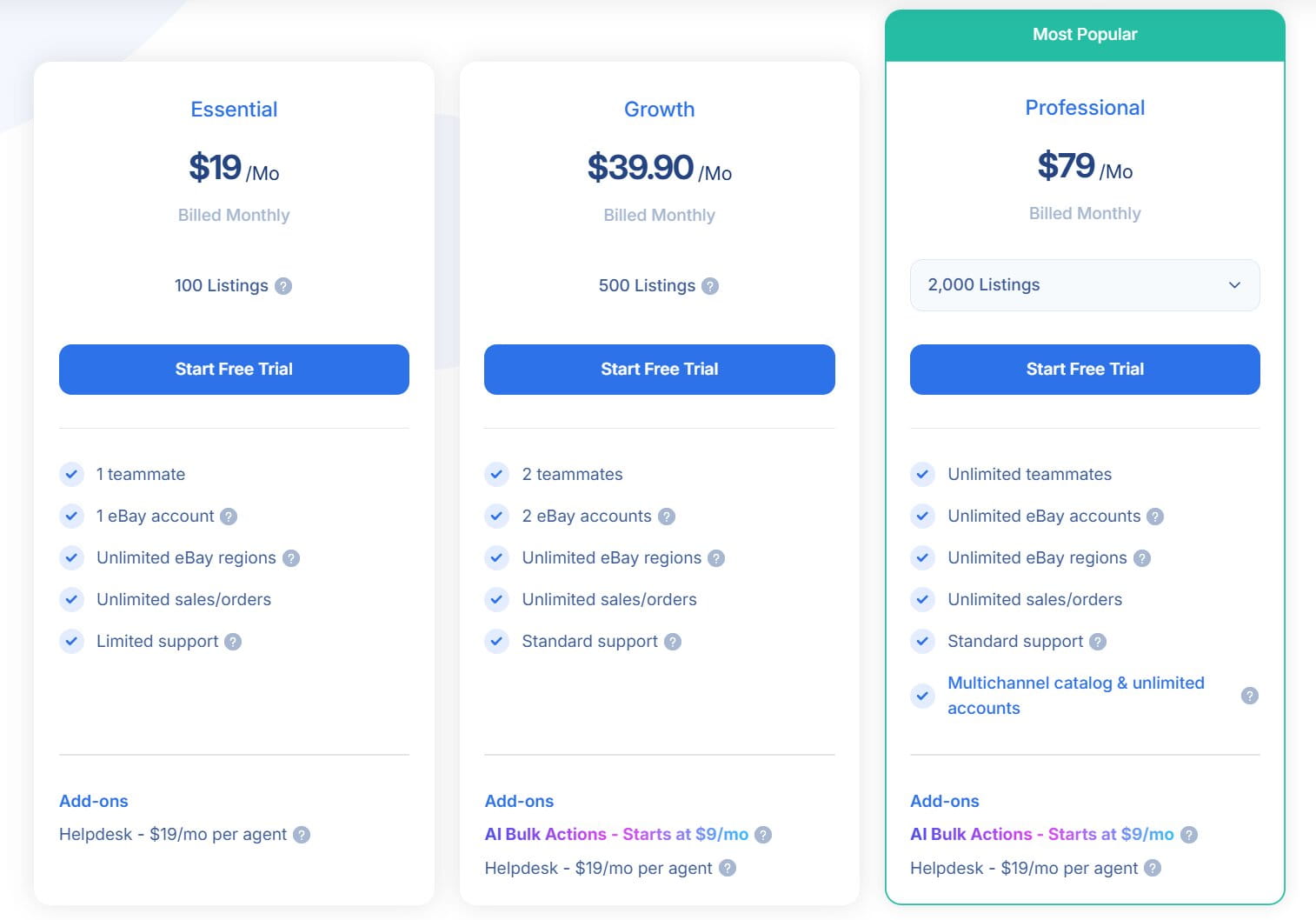
- Essential at $19/month (billed monthly), or $16/month billed annually: 100 listings, 1 eBay account, 1 teammate, limited support, no CSV import.
- Growth at $39.90/month (billed monthly), or $29.90/month billed annually: 500 listings, 2 eBay accounts, 2 teammates, standard support, CSV import up to 50,000 rows, plus inventory and orders automation.
- Professional at $79/month (billed monthly), or $59/month billed annually: listings adjustable from 2,000 up to 50,000-plus, unlimited eBay accounts and teammates, CSV import up to 100,000 rows, and every multichannel integration listed above.
- Optional add-ons on top of any paid tier: AI Bulk Actions from $9/month for 2,000 AI actions up to $29/month for 10,000 (not available on Essential), Helpdesk at $19/month per agent, and eCommerce Consultation at $80/month.
- A free trial is offered before you commit to a paid tier; annual billing saves roughly $3 to $20 a month depending on tier, translating to 16-25% off the monthly price.
Pros:
- Genuinely useful for multi-account sellers thanks to team permissions and cross-account listing copy, instead of single-store templates only.
- Add-ons are priced as clear line items (AI actions, helpdesk, consultation), so you can scale spend precisely instead of jumping a whole tier for one feature.
Cons:
- Every tier is paid, so there’s no permanent free plan to test long-term the way there is with eBay Seller Hub or Snap2List’s free tier.
- Multichannel selling (Shopify, Amazon, Walmart, Etsy, and the rest) is locked to the top Professional tier, so lower-tier sellers get eBay-only functionality despite the platform’s broader multichannel branding.
Who it suits: sellers focused on polished, branded listings, especially those running CSV-based workflows and managing more than one eBay account from a shared dashboard.
3. eBay Seller Hub: Free eBay Listing Software Built Into Your Account
Official site: eBay Seller Hub
Best for: new sellers who want to explore native eBay tools before paying for anything.
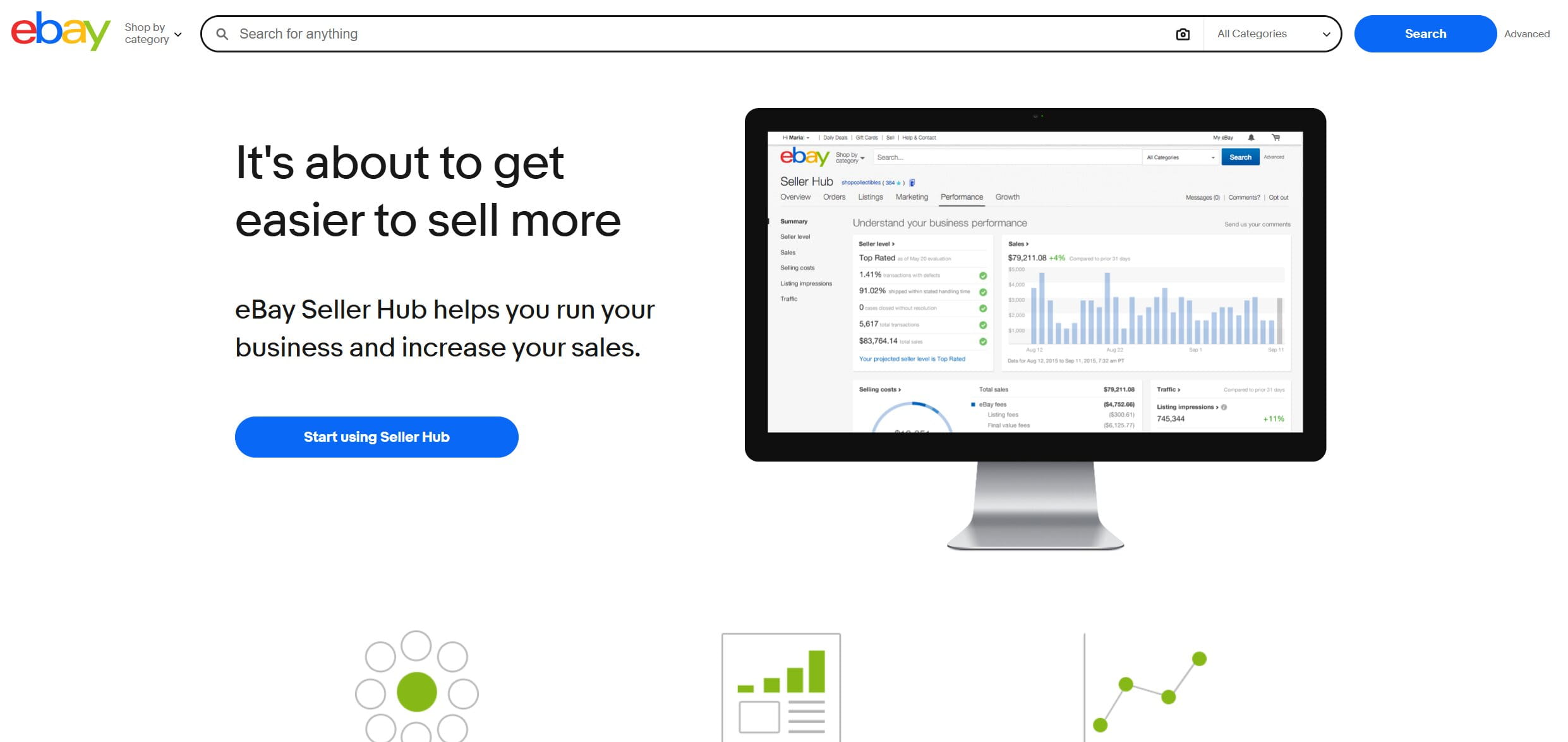
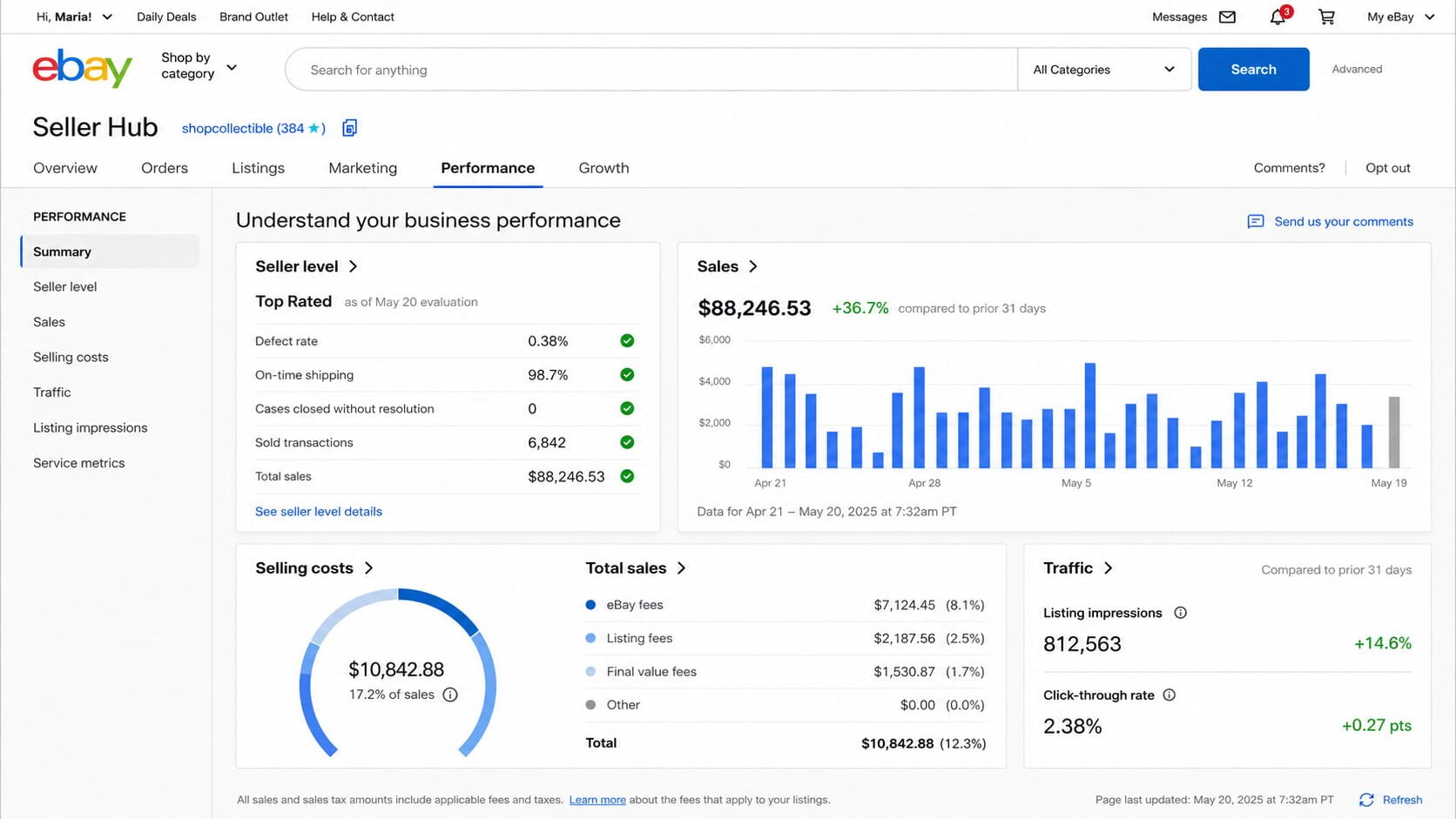
Seller Hub is eBay’s own built-in dashboard for listings, orders, and performance data, with no separate account or install required.
Features:
- A streamlined listing flow and simple order handling in one place.
- A built-in eBay-native tool for improving titles, item specifics, and visibility, including Terapeak research for Stores subscribers.
- Native promotions, offers, and coupons, plus analytics for anyone on a Store subscription.
- A performance dashboard tracking sales and traffic trends so you can see how buyers actually find your store.
- Bulk actions and customizable views for speeding up daily tasks.
Pricing:
- Free to use, with no listing cap.
- An optional Store subscription or paid promotions can be layered on top.
- This is genuinely free ebay listing software with no trial countdown attached, not a stripped-down demo.
Pros:
Zero cost with no listing cap, and guaranteed native compatibility since eBay builds and maintains it directly.
Terapeak research is included at no extra charge for anyone on a Store subscription.
Cons:
- No bulk automation, repricing, or crosslisting to other marketplaces.
- Template and design options are limited compared with any third-party tool on this list.
Who it suits: new and growing sellers who want a no-frills toolkit before deciding whether a third-party platform is worth paying for.
4. CrazyLister: A Design-Focused Rapid Listing Tool
Official site: CrazyLister
Best for: sellers who need brand-consistent listings with more visual control than a plain template offers.
CrazyLister focuses on visual listing design, letting sellers build eBay-compliant, mobile-optimized templates without writing any HTML, and extends the same templates to Amazon through its Multi-Channel Lister.
Features:
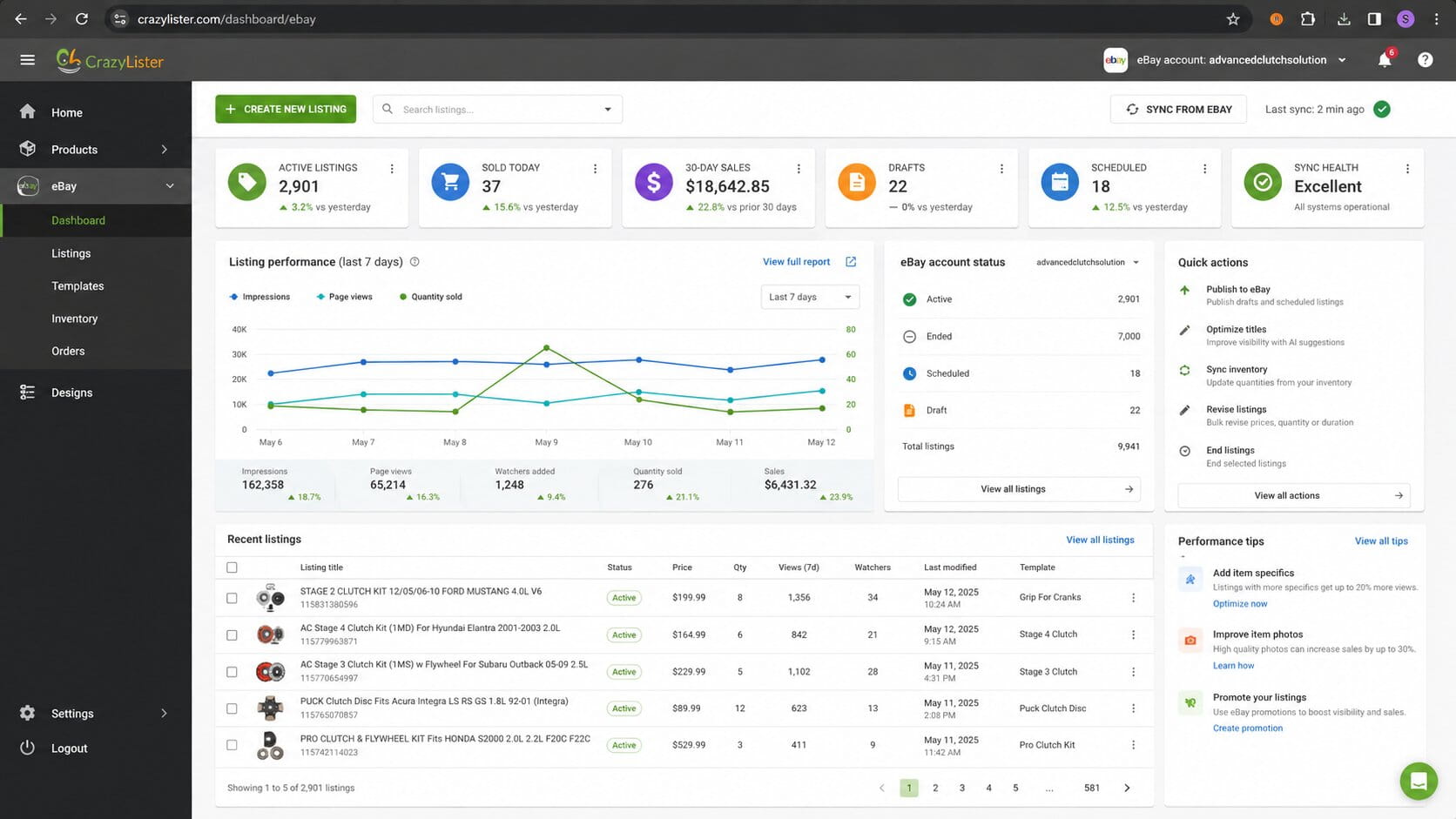
- A drag-and-drop template builder with eBay-compliant themes that can be applied in bulk, plus a Multi-Channel Lister that carries templates over to Amazon.
- Mobile preview and editing for mobile-optimized layouts.
- Bulk management via CSV import, plus the ability to reuse expired or ended listings instead of rebuilding them.
- Channel-readiness checks that flag policy issues before you publish.
- One-click eBay account adding, with support for every eBay site.
Pricing:
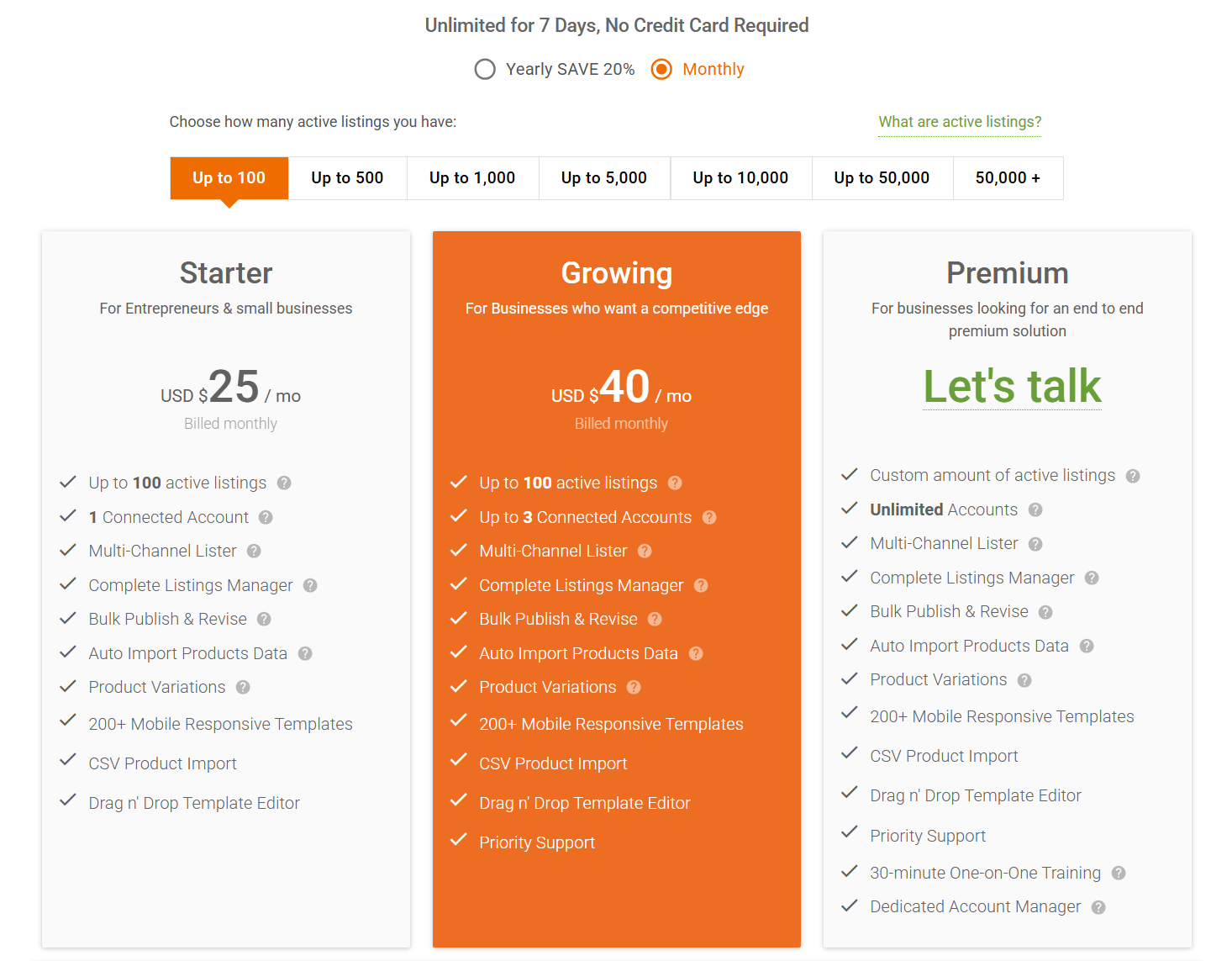
- Two core paid tiers, Starter (1 connected account) and Growing (up to 3 connected accounts, plus priority support), each priced by how many active listings you choose, from 100 up to 50,000.
- Starter runs from $25/month (100 listings) up to $400/month (50,000 listings) billed monthly, or $20 to $320/month billed annually, a flat 20% discount at every tier.
- Growing runs from $40/month up to $600/month billed monthly, or $32 to $480/month billed annually, for the same listing-volume brackets as Starter.
- A custom Premium tier covers 50,000-plus listings or unlimited connected accounts, quoted directly through sales.
- Optional add-ons: inventory sync at $25/month and CrazyLister footer-branding removal at $5/month.
- A 7-day free trial with full features is available, no credit card required.
Pros:
- Every tier, including the cheapest Starter bracket, includes CSV import and the drag-and-drop editor rather than gating them behind a pricier plan.
- Multi-Channel Lister extends the same templates to Amazon, so the tool isn’t limited to eBay-only sellers despite the eBay-first positioning.
Cons:
- Pricing depends on two variables at once, listing volume and connected-account tier, so sellers need to pick both before seeing a final number rather than reading one flat price.
- No permanent free plan exists; the only no-cost option is the 7-day trial.
Who it suits: sellers who prioritize design speed and consistency and want templates to stay uniform across a growing catalog, including those who also list on Amazon.
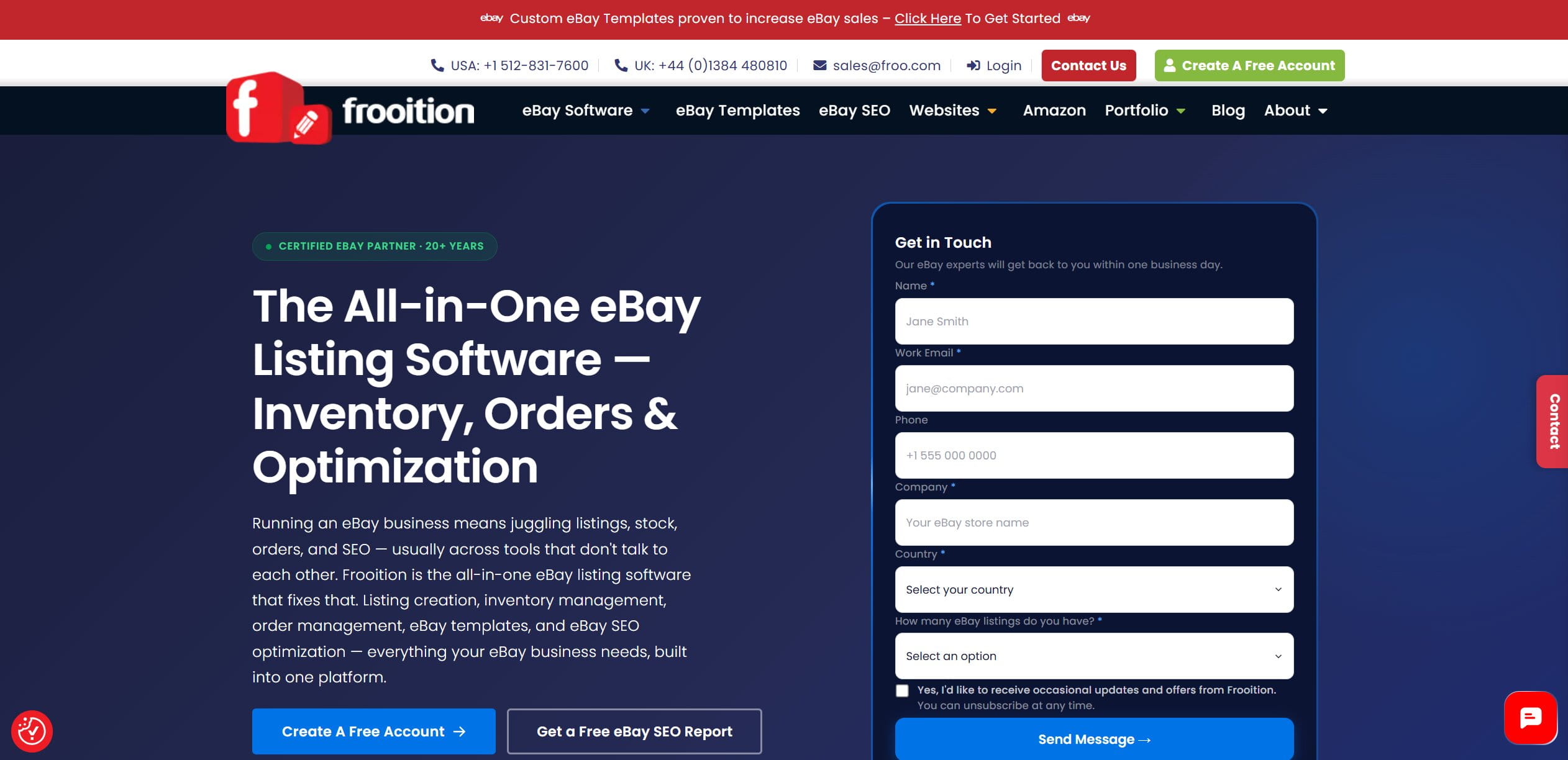
5. Frooition: eBay Selling Tools and Storefront Branding
Official site: Frooition
Best for: sellers who need eBay SEO tools and brand consistency from an eBay-certified partner.
Frooition builds branded storefronts and compliance-ready listing templates for sellers who want an agency-level look without actually hiring a design agency, and extends the same certified-partner design work to Amazon, Shopify, and BigCommerce alongside its eBay-first business.
Features:
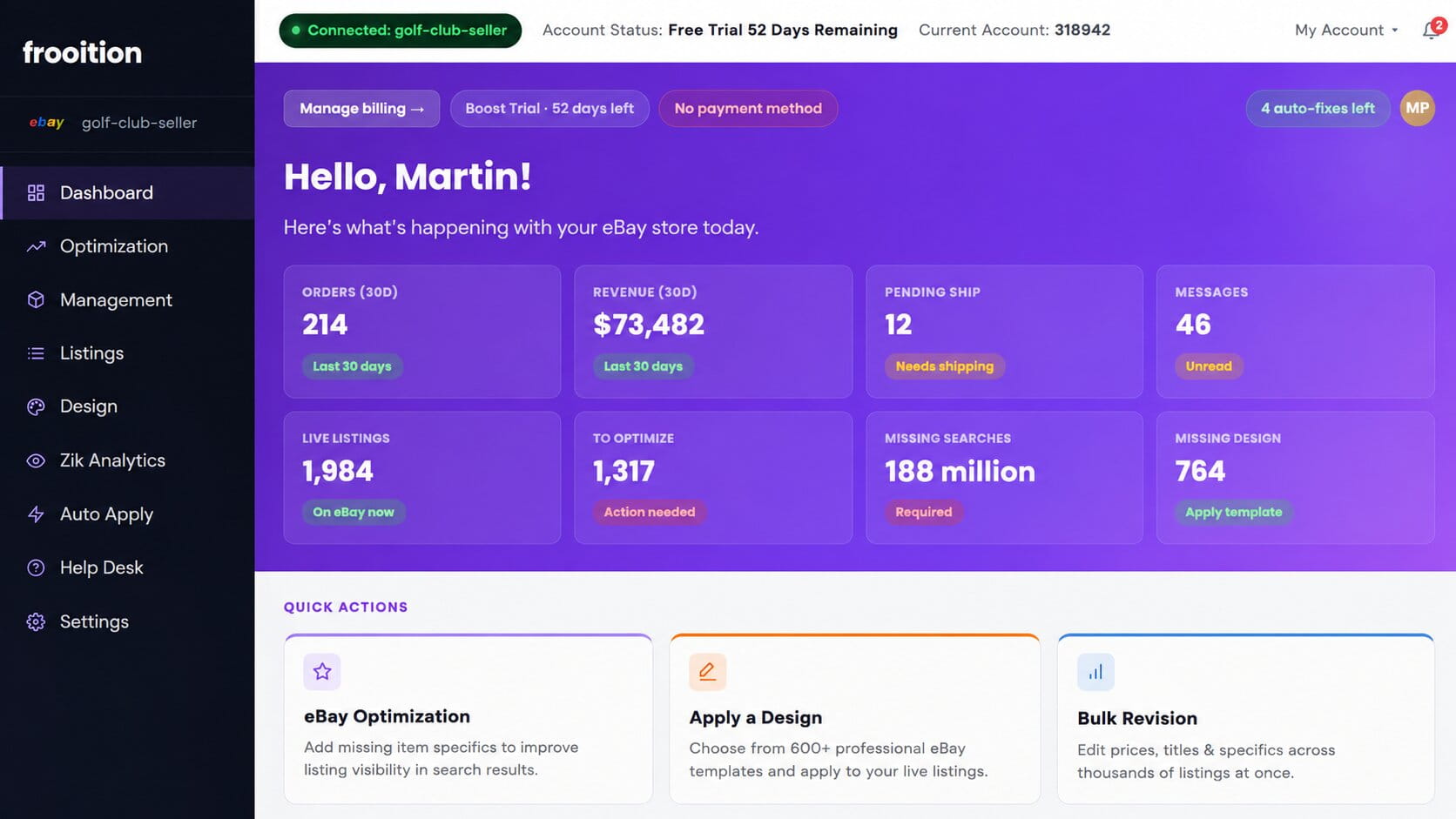
- Storefront and listing design using professional, eBay-compliant templates; Frooition has served over 5,000 sellers since 2005 and holds a seat on the eBay Developer Council as a certified design partner, with a reported record of 93 million listings processed in a single 24-hour period.
- A library of 600-plus pre-designed templates, alongside custom design work for sellers who want something built from scratch.
- Multiple eBay accounts manageable from one dashboard, in addition to design and software work for Amazon, Shopify, and BigCommerce as a preferred partner.
- Quick-launch and bulk revisions that apply new design across live listings at once.
- CSV import, multi-variation support, and a parts-compatibility builder for automotive and industrial sellers.
- CDN delivery, automatic backups, and mobile optimization round out the hosting side.
- Store and listing categories sync dynamically, so every live listing updates its properties the moment something changes.
Pricing:
- A 30-day free trial is available with sign-up.
- Beyond the trial, pricing is quote-based through the Frooition sales team rather than published tiers.
Pros:
- GPSR and eBay-compliance work is handled for you, which matters more each year as EU product-safety rules tighten.
- Two decades of eBay-specific design experience shows in the template polish, next to more generic e-commerce themes.
Cons:
- The lack of published pricing makes it harder to comparison-shop before actually talking to sales.
- Getting an exact quote requires filling out a form and talking to sales rather than seeing tiers up front, which slows down comparison shopping against the rest of this list.
Who it suits: eBay-first sellers who want branding done properly and more streamlined workflows across very large stores, including those who also sell on Amazon, Shopify, or BigCommerce and want one design partner across channels. Sellers researching frooition alternatives for a lower monthly floor typically land on CrazyLister instead, trading some of Frooition’s compliance depth for a fixed, published price.
6. Snap2List: AI-Powered eBay Listing Software with Built-In Profit Tracking
Official site: Snap2List
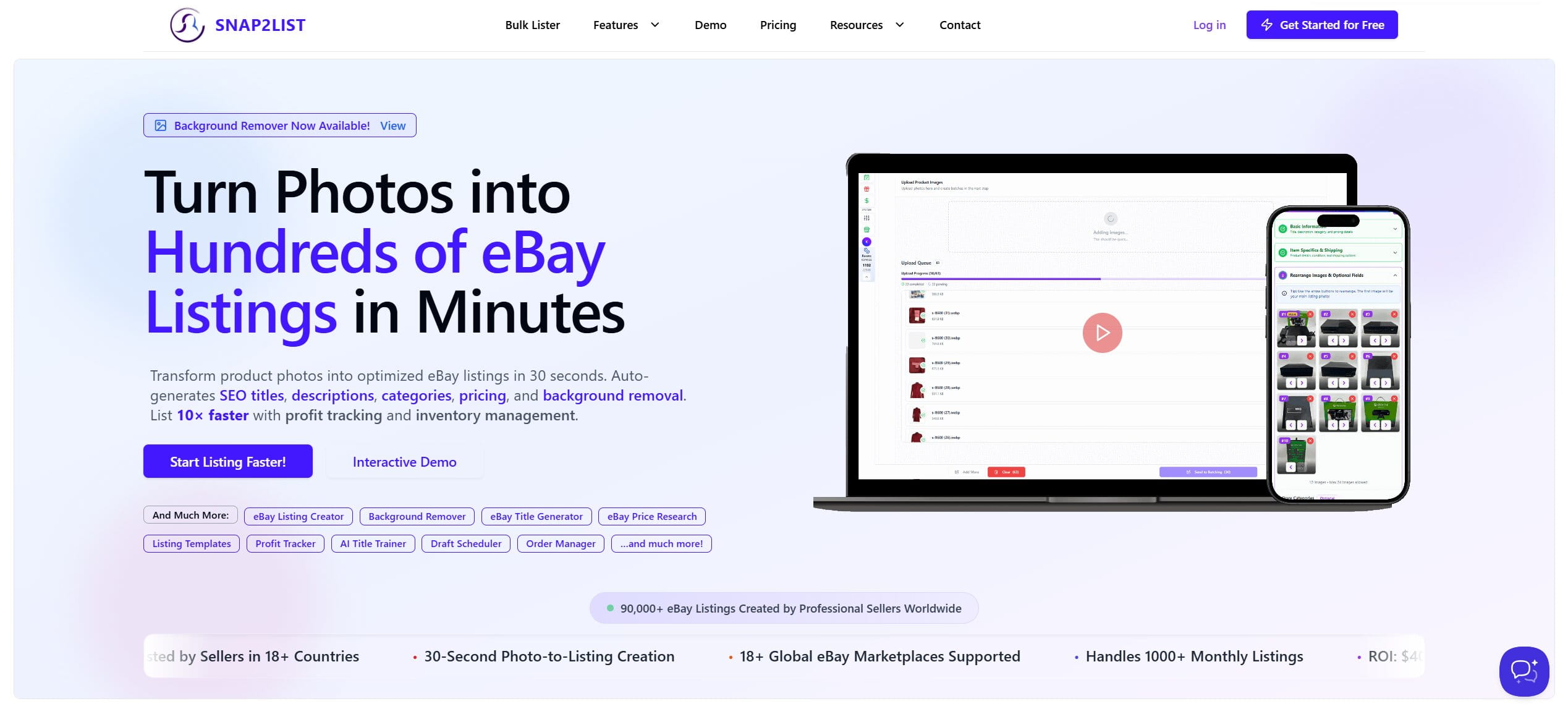
Best for: solo resellers and small eBay-only businesses who want AI-generated listings from photos plus built-in profit tracking, without paying for a full brand-design suite.
Snap2List turns product photos into eBay-ready listings using AI-generated titles, descriptions, and item specifics, then tracks the resulting profit and expenses inside the same dashboard.
Features:
- AI-generated SEO titles, HTML descriptions, and item specifics built from a product photo, plus a background remover for cleaning up photos before listing.
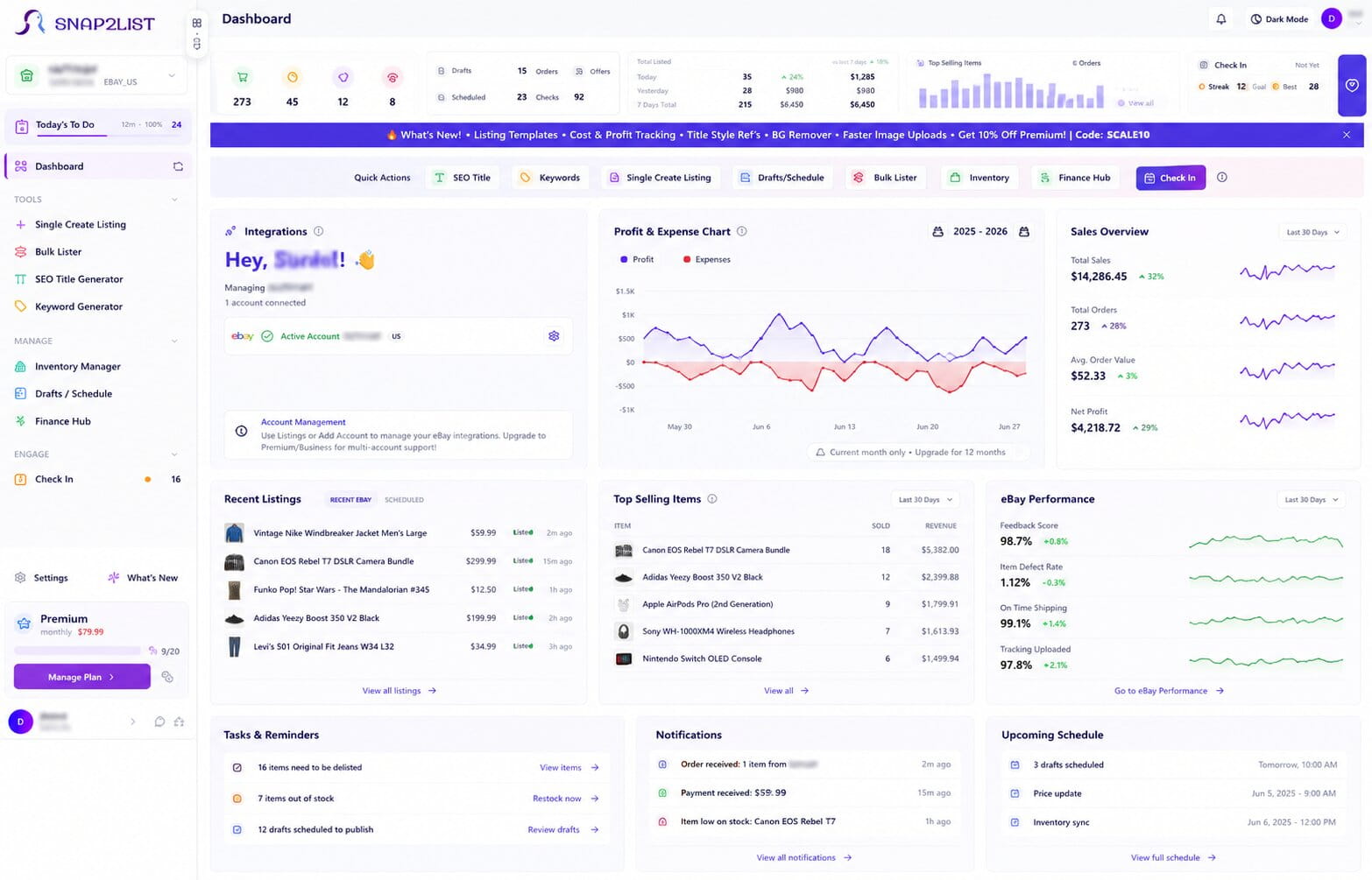
- Smart pricing suggestions and a Financial Hub that tracks COGS, shipping, eBay fees, and net profit per sale, available from the Premium tier up.
- A bulk lister for handling 1,000-plus listings at a time, plus listing scheduling for peak buying windows.
- Live inventory management, order management, and buyer offer sending built into the same dashboard.
- Support for eight eBay country marketplaces (US, UK, DE, FR, IT, CA, ES, AU), with multi-account support from the Premium tier up.
Pricing:
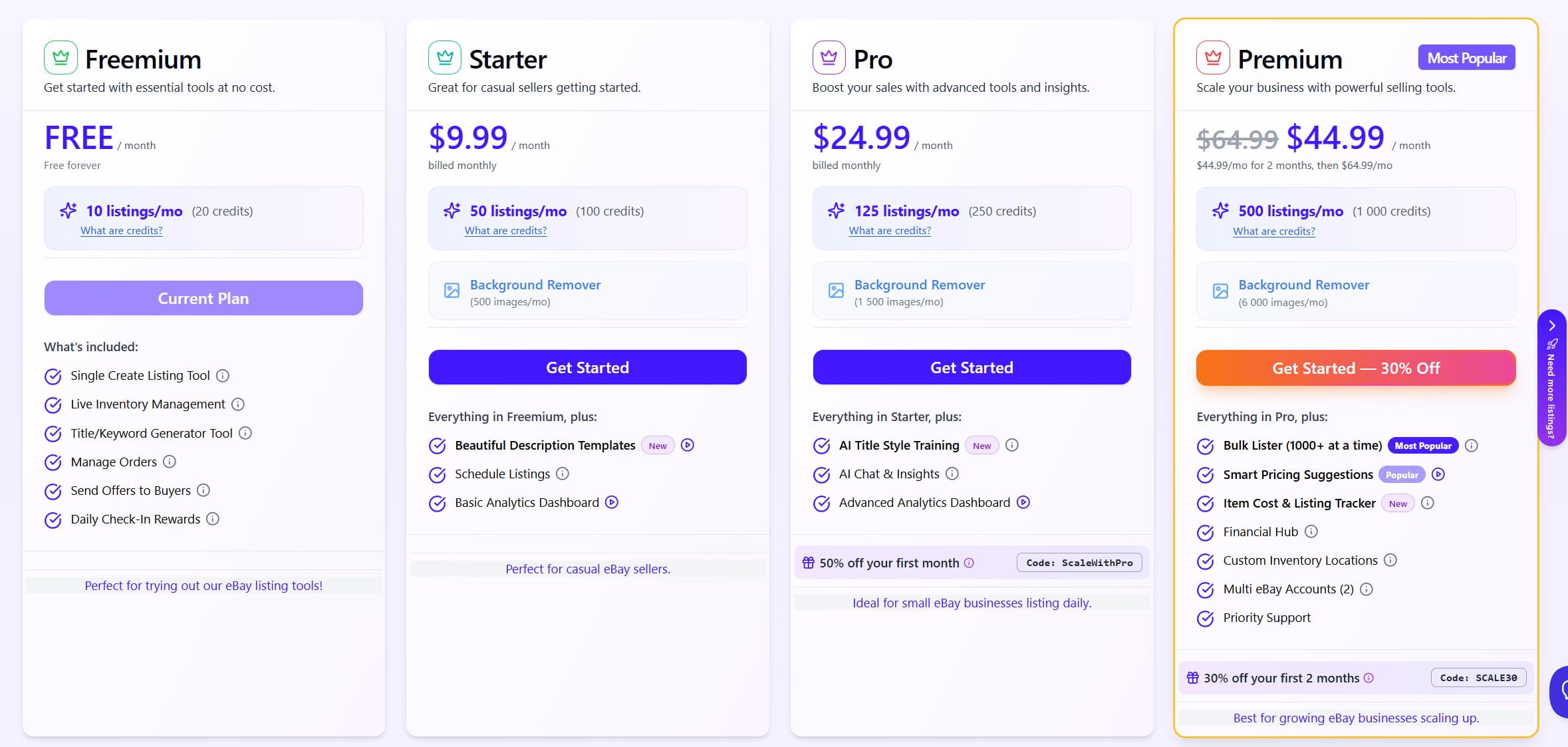
- Freemium is free forever: 10 listings/month, the single-listing tool, inventory and order management, and no credit card required.
- Starter runs $9.99/month for 50 listings/month plus a background remover and basic analytics.
- Pro runs $24.99/month for 125 listings/month, adding AI title-style training and an AI chat assistant.
- Premium runs $64.99/month for 500 listings/month, adding the bulk lister, smart pricing, the Financial Hub, and 2 connected eBay accounts.
- Business runs $149.99/month for 1,250 listings/month, adding support for 5-plus connected eBay accounts.
- Published tiers continue past Business for higher-volume sellers, scaling from $199.99/month up to $1,499.99/month for 50,000 listings/month, plus a fully custom credit package for anything larger.
Pros:
- The free tier is genuinely usable long-term, 10 listings a month with no card required, not just a time-limited trial.
- Profit tracking is built into the core product rather than sold as a separate add-on or left to a spreadsheet.
Cons:
- Deeper automation, including the bulk lister, smart pricing, and multi-account support, is locked behind the $64.99/month Premium tier, a bigger jump than some competitors’ mid tier.
- Sellers who also cross-list elsewhere will still need a second tool alongside it, since this stays eBay-only by design.
Who it suits: solo resellers and small eBay-only shops after AI-assisted listing creation and profit tracking in one lightweight dashboard, who’d rather skip paying for template branding or multichannel sync they’d never touch.
7. ZIK Analytics: Product Research for eBay
Official site: ZIK Analytics
Best for: sourcing products and building titles for dropshippers and resellers who need data before they list.
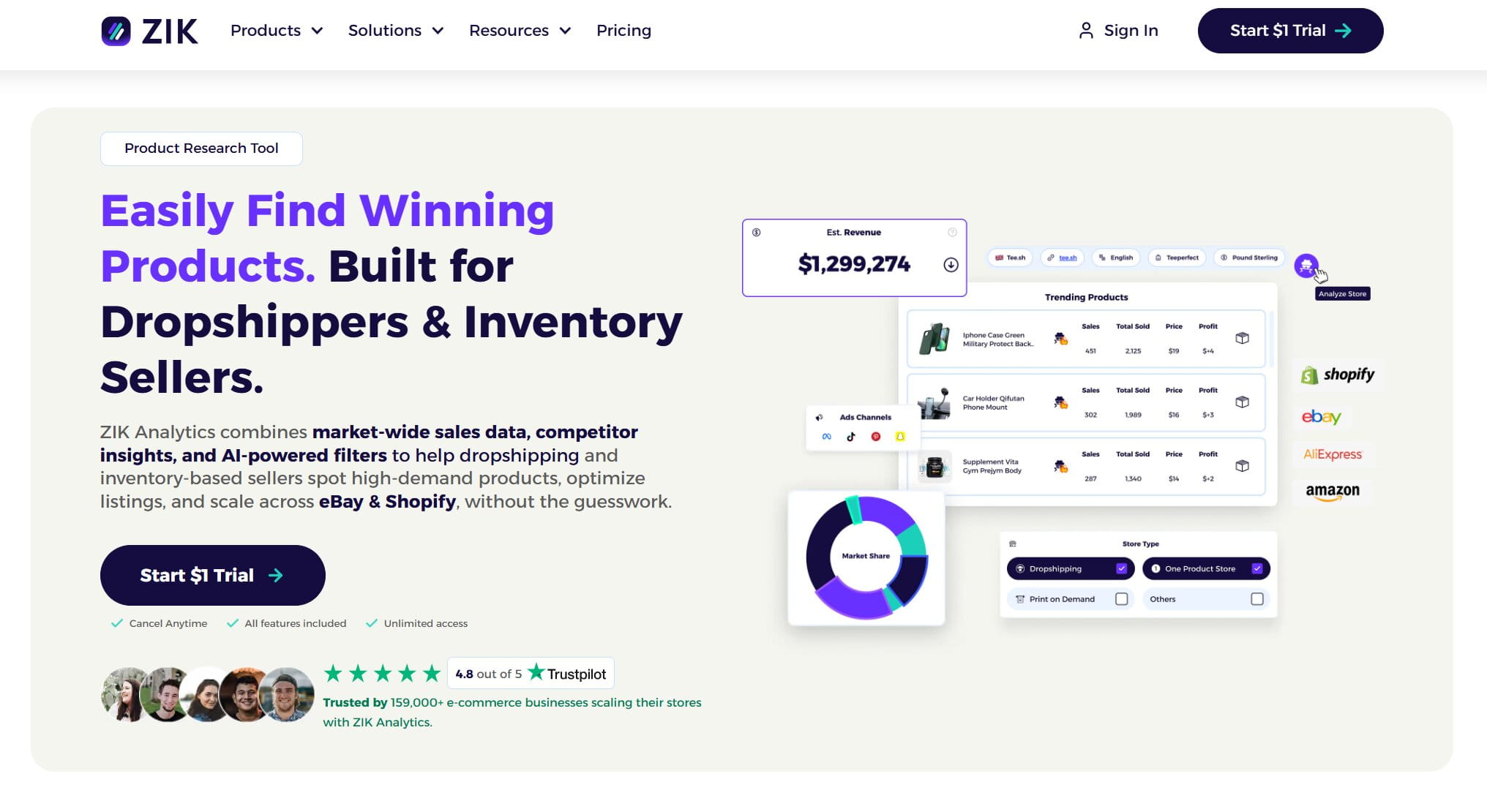
ZIK Analytics is a research tool rather than a listing tool: it finds winning products and competitive titles before you list, and it doesn’t publish the listing itself. It covers both eBay and Shopify sellers from one dashboard, with Amazon support in development.
Features:
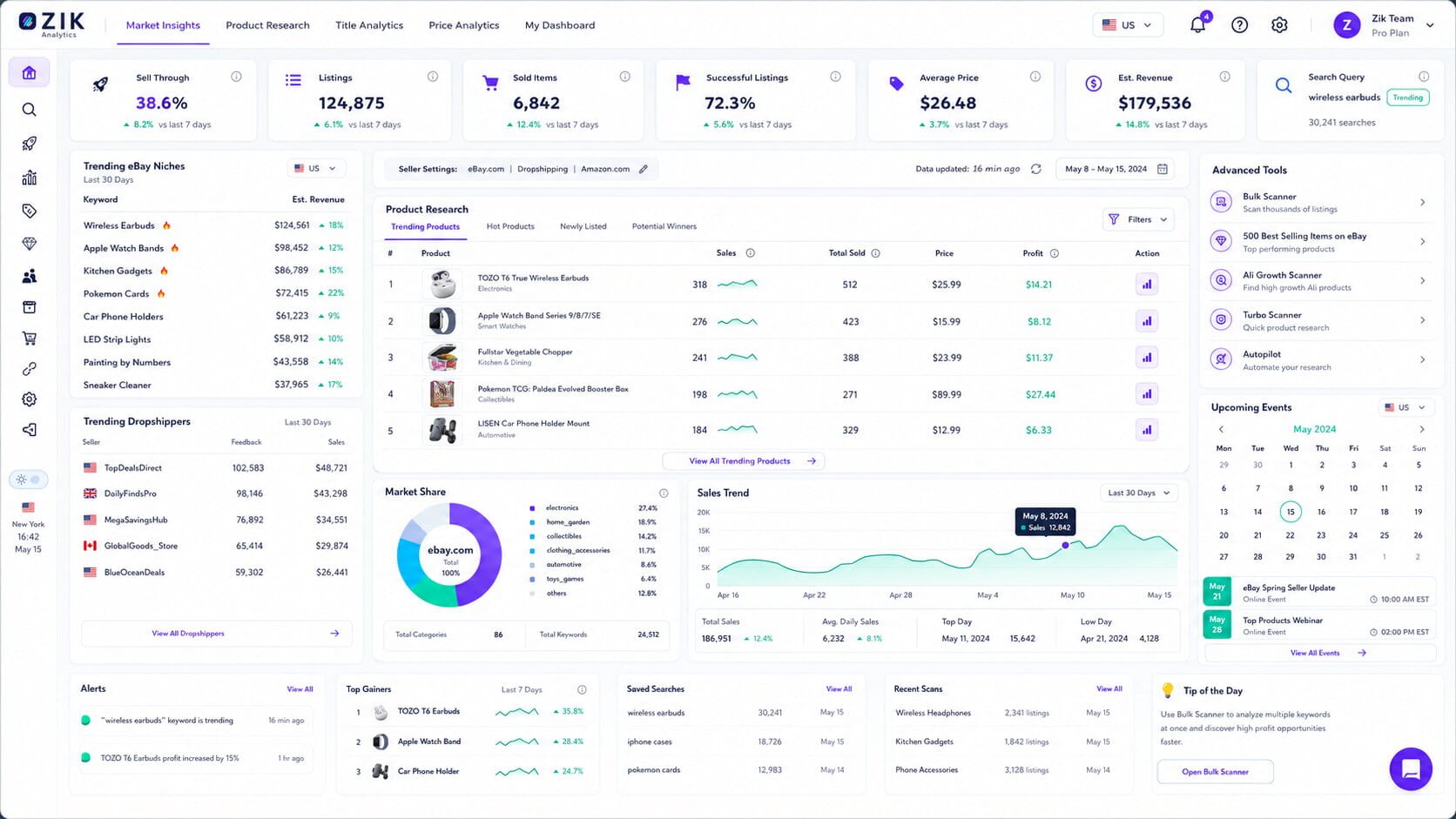
- A product finder that doubles as a niche finder, surfacing hot items and categories along with sell-through rate, average price, and listing trends.
- Competitor research tracks how other sellers’ strategies shift over time, not just a single snapshot.
- Title Builder and Market Insights push titles toward better discoverability and ranking.
- The dropshipping product finder pulls from Amazon, Walmart, and AliExpress too, not eBay listings alone.
- Dedicated training, an active seller community, and live chat support, backed by a database of 1 billion-plus products and 15 million-plus stores.
Pricing:
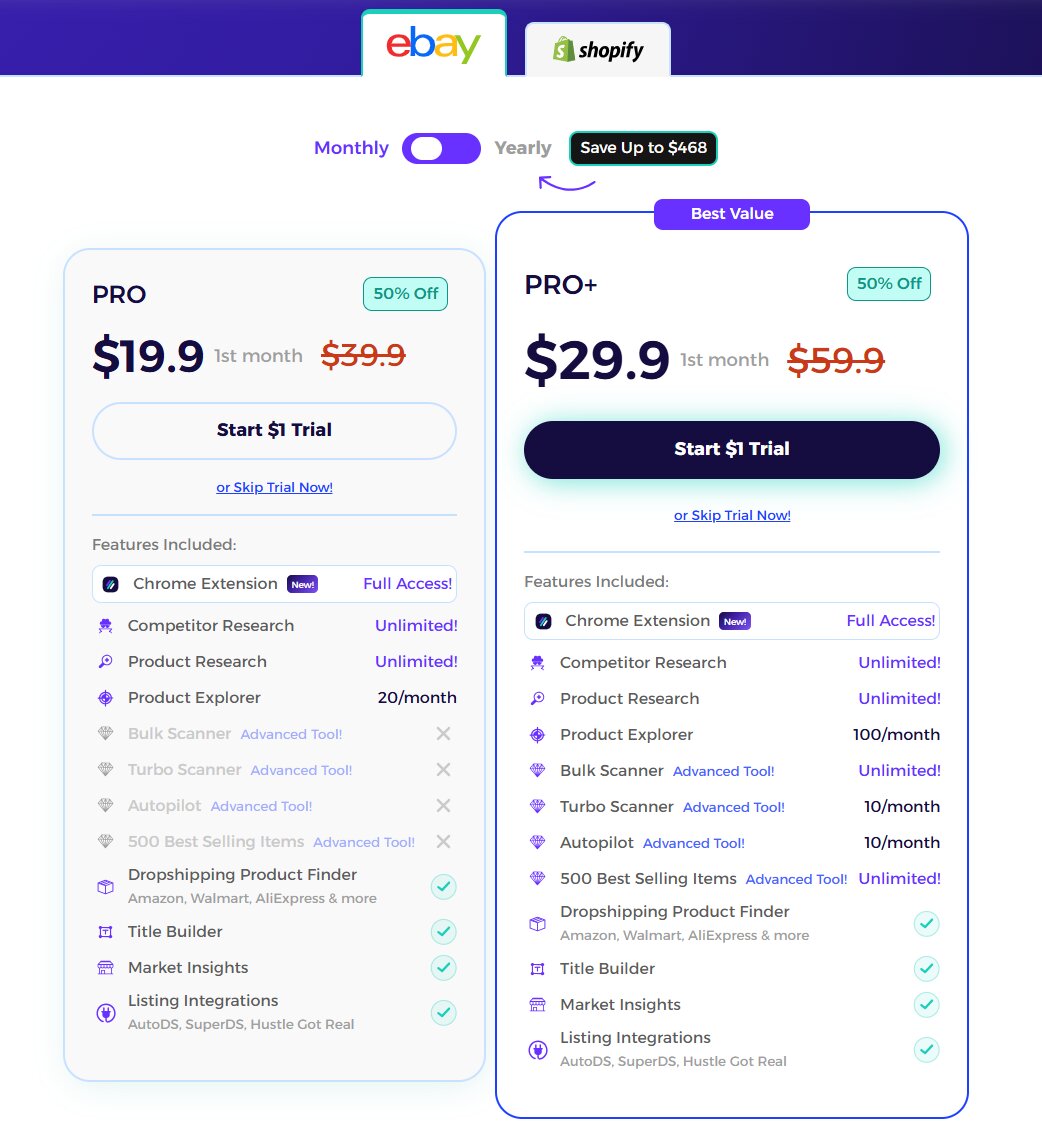
- A $1 trial is available before committing to either paid plan.
- PRO runs $39.90/month, or $14/month billed annually (saving up to $300/year); it includes unlimited competitor and product research plus 20 Product Explorer searches/month.
- PRO+ runs $59.90/month, or $20/month billed annually (saving up to $468/year); it adds Bulk Scanner, Turbo Scanner, Autopilot, unlimited access to the 500 Best Selling Items list, and 100 Product Explorer searches/month.
Pros:
- Sell-through and pricing data come from completed sales rather than asking prices, which grounds sourcing decisions in real numbers.
- The dataset behind the tool is large and independently verifiable (1 billion-plus products, 15 million-plus stores, a 4.8/5 Trustpilot score across 724 reviews), not a small in-house sample.
Cons:
- It doesn’t publish or manage listings itself, so it needs to be paired with an actual listing tool from this list.
- Budget-conscious PRO users lose access to Bulk Scanner, Turbo Scanner, and Autopilot entirely, since all three sit behind the pricier PRO+ tier.
Who it suits: eBay and Shopify sellers who’d rather ground sourcing and pricing calls in real sell-through data than guess at product research.
8. WonderLister: Desktop and Online Power-User eBay Bulk Listing Tool
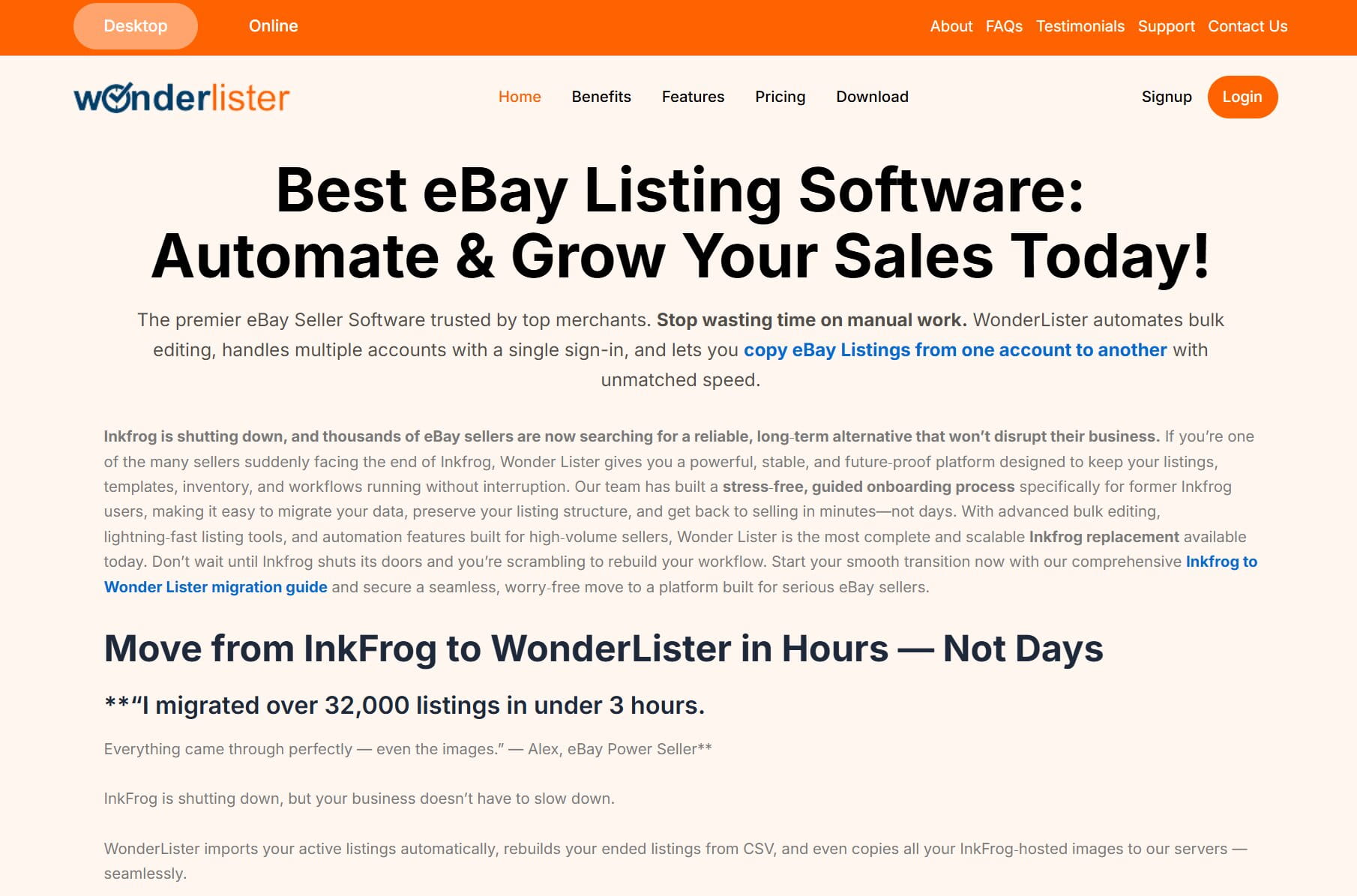
Official site: WonderLister Desktop
Best for: high-volume sellers who want desktop speed and granular control over bulk listing, often called the best ebay lister among power users who’ve outgrown browser-based tools.
WonderLister is a desktop-first bulk listing tool built for sellers who want local data control and fast batch edits across thousands of SKUs.
Features:
- A desktop version that keeps data local, or an online version built for team collaboration.
- A single-page editor with description templates, business policies, a scheduler, and consignment or profit-and-loss reporting.
- CSV imports for creating and editing listings at scale.
- Bulk duplication, relisting, and mass editing.
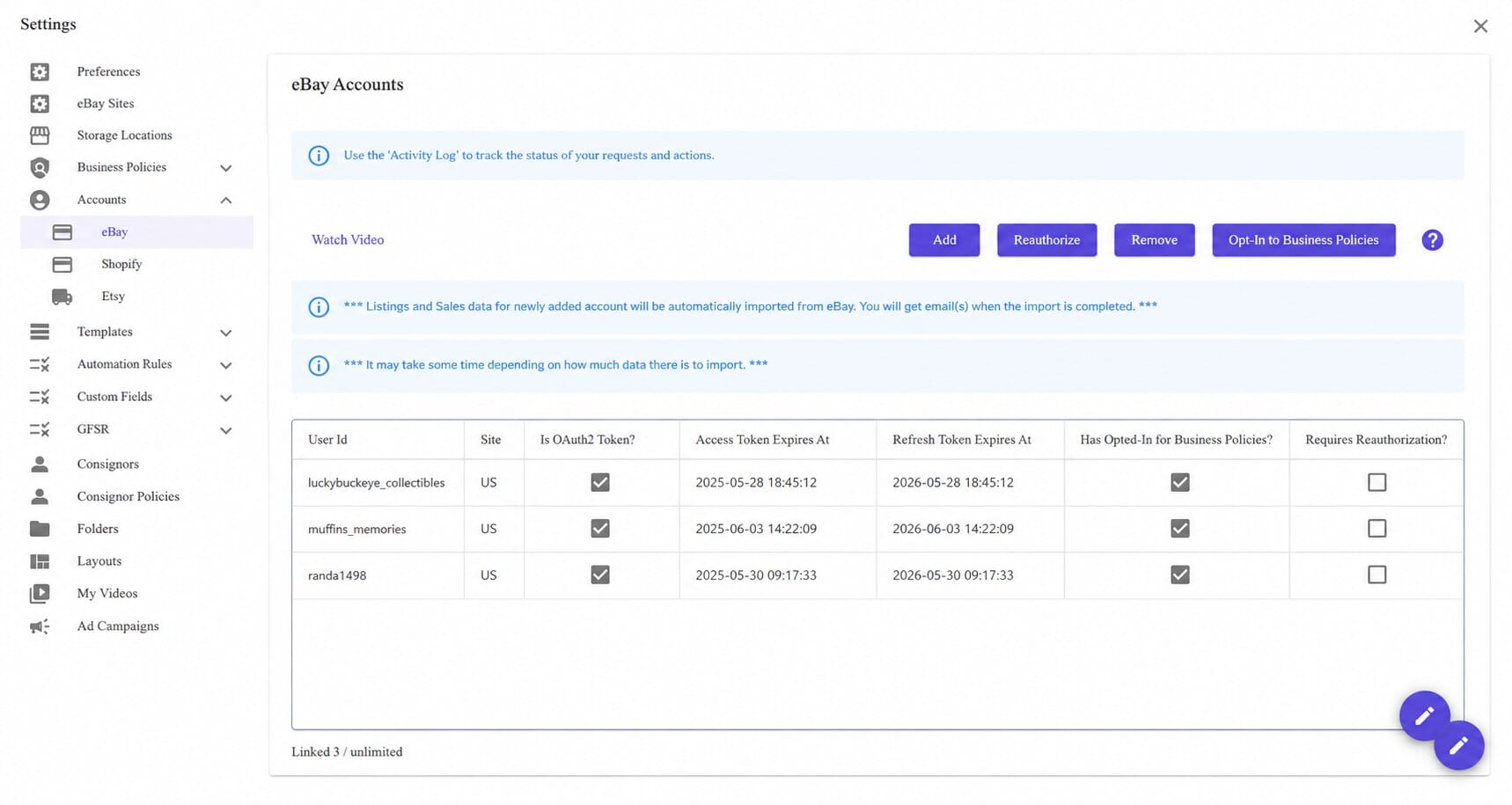
- One login covering multiple accounts, with the ability to copy listings between accounts and eBay marketplaces.
Pricing:
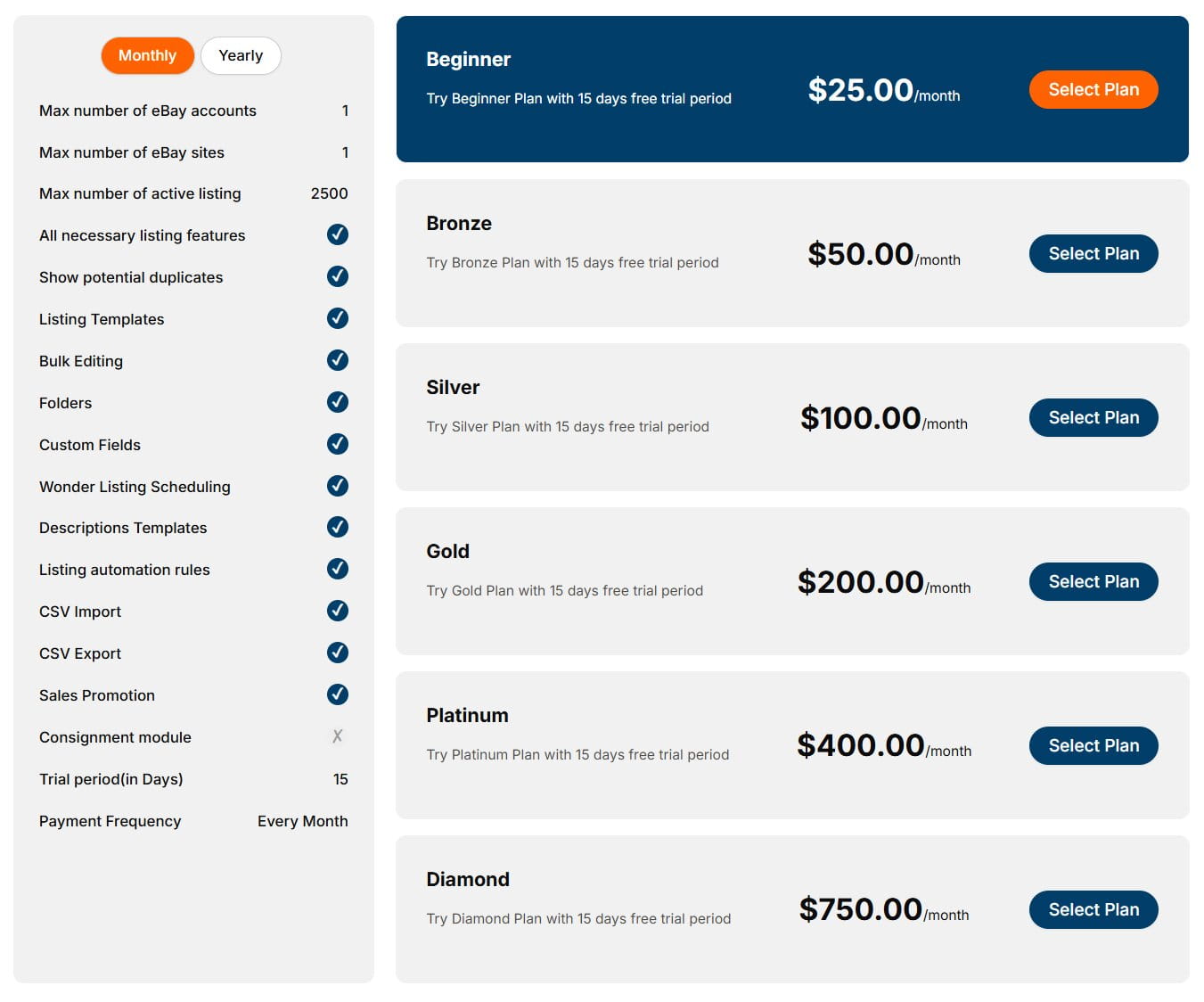
- A 15-day free trial is available on every tier for first-time subscribers.
- Six tiers run monthly from $25 (Beginner: 1 eBay account, 1 eBay site, 2,500 active listings) through Bronze ($50), Silver ($100), Gold ($200), Platinum ($400), up to Diamond ($750) for the largest multi-account catalogs.
- Annual billing runs roughly 17% cheaper across every tier, equivalent to about two months free (for example, Beginner drops to $250/year instead of $300).
Pros:
- Desktop processing handles very large batch edits faster than most browser-based tools on this list.
- One login can manage multiple accounts and marketplaces from a single interface.
Cons:
- It’s Windows-only, so there’s no mobile option for listing on the go.
- The interface and onboarding show their age next to the cloud-first tools on this list, which adds a learning curve.
Who it suits: power users managing extensive catalogs who need fast bulk actions and prefer local, desktop-based control over a browser tab.
9. Inventory Source: eBay Inventory Management and Listing Tool
Official site: Inventory Source for eBay
Best for: directory-driven eBay product sourcing with hands-off syncing and ordering.
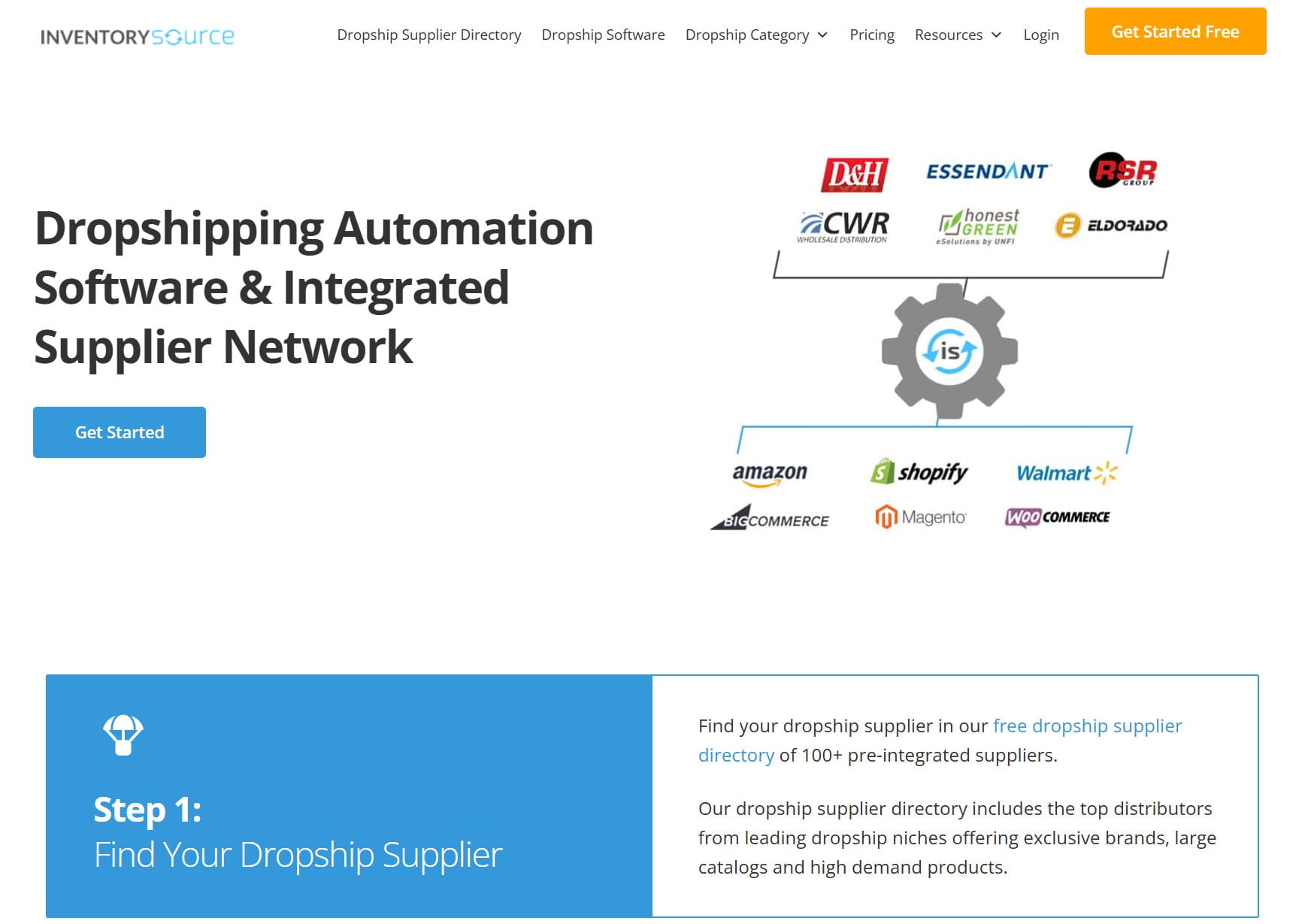
Inventory Source connects to wholesale supplier feeds and pushes product data straight into eBay, built for sellers sourcing from real distributors rather than one-off finds.
Features:
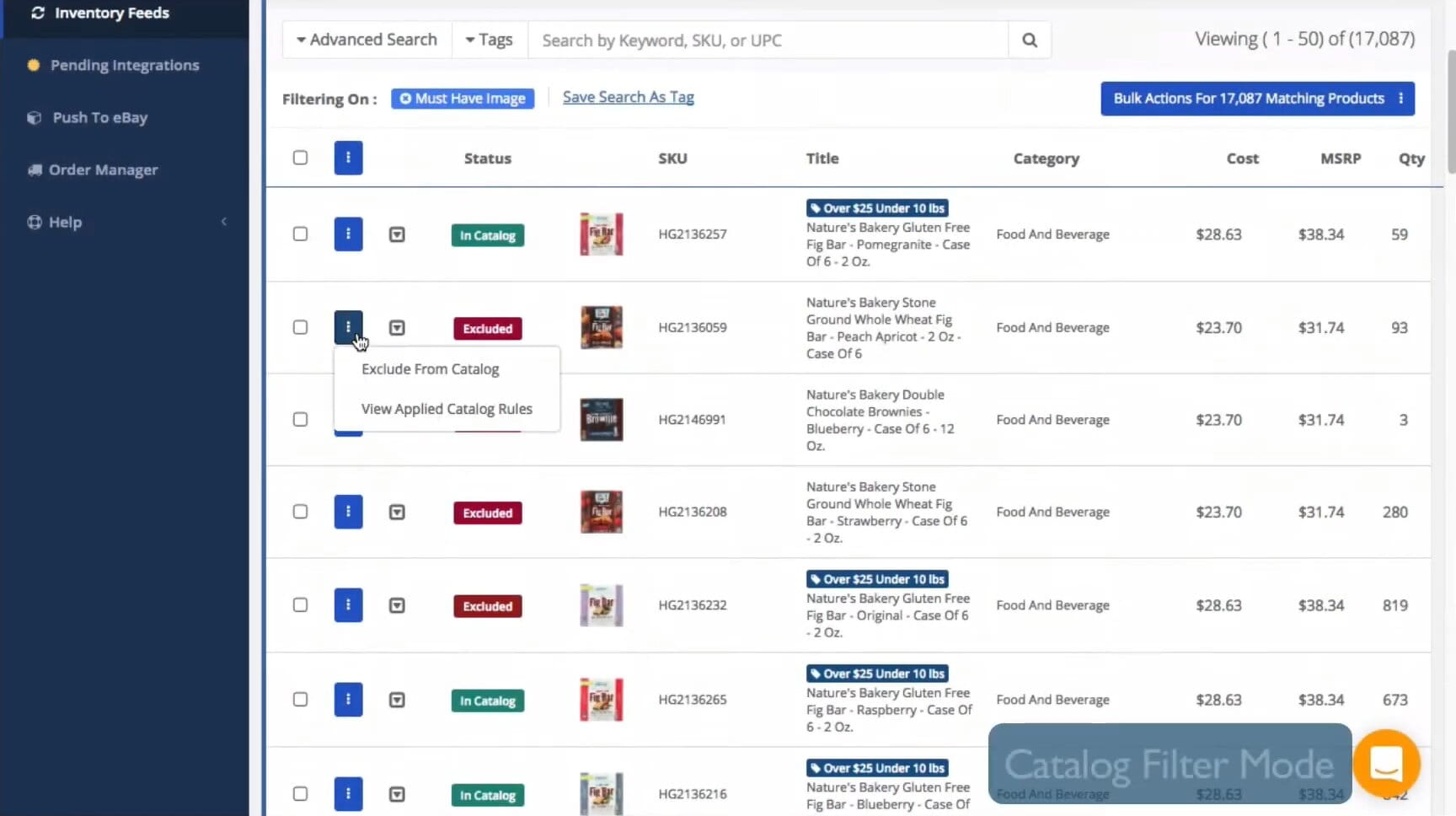
- Connections to 100-plus wholesale suppliers, with feeds that import full product data, including images, variations, and item specifics.
- An optimized eBay inventory sync that keeps quantities and pricing current and helps prevent overselling, available on every paid tier.
- Rules for price markups, categories, and mappings so items publish cleanly to eBay.
- Order-routing automation for eBay that sends orders straight to suppliers and syncs tracking back to your account, reserved for the Full Automation plans rather than the cheaper sync-only tiers.
- Real-time dashboards for feed status, errors, and mapping fixes.
Pricing:
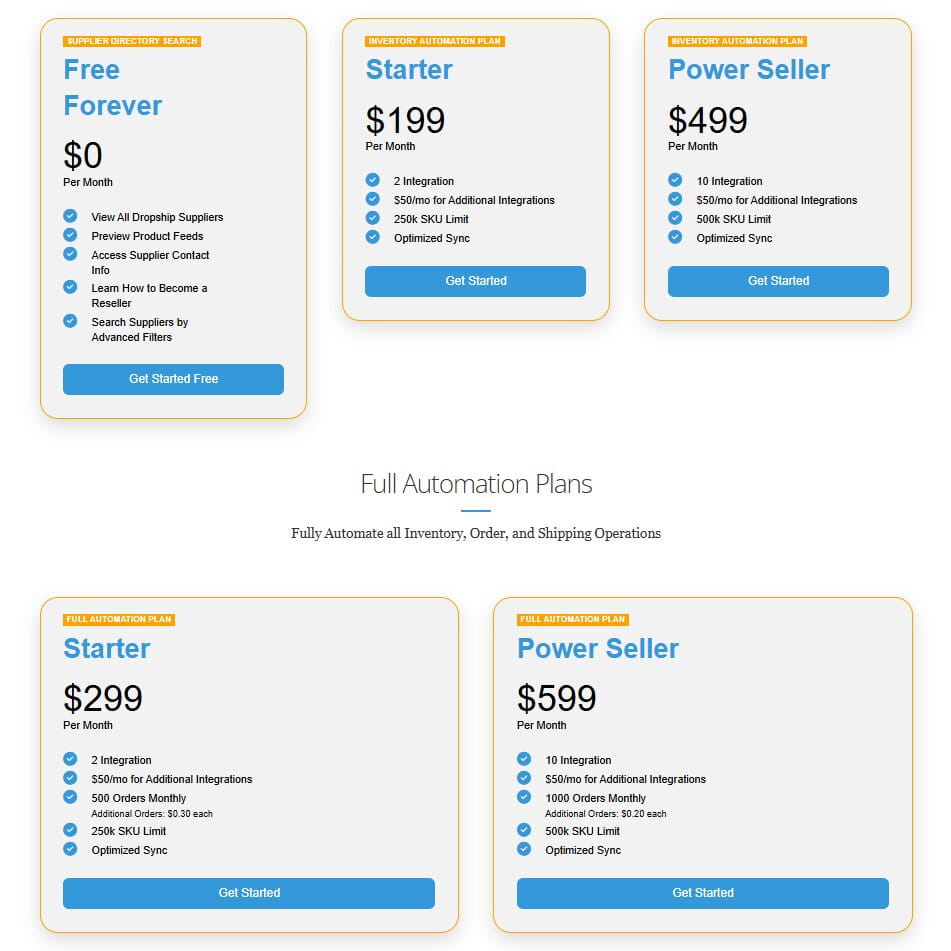
- A Free Forever tier covers browsing the supplier directory, previewing product feeds, and viewing supplier contact info at no cost, with no sync or automation included.
- Inventory Automation plans (sync only, no order routing) run $199/month for Starter (2 integrations, 250k SKU limit) up to $499/month for Power Seller (10 integrations, 500k SKU limit); extra integrations cost $50/month each on both tiers.
- Full Automation plans add order routing to suppliers on top of sync: Starter runs $299/month for 500 orders/month (additional orders billed at $0.30 each), and Power Seller runs $599/month for 1,000 orders/month (additional orders at $0.20 each), with the same integration and SKU limits as their Inventory Automation counterparts.
Pros:
- Supplier-fed data (images, variations, item specifics) removes a lot of manual catalog entry compared with building listings by hand.
- Order routing straight to suppliers cuts out a manual reordering step entirely.
Cons:
- The free tier is genuinely limited, closer to a directory browse than a working plan for actual selling; the cheapest tier with real inventory sync starts at $199/month, well above most other tools on this list.
- It’s less useful if your sourcing isn’t already built around wholesale supplier feeds.
Who it suits: sellers with wholesale catalogs who need reliable feed imports and automatic supplier routing rather than manual reordering.
10. Kyozou: End-to-End eBay Store Management for SMB Operations
Official site: Kyozou eBay Integrations
Best for: sellers who need all-in-one operations, especially eBay Motors and auto parts dropshipping.
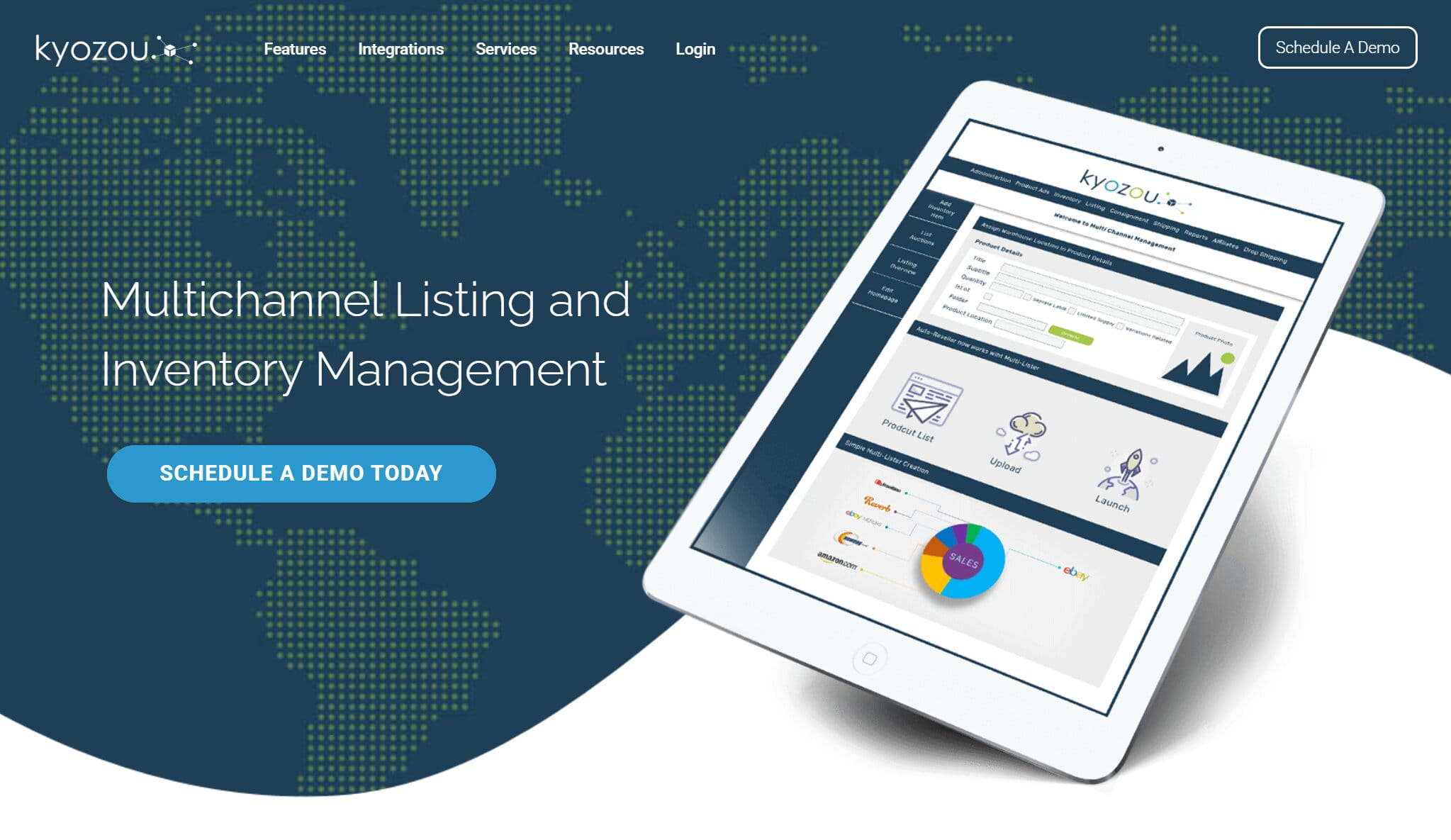
Kyozou is an eBay-certified operations platform built around warehousing, shipping, and multi-account listing, with particularly deep support for eBay Motors fitment data.
Features:
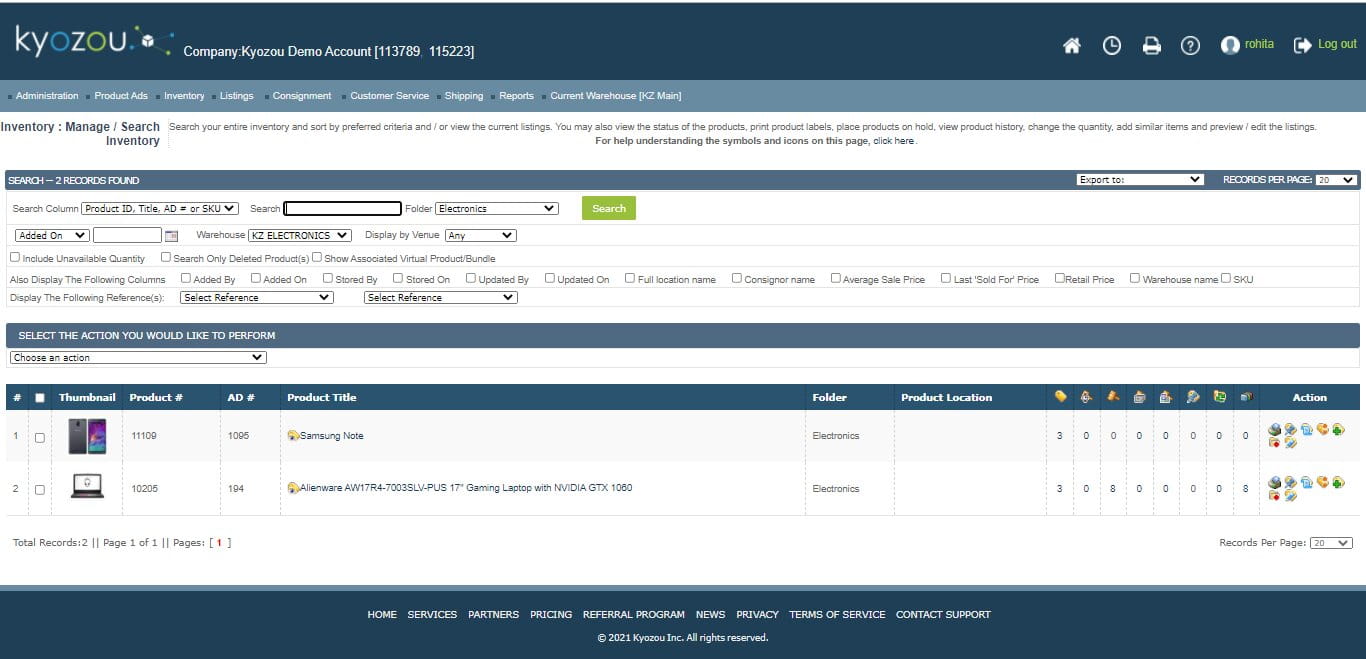
- An eBay-certified solution with catalog search, auto list and relist, and a built-in scheduler.
- Direct eBay Motors integration with fitment tables.
- A Multi Lister that publishes one SKU across multiple accounts and sites, with profile controls for consistent listings.
- Operational warehousing tools for receiving, picking, order processing, and shipping.
- Batch printing of shipping labels from one system, plus sales and performance reporting with customizable views.
Pricing:
- No public pricing is available.
- Sellers book a demo and speak with Kyozou’s sales team for a custom quote.
Pros:
- Deep eBay Motors fitment support is hard to find elsewhere on this list.
- Warehousing and label printing cover the operational side of the business alongside the listing side.
Cons:
- The lack of public pricing makes it harder to compare against the rest of this list before talking to sales.
- The operational depth is overkill for sellers who don’t actually need warehouse-level tools.
Who it suits: small to medium businesses that want one platform running listings, inventory, and shipping together, particularly in parts-heavy categories.
11. Auctiva: eBay Auction Management Software with Free Image Hosting
Official site: Auctiva
Best for: sellers who still run scheduled auctions and want a legacy brand that has kept its tools current.
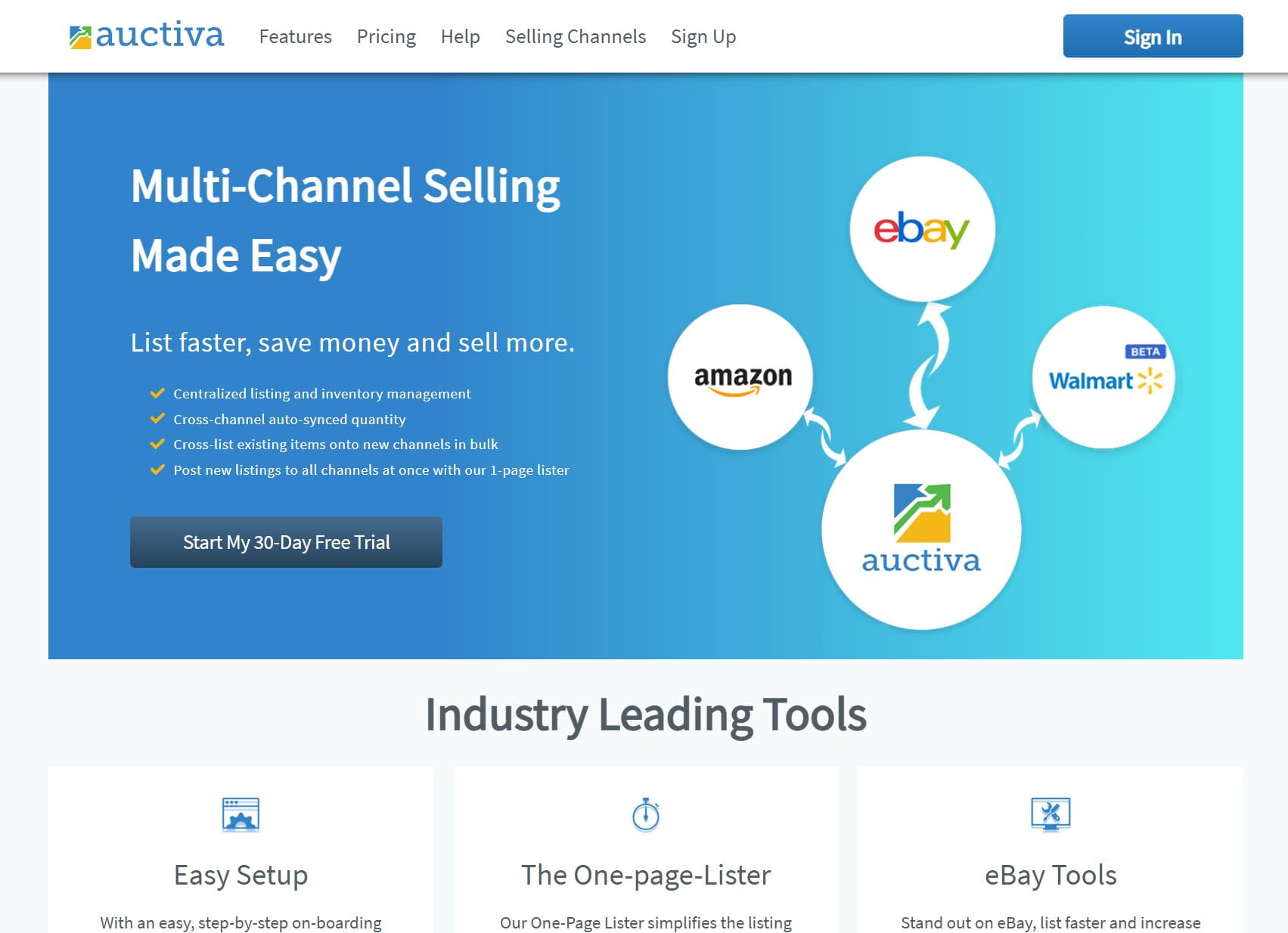
Auctiva has run since 1998 and still offers free image hosting and scrolling galleries alongside newer AI-assisted item attributes, aimed at auction-style sellers as much as fixed-price listers.
Features:
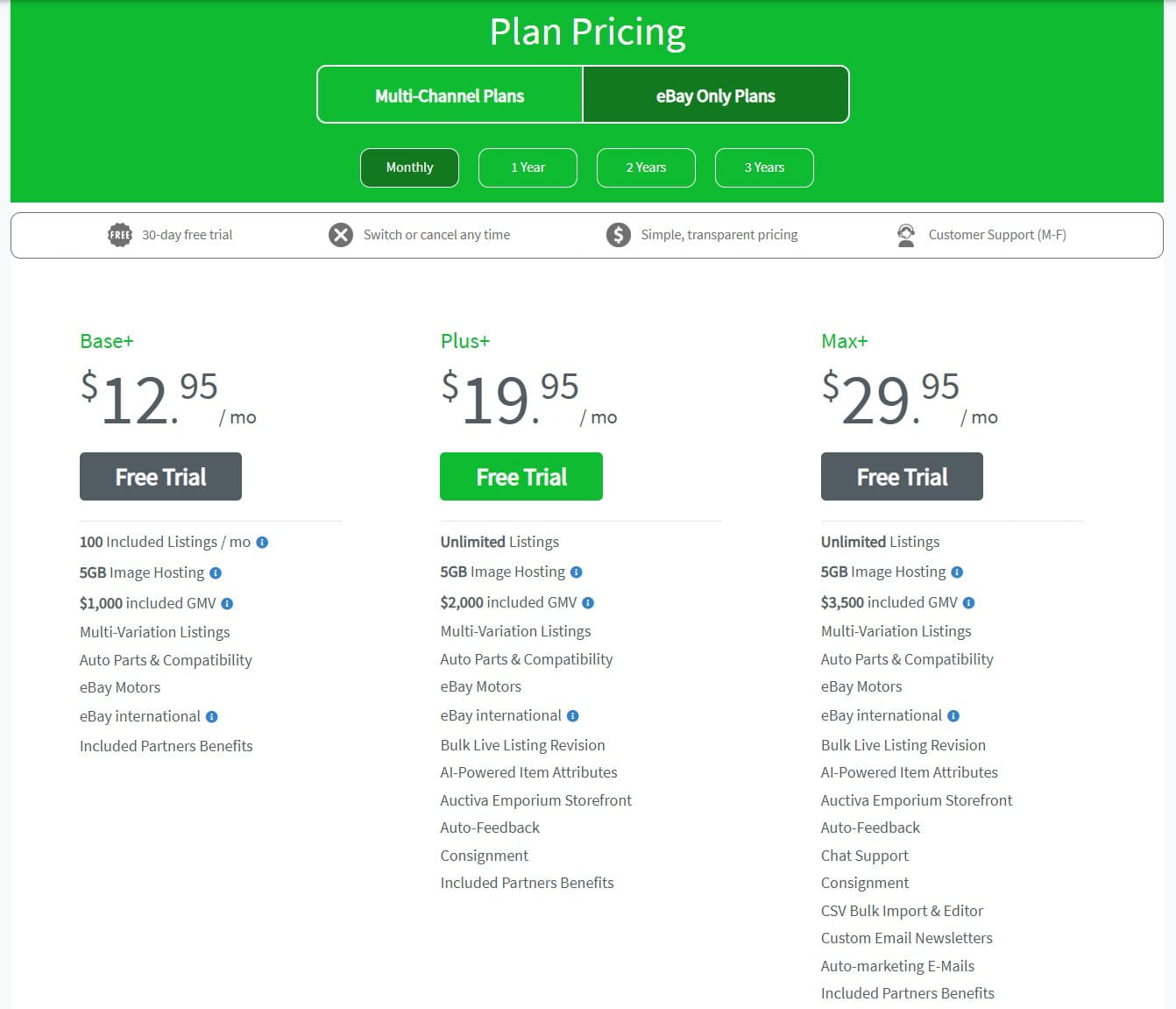
- Two plan families: eBay-only (Base+/Plus+/Max+), and multichannel (Starter+/Growing+/Business+/Pro+) that adds Amazon and a beta Walmart integration.
- Unlimited listings from the Plus+ tier up on the eBay-only side, bundled with 5GB or more of free image hosting and scrolling photo galleries.
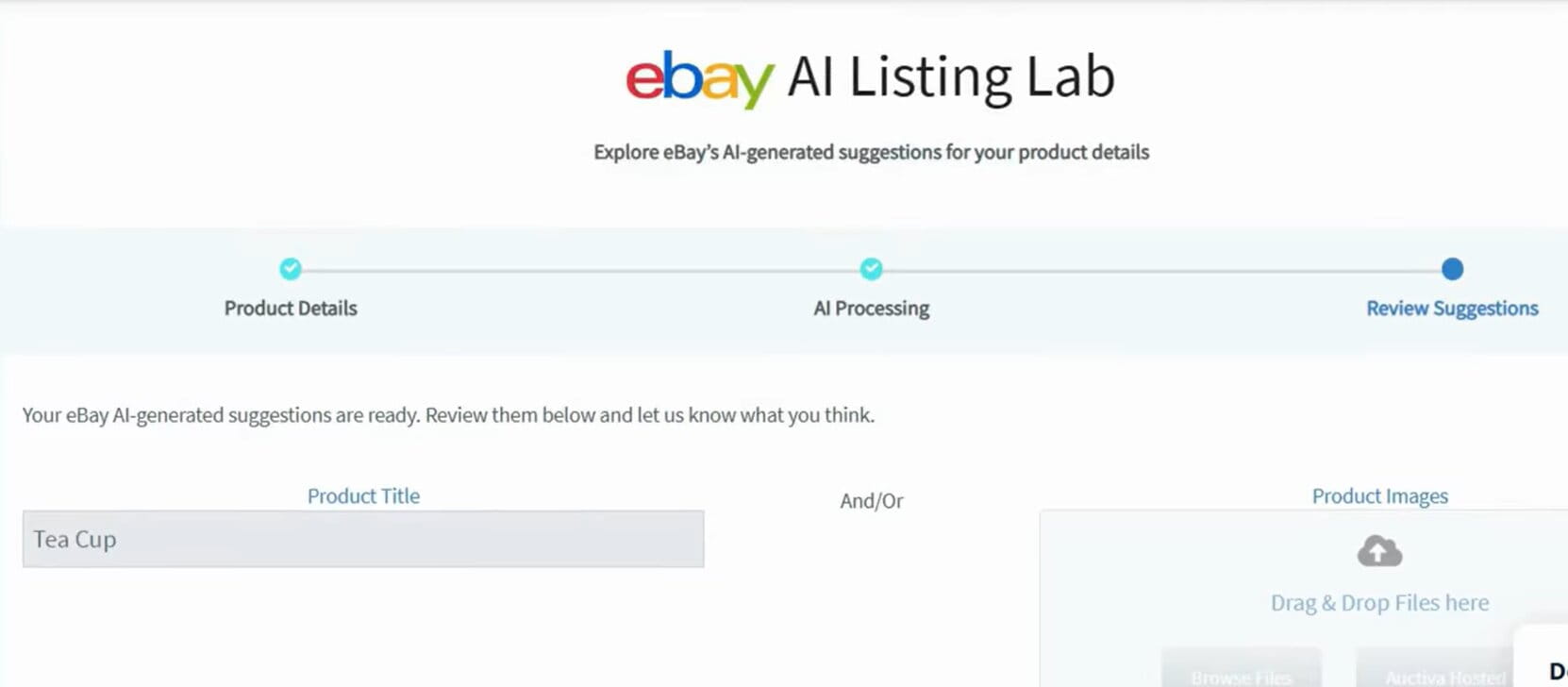
- AI-powered item attributes and bulk live-listing revision on the Plus+ and Max+ eBay-only tiers.
- Auto-lister and auto-relist rules, auto-feedback, and consignment tracking on the mid and top eBay-only tiers.
- Multi-variation listings, parts-compatibility support, and eBay Motors and international listing tools built in across every eBay-only tier, including the entry Base+ plan.
- Centralized inventory management and cross-channel quantity sync on the multichannel side, but only from Growing+ up; the entry Starter+ multichannel tier is unlimited listings without actual cross-channel sync.
Pricing:
- Every plan across both plan families includes a free trial.
- eBay-only plans run $12.95/month (Base+, 100 listings/month, $1,000 included GMV) to $29.95/month (Max+, unlimited listings, $3,500 included GMV) with no commitment; a 1-year term drops this to roughly $9.95 to $24.95/month (about 15% off), with further discounts on 2- and 3-year terms down to $8.95 to $20.95/month (30%-plus off).
- Multichannel plans run $19.95/month (Starter+, unlimited listings, no cross-channel sync) up to $99.95/month (Pro+, unlimited SKUs, 20GB hosting, $15,000 included GMV, chat and phone support) with no commitment, dropping to roughly $13.95 to $84.95/month on longer terms.
- Every tier includes a capped amount of GMV (gross merchandise value); selling past that cap requires upgrading a tier rather than paying overage fees directly.
Pros:
- Free image hosting and scrolling galleries remain genuinely useful rather than a legacy afterthought.
- Auto-parts fitment and eBay Motors support are built in even on the entry-level Base+ tier.
Cons:
- The entry-level multichannel Starter+ tier doesn’t actually include cross-channel inventory sync, that only starts at Growing+, so sellers need to check the feature list carefully rather than assume “multichannel” means synced by default.
- Every tier caps included GMV, so fast-growing stores may need to upgrade a tier sooner than the listing or SKU limits alone would suggest.
Who it suits: sellers weighing free ebay listing software against a small monthly fee, who want auction-era reliability, generous image hosting, and eBay Motors support without moving to a full crosslisting suite.
12. Sellbrite: Best eBay Amazon Listing Software for Multi-Channel Sync

Official site: Sellbrite
Best for: sellers running eBay alongside Amazon, Walmart, Shopify, or BigCommerce who need inventory and order sync more than design tools.
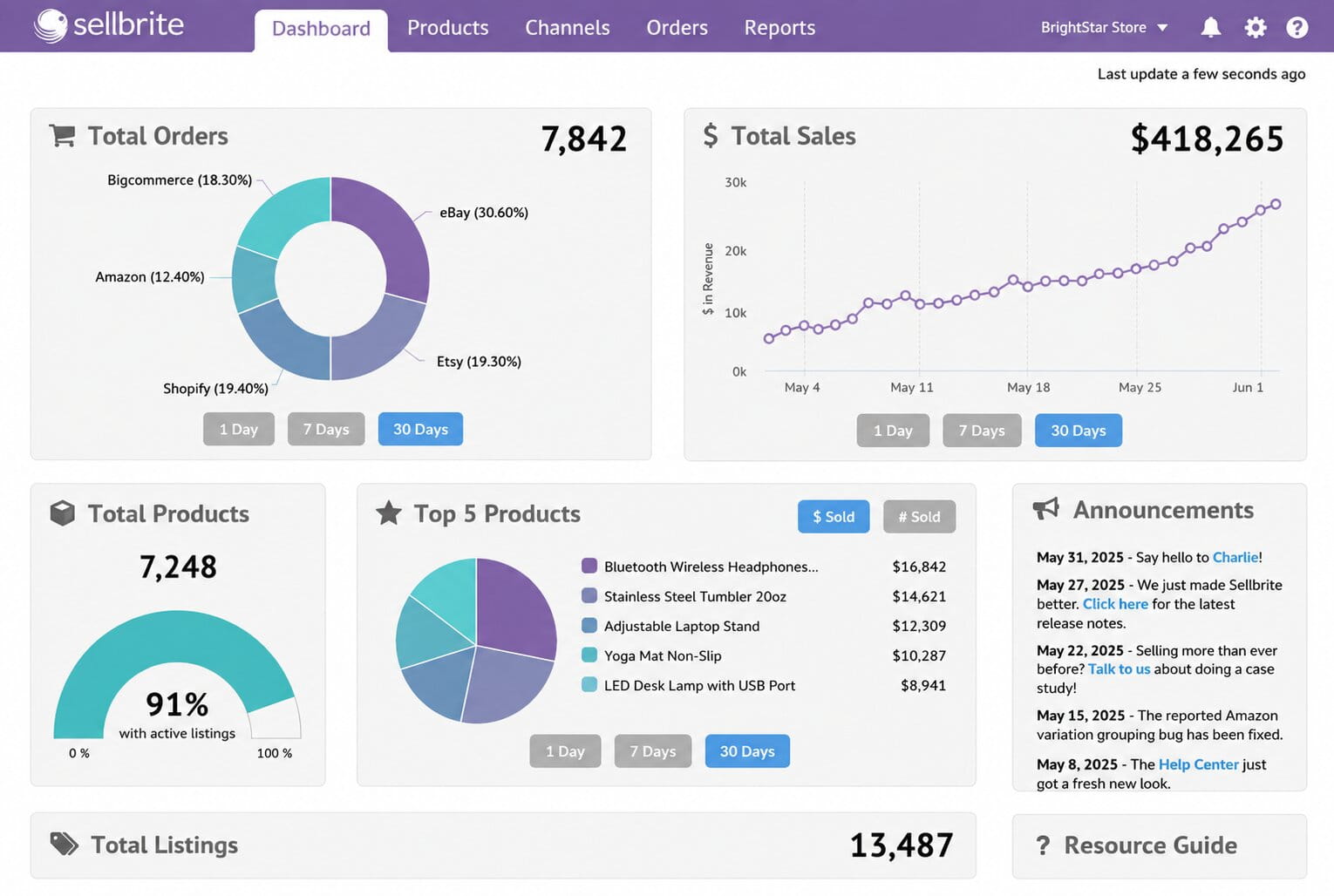
Sellbrite is an inventory-and-order sync tool first and a listing tool second, built for sellers who already treat eBay as one channel among several rather than their only storefront.
Features:
- Multichannel price and inventory control that pushes updates to every connected channel as soon as stock changes.
- Listing templates reusable across eBay, Amazon, Etsy, Walmart, Shopify, BigCommerce, and WooCommerce.
- An optional FBA inventory and multichannel fulfillment add-on that imports Amazon FBA stock and auto-routes fulfillment orders.
- Every tier, free included, comes with unlimited SKUs, sales channels, and users.
- Bulk data edits go through CSV inventory import and export.
Pricing:
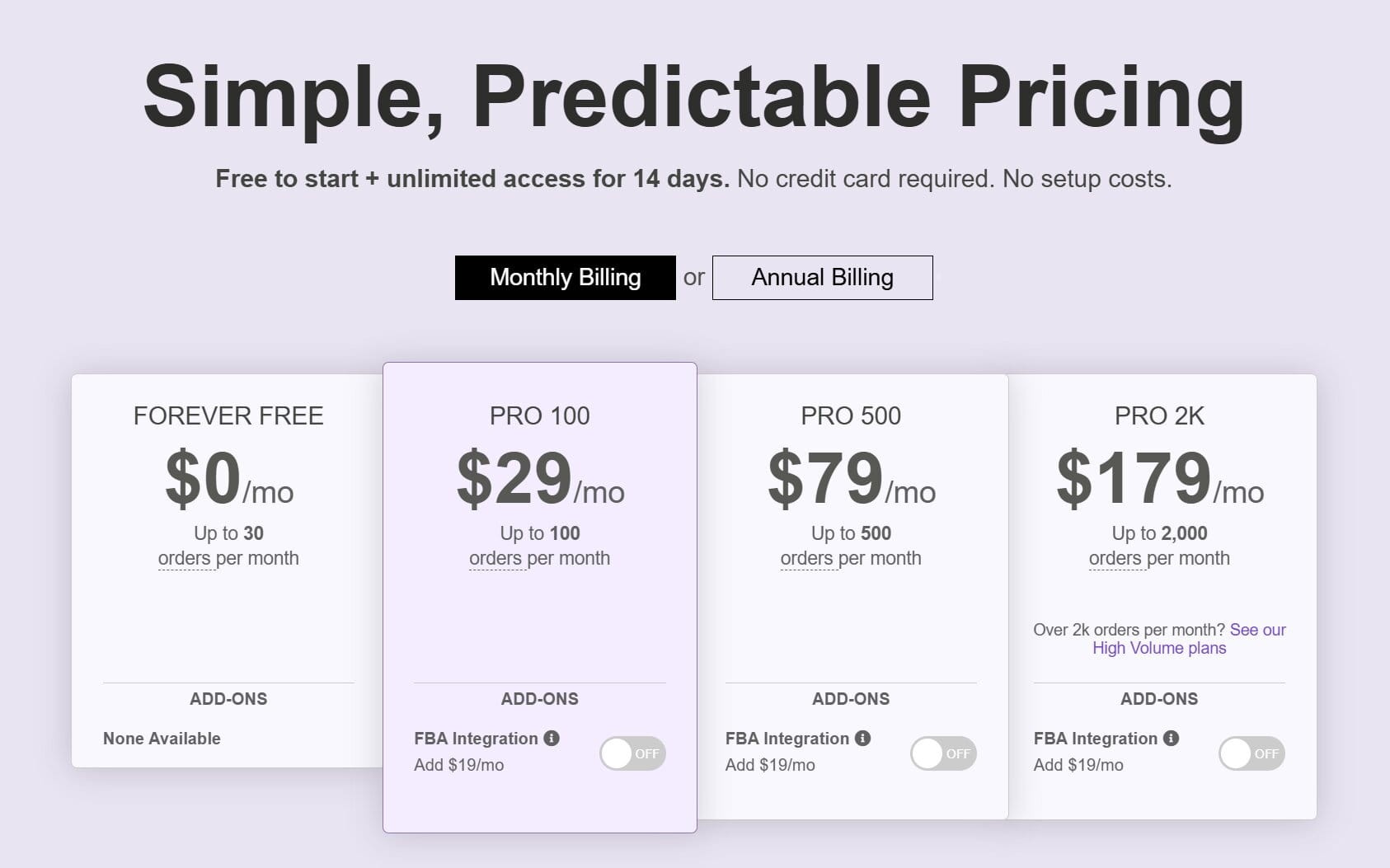
- A free-forever plan covers up to 30 orders/month, with no credit card required; inventory sync and order imports run every 2 hours, versus every 15 minutes on paid tiers.
- Monthly billing: Pro 100 at $29/month (100 orders), Pro 500 at $79/month (500 orders), and Pro 2K at $179/month (2,000 orders).
- Annual billing brings the same three tiers down to $24/month (Pro 100), $66/month (Pro 500), and $149/month (Pro 2K).
- The FBA inventory and multichannel fulfillment add-on costs extra on any paid tier: $19/month on monthly billing, or $16/month on annual billing.
Pros:
- There’s no order-count trial countdown on the free tier, which makes it genuinely worth testing before you commit to anything paid.
- Per-SKU fees don’t sneak up on you as the catalog grows, since SKUs and channels stay unlimited on every tier, free included.
Cons:
- The free tier syncs inventory and imports orders only every 2 hours, versus every 15 minutes on paid tiers, so stock counts can lag noticeably before you upgrade.
- Design and template options are more basic than dedicated design-first listing tools like CrazyLister or 3Dsellers.
Who it suits: multi-channel sellers who already treat eBay as one channel among several and want one of the more affordably priced best eBay Amazon listing software options for keeping stock counts honest everywhere at once.
Detailed Feature Comparison: eBay Listing Software and Services
| Software | Best for | Pricing / Trial | Highlights |
|---|---|---|---|
| Easync | Dropshipping automation | 7-day trial, no card; $49.99–$210/mo | Auto-ordering, eBay repricing software, inventory sync |
| 3Dsellers | Branded templates and messaging | Free trial; $19–$79/mo | Bulk edits, scheduler, policy manager, multichannel on top tier |
| eBay Seller Hub | Native, free starter toolkit | Free | Listings, promos, analytics, SEO guidance |
| CrazyLister | Fast design control, eBay + Amazon | $20–$600/mo (volume-based) | Drag-and-drop templates, bulk apply, mobile editor |
| Frooition | Pro design and compliance | 30-day trial; custom quote | Compliance-ready templates, theme setup, bulk revision |
| Snap2List | AI listings with profit tracking | Free–$149.99/mo | Photo-to-listing AI, smart pricing, Financial Hub |
| ZIK Analytics | Data-led product research | $1 trial; $39.90–$59.90/mo | Niche finder, competitor scans, SEO titles |
| WonderLister | Power-user bulk operations | 15-day trial; $25–$750/mo | CSV import, find/replace, variation mapping |
| Inventory Source | Supplier directory and sync | Free directory tier; $199–$599/mo | Supplier feeds, eBay inventory sync, order routing |
| Kyozou | SMB operations suite | Demo and quote required | Motors fitment, warehouse tools, labels, reporting |
| Auctiva | Auction heritage, free hosting | Free trial; $12.95–$99.95/mo | Image hosting, scrolling galleries, AI item attributes |
| Sellbrite | Multi-channel order sync | Free (30 orders); $24–$179/mo | eBay + Amazon + Walmart sync, FBA add-on, templates |
What About eBay Listing Services? When Outsourcing Makes More Sense
Software isn’t the only route. Consider an eBay listing service when volume, time, or complexity starts outpacing your bandwidth, even if you’re already running one of the tools above. Managed eBay product listing services suit solopreneurs scaling faster than expected, and they’re just as useful for teams running multichannel catalogs or brands that need templates, compliance checks, and ongoing updates handled for them.
A good eBay listing service pairs eBay seller tools with real staff who upload, optimize, and monitor your listings while you focus on eBay product sourcing and customer service. These eBay outsourcing services typically bill per listing, per hour, or as a flat monthly retainer, so it’s worth asking for a sample batch before committing to a contract. DIY software remains the better fit for hands-on sellers with smaller catalogs who want to keep control of their own workflow rather than hand it to a third party.
What Should You Actually Pay Attention to Before Buying?
A few things worth double-checking before you commit to any listing ebay software subscription, based on the recurring complaints across seller communities and vendor changelogs this year:
- How the vendor defines a “listing.” Some plans count only active items, others count every listing action including relists, which can quietly double your usage against the cap.
- Whether pricing tools use real sold data. eBay’s own Terapeak, available inside Seller Hub for Store subscribers, and third-party research tools like ZIK Analytics both pull from actual completed sales rather than asking prices, which matters if you’re setting a price from scratch.
- What happens when a sync fails. Ask any vendor how inventory errors get flagged, since a missed out-of-stock update is what actually causes order cancellations and defects, not the listing tool’s design quality.
- Whether a free tier is really free or just a trial with a countdown. eBay Seller Hub and Inventory Source’s directory tier are genuinely free ebay listing software with no expiration; most “free trial” tools from this list convert to a paid plan automatically after 7 to 30 days unless you cancel.
Final Thoughts: Pick the Right Tool and Grow
Your eBay tech stack is a growth decision. These tools save time and reduce the tedious parts of running an eBay dropshipping store, but the choice should be based on where your volume is headed over the next year, beyond where it sits today.
Most of the tools above come with risk-free trials, so take the time to get acquainted with each one before committing. Try two options side by side, document a simple process, and standardize on whichever one actually holds up once you’re listing at real volume rather than during a demo.
If dropshipping is your focus, Easync for eBay covers listing, sync, repricing, and ordering in one subscription, which is the main reason it opens this list. Start a trial with Easync today.
Quick Picks: Which Tool Fits Your Situation
If you’d rather match a scenario to a tool than read all 12 cards, start here:
- Just getting started, under 20 listings a month → eBay Seller Hub, free with no learning curve.
- Full dropshipping automation, listing through repricing and ordering → Easync.
- Selling on eBay alongside Amazon, Walmart, or Shopify → Sellbrite, built for order and inventory sync across channels.
- Multiple eBay accounts that need branded, template-heavy listings → 3Dsellers if messaging automation matters more, CrazyLister if visual design control does.
- AI-generated listings from photos with built-in profit tracking → Snap2List.
- High-volume desktop power user managing thousands of SKUs locally → WonderLister.
- Still running scheduled auctions, or want free image hosting bundled in → Auctiva.
- Sourcing decisions before you list anything → ZIK Analytics, paired with whichever listing tool you choose above.
Frequently Asked Questions
What is eBay listing software?
eBay listing software is any tool that helps sellers create, publish, and manage product listings on eBay faster than using eBay’s own listing form by hand. Most tools handle bulk listing, templates, and inventory sync at minimum; more advanced tools add automation for repricing, order placement, and relisting. Some, like eBay Seller Hub, are built directly into eBay itself rather than being third-party software.
Is there free eBay listing software that actually works?
Yes. eBay Seller Hub is free with no listing cap and no trial countdown, and it includes Terapeak research if you carry a paid Store subscription. Inventory Source also offers a free directory tier for browsing supplier feeds. Most sellers typing “eBay listing software free” into Google are really looking for one of these two, rather than a full-featured paid tool with the word “free” in its marketing. Beyond those two, ebay free listing software from a third-party vendor usually means a time-limited trial rather than a permanent plan.
What’s the best eBay lister for someone just starting out?
For fewer than a few dozen listings a month, eBay Seller Hub covers the basics without a subscription. Once volume climbs past that, sellers usually move to a template tool like CrazyLister or 3Dsellers for design, to Snap2List if AI-assisted listing creation from photos is the priority, or to Easync if the goal is dropshipping automation rather than manual listing.
Is third-party eBay listing software actually better than eBay Seller Hub?
For eBay-only sellers running under a few dozen listings a month, Seller Hub is usually enough on its own, and it’s free with no catch. Third-party tools earn their subscription cost once you need things Seller Hub doesn’t do natively, such as automated repricing, order placement across large catalogs, branded templates, or managing multiple eBay accounts from one dashboard. The trade-off is cost against automation rather than quality against quality; Seller Hub’s native tools work fine, they’re just narrower in scope.
Is there a free eBay repricing tool?
Not a fully free one among established vendors. eBay Seller Hub doesn’t include automated repricing, so sellers on a budget typically start with a lower paid tier of Easync or ZIK Analytics rather than repricing manually, since manual repricing on more than a handful of SKUs tends to eat the time savings the rest of the stack provides.
Do eBay listing tools actually help with SEO and Cassini ranking?
They help indirectly. None of these tools can override eBay’s Cassini algorithm, but the ones that auto-fill item specifics and write structured titles, including 3Dsellers, Snap2List, and ZIK Analytics, tend to produce listings that satisfy Cassini’s relevance signals more consistently than listings built by hand under time pressure.
Frooition alternatives: what should sellers look at instead?
CrazyLister is the most common substitute, since it offers published, lower-cost tiers instead of Frooition’s quote-based pricing. It doesn’t match Frooition’s GPSR compliance depth or its eBay Developer Council-level support line, so the trade-off is usually price against white-glove service rather than a straightforward downgrade.
Does this list cover crosslisting to Poshmark, Mercari, Depop, or Etsy?
No. This guide focuses on eBay-specific listing software, sync, and dropshipping automation across storefronts like Amazon, Walmart, and Shopify. Publishing one draft of a single, one-of-a-kind item across several resale marketplaces at once, then auto-removing it everywhere the moment it sells, is a different job usually called crosslisting, and it’s worth researching as its own category if reselling one-of-a-kind inventory is your workflow.