
- articles
Dropshipping From Alibaba to Shopify: 2026 Guide
Quick answer: There is no official Alibaba app on Shopify anymore, so you connect Alibaba to Shopify one of four ways: Alibaba’s own Dropshipping Center, a third-party importer such as Importify, an AliExpress-first automation app that also reads Alibaba links, or a CSV and API workflow you control. Whichever route you pick, you source the product on Alibaba, list it in Shopify, and the supplier ships to your buyer.
Key Takeaways
- The “Dropshipping-Alibaba Official” app is no longer listed in the Shopify App Store, so any tutorial telling you to install it is out of date.
- Alibaba’s Dropshipping Center is free and still opens at dropshipping.alibaba.com, but ordering and stock updates stay manual unless you add a tool on top.
- A Shopify store costs $39 a month on Basic when billed monthly, or $29 a month when billed yearly, before apps and card fees.
- Most Alibaba suppliers are set up for bulk, not single parcels. Filter for dropshipping-friendly sellers first, then negotiate.
- Samples and Trade Assurance are the two cheapest forms of insurance you will buy in this business.
Sourcing cheap and selling on your own storefront is still one of the most durable ways to run an online shop, and the Alibaba to Shopify route remains the version of it with the widest product catalogue behind it. What has changed is the plumbing. The convenient one-click bridge that older guides were built around stopped working in 2024, and a lot of the advice online never caught up.
This Alibaba dropshipping guide covers the current state of things: the four connection methods that actually work, what each costs, how to vet a factory before you list its product, and what to promise customers about delivery. Everything below was checked against the vendors’ own pricing pages rather than review sites.
Alibaba and Shopify: What Each Side Actually Brings
These are two different kinds of platform doing two different jobs, and understanding the split saves a lot of confusion later. Alibaba is a wholesale marketplace where you talk to manufacturers. Shopify is the shopfront and the checkout. Nothing in between is automatic.
Alibaba as a Source
Alibaba is the world’s largest B2B trading platform and part of the same group that owns AliExpress. The distinction matters: AliExpress sells single units to consumers, Alibaba connects you to the factory behind those units. That gets you better unit pricing and the option to put your own branding on the product, at the cost of having to actually negotiate.
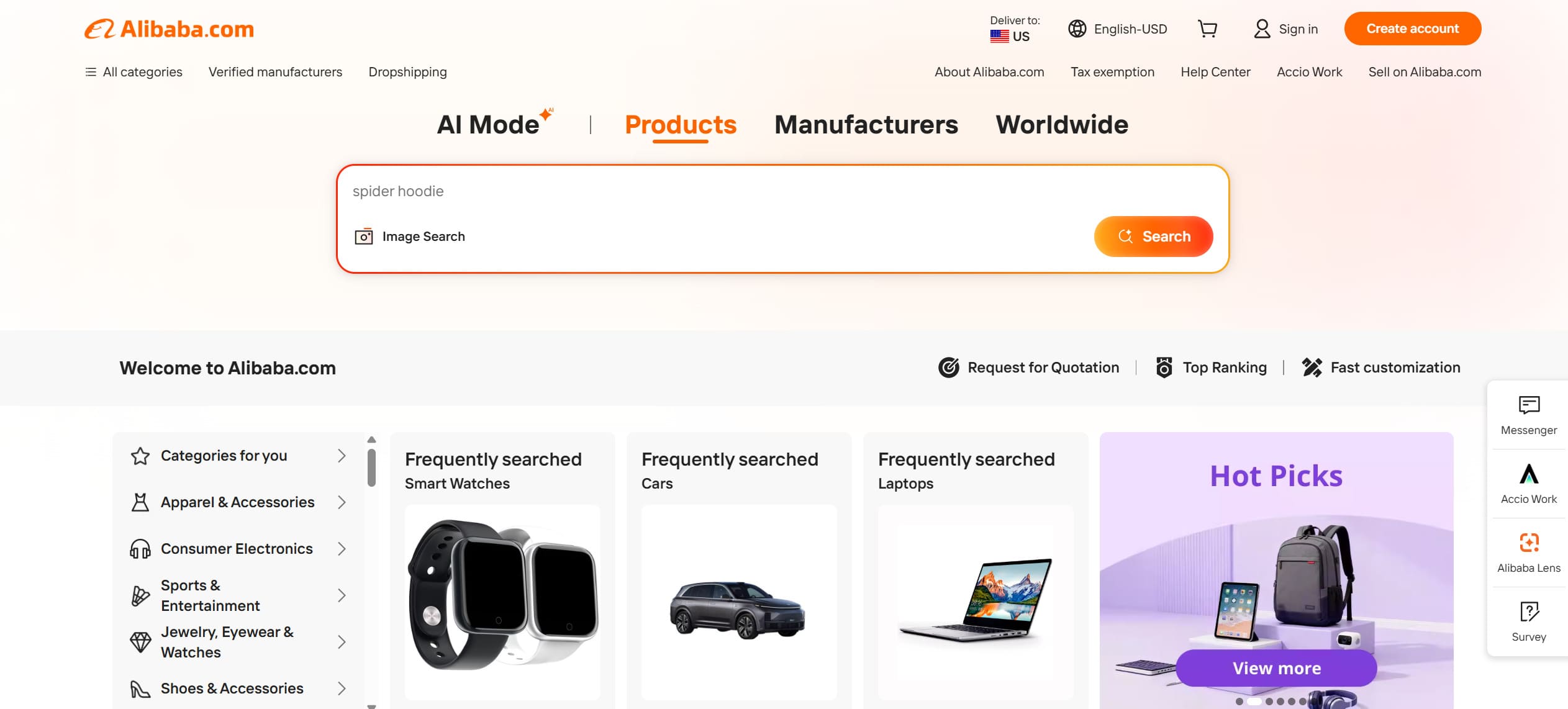
What makes it a workable supplier for most dropshipping operations:
- Free to browse and to open a buyer account
- Factory-direct pricing, which is where the margin comes from
- A dedicated Dropshipping Center for suppliers willing to ship single orders
- Listings that most third-party importers and dropshipping tools can read directly from the product URL
- Trade Assurance, which holds your payment until the order is delivered as agreed
- Private label and custom packaging on most manufactured goods
- Request for Quotation, so suppliers come to you instead of the other way round
The weak spots are real too. Quality varies enormously between listings that look identical, English-language support depends entirely on which supplier you land with, and a factory that is happy to quote you on 500 units may simply stop replying when you ask about single-parcel fulfilment. Vetting is not optional here, and there is a whole section on it further down. Alibaba can absolutely be a reliable supplier for dropshipping, provided you treat supplier selection as the actual work rather than a formality.
Shopify as the Storefront
Shopify’s case rests on scale and on not needing a developer. There are now 6.91 million live websites running on Shopify, which means the app ecosystem, the themes and the documentation around any problem you hit are already mature. You get hosting, SSL, inventory, payments and a checkout in one subscription, and you can sell through social channels and marketplaces from the same admin. If you have used WooCommerce, the trade is roughly convenience for control.
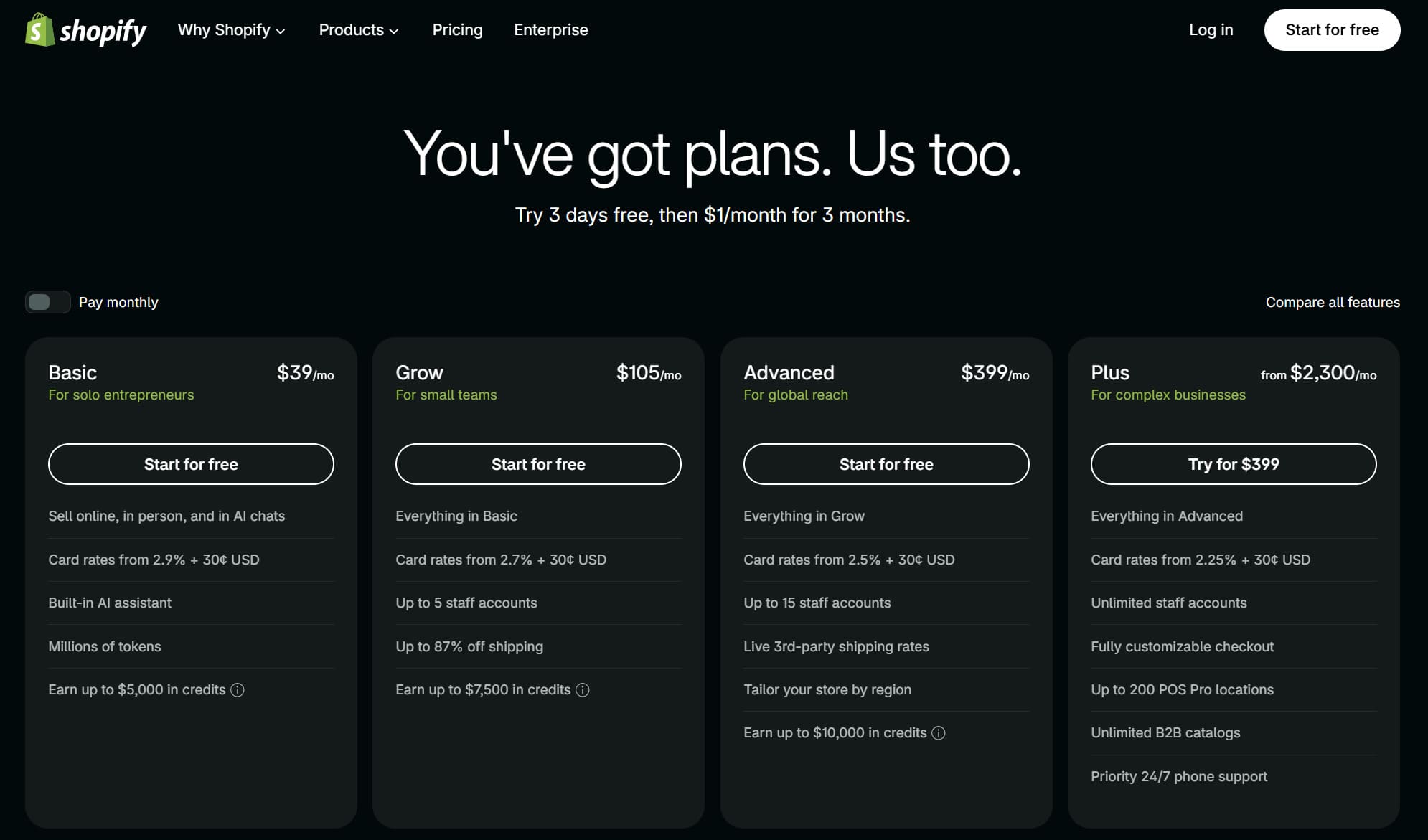
The cost side deserves a straight look, because it eats into your margin from day one. Basic runs $39 a month billed monthly or $29 a month billed yearly. The middle tier was renamed Grow in 2026 and sits at $105 monthly or $79 yearly. Advanced is $399 monthly or $299 yearly. On top of the subscription, Shopify Payments takes 2.9% plus 30 cents on a standard online card transaction on Basic, and if you use an outside payment gateway instead, Shopify adds a further 2% on that plan. All of those figures come from Shopify’s own pricing page, along with the 3-day free trial and the introductory $1 a month for the first three months.
One practical limitation: Shopify Payments is not available everywhere. If your country is outside its coverage you fall back on third-party processors, and between their fees and Shopify’s added percentage the cost per order climbs noticeably.
Four Ways to Connect Alibaba to Shopify, Compared
There is no single button that will import Alibaba to Shopify in one move, and no first-party app to install either. Most Alibaba dropshipping Shopify setups therefore run on one of four routes. The table shows where the link between the two platforms is actually made in each case, and what you will still be doing by hand afterwards, which is usually the deciding factor. Prices are regular list prices rather than promotional rates, with the billing cycle stated.
| Method | How the connection is made | Best for | What stays manual | Regular cost |
|---|---|---|---|---|
| Alibaba Dropshipping Center | Source the product in Alibaba’s own hub, then export the data or rebuild the listing in Shopify by hand. No app involved. | Your first few SKUs and suppliers you negotiate with directly | Ordering, stock and price checks, tracking updates | Free |
| Importify | Install the app from the Shopify App Store, then capture Alibaba product pages with its browser extension and push them to your store. | Pulling from Alibaba alongside other marketplaces | Placing the Alibaba order; auto-fulfilment covers AliExpress only | $14.95 to $37.95 a month billed monthly; $11.95 to $29.95 a month on annual billing |
| DSers | Install from the Shopify App Store, authorise your store, then import by pasting supplier product links. | AliExpress-heavy catalogues with a few Alibaba lines | Placing the Alibaba order; the AliExpress side runs on its own | Free tier; $19.90 to $499.90 a month billed monthly, or $190.80 to $4,799.04 charged once a year |
| CSV import or custom API | Map supplier data into Shopify’s product CSV under Products > Import, or build an integration against the Shopify API. | Large catalogues, agency and ERP setups | Whatever you choose not to build | Developer time plus hosting |
1. Alibaba Dropshipping Center
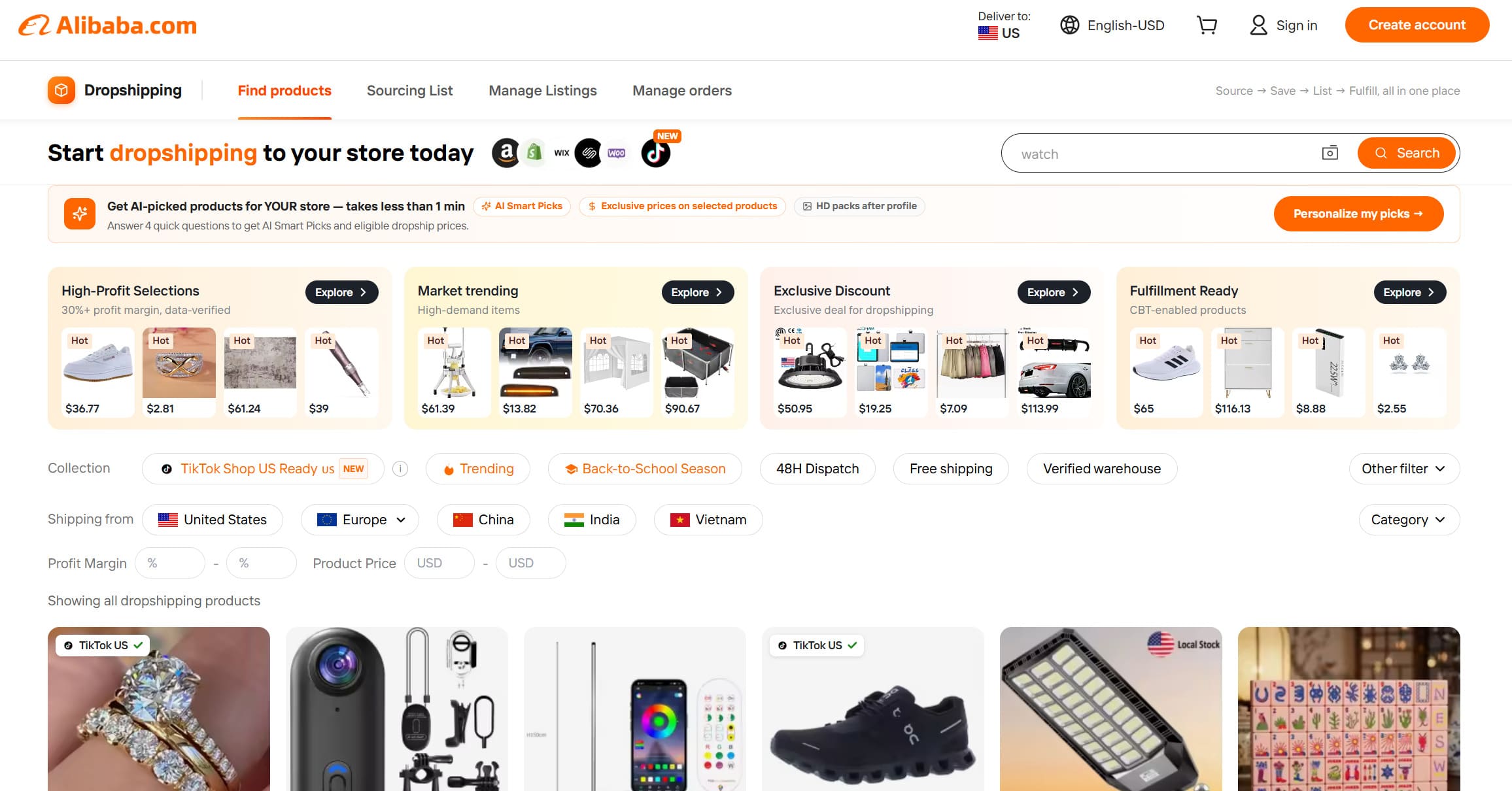
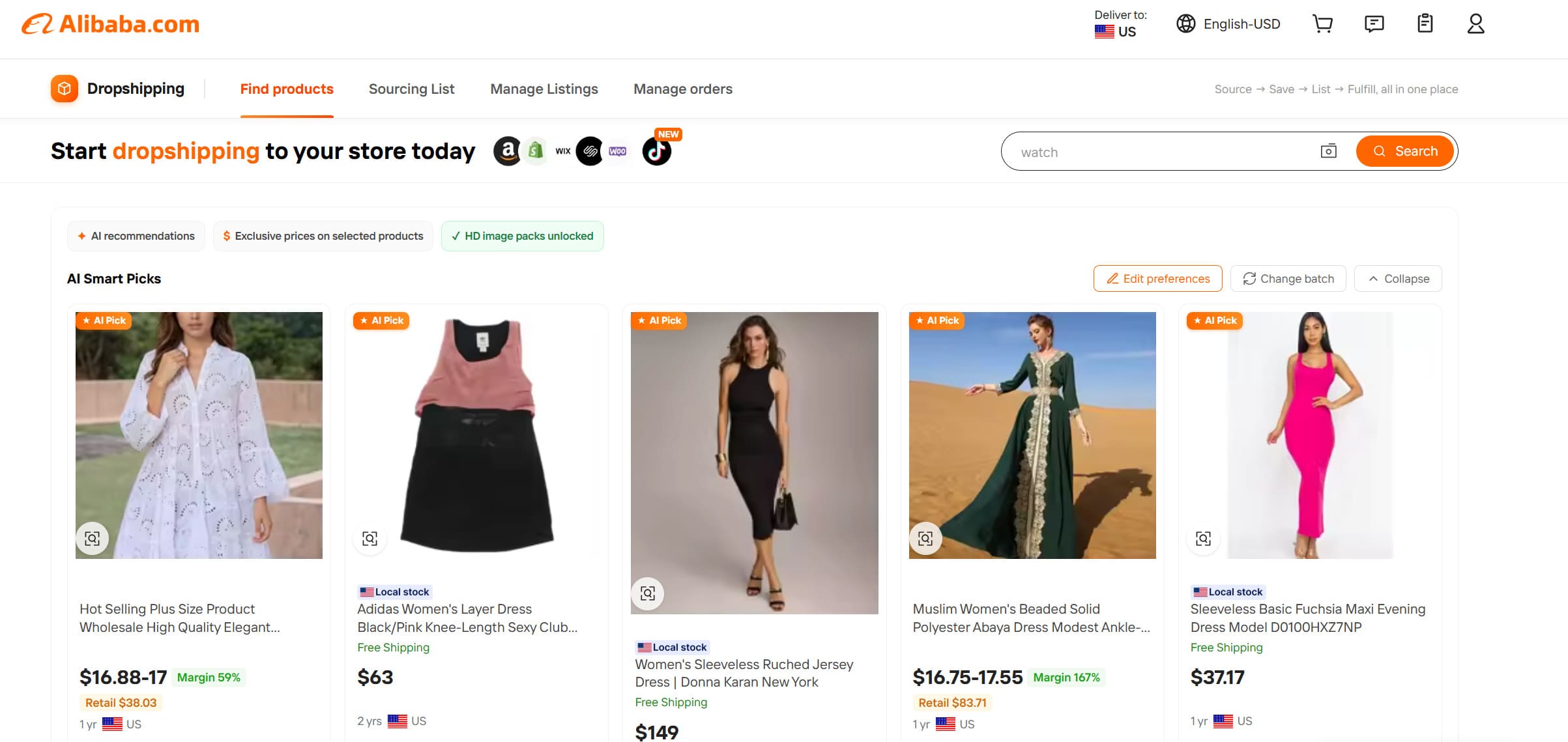
The Center opens at dropshipping.alibaba.com and lands you on the product finder. You will need to be signed in to your Alibaba account before anything loads, which catches out anyone expecting to browse it the way they browse the main marketplace. Once inside you can search suppliers who have agreed to ship single orders, filter by shipping origin and profit margin, save products to a sourcing list, and track orders from the same dashboard.
The catch is the last mile. Pushing products to a Shopify store from inside the Center historically relied on the official Alibaba app, and that app is not currently available in the Shopify App Store. Merchants first reported the breakage in a long-running Shopify Community thread and it was never resolved. So in practice the Center works as a sourcing and negotiation tool, and you move the product data across by export or by hand. It costs nothing, which for a first handful of SKUs is exactly the right price.
One thing that catches people out: searching the App Store for “alibaba” still returns dozens of results, several of them with Alibaba in the name. Those are all third-party developers. Check the Developer field on any listing before you trust it, because the only one published by Alibaba itself is the delisted entry above. Some of these apps genuinely do read Alibaba product pages and are covered further down; others put the word in the title for search reasons and only fulfil from AliExpress, which the reviews on the listing will usually tell you faster than the description does.
2. Importify
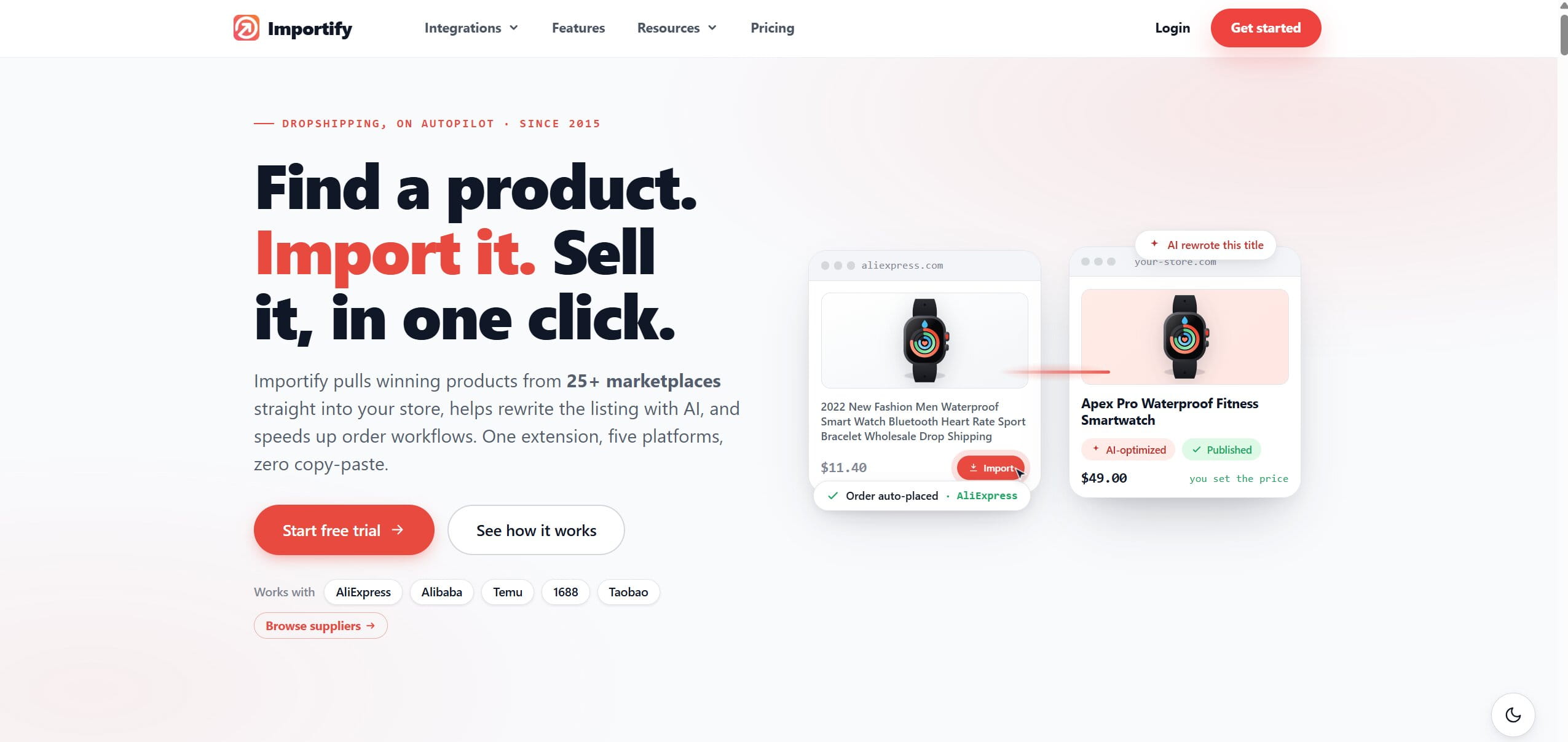
Importify is a browser-extension importer that names Alibaba explicitly among its supported sources alongside AliExpress, Etsy, Walmart and a couple of dozen others. You browse a supplier’s page as normal, click the extension, and the images, variants and description land in your Importify dashboard for editing before anything is published. Its pricing page lists three tiers in USD. On monthly billing they run $14.95 for Basic, $27.95 for Premium and $37.95 for Gold. On annual billing the same tiers work out at $11.95, $22.95 and $29.95 a month, charged once a year at $143.40, $275.40 and $359.40. Note that Amazon is excluded from Basic and only appears from Premium up.
Read the fine print on fulfilment. The one-click order processing on the Gold plan applies to AliExpress orders. For Alibaba you still place the order with the supplier yourself, so what you are buying here is the import and listing-cleanup half of the job, not the ordering half.
3. DSers
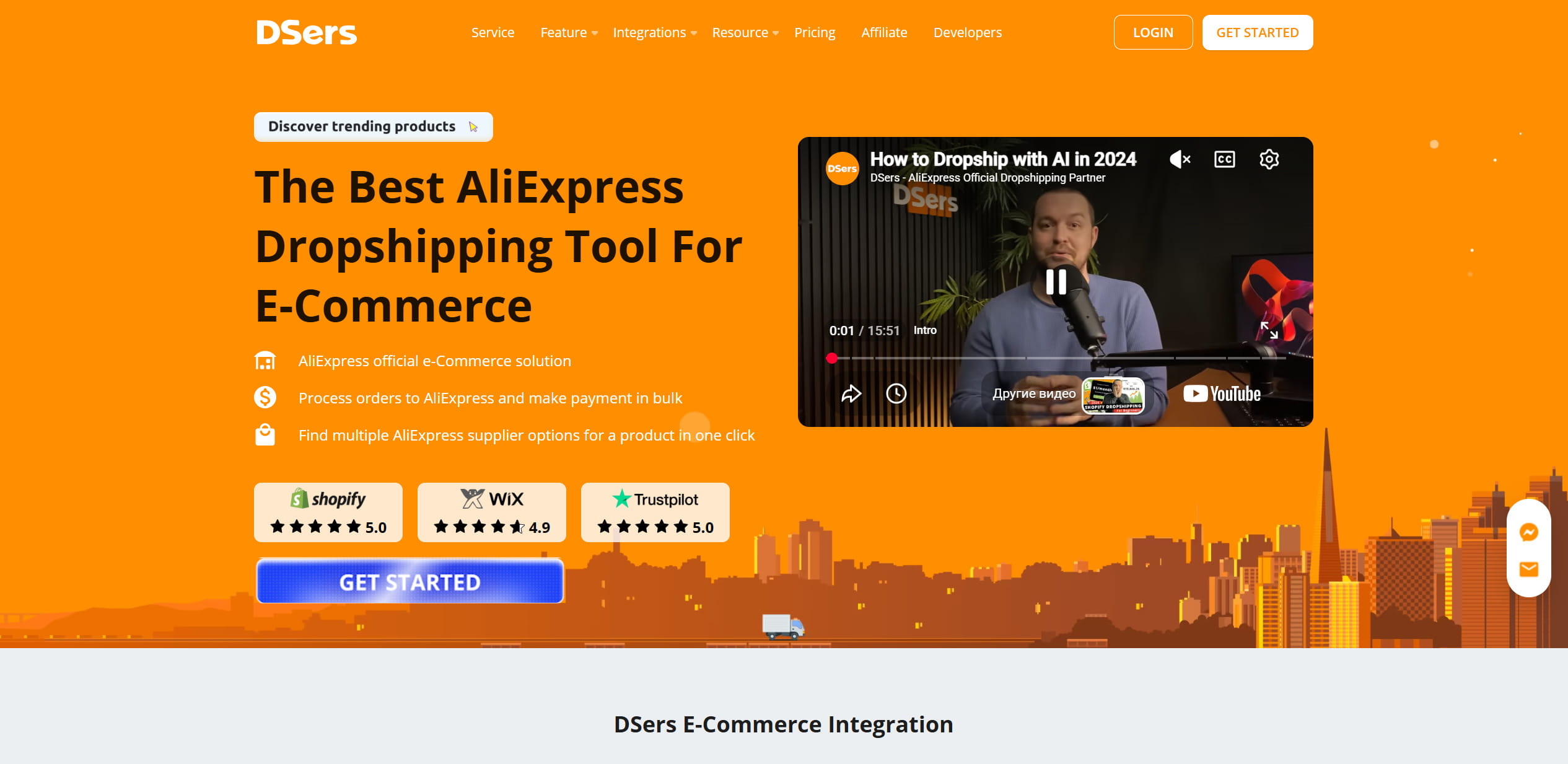
DSers became the default automation layer for Shopify stores after Oberlo was retired, and its Shopify App Store entry advertises AliExpress, Alibaba and US suppliers. The automation depth on AliExpress is genuinely strong: bulk ordering, variant mapping, automatic price and inventory updates, tracking numbers pushed back to the store and to PayPal. Its plans page shows a free Basic tier covering 3 stores and 3,000 products. Above it, monthly billing costs $19.90 for Advanced, $49.90 for Pro and $499.90 for Enterprise. Annual billing is quoted as a yearly total rather than a monthly rate: $190.80, $478.80 and $4,799.04 respectively. All three paid tiers come with a 14-day trial.
Treat it as an AliExpress tool that reaches into Alibaba rather than the reverse. If your catalogue is mostly consumer-grade items with a few factory-sourced lines, that balance suits you well. If it is the other way around, the free tier is still worth having installed for the price monitoring alone.
4. CSV Import or a Custom API Workflow
The unglamorous option, and the one that scales furthest. Shopify accepts a product CSV under Products > Import, and the template handles variants, images by URL, SKUs, weights and inventory. Build the file once for a supplier’s catalogue format and re-importing becomes a five-minute job. Above a few hundred SKUs, or where a supplier can send you a feed, a small API integration removes the file-shuffling entirely.
This is also the only route where you are not waiting on somebody else’s roadmap. Every app on this list depends on a marketplace that can change its terms without notice, which is precisely what happened with the official Alibaba app.
How to Import Products From Alibaba to Shopify, Step by Step
Eight steps, in the order you will actually do them. The first two are setup and only happen once; the rest become your weekly rhythm.
Step 1: Open an Alibaba Account and Find the Dropshipping Center
Registration is free and takes an email, a phone number and a company name. You do not need a registered business entity to open the account, though you will want one before you start collecting real revenue.
Once you are in, open dropshipping.alibaba.com to reach the Alibaba Dropshipping Center. This is where you filter for suppliers who accept single-unit orders rather than the platform-wide catalogue where minimum order quantities of several hundred units are normal. If you have used the Dropshipping Center on the AliExpress side, the layout will feel familiar, but the supplier pool is a different one.
Step 2: Set Up the Shopify Store
Two things are non-negotiable here: a plan and a domain. Start on Basic. Nothing about a new store justifies Grow or Advanced until your card volume is high enough that the lower processing rate pays for the upgrade on its own, and that takes a while.
For the domain, a .com that reads as a brand rather than a keyword string will serve you better in two years. Hosting is included in every Shopify plan, so that is one line item you can forget about. Then pick a theme, load your logo, set a colour palette, and stop. Store design is the easiest place to burn a week without moving any commercial needle.
Set up payments and shipping while you are in there. Configure whichever processors your market expects, and decide between flat-rate and calculated shipping before your first order rather than after.
Step 3: Research Products Before You Commit to Any
With the Shopify store live, the question becomes what to put in it. Product research keeps running in the background for as long as the store does, so treat it as a weekly habit rather than a launch task.
The Dropshipping Center surfaces items that other sellers are already moving, which is a reasonable starting point precisely because demand is proven. Cross-check anything promising against Google Trends for seasonality and against TikTok for whether the interest is a spike or a trend. Demand signals from the big marketplaces are worth a look as well, since a product that sells steadily in Amazon dropshipping has a track record that a single viral clip does not. A useful discipline: before adding a product, work out who else is selling it on Shopify and at what price. If the first page of results is twenty identical stores, the margin has already gone. Approaches for finding the best products to sell differ by niche, but the sanity check does not.
Step 4: Import the Listings and Rewrite Them
Save candidates to the sourcing list in the Dropshipping Center, then bring them across using whichever of the four methods you picked. The mechanical part is quick. The part that determines whether the listing sells is what you do afterwards.
Supplier copy is written for a purchasing manager comparing spec sheets, and it reads that way. Rewrite titles into the words a shopper would type. Turn the feature list into an answer to “what does this do for me”. Strip watermarked images and ask the supplier for the originals, which most will send without complaint. Split multi-variant monsters into separate products where the variants are really different items, because it gives you cleaner ad targeting and better search coverage.
Step 5: Price From Landed Cost
This is where most new stores quietly lose money. The number that matters is landed cost: what the supplier charges, plus shipping, plus import duty and VAT where applicable, plus payment processing, plus your share of the Shopify subscription and any app fees, plus an allowance for returns and the occasional parcel that never arrives.
Retail markups in the low multiples of landed cost are the common starting point in this model, but the right number is whatever survives that calculation with room left over for advertising. Run the arithmetic per SKU rather than applying one blanket rule across the catalogue, since a bulky $8 item and a small $40 item behave completely differently once shipping is in the mix. If you also sell on marketplaces, an eBay insertion fee calculator is handy for comparing what the same product nets you on each channel.
Step 6: Market the Store
Nobody is browsing your domain the way they browse Amazon or eBay. Traffic is entirely your responsibility, and the four channels that carry most of it are paid ads, SEO, social and email.
- Paid ads buy you data fastest. Budget for the learning period, because the first campaigns are research, not revenue.
- SEO is slow and then permanent. Product and collection pages written for real search phrases keep earning long after the ad spend stops.
- Social works best when the product demonstrates well on video. Some categories are made for it and some are invisible on it.
- Email only pays once you have a list worth sending to, so set up capture on day one and start sending in month three.
You do not need all four running at once. Get one channel profitable, then add the next, and revisit the mix every quarter as costs shift. For the routes to revenue that sit outside advertising, from wholesale orders to digital products, see our rundown of 15 methods to make money on Shopify.
Step 7: Fulfil Orders and Keep Customers Informed
The supplier ships the parcel, but the customer holds you responsible for it. Place the order promptly, confirm the supplier has actually dispatched rather than just marked it dispatched, and get the tracking number into Shopify so the automatic notification goes out.
Agree your returns process with the supplier in writing before the first sale, not during the first dispute. Cross-border returns are expensive enough that for low-value items refunding without asking for the product back is often the cheaper resolution, and it is worth knowing your threshold in advance.
Step 8: Automate the Repetitive Parts
Once volume is steady, the manual work stops being a nuisance and starts being the ceiling on growth. Be clear about the boundary first, though. Placing the order with an Alibaba factory is done by a person, and none of the connection methods above changes that. Price and stock sync is unreliable here too, because Alibaba listings are quoted as tiered ranges tied to order quantity rather than as one retail price a tool can read and mark up.
Plenty of the surrounding work does automate, and it adds up to more hours than the ordering itself.
- Bulk import and re-import. An importer app or a saved CSV template turns a batch of new listings into a few minutes of work instead of an afternoon, and the same file refreshes prices when a supplier revises a quote.
- One dashboard for listings and orders. The Dropshipping Center keeps sourced products and incoming store orders in the same place, so you are not reconciling two browser tabs against each other.
- Store-side workflows. Shopify Flow is free on the Basic, Grow, Advanced and Plus plans and handles the internal chores: tagging orders that contain a long-lead item, flagging high-risk orders before you pay a factory, alerting you when a variant runs low.
- Customer notifications. Adding the tracking number to the Shopify order triggers the shipping email on its own, which removes the single most common support question in cross-border dropshipping.
Sequence matters more than tooling. Automate the step that is currently costing you the most hours, run it for a month, then look at the next one. Buying three subscriptions in a week is how stores end up paying for overlapping features they never configured. Our roundup of dropshipping software and automation tools compares the field in more depth.
Vetting Suppliers Before You List Anything
Alibaba hosts millions of sellers and the badges only tell you so much. Verified Supplier means a third-party firm inspected the factory. Gold Supplier is a paid membership, so it tells you the seller has been around and is investing in the platform, but it is not a quality certification and shouldn’t be read as one.
What to check, roughly in order of how much it will save you:
- Order a sample. One parcel tells you about build quality, packaging, and the real transit time all at once. Skipping this is the most expensive shortcut in the business.
- Use Trade Assurance. It holds your payment until the order arrives as specified. There is no good reason to send money outside it on a first order.
- Watch the response pattern. A supplier who answers a technical question directly within a day behaves the same way when something goes wrong. Vague replies now mean silence later.
- Read the transaction history. Look for repeated complaints on the same theme rather than the odd bad review.
- Confirm they will actually dropship. Get single-order fulfilment, packing slip handling and lead time agreed in the chat before you build a listing around them.
MOQ, Samples and Private Label
Minimum order quantities are the fault line between Alibaba and its consumer sibling. Standard wholesale listings commonly want dozens to hundreds of units; suppliers in the Dropshipping Center have agreed to waive that. Almost everything on a listing is negotiable, MOQ included, and a supplier who will not move on a first order of ten units may well move on a first order of ten units plus a commitment to reorder.
| Sourcing route | Typical minimum | When it fits |
|---|---|---|
| Dropshipping Center suppliers | Single units | Testing a product before you commit to stock |
| Ready to Ship listings | Low, set by the supplier | Small batches you hold yourself |
| Standard wholesale | Dozens to hundreds, negotiable | Proven sellers where the unit price justifies stock |
| Private label production | A full production run | Branded lines you have already validated |
Private label is where Alibaba pulls decisively ahead of a consumer marketplace. Custom packaging, logo printing and small spec changes are routine requests for most manufacturers. They come with a production run commitment and a lead time measured in weeks, which makes them wrong for testing an unproven product and right for one that has already sold consistently for a couple of months.
Compliance and IP
For anything regulated, electricals, cosmetics, children’s items, medical-adjacent products, request the conformity documentation before listing: CE or UKCA declarations, FDA registration where it applies, test reports for the specific model rather than a similar one.
Avoid anything that copies a recognisable brand or design, however tempting the margin looks. An intellectual property complaint can take down the listing, the store and the connected advertising account, usually in that order and usually faster than the appeal process moves.
Shipping, Duties and What to Promise at Checkout
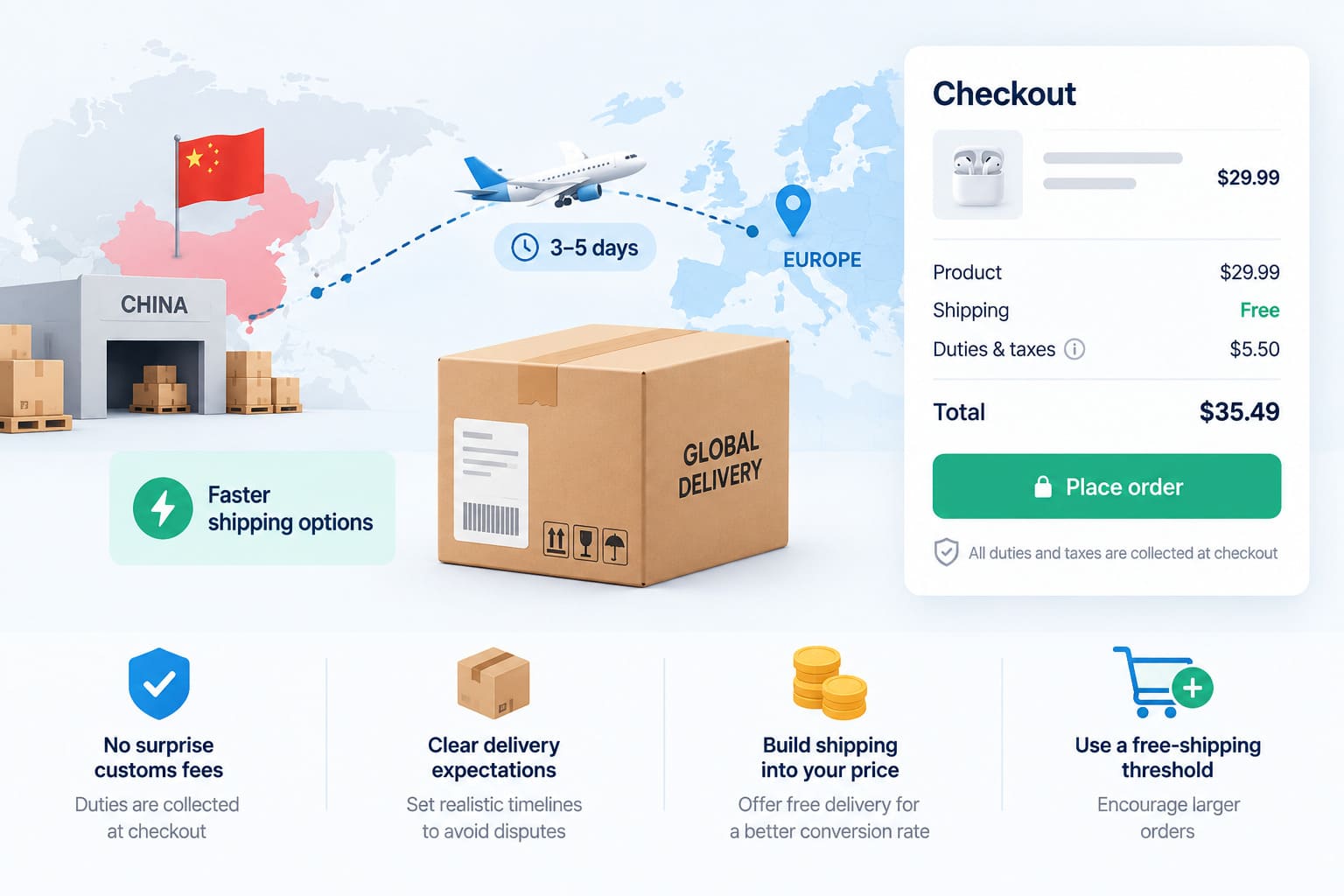
Cross-border transit from China has improved substantially, though the fast lanes are specific products rather than a general upgrade. Cainiao, Alibaba Group’s logistics arm, opened its Global 5-Day Delivery service to all cross-border e-commerce platforms and exporters in September 2025, and followed it in August 2026 with a three-day product covering China to Europe and intra-Europe routes. Whether your supplier can access those lanes depends on their shipping arrangements, so ask rather than assume.
Set the expectation on the product page and again in the confirmation email. A buyer who was told twelve to twenty days and receives the parcel on day fifteen is satisfied. A buyer who was told a week and receives it on day ten opens a dispute. The promise does more damage than the transit time.
Collect Duties at Checkout
Nothing generates refused deliveries like an unexpected customs invoice on the doorstep. Shopify can estimate and collect duties and import taxes at checkout on every plan, configured under Settings, then Taxes and duties. Turn it on for any market where your parcels cross a customs border.
Where the carrier supports it, shipping on delivered-duty-paid terms means the charge is settled before the parcel moves and the customer never sees a second bill. The alternative is a percentage of your orders bouncing back at your expense along with the chargebacks that follow.
Build the shipping cost into the retail price and advertise free delivery rather than charging it separately. Shoppers weigh a postage line at checkout far more heavily than the same amount inside the product price, and on cross-border orders the surcharge is large enough to lose the sale outright. If the margin will not carry it on cheaper items, set a free-shipping threshold slightly above your average order value and let it push basket size up.
Scaling an Alibaba Shopify Dropshipping Business
Growth in this model tends to come from a small number of unglamorous changes rather than from finding another winning product.
Consolidate onto fewer suppliers. Ten SKUs from one factory you have a relationship with beats ten SKUs from ten strangers on every metric that matters: pricing leverage, combined shipping, response speed when something goes wrong, and willingness to hold stock for you. The suppliers who eventually offer you thirty-day terms are the ones who have seen consistent reorders.
Answer everything. Support across whichever channels your customers actually use, with nothing sitting unanswered overnight, has an outsized effect on repeat purchase rates in a category where buyers are nervous about delivery times by default.
Move stock closer to the buyer. Once a product sells predictably, holding a few weeks of inventory in a local warehouse or with a 3PL turns a three-week delivery promise into a three-day one, and the conversion difference usually pays for the warehousing several times over. This is also the point where the Alibaba side of the business shifts from dropshipping to genuine wholesale, which is a good problem to have.
Prune on data, not on instinct. Shopify’s reports show which products actually convert and which quietly absorb ad budget, and a catalogue reviewed monthly stays sharper than one that only ever grows. Products that sold well in month one and stalled in month four usually signal a supplier problem or a market that has moved on, and both are worth catching before you reorder.
Add a second channel. The same catalogue listed on a marketplace gives you demand that does not depend on your ad account staying healthy. If you are weighing that up, our guide to Shopify dropshipping covers how the storefront and marketplace models interact.
If Alibaba Is Only One of Your Channels
A fair number of stores never run on Alibaba alone. The factory lines sit alongside products pulled from a consumer marketplace, and the storefront sits alongside a marketplace account. That second half of the operation is where automation actually pays, because those sources publish a single retail price and permit programmatic ordering, which Alibaba does not.
If you are dropshipping from AliExpress and Amazon onto Shopify and eBay, Easync is built for precisely that combination. Those two marketplaces are its source markets and those two platforms are its sales channels, so the daily loop runs on its own: prices track the source listing, orders go out automatically, and tracking numbers reach the channel as soon as the supplier issues them. Running the same catalogue across a storefront and a marketplace from one dashboard is the part most sellers underestimate until they try doing it by hand. Plans begin at $49.99 a month, and the release notes track what has changed recently.
Wrapping Up
The Alibaba Shopify integration is less automatic than it was two years ago, and that has quietly made it a better opportunity. The sellers still going through the manual work of vetting factories, ordering samples and negotiating single-order fulfilment are competing against a much thinner field than they would be on a one-click platform.
Pick your connection method based on catalogue size rather than on which app has the best marketing. Start free, prove the products sell, and pay for automation only when the manual version is genuinely holding you back. If you want to compare this against the marketplace route first, we have a parallel walkthrough of dropshipping from Alibaba to eBay.
Ready to take the manual work out of pricing, ordering and tracking once your store is running? Start a free trial of Easync and see how much of the daily routine disappears. Plans start at $49.99 per month.
Frequently Asked Questions
Can you connect Alibaba to Shopify without an app?
Yes. Source the product in the Alibaba Dropshipping Center, then move the product data into Shopify with a CSV file through Products > Import, or by building the listing manually. Orders go to the supplier through your normal Alibaba messaging or whatever process you agreed with them. It costs nothing and works fine below roughly twenty SKUs.
Is there still an official Alibaba app for Shopify?
No. The “Dropshipping-Alibaba Official” listing in the Shopify App Store now shows that the app is not currently available, and Alibaba directs support questions to itself rather than to Shopify. Guides published before this change still walk readers through installing it, which is why so many people get stuck at that step.
Is dropshipping from Alibaba to Shopify allowed?
Both platforms permit it. Shopify has no restriction on the model, and Alibaba runs a dedicated dropshipping programme for suppliers willing to ship single orders. Your own obligations still apply: accurate delivery estimates, correct customs paperwork, and no products that infringe someone else’s trademarks.
Should I use Alibaba or AliExpress for Shopify dropshipping?
AliExpress is easier to start on: single units, a fixed retail price, and connectors that automate ordering end to end. Alibaba gets you factory pricing, custom packaging and the ability to negotiate, at the cost of manual ordering and real supplier vetting. Many stores run both, testing demand on AliExpress and moving the winners to a factory once the volume justifies it.
Is there a minimum order quantity for Alibaba dropshipping?
Not for suppliers enrolled in the dropshipping programme, who have agreed to ship individual units. Elsewhere on the platform MOQs in the dozens or hundreds are standard, and private label production typically requires a larger commitment again. Filter for dropshipping-supported suppliers before you fall in love with a listing.
How long does Alibaba shipping take?
Anywhere from under a week on express lanes to over a month on the cheapest economy options, and the variable is the shipping service your supplier uses rather than Alibaba itself. Ask for the specific carrier and service level before you list the product, then quote your customers a range with a few days of padding at the top.
Is Shopify free?
No, though there is a 3-day free trial followed by an introductory rate of $1 a month for the first three months. After that Basic is $39 monthly or $29 on annual billing, and card processing fees apply on every sale on top of the subscription.
What does it cost to start dropshipping from Alibaba to Shopify?
The floor is the Shopify subscription plus a domain, since the Alibaba Dropshipping Center itself is free and DSers has a free tier. Budget separately for samples, which you should order before listing anything, and for the advertising it takes to find out whether a product sells. The subscription is the smallest number on that list by a wide margin.
How do I fulfil orders on Shopify dropshipping?
Open the order in the Orders tab and place the matching order with your supplier. On Alibaba that stays a manual step, done by hand or through whatever process you agreed with the factory, since no current tool places Alibaba orders for you. Automation tools such as Easync take that job over only for the consumer marketplaces they support. When the tracking number comes back, add it to the Shopify order and the platform emails the customer automatically. Doing this the same day the order lands is the single easiest way to keep the delivery window inside what you promised.