
- articles
- Shopify Dropshipping
17 Best Shopify Apps for Dropshipping: 2026 honest math
The old playbook is dead, and the math is what killed it
For about a decade the entire craft came down to one move: find something cheap on AliExpress, throw money at ads, and pocket the spread. That worked when a customer would wait three weeks for a parcel and shrug. In 2026 that customer is gone. Amazon Prime retrained an entire generation of buyers, and now a fourteen-day transit time doesn’t read as “international shipping,” it reads as “I’ve been scammed.” The chargeback follows about a week later.
Here’s the part that trips up people running the numbers on a spreadsheet instead of on real orders. A single refund driven by slow delivery doesn’t just cost you that one sale. Say you clear roughly six dollars of margin on a typical order after the product cost and the ad spend. One angry customer who charges back a thirty-dollar order, leaves a one-star review, and opens an “item not received” case can quietly erase the profit from five clean sales, and the review keeps costing you conversions on the sixth, seventh, and eighth. That’s before you count the hour you burn answering emails and fighting the dispute.
So the game moved. Cheapest-product-wins turned into keep-the-customer-happy-wins, because acquisition costs climbed and retention is now where the money hides. The stores still growing in 2026 mostly did three unglamorous things: they stopped placing supplier orders by hand, they synced stock and prices so they’d stop selling ghosts, and they started sourcing close to the customer whenever delivery speed was the thing closing the sale. The apps below are the tooling for exactly that. Some are excellent. A couple are relics. And a few hide fees in places the landing page will never show you.
A disclaimer I’ll repeat later because it matters: none of this software makes you compliant. You are the seller of record. The tool reduces mistakes; it does not take the blame off your name when a marketplace decides to look closely.
Quick comparison: all 17 at a glance
| App | Best for | Starting price (monthly) | Where suppliers are | Automation level |
|---|---|---|---|---|
| Easync | Multi-channel arbitrage (Shopify, eBay, Amazon, Walmart) | $49.99 | US retail (Amazon, Walmart, Best Buy, Costco) + AliExpress | Very high |
| Spocket | Fast 2–7 day US/EU shipping | $39.99 | US, EU | High |
| Zendrop | Beginners who want branding | Free / $49 Pro | Own vetted network + US warehouses | High |
| DSers | High-volume AliExpress | Free / $19.90 | China (AliExpress) | Medium–high |
| Syncee | Global B2B / wholesale marketplace | Free / $39.99 | US, EU, UK, CA, AU | Medium |
| Printify | Budget print-on-demand, better margins | Free / $39 Premium | Global network of print shops | Medium (POD) |
| Printful | Premium print-on-demand, in-house quality | Free / $24.99 Growth | Own factories (US, EU, Latvia) | Medium (POD) |
| CJ Dropshipping | Free China sourcing + logistics | Free (pay per order) | China + CJ overseas warehouses | Medium |
| AutoDS | AI-driven automation across retail sources | $19.90 | 25+ retail sources | Very high |
| Shopify Collective | Brand-to-brand collaborations | Free (built into Shopify) | US, UK, CA, AU brands | Low–medium |
| AppScenic | High-ticket goods (furniture, decor, electronics) | Free / $39 Standard | US, EU, UK suppliers | High |
| Trendsi | Women’s fashion boutiques | Free (pay per sale) | US (LA warehouse) + overseas | High |
| Importify | Semi-auto import from Etsy, Temu, Shein | $14.95 | 30+ platforms | Low |
| Doba | Old-school US wholesale | $54.99 | Certified US distributors | Medium |
| Eprolo | Private label with no MOQ | Free (pay materials + goods) | China + overseas warehouses | Medium–high |
| Gelato | Local, low-footprint print-on-demand | Free / $29.99 | 32 countries (local printing) | Medium (POD) |
| Spark Shipping | Enterprise order routing | $249 | Your own supplier network | Very high |
Prices are the standard, non-discounted monthly rates as of 2026. Vendors reshuffle tiers constantly through the year, so treat these as a starting point and confirm on the pricing page before you commit a card.
The sourcing dilemma: local versus global in 2026
Long-haul overseas shipping is the quiet killer, and I mean that literally, it kills stores slowly enough that the owner blames the ad account instead of the transit time. You save a dollar or two per unit sourcing from China with a 15-to-30-day line, and you hand every cent of that back in refunds, disputes, and the marketplace penalties that trail slow delivery like a bad smell.
The uncomfortable truth is that the damage shows up in your search ranking before it shows up in your reviews. eBay’s Cassini and Amazon’s seller scorecards both weigh delivery speed and consistency heavily. A string of slow shipments doesn’t just irritate the buyers who lived through it; it pushes your listings down where the next wave of buyers never sees them. You lose sales you never knew were on the table, which is the worst kind of loss because it’s invisible on the dashboard.
The setup that works now is a split. Use local suppliers for anything where arrival speed is what convinces someone to buy, trending impulse items, gifts, apparel people want this week. Spocket, Zendrop, Syncee, and AppScenic all put you on warehouses in the US, EU, or UK with roughly two-to-seven-day delivery, and yes, the unit cost is higher, and yes, it’s usually worth it. Then use automation for the operational grind: placing the orders, watching prices, uploading tracking. Those tasks are perfectly manageable at ten orders a day. At five hundred a day they’re impossible by hand, and that’s the exact point where a store either has the tooling or has a burned-out owner.
One caveat from experience: this is niche-dependent. If you’re selling something genuinely unavailable domestically and your customers know it’s coming from overseas, a specialty hobby part, say, a longer transit time is survivable because expectations are set. Set the expectation honestly on the product page and you buy yourself some grace. Hide it and the disputes come regardless.
The apps, reviewed
1. Easync — the multi-channel arbitrage engine
Easync is not a supplier catalog you browse. It’s an automation and fulfillment layer that sits on top of the Shopify, eBay, Amazon, and Walmart stores you already run and sources the actual products from retail platforms — Amazon, Walmart, AliExpress, Costco, Best Buy. When a customer buys, it places the matching order at your source retailer, keys in the buyer’s address, and (the company says) does it inside about a minute. It watches source prices and stock and updates your listings, which is the feature that stops you selling something that went out of stock overnight or, worse, listing it below your own cost after a supplier price jump. There’s also FBE (Fulfillment by Easync), an optional service that runs orders through Easync’s own buying accounts and absorbs returns and cancellations through their support team, so your personal source accounts aren’t sitting in the line of fire.
The Aquiline feature needs a straight explanation, because the landing pages tend to describe it in soft language. An Amazon tracking number won’t validate on eBay, and uploading one can flag your account. Aquiline converts it into a tracking number eBay accepts. Mechanically, useful. Strategically, be honest with yourself about what it’s doing: buying from one retailer and having them ship directly to your eBay customer runs against eBay’s dropshipping policy, and a tool that makes the tracking look native doesn’t change that underlying fact. It reduces the odds of an automatic flag. It does not make the practice compliant. I’ll come back to this in the compliance section, but factor it in before you build a business on it.
Who it’s for: sellers already running two or more channels, a Shopify store plus eBay, say, who are drowning in manual ordering and repricing and want one panel over all of it. It’s overkill for a single small store, and a poor fit for anyone who’d rather avoid retail-arbitrage compliance questions entirely.
Pros
- Genuinely runs multiple channels from one place, which is rare, most tools here are single-marketplace.
- Price and stock monitoring is the piece experienced sellers say actually paid for the subscription, because it prevents the two most expensive mistakes.
- Every pricing tier includes the full feature set; you’re paying for volume, not unlocking features.
Cons
- The interface is dense and not friendly to a first-timer. Setting up price floors and repricing rules takes an afternoon before it behaves.
- The retail-arbitrage model puts your compliance entirely on you.
- Tracking sync can lag during peak periods unless you turn on instant upload.
The pitfall the marketing skips: this is not a set-and-forget tool for a beginner. Budget real time to configure your repricing logic and price ceilings, because a misconfigured rule can auto-buy an item that spiked in price and sell it at a loss before you notice. The automation is only as safe as the rules you set on day one, and the defaults are not those rules.
Pricing
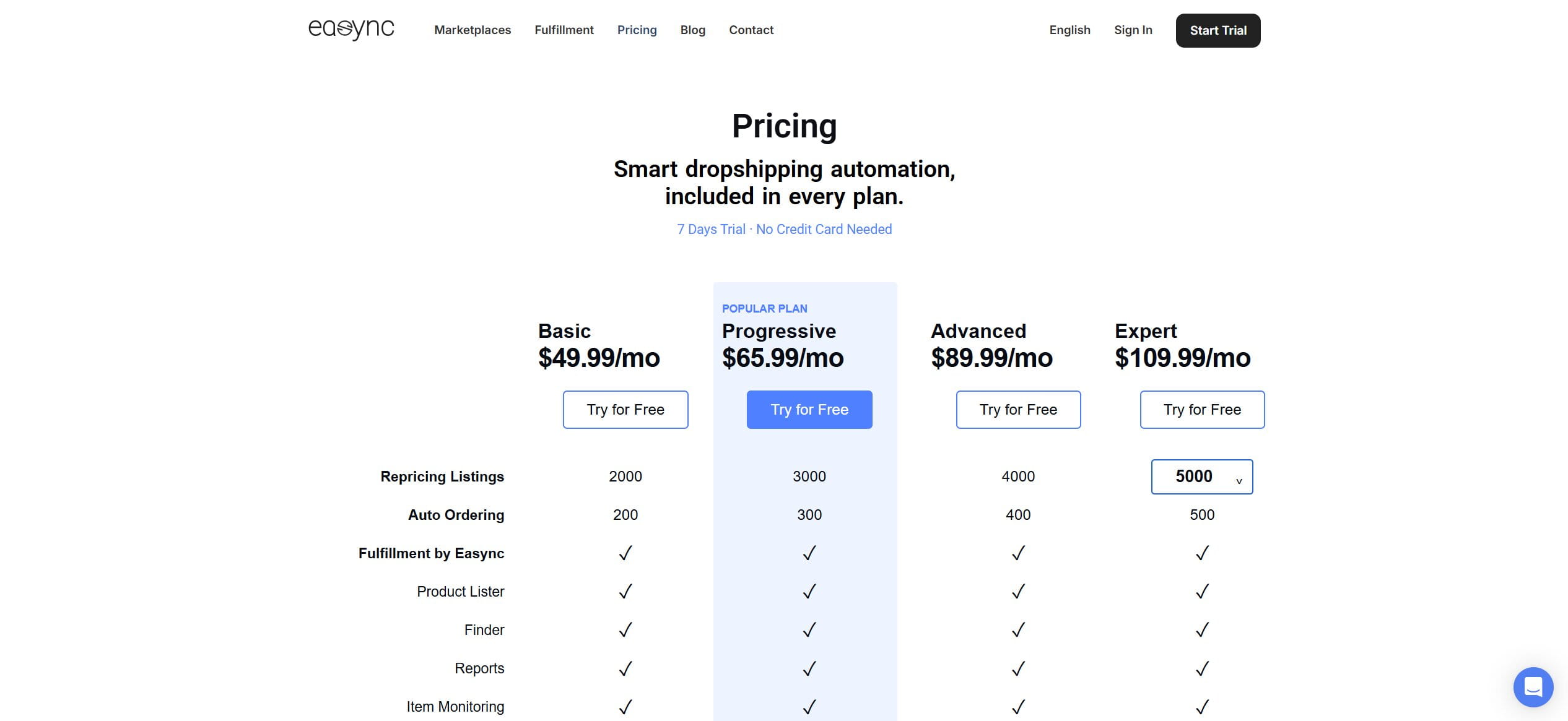
Every tier includes the full feature set, so you’re paying for volume rather than unlocking features. All plans come with a seven-day free trial and no card up front.
- Basic: $49.99/month — 2,000 live listings and 200 auto-orders a month, enough for one busy channel or a cautious multi-channel start.
- Progressive: $65.99/month — 3,000 listings and 300 auto-orders, the natural step once one channel is consistently profitable.
- Advanced: $89.99/month — 4,000 listings and 400 auto-orders, aimed at sellers running several stores at once.
- Expert: $109.99/month — 5,000 to 10,000 listings and 500 auto-orders, for high-volume multi-channel operations.
It’s the right tool if you’re running more than one channel and your actual bottleneck is the manual labor of ordering and repricing. It’s the wrong tool if you wanted something you could ignore.
Example in practice
You list a $40 kitchen gadget on eBay that Easync sources from Amazon at $26. A customer buys it, and within about a minute Easync places the Amazon order to the buyer’s address. A day later it pulls the carrier tracking, runs it through Aquiline so eBay accepts the number, and posts it to the order. When Amazon price jumps to $34 overnight, your repricing rule lifts the eBay price or pauses the listing instead of letting you sell at a loss.
2. Spocket — fast shipping, if you can stomach the price
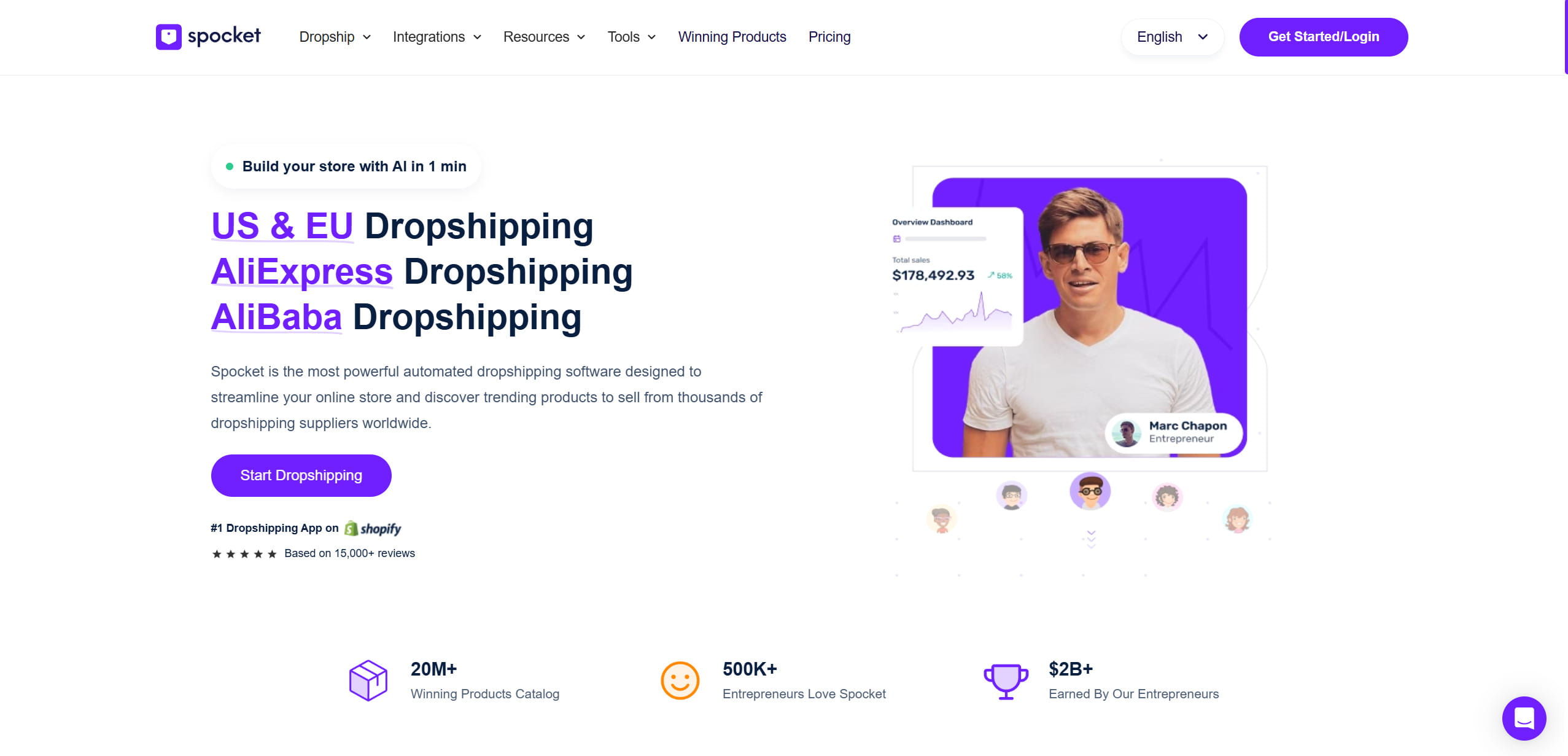
Spocket is a curated marketplace wiring your store to vetted suppliers in the US and EU, most of whom ship in two to seven business days. That transit window is the entire reason to pick it over an overseas source. You get AI image search for finding products, automatic price and stock sync so you don’t oversell, one-click imports, and order forwarding. Branded invoices, your name on the packing slip, sit on the Pro tier, not the entry plan, which annoys people who assumed it was standard. No transaction fees on any plan, and it connects to Shopify, WooCommerce, Wix, and BigCommerce.
Who it’s for: US and EU stores in fast-moving consumer niches where two-to-seven-day delivery is what actually closes the sale, run by owners willing to pay a premium to get it. Not the tool for bargain-hunters competing purely on price.
Pros
- Delivery speed that actually closes sales in the US and EU.
- Clean product discovery and reliable sync.
- No per-order transaction cut.
Cons
- Meaningfully pricier than AliExpress-based tools, and product cost stacks on top of the subscription.
- The best features (branding, premium products) are gated behind Pro.
Watch the trial. The most consistent complaint in reviews is aggressive trial-to-paid conversion, people getting billed the moment the trial lapses, sometimes on a tier they didn’t mean to keep. Write your trial end date on a sticky note. Do not trust yourself to remember it.
Pricing
Standard monthly rates below; the upper three tiers drop noticeably if you pay annually.
- Starter: $39.99/month — 25 products, billed monthly only. A tight allowance, so it suits testing a narrow product line rather than running a full catalog.
- Pro: $59.99/month — 250 products plus 25 premium items, and the first tier with branded invoicing. This is where most serious stores land.
- Empire: $99.99/month — 10,000 products, for stores with a broad catalog and steady volume.
- Unicorn: $299.99/month — 25,000 products with bulk checkout, aimed at high-volume operations.
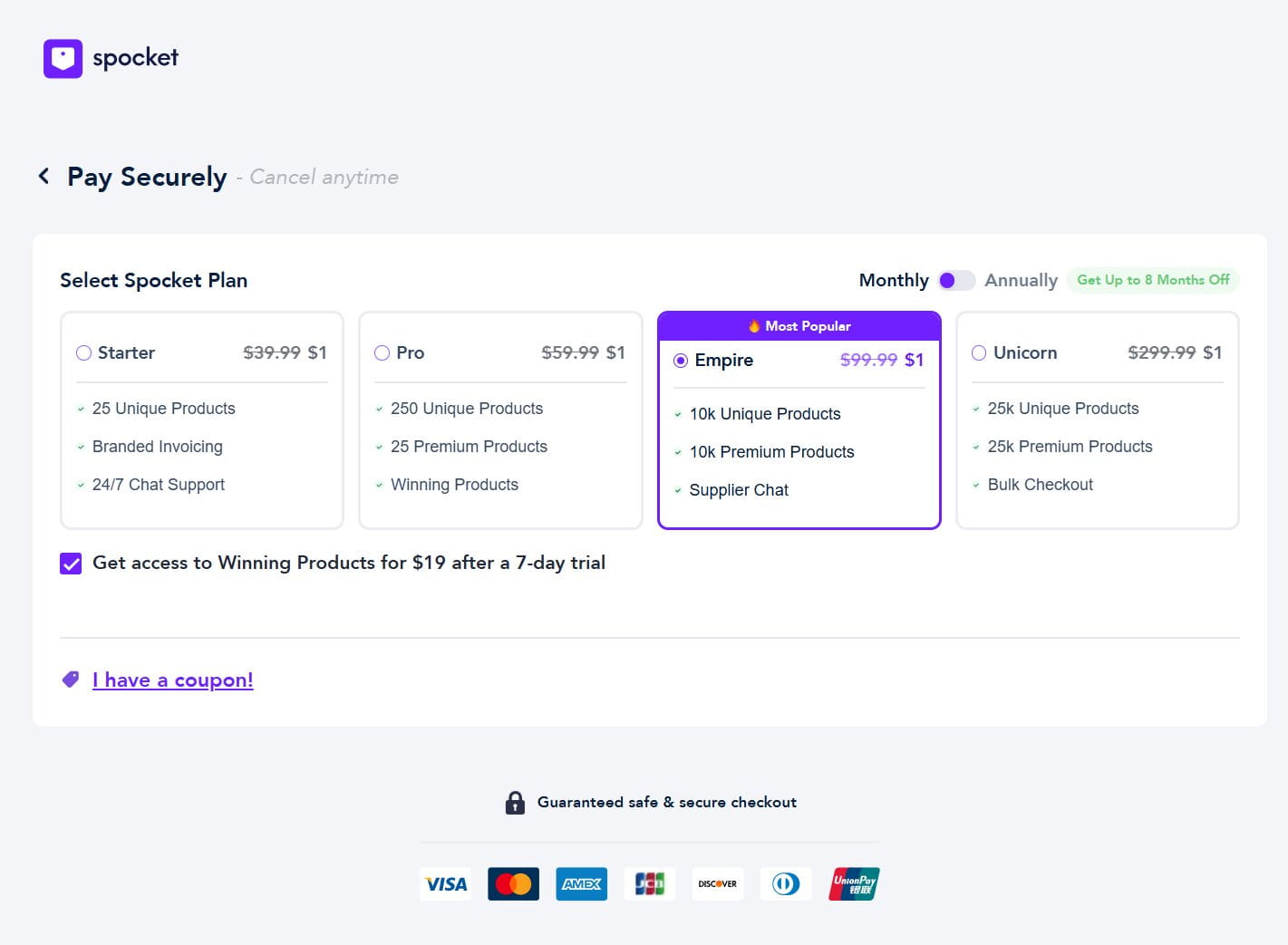
If your buyers are Western and they’ll pay for reliable delivery, the premium earns out.
Example in practice
You sell a skincare set sourced from a US Spocket supplier. An order lands, Spocket forwards it to the supplier, and the parcel ships from a US warehouse inside three days. Because you’re on Pro, the packing slip carries your store’s name rather than the supplier’s, so the customer never sees where it really came from.
3. Zendrop — the gentlest on-ramp for beginners
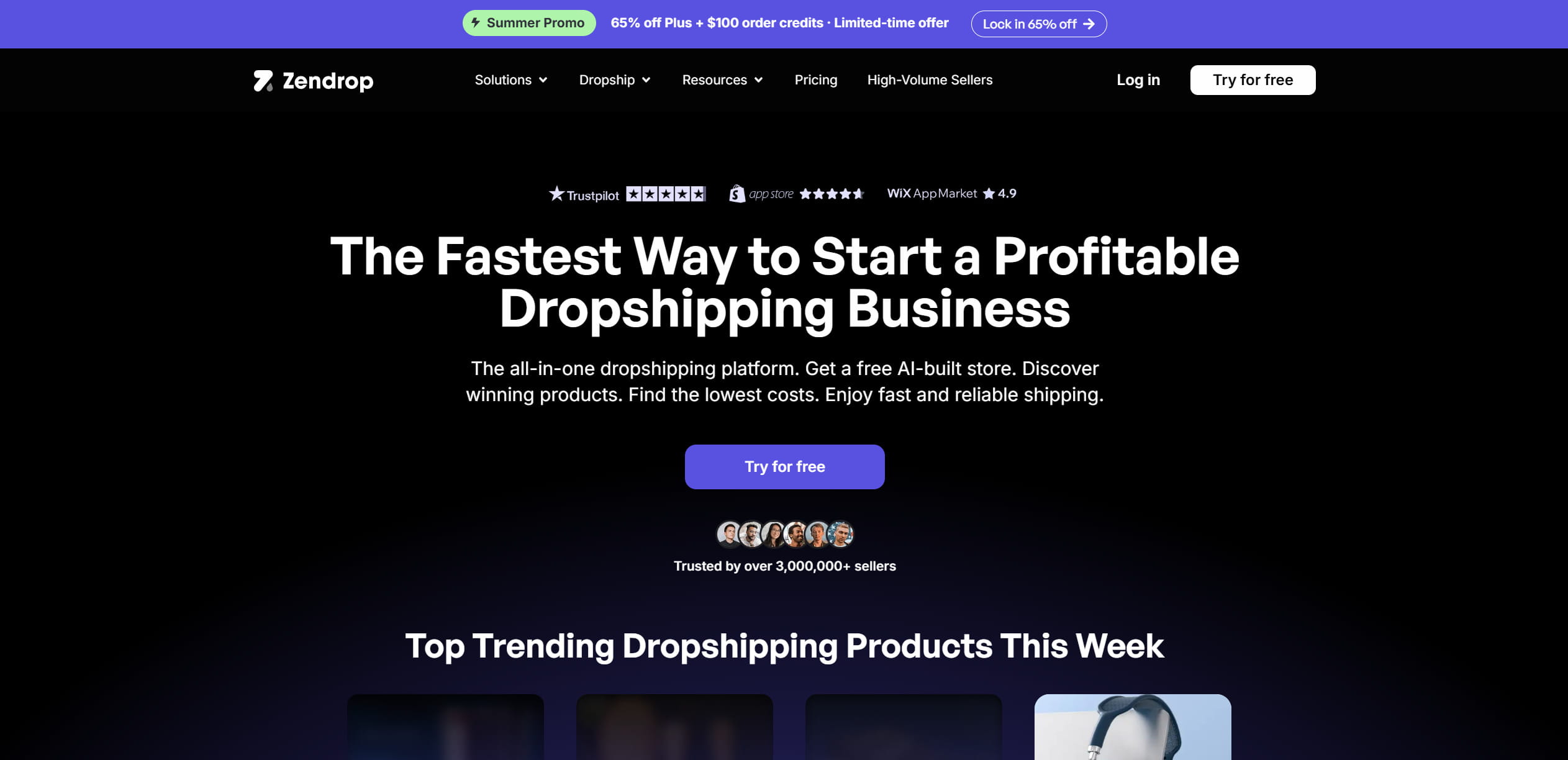
Zendrop is built for the person opening their first store, and it shows in the good way: clean dashboard, patient onboarding, a training library (Zendrop Academy), and coaching aimed at people who’ve never fulfilled an order. On the operational side it offers US warehousing with roughly two-to-five-day shipping on stocked items, automated fulfillment, and branding touches like custom packaging and printed thank-you cards.
The sourcing detail worth understanding: even when you import a product with an AliExpress link, Zendrop fulfills it through its own vetted network rather than straight off AliExpress, which is usually where the faster shipping and steadier quality come from. Custom packaging and the higher-volume perks run through an invite-only Private Agent Program you qualify for after building some sales history.
Who it’s for: first-time store owners who want a guided, professional-looking setup and don’t mind paying for the training and branding that comes with it. It’s a weak fit for margin-obsessed sellers pushing cheap products, where the roughly 10% payout fee quietly eats the profit.
Pros
- The least intimidating setup on this list for a genuine newcomer.
- Own supplier network tends to mean more consistent quality than raw AliExpress.
- Branding options that make a first store look legitimate.
Cons
- The free plan is research-only; it can’t fulfill live orders, so you’re on a paid tier before your first real sale.
- The best branding is locked behind a program you can’t access on day one.
The number that isn’t on the pricing page: Zendrop takes a processing fee of around 10% on vendor payouts. On a product with a thin margin, that cut is the difference between profit and break-even. Before you scale anything cheap, run that 10% into the math, it’s precisely the low-ticket items where it does the most damage.
Pricing
- Free: browse and research only. You can explore the catalog and plan, but it can’t fulfill a live order, so you’ll be on a paid tier before your first real sale.
- Pro: $49/month — automated order fulfillment, the tier where the store actually starts running.
- Plus: $79/month — everything in Pro plus faster support and higher limits, with custom packaging and top products routed through the invite-only Private Agent Program you unlock after building some sales history.
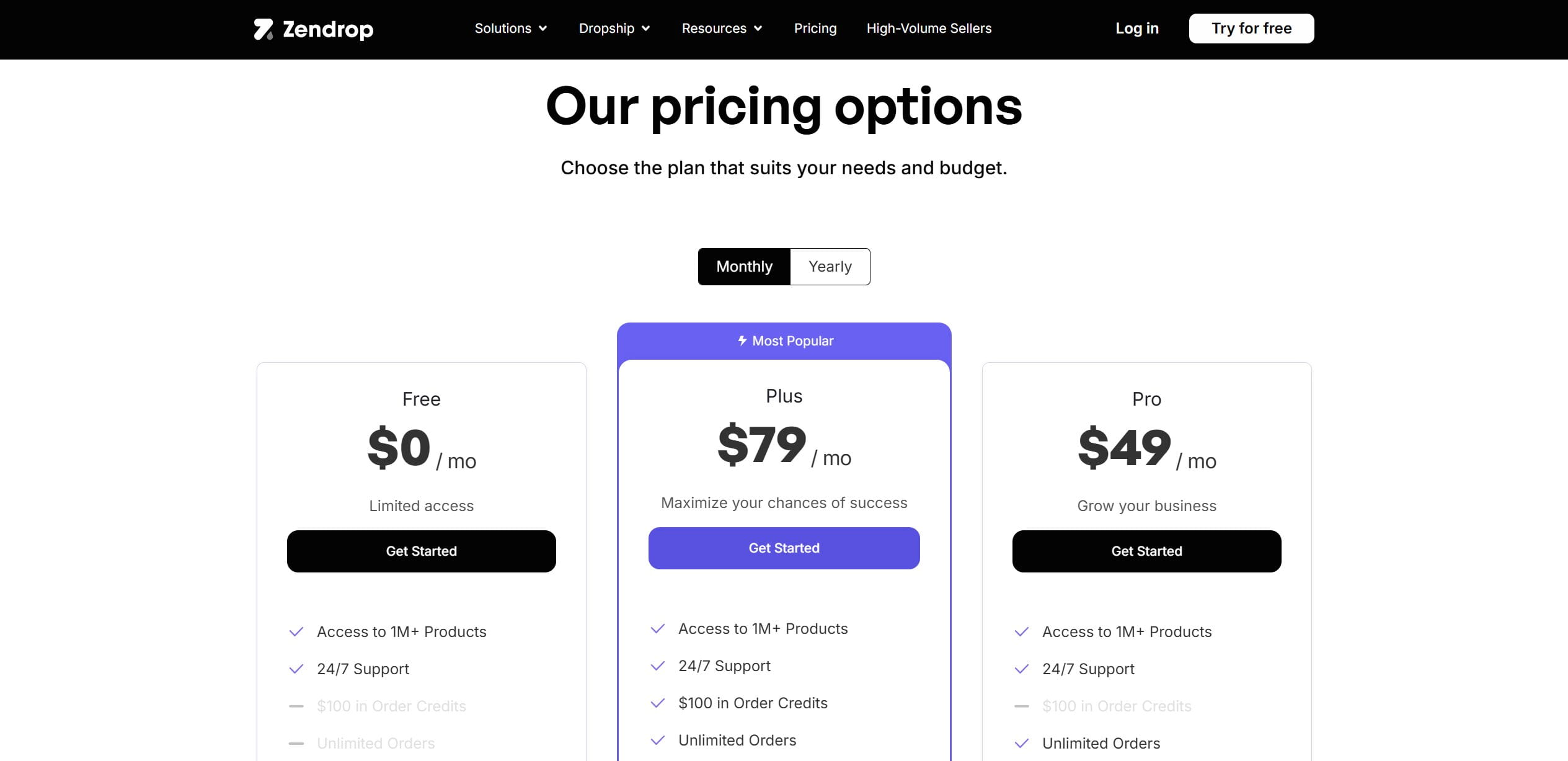
If you want a professional-looking, low-friction start and you accept that you’re paying for the hand-holding, Zendrop delivers on exactly that.
Example in practice
You import a phone stand using an AliExpress link, but Zendrop fulfills it from its own network in about four days with a branded thank-you card in the box. The dashboard walks you through connecting your Shopify store step by step, and the Academy videos cover setting up your first ad while you wait for the first sale.
4. DSers — still the AliExpress workhorse
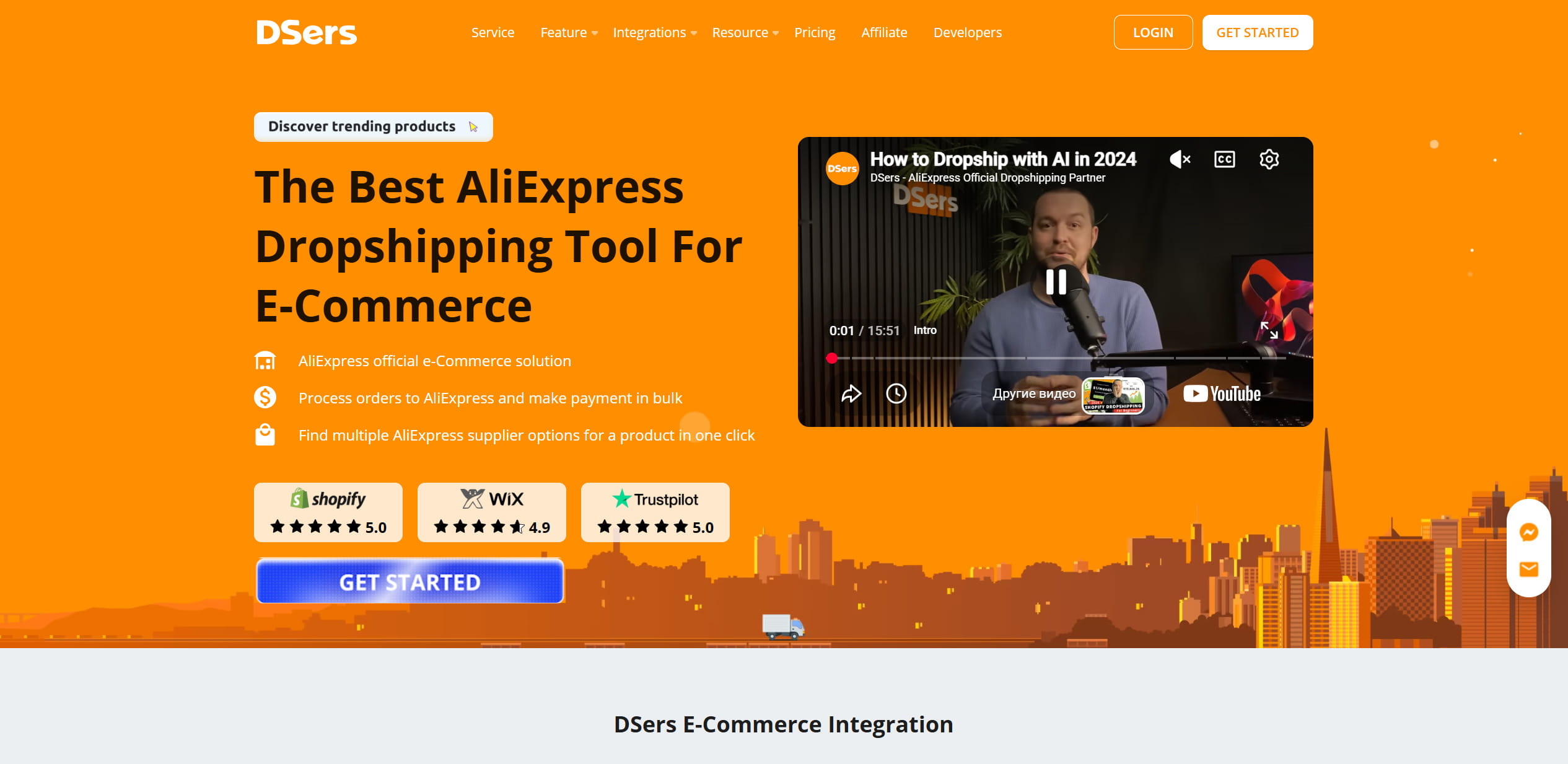
DSers is the default for AliExpress dropshipping and the official successor to Oberlo, which Shopify shut down back in 2022. As an official AliExpress partner it lets you fire off hundreds of orders in a few clicks (Bulk Order), map product variants, and the feature that saves your weekend, auto-swap to a backup supplier when your primary one runs dry on a variant. Order status and tracking sync automatically across Shopify, WooCommerce, and Wix.
Who it’s for: AliExpress sellers moving real volume who care most about price and are comfortable managing shipping speed themselves. Not for anyone selling on Amazon or eBay, or anyone who needs fast domestic delivery out of the box.
Pros
- The free plan is actually usable, not a demo: three stores, up to 3,000 products. You can validate an idea before spending a cent.
- Paid tiers are cheap by this list’s standards.
- Variant mapping and bulk ordering are best-in-class for AliExpress volume.
Cons
- You’re welded to AliExpress logistics, so shipping stays slow unless you specifically hunt suppliers with domestic warehouses.
- No path into Amazon or eBay selling.
Reviews repeatedly flag surprise renewal charges. If you stop using a paid tier, cancel it deliberately and confirm the cancellation, because “I thought I’d downgraded” is a common and avoidable line in those reviews.
Pricing
- Basic: free — three stores and up to 3,000 products, with genuine order automation. Usable enough to validate the whole model before spending a cent.
- Advanced: $19.90/month — ten stores, 20,000 products, and customer-facing tracking. Cheap for what it does.
- Pro: $49.90/month — adds multi-platform management and AI listing assistance for sellers running several channels.
- Enterprise: $499.90/month — built for high-volume operations running up to 50 stores and 100,000 products across multiple platforms. Includes 200 AI listing optimizations per month, multi-PayPal account management for up to 10 accounts, and priority support with fastest order processing. The tier where automation stops being a tool and becomes the entire business infrastructure.
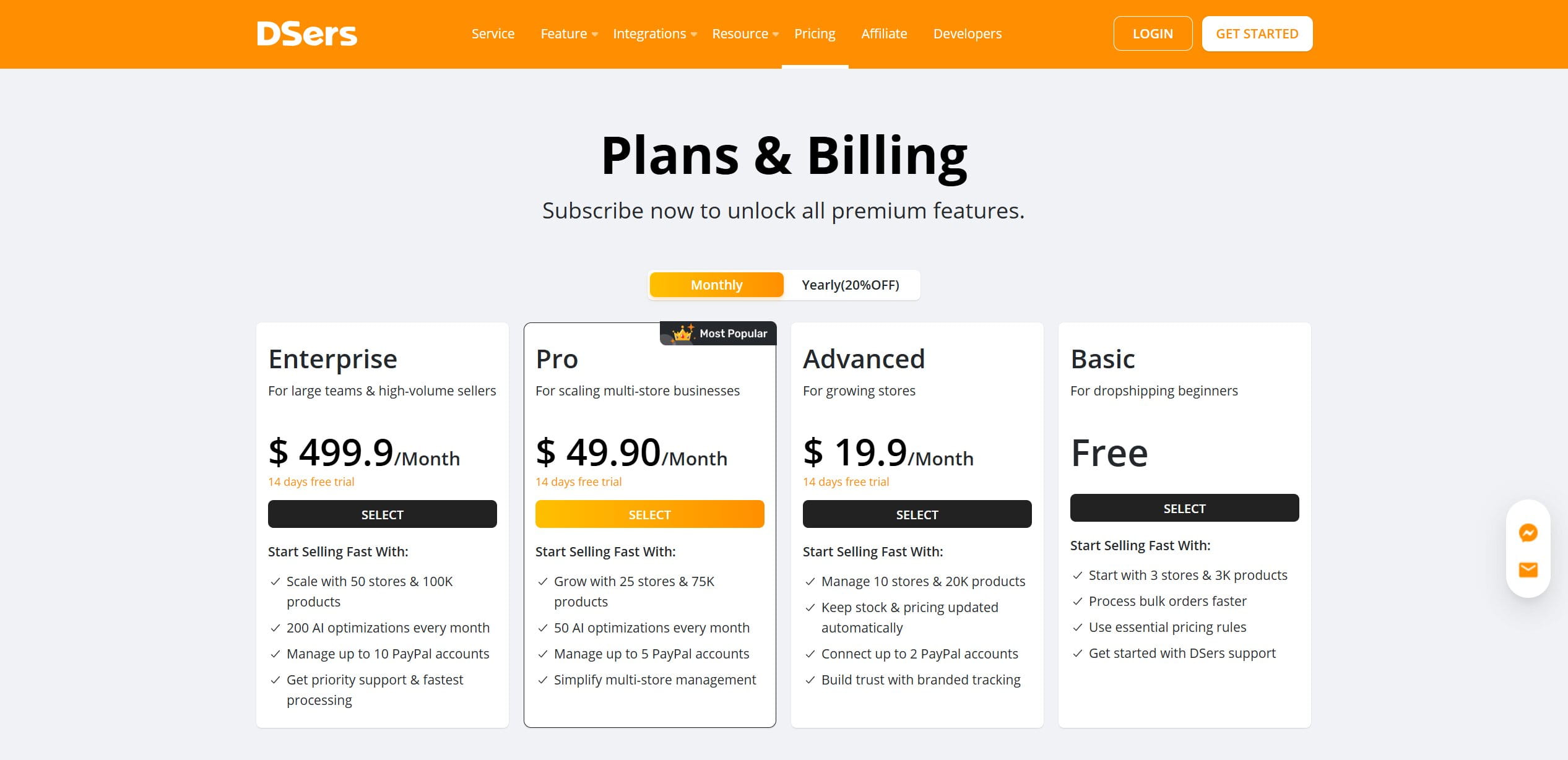
For a seller committed to AliExpress and pushing real volume, nothing here beats it on price. Just don’t expect it to solve the shipping-speed problem for you, that’s on your supplier choice.
Example in practice
A product takes off and 200 orders land overnight. Instead of placing each one by hand, you select them all and Bulk Order pushes them to AliExpress in a few clicks. When one color runs out at your main supplier, variant mapping quietly swaps to the backup you set earlier, so the orders keep flowing without you noticing the stock-out.
5. Syncee — breadth, and a wholesale on-ramp
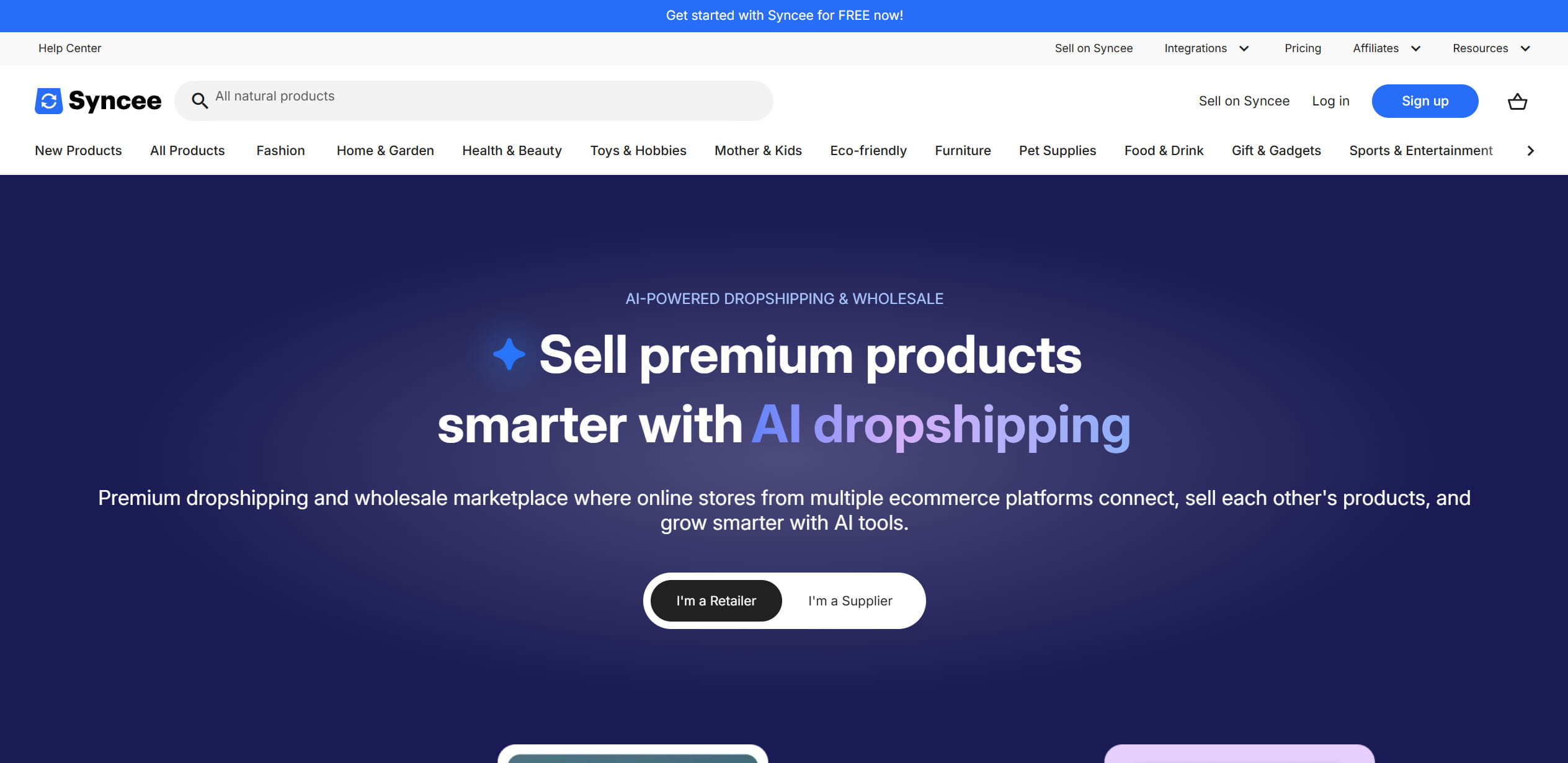
Syncee is a B2B dropshipping and wholesale marketplace: millions of products from thousands of manually vetted suppliers spread across the US, EU, UK, Canada, and Australia. For 2026 it added an AI sourcing agent where you describe what you want to sell and it hands back matched suppliers, which is more useful than it sounds when you’re staring at a blank catalog with no idea where to start.
Its real standout is the DataFeed Manager, which imports and continuously syncs suppliers you bring yourself via an XML, CSV, or JSON file. If you’ve already built wholesale relationships, this is the tool that plugs them in. One limitation to know upfront: DataFeed Manager only runs on Shopify, ShopRenter, and Jumpseller.
Who it’s for: sellers who want a broad, vetted supplier base across several regions, or who already have wholesale relationships to plug in through the DataFeed Manager. Less suited to someone who only wants the single cheapest AliExpress route.
Pros
- Genuinely broad, vetted supplier base across five regions.
- The DataFeed Manager is a real asset if you have existing wholesale contacts.
- No transaction fees.
Cons
- The free Starter plan lets you look but not import, so you can’t meaningfully test without paying.
- Pricing is split confusingly across two products.
The DataFeed Manager is sold as its own separate subscription, it is not bundled into the standard marketplace plans. People sign up for a $29 marketplace tier expecting the feed sync and discover it’s a second line item. Check both pricing structures on Syncee’s page before you assume what you’re getting.
Pricing
Marketplace plans scale by how many products you manage. The DataFeed Manager is sold as its own separate set of plans, so budget for it on top if you need the feed sync.
- Free — browse the marketplace, but no importing, which caps how much you can test without paying.
- Basic: $39.99/month — the entry paid tier for importing and syncing a modest catalog.
- Pro: $59.99/month — a larger product allowance for a growing store.
- Business: $99.99/month — the widest catalog, for high-volume sellers.
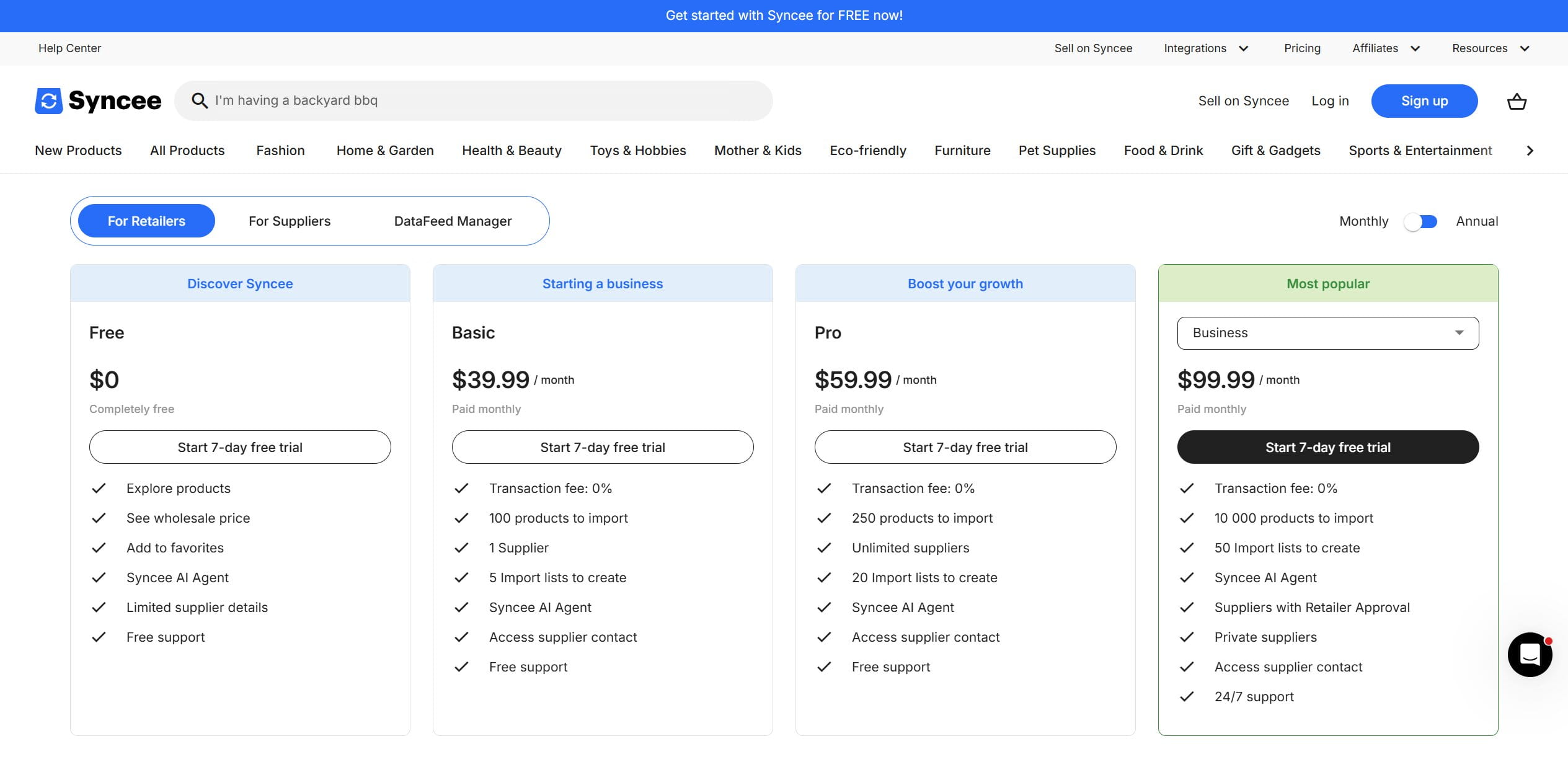
Good fit if you want range, vetted suppliers across regions, and a door into wholesale later.
Example in practice
You describe “minimalist ceramic homeware” to the AI sourcing agent and it hands back matched EU suppliers you’d never have found by scrolling. Separately, you load your existing wholesaler’s CSV into the DataFeed Manager, and Syncee keeps that catalog’s stock and prices synced to your Shopify store on its own from then on.
6. Printify — print-on-demand for margin
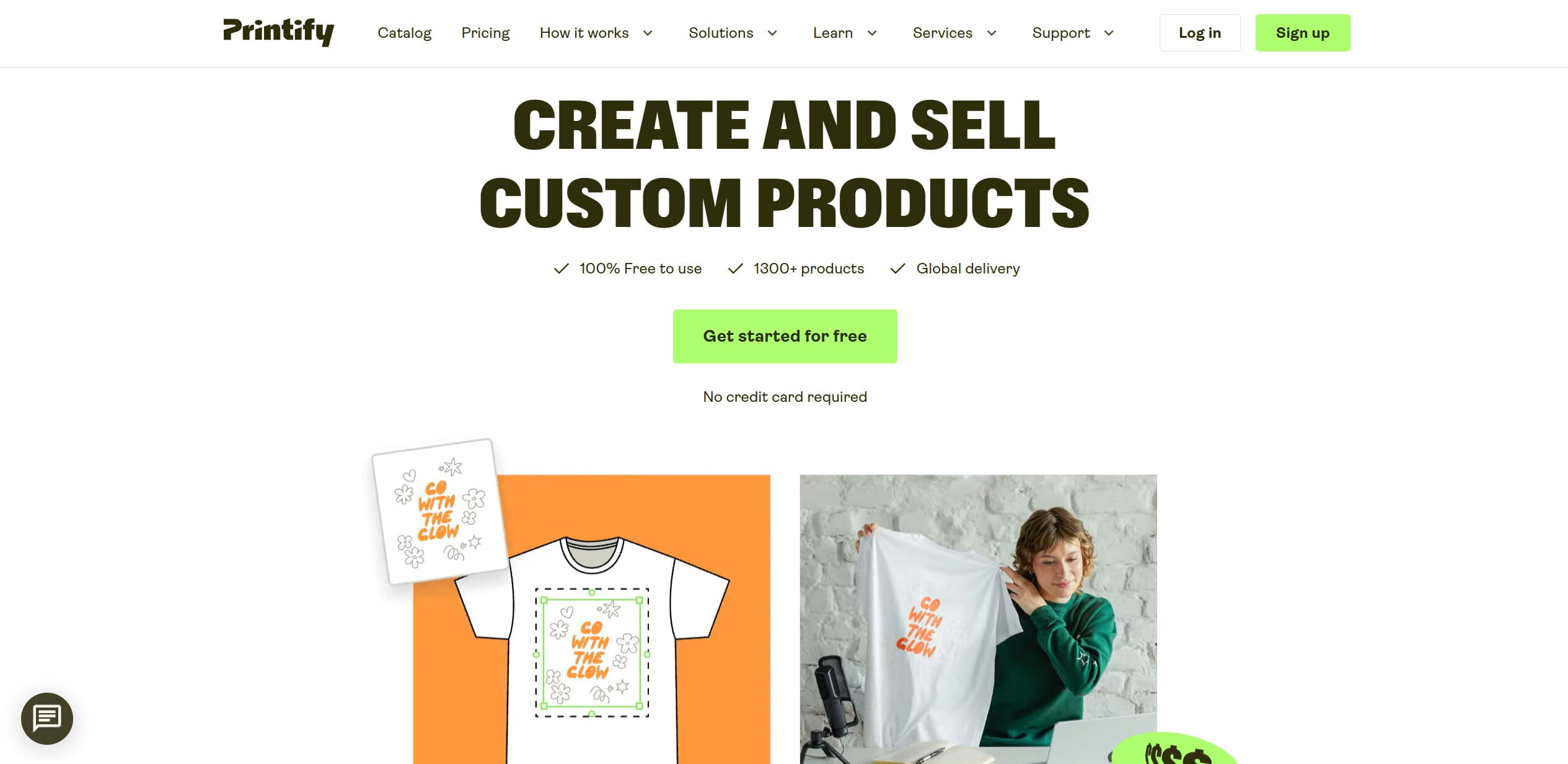
Printify sells custom-designed products with zero inventory: the item is printed and shipped only after someone buys. It works through a network of independent print shops worldwide, and that’s both its strength and its weakness. The upside is a huge catalog, well over a thousand products, and low base costs, so your margins are usually healthier than a single-factory competitor’s.
Who it’s for: print-on-demand sellers who prioritize margin and catalog range and are willing to vet providers themselves for consistency. Not for anyone who needs guaranteed uniform quality across large batches.
Pros
- Large catalog and low blank costs mean more room in your margin.
- Free plan covers up to five stores.
- Premium ($39/mo, cheaper annually) gives up to 20% off product costs.
Cons
- No in-house control over production.
Because you’re routed through dozens of different print shops, the same hoodie can come out looking different from one order to the next depending on which provider fulfilled it. Order samples from the specific providers you plan to use, lock in the ones whose quality you trust, and don’t assume “Printify quality” is a single consistent thing — it isn’t.
Pricing
- Free: covers up to five connected stores, with the full product catalog and mockup tools. Enough to launch and make your first sales before paying anything.
- Premium: $39/month (cheaper on annual billing), up to 20% off product costs across the catalog, which is the tier that meaningfully widens your margin once orders are steady.
- Enterprise: custom pricing for merchants with significant daily sales volume — unlimited stores, unlimited product designs, and additional discounts on top of what Premium offers. The tier you negotiate into once the business justifies it.
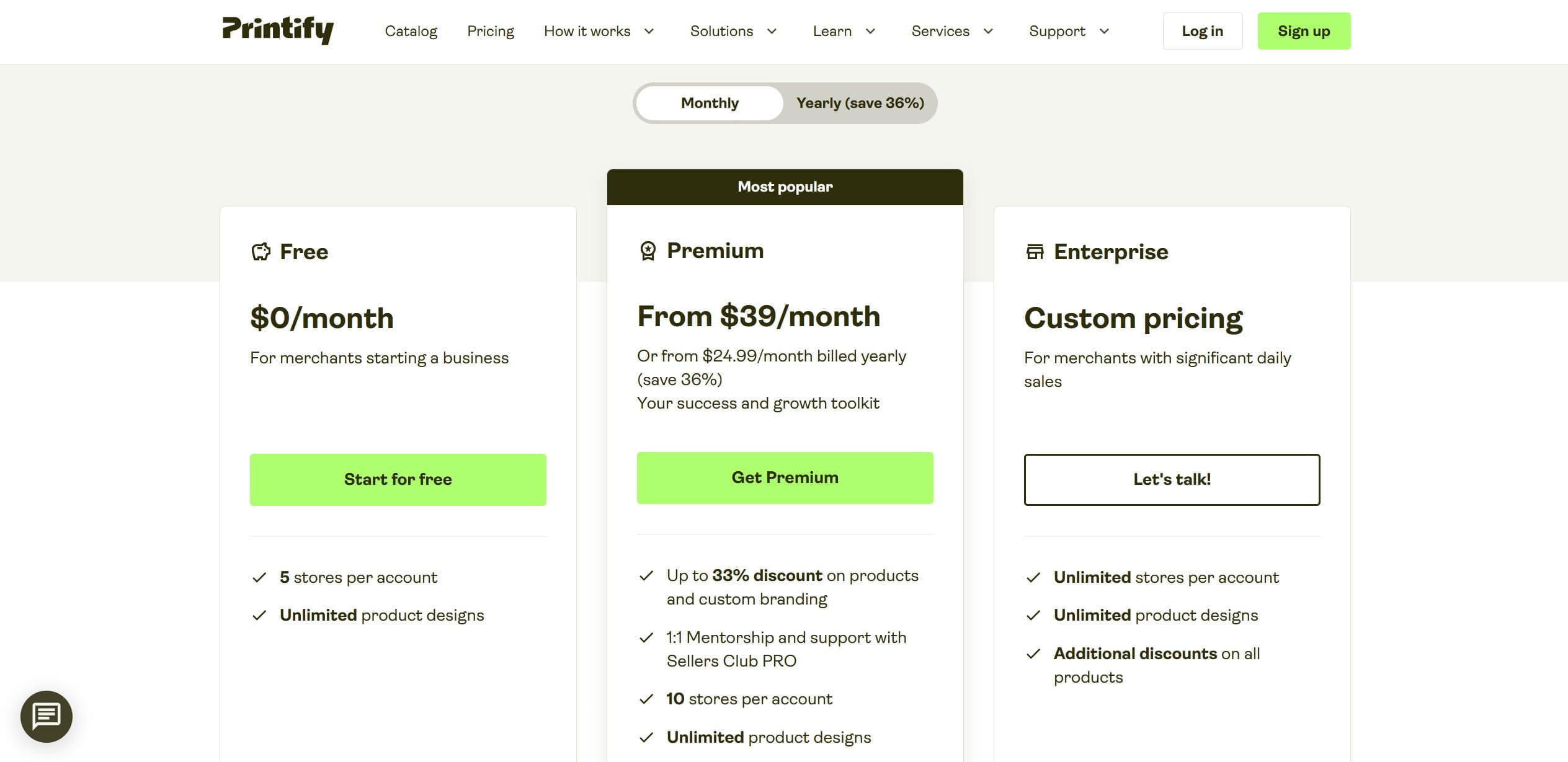
Printify and Printful now share a parent company after a 2024 merger, but they still operate as separate brands, so I’m reviewing them as the different tools they remain in practice.
Example in practice
You design a graphic hoodie and, before committing, order the same design from three different Printify providers to compare stitching and print. One comes back noticeably crisper, so you set it as your default provider for that product and route every future order there.
7. Printful — print-on-demand for quality
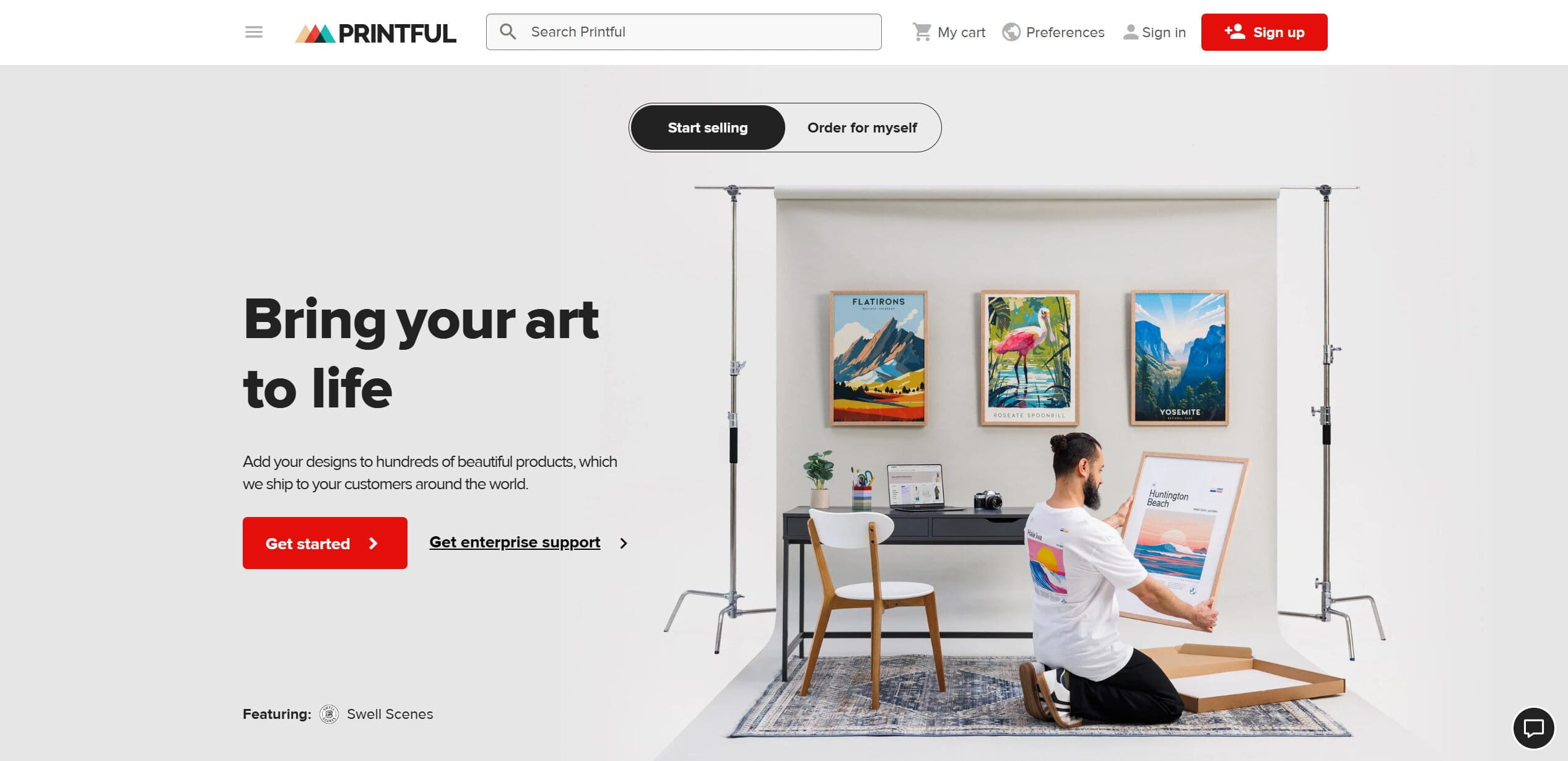
Printful prints in its own facilities across the US, EU, and Latvia, and that in-house control is the whole pitch. Quality is more consistent than a distributed network can promise, and the branding options are stronger, custom labels, embroidery, branded packing slips as standard rather than an upsell. The range is narrower than Printify’s, which is the trade for that control.
Who it’s for: brand-focused sellers who’d rather pay more per blank for reliable quality and strong branding than chase the lowest cost. A poor fit for price-war niches where a dollar of blank cost decides the sale.
Pros
- Consistent print quality, because one company controls the presses.
- Strong branding and customization built in.
- Growth plan ($24.99/mo) is waived once your store passes roughly $12,000 a year in sales, with discounts up to a third on selected products.
Cons
- Blank costs (the base tees, hoodies) run noticeably higher than competitors.
That higher blank cost forces a higher retail price to keep a workable margin, and in a crowded apparel niche that price gap can quietly cost you the sale to a Printify-based competitor. Printful makes sense when your brand can justify the premium; it hurts when you’re competing on price in a saturated category.
Pricing
- Free: the base plan with no monthly fee, you can build and sell, paying only per product as orders come in.
- Growth: $24.99/month, discounts of up to a third on selected products, and the fee is waived entirely once your store passes roughly $12,000 a year in sales, so at real volume it effectively costs nothing.
- Enterprise: custom pricing for large-scale brands that need more than discounts — a dedicated Success Manager, your store built and managed by Printful’s own team, custom solutions, and access to market data and trend analysis. The tier where Printful becomes a partner rather than just a supplier.
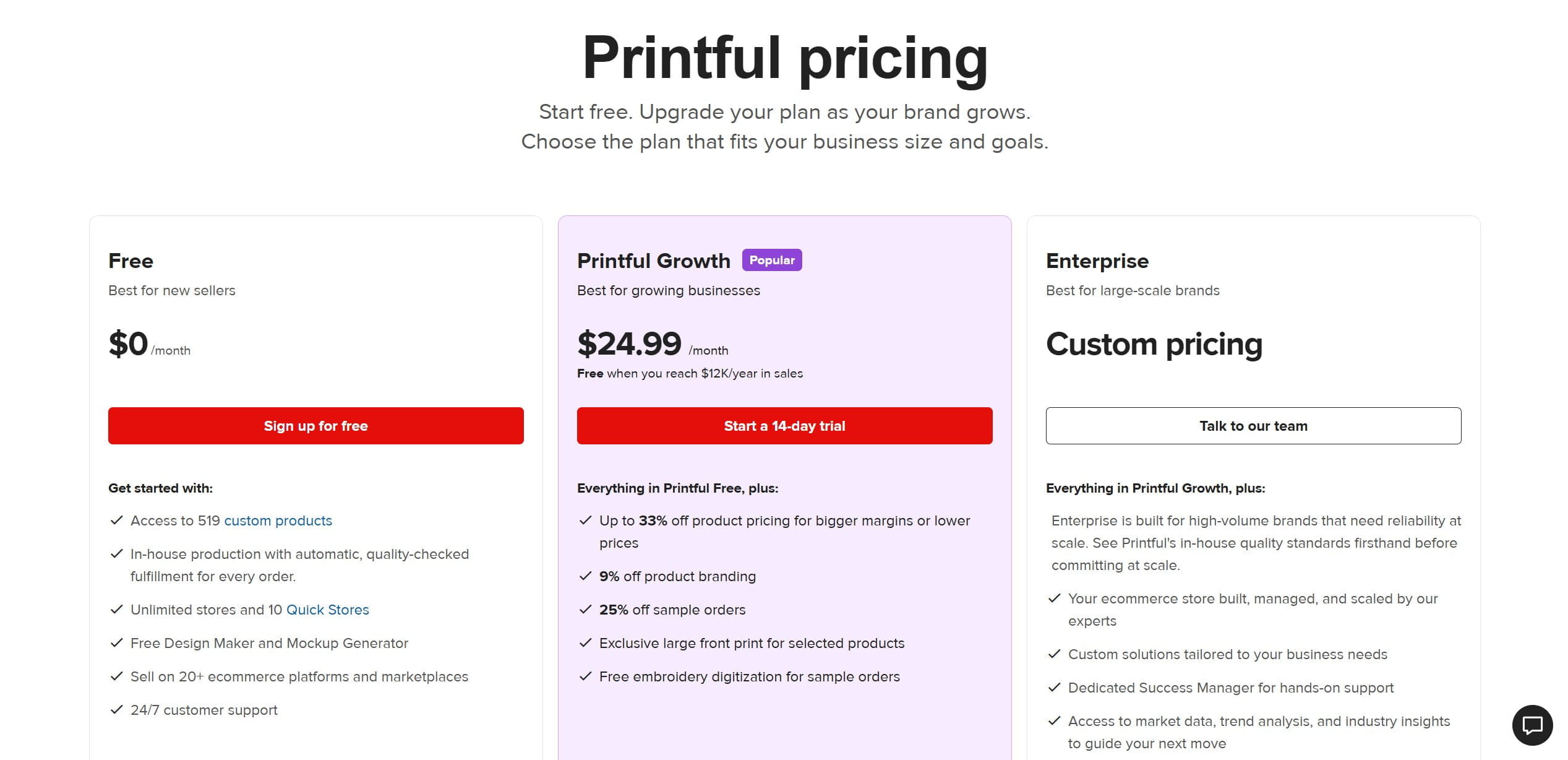
Choose Printify when margin and catalog breadth lead your decision, and Printful when print quality and branding are what your store lives or dies on.
Example in practice
You launch an embroidered cap with your logo and a custom neck label. Every unit ships from Printful’s own facility with the same stitching, so when a happy customer orders a second one three months later, it looks identical to the first — which is exactly the consistency a repeat brand relationship depends on.
8. CJ Dropshipping — free, powerful, and stuck in 2010
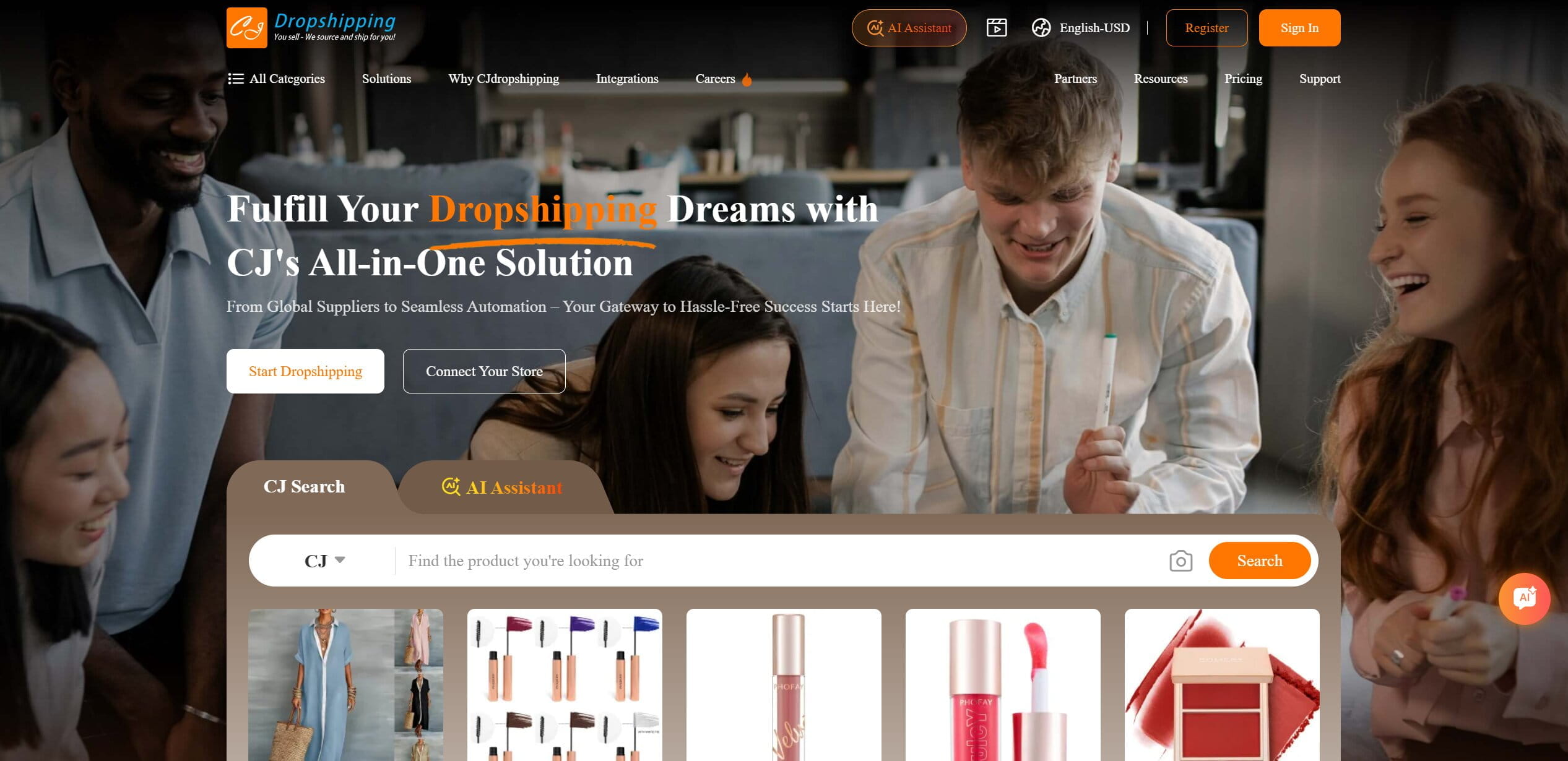
CJ is the free Swiss-army knife of China sourcing and logistics. Installation costs nothing; you pay only the product cost and shipping. The genuinely useful bits: a free Sourcing Request where you send them a product and they hunt down a factory for it, and the option to rent space in CJ’s own overseas warehouses in the US and EU, which is how you claw back some shipping speed on a China-based operation.
Who it’s for: hands-on sellers who can tolerate a clunky interface in exchange for free China sourcing and the option of domestic warehousing. Not for beginners who need polish and fast, human support.
Pros
- No subscription, real money only changes hands per order.
- Sourcing Request can find you factory pricing you’d never locate alone.
- Overseas warehousing gives you a domestic-shipping option.
Cons
- The interface is a genuinely archaic thing from the 2010s, cluttered and unintuitive.
- English-language support leans heavily on canned template replies.
Budget patience, not money. The cost of CJ isn’t dollars, it’s the hours you’ll lose fighting a clunky UI and re-explaining problems to support that answers with templates. For a beginner it’s a steep usability curve; for someone who already knows what they’re doing it’s a powerful, cheap backend you tolerate for the sourcing.
Pricing
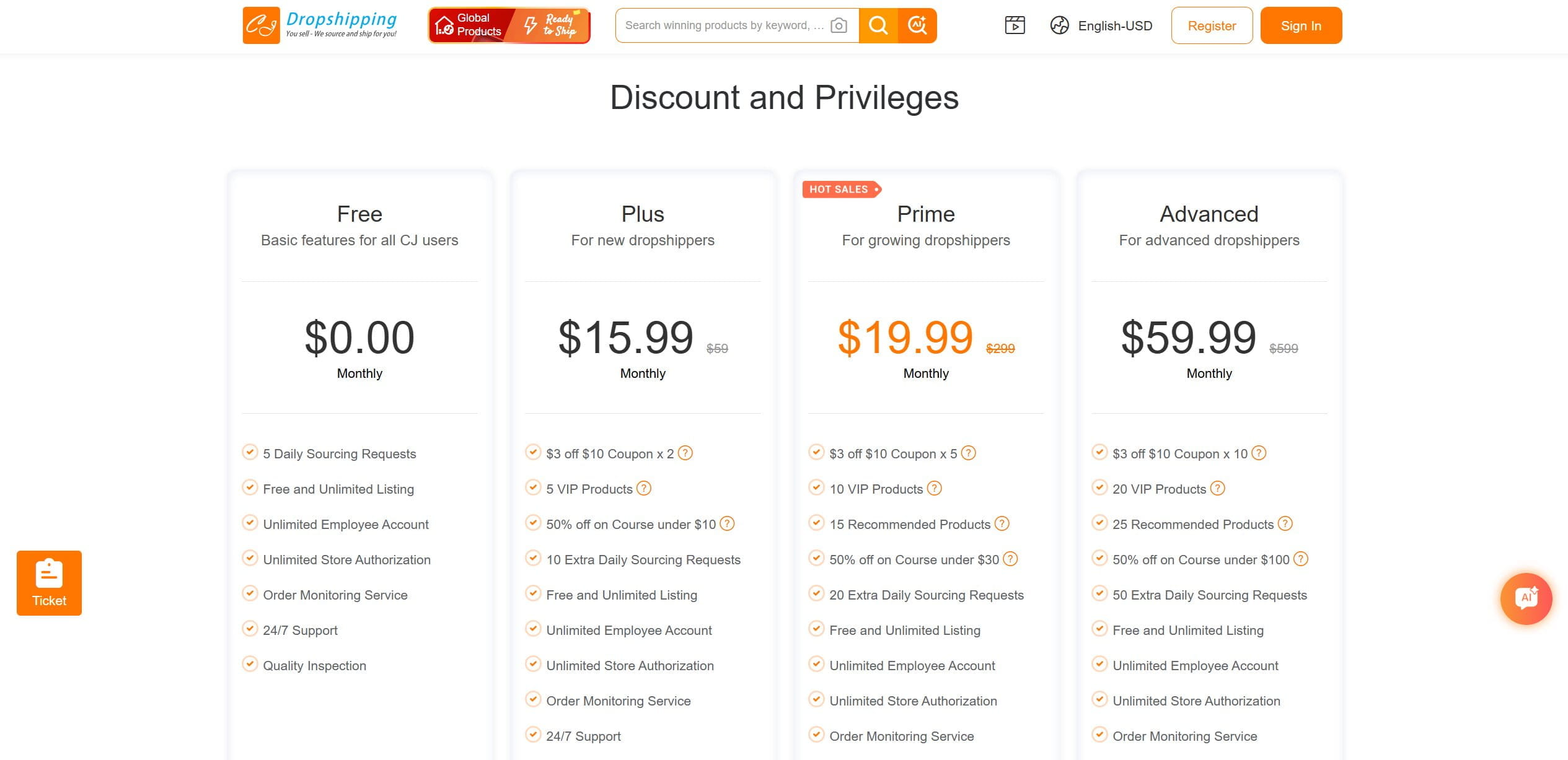
- Free: $0/month — basic features for all users, 5 daily sourcing requests, unlimited listings and store authorizations. Enough to test CJ as a supplier before committing to anything.
- Plus: $15.99/month — adds 10 extra daily sourcing requests, 5 VIP products, and product coupons. The entry point for sellers who are actively sourcing new products regularly.
- Prime: $19.99/month — the most popular tier, 20 extra daily sourcing requests, 10 VIP products, 15 recommended products, and broader course discounts. The practical choice for a growing store.
- Advanced: $59.99/month — 50 extra daily sourcing requests, 20 VIP products, 25 recommended products, and the deepest course discounts. Built for high-volume operations that need sourcing capacity at scale.
Example in practice
You find a trending gadget with no obvious supplier, so you submit a Sourcing Request. CJ comes back a day or two later with a factory quote, and once it starts selling you ship a batch into their US warehouse, so future orders reach American customers in a few days instead of the three weeks a direct-from-China line would take.
9. AutoDS — automation with an asterisk
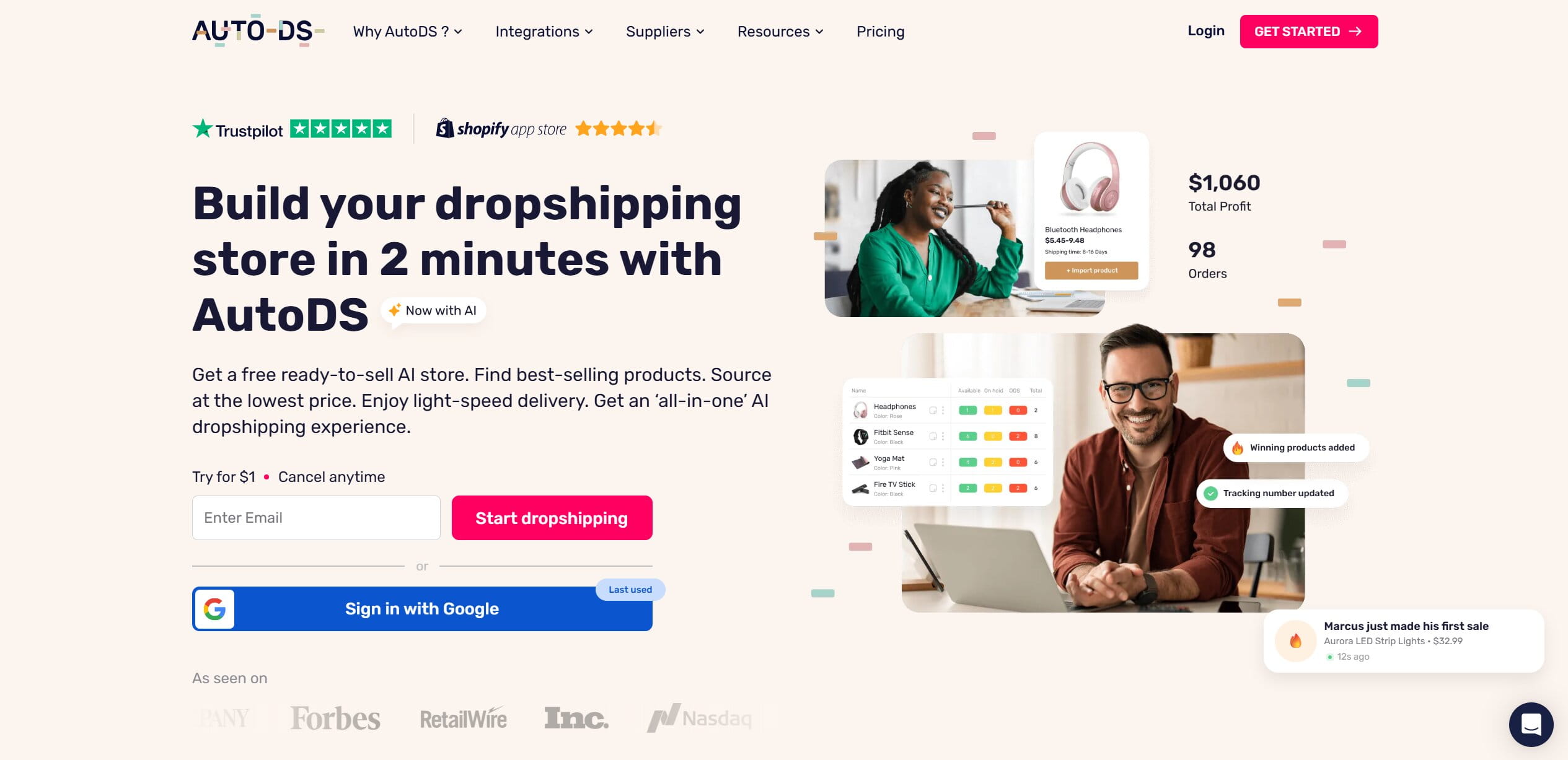
AutoDS pitches total hands-off automation driven by AI: support for 25-plus retail sources, an AI trend finder that surfaces products already selling, and a direct TikTok Shop integration, which matters more every quarter as TikTok Shop eats a bigger slice of impulse buying. It automates the routine well when it’s configured.
Who it’s for: sellers who want deep automation across many retail sources and a TikTok Shop pipeline, and who’ll actually do the credit math before subscribing. Not for anyone on a strict flat budget or hoping for a free tier.
Pros
- Broad source support and a strong trend-finding tool.
- Native TikTok Shop integration, which several rivals still lack.
- Deep automation of the day-to-day ordering grind.
Cons
- No free tier, you’re paying from day one.
- The pricing structure has a catch (below).
The credit system is the thing to understand before you subscribe. AutoDS runs auto-orders on internal “credits,” and without them the automation you paid for simply doesn’t fire. The credits cost extra, on top of your plan, and it’s easy to sign up for $26.90/mo assuming that’s your total and then discover automation is metered separately. Map your expected order volume to credit cost before committing, or the real monthly number will surprise you.
Pricing
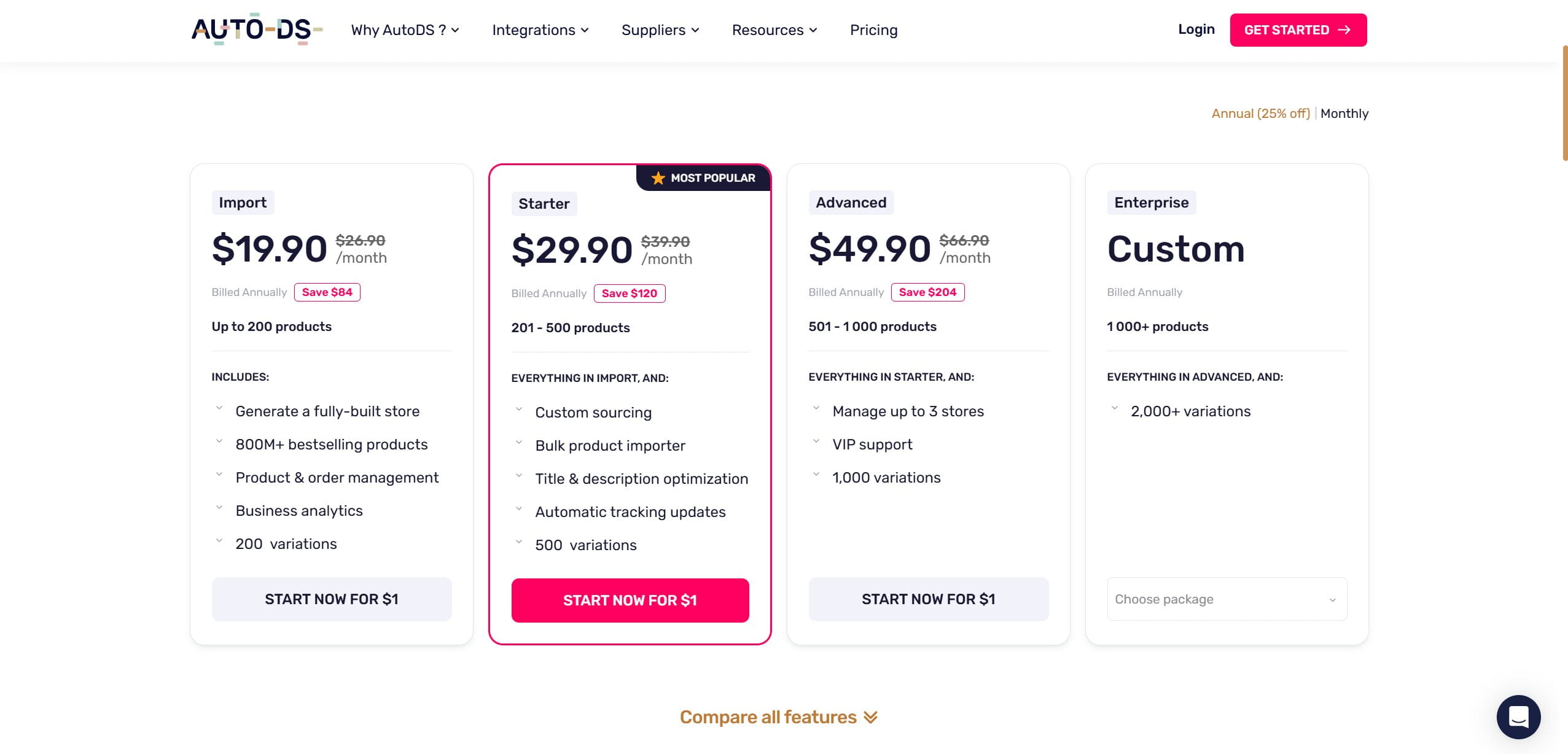
- Import: $19.90/month (billed annually) — up to 200 products, a fully-built store generator, access to 800M+ products, and basic order management. The entry point for sellers just getting started.
- Starter: $29.90/month — 201–500 products, custom sourcing, bulk importing, title and description optimization, and automatic tracking updates. The most popular tier and the first one where automation starts doing real work.
- Advanced: $49.90/month — 501–1,000 products, up to 3 stores, 1,000 variations, and VIP support. The practical choice once you’re running multiple channels at meaningful volume.
- Enterprise: custom pricing — 1,000+ products, 2,000+ variations, and a negotiated package built around your operation. The tier where you call them rather than pick a plan off a page.
Worth it for a seller who wants serious automation and TikTok Shop reach and who’s done the credit math with eyes open.
Example in practice
The trend finder surfaces a product already selling well on Amazon, so you import it straight into your TikTok Shop. Orders start coming in and AutoDS places each one automatically at the source retailer right up until your credit balance runs dry mid-week, at which point the automation stalls until you top up. That surprise is the whole reason to map credits to volume in advance.
10. Shopify Collective — the quiet high-quality option
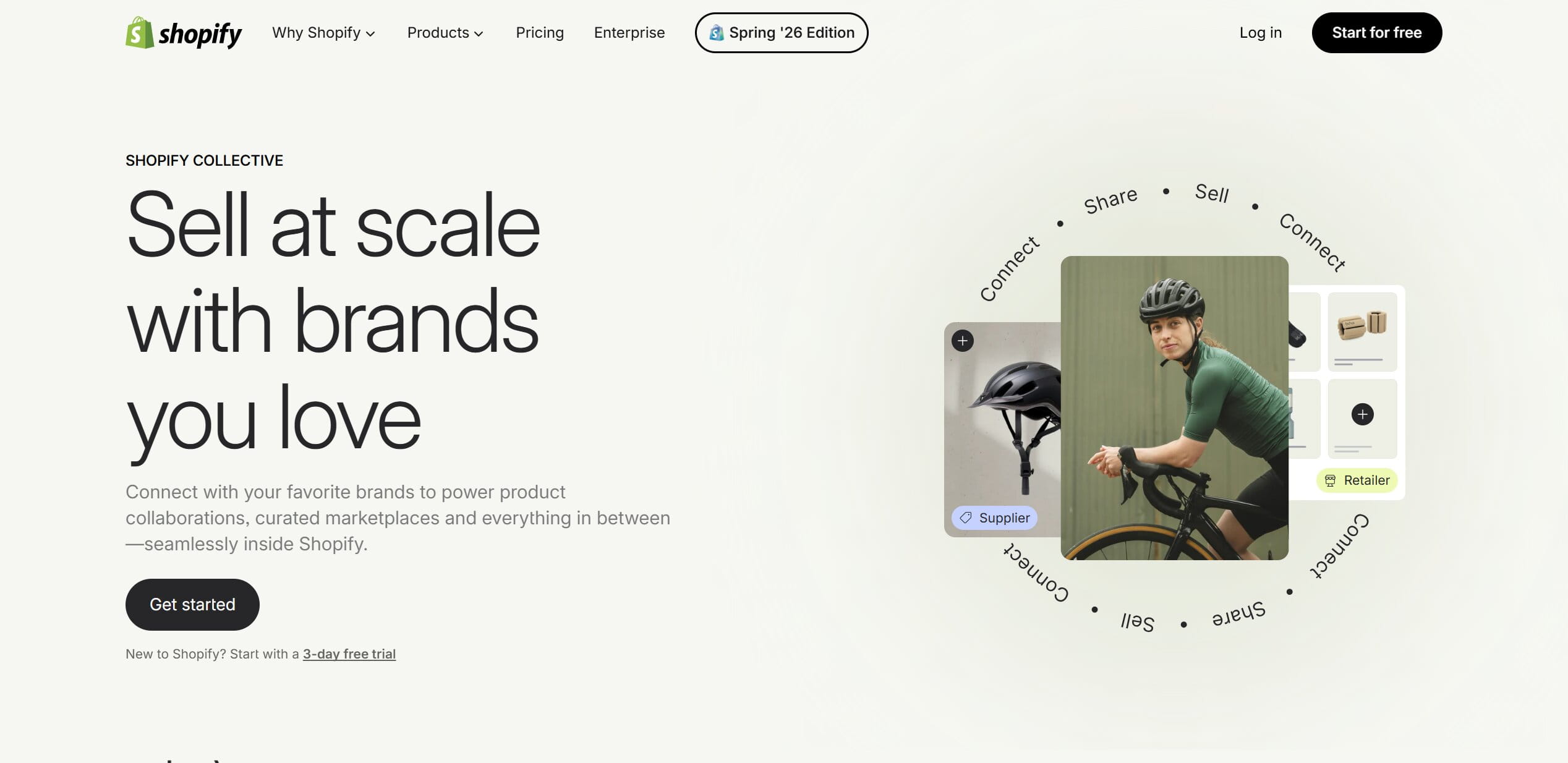
Shopify Collective is a different animal: it lets Shopify stores sell products from other real Shopify brands directly, with no inventory purchase and no upfront buy-in. You’re partnering with established brands and reselling their genuine, premium-quality goods. It’s free, folded into your Shopify subscription, and because you’re selling real branded product, the quality and shipping headaches of overseas dropshipping mostly evaporate.
Who it’s for: registered US, UK, Canadian, or Australian stores with some traction that want to sell genuine premium brands without holding inventory. Not a starting-line tool for a brand-new store with no history.
Pros
- Real, premium branded products with no inventory risk.
- No extra cost, it’s part of Shopify.
- Sidesteps the quality lottery of anonymous overseas suppliers.
Cons
- Restricted to registered companies in the US, UK, Canada, and Australia.
- Brands vet who they partner with.
The catch is a cold-start problem. Established brands are reluctant to approve a brand-new store with no traffic and no track record, why would they hand their reputation to an unknown? Realistically you need some sales history and a credible-looking store before the good brands say yes, which makes this a scale-up tool rather than a starting-line one.
Pricing
- Free: built into your existing Shopify plan with no added subscription fee — but free doesn’t mean frictionless. To get in, your store needs to be on an active paid plan, based in a supported country, running Shopify Payments with active payouts, and compliant with tax registration requirements for Canada, UK, and EU sellers. There’s also an ID verification step and a Network Intelligence activation that catch people off guard. The cost isn’t dollars, it’s setup: treat eligibility as the real barrier, not pricing. Full requirements are listed on the Shopify Collective requirements page.
Example in practice
You run an established outdoor-gear store and get approved to sell another Shopify brand’s insulated water bottles. They appear in your catalog like your own products, and when a customer buys one, the partner brand ships it directly to them, you never bought or held a single unit, and the quality is whatever that real brand already ships.
11. AppScenic — high-ticket, high-stakes
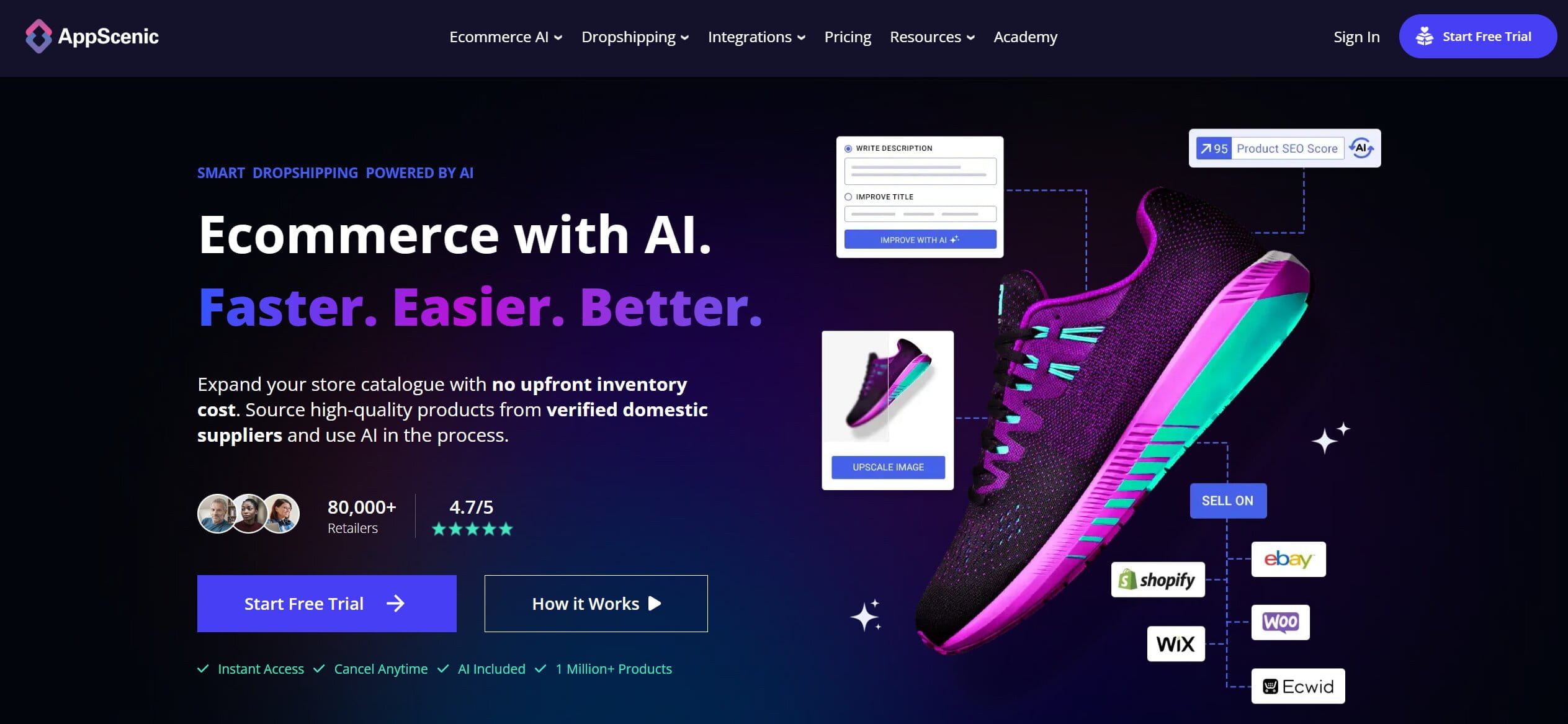
AppScenic specializes in high-ticket dropshipping: furniture, designer decor, expensive electronics, the stuff with real margin per unit and real pain per mistake. It pulls suppliers from the US, EU, and UK, and it automates return handling, which matters enormously when the returns in question are heavy and expensive.
Who it’s for: sellers with real working capital targeting high-ticket categories, furniture, decor, electronics, who can absorb the cost of the occasional expensive return. Not for shoestring beginners.
Pros
- Access to genuinely high-margin categories most tools don’t touch.
- Western suppliers with reasonable shipping.
- Automated returns, which is not a small thing at this price point.
Cons
- Demands serious working capital, because the products cost serious money.
- One botched return is a large loss, not a rounding error.
High-ticket cuts both ways. A single mishandled return on a $1,500 sofa, a damaged item, a refused delivery, a restocking dispute, can wipe out the profit from several clean sales and then some. The category rewards operators who can absorb the occasional expensive mistake and punishes anyone running thin on cash. Know which one you are before you list a couch.
Pricing
- Free: browse the catalog and plan your store, but no live importing or ordering.
- Standard: $39/month — the entry paid tier for importing and fulfilling high-ticket products.
- Pro: $79/month — higher limits and priority handling for a growing high-ticket store.
- Elite: $149/month — the top tier, for operators moving serious volume in expensive categories.
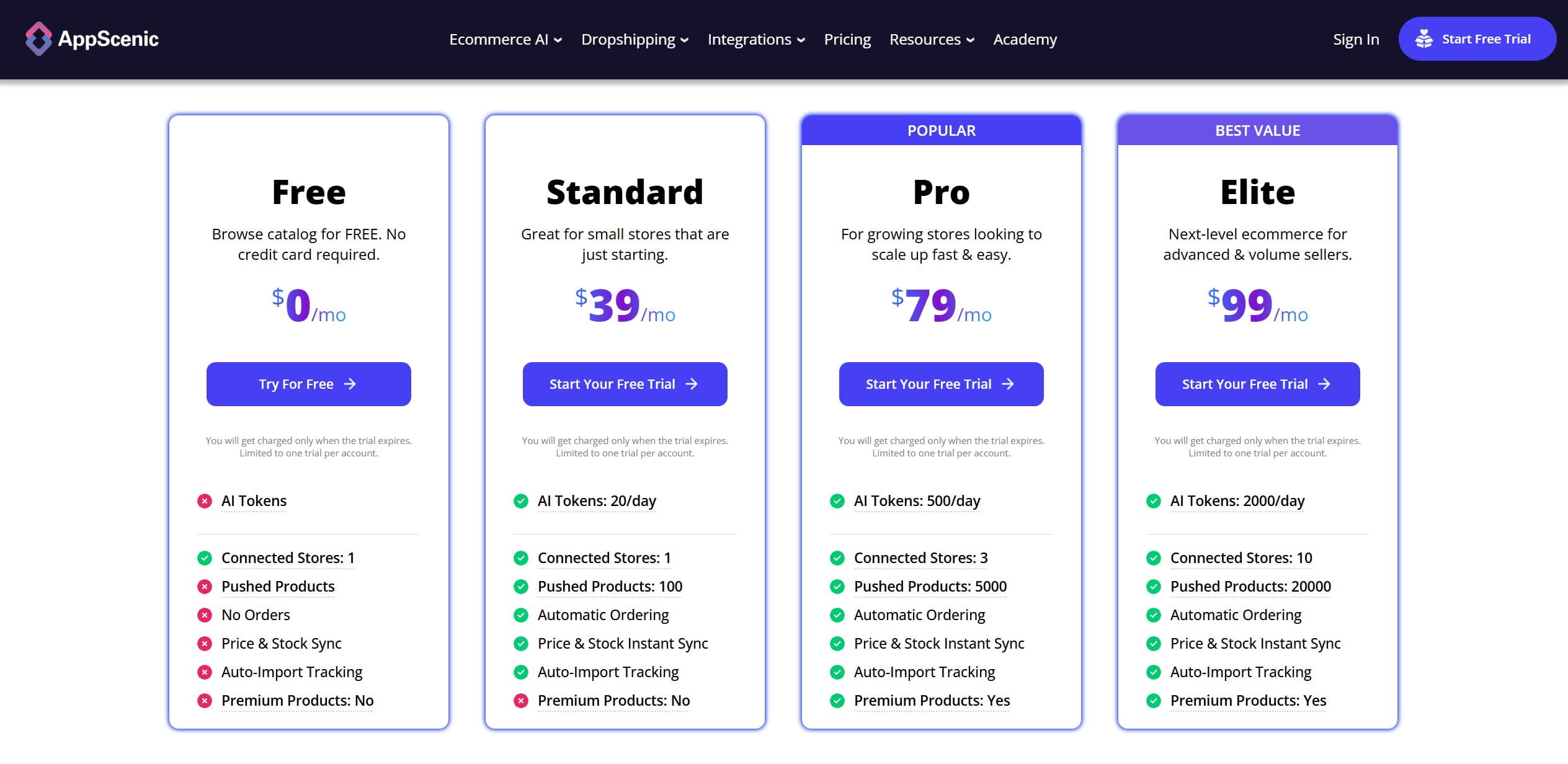
Given the working capital these products demand, the subscription is the small number here, the inventory and return exposure is where the real money sits.
Example in practice
You list a $1,500 designer sofa from a UK supplier and it sells. AppScenic routes the order, and when the customer later decides the color is wrong and requests a return, its automated returns flow handles the pickup logistics, rather than leaving you to negotiate a heavy-item collection by email while the refund clock ticks.
12. Trendsi — built for fashion, hostage to fashion
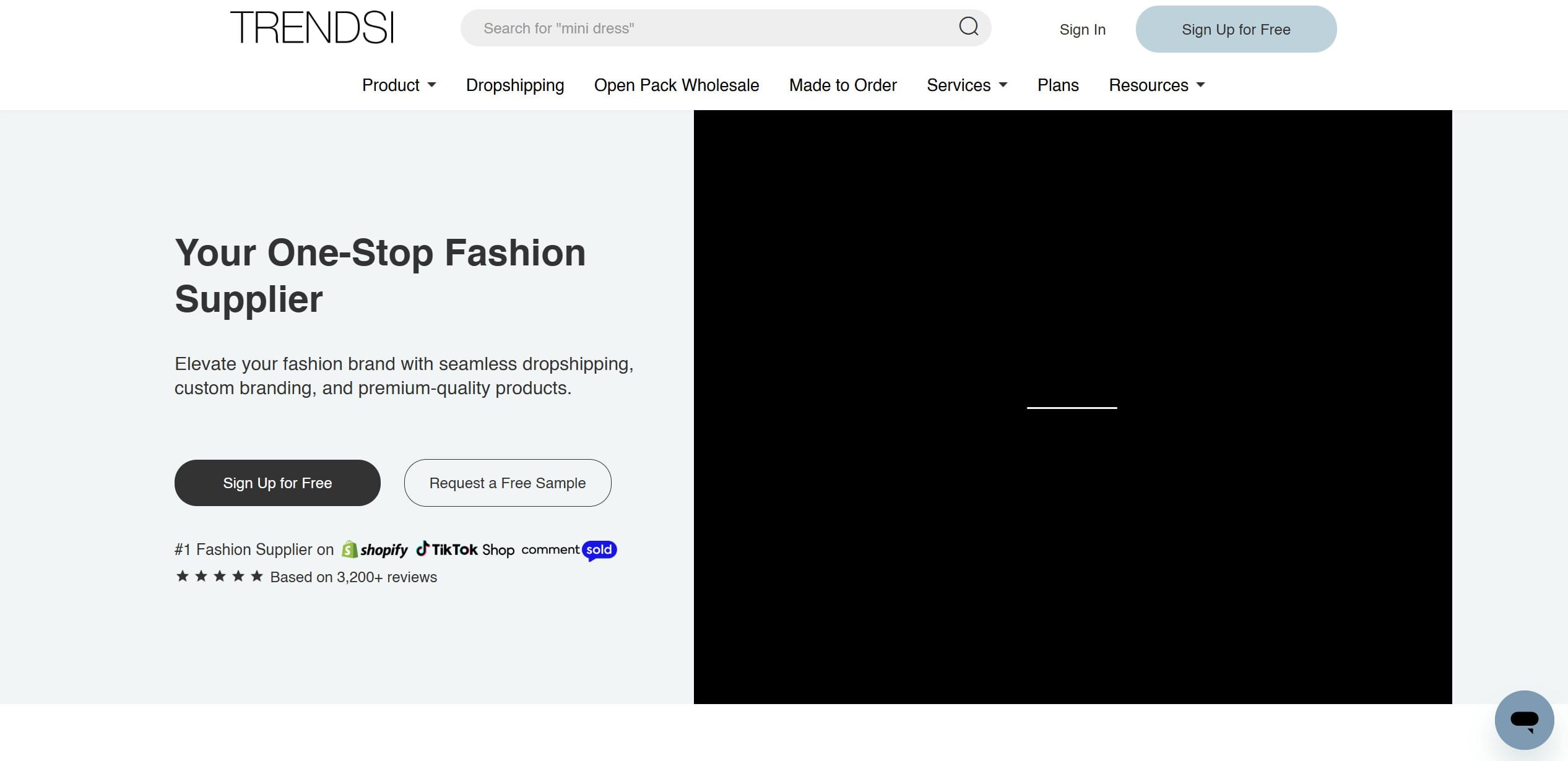
Trendsi is a niche tool for women’s clothing and footwear boutiques. It runs a warehouse in Los Angeles, provides professional studio photography of the products with no watermarks (which alone saves a fashion store real money on content), and offers easy returns. Installation is free; you pay per item sold.
Who it’s for: women’s fashion boutiques that want fast US shipping and free product photography without holding stock. You’re tied to whatever the LA warehouse has on hand, so it’s not for sellers who need guaranteed availability.
Pros
- LA warehousing means fast domestic shipping on fashion.
- Free, watermark-free studio photography is a genuine cost saver.
- Pay-per-sale model, no subscription barrier.
Cons
- Entirely dependent on the LA stock situation.
- Fashion’s velocity works against you.
The fashion problem is stock-out speed. Trends turn over in days, and the exact item you just built a paid campaign around can sell out of the US warehouse mid-flight, leaving your ads pointing at a product you can’t fulfill. Keep a close eye on inventory on anything you’re actively advertising, and be ready to swap creative fast, in this niche, the automation can’t save you from the trend cycle.
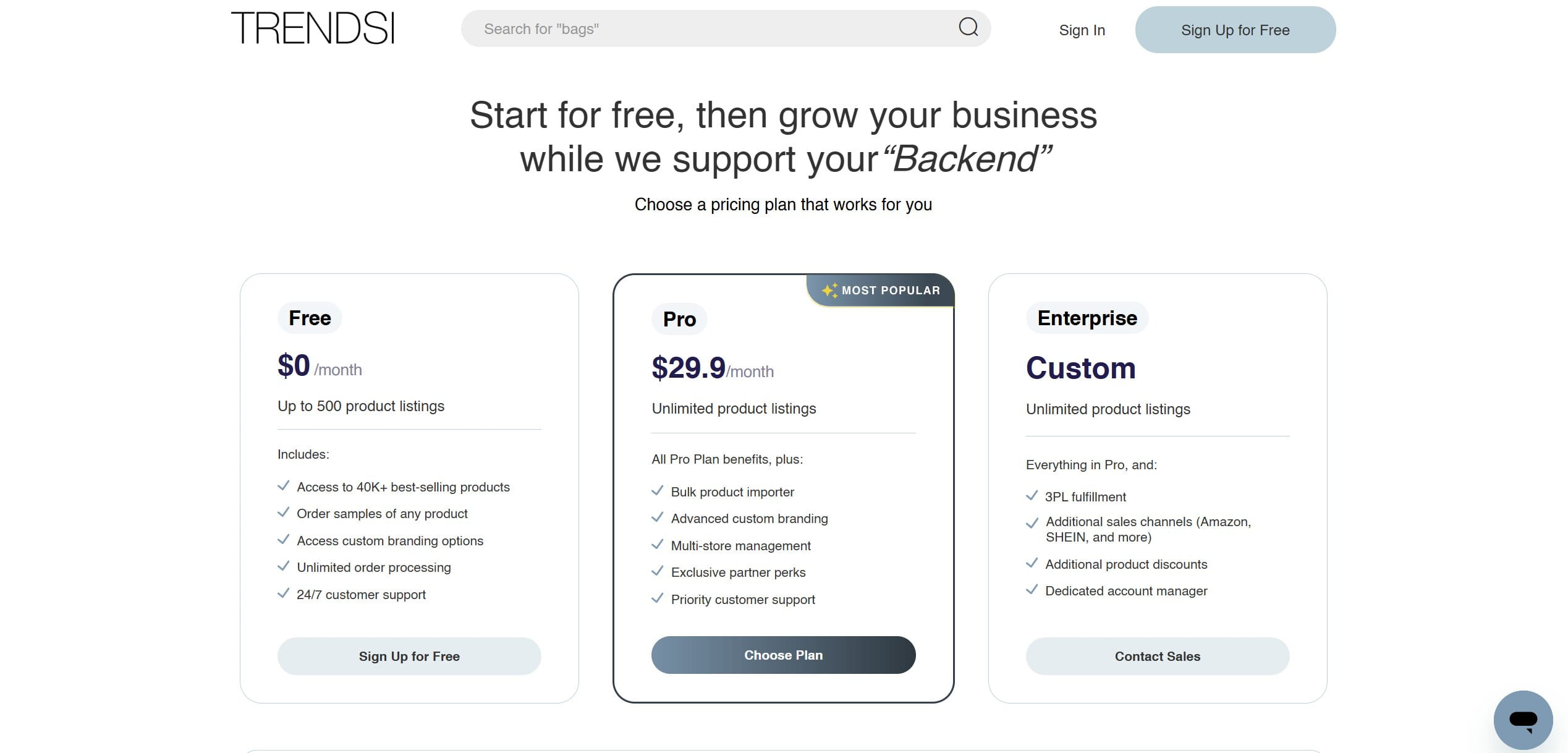
Pricing
- Free: $0/month — access to 40K+ products, unlimited order processing, and basic branding options, all with no subscription. Up to 500 product listings, which is enough to run a real fashion store without paying anything until orders come in.
- Pro: $29.90/month — unlimited listings, bulk importing, advanced custom branding, multi-store management, and priority support. The tier that makes sense once you’re running volume across multiple channels.
- Enterprise: custom pricing — adds 3PL fulfillment, additional sales channels including Amazon and SHEIN, product discounts, and a dedicated account manager. Built for brands that have outgrown a standard dropshipping setup.
Example in practice
You build an ad campaign around a linen dress using Trendsi’s watermark-free studio shots, so your store looks like a real boutique rather than a reseller. Sales come in and ship from LA in a few days, but you’re checking that dress’s stock level every morning, ready to swap the ad creative the moment it sells out of the warehouse.
13. Importify — the manual-import stopgap
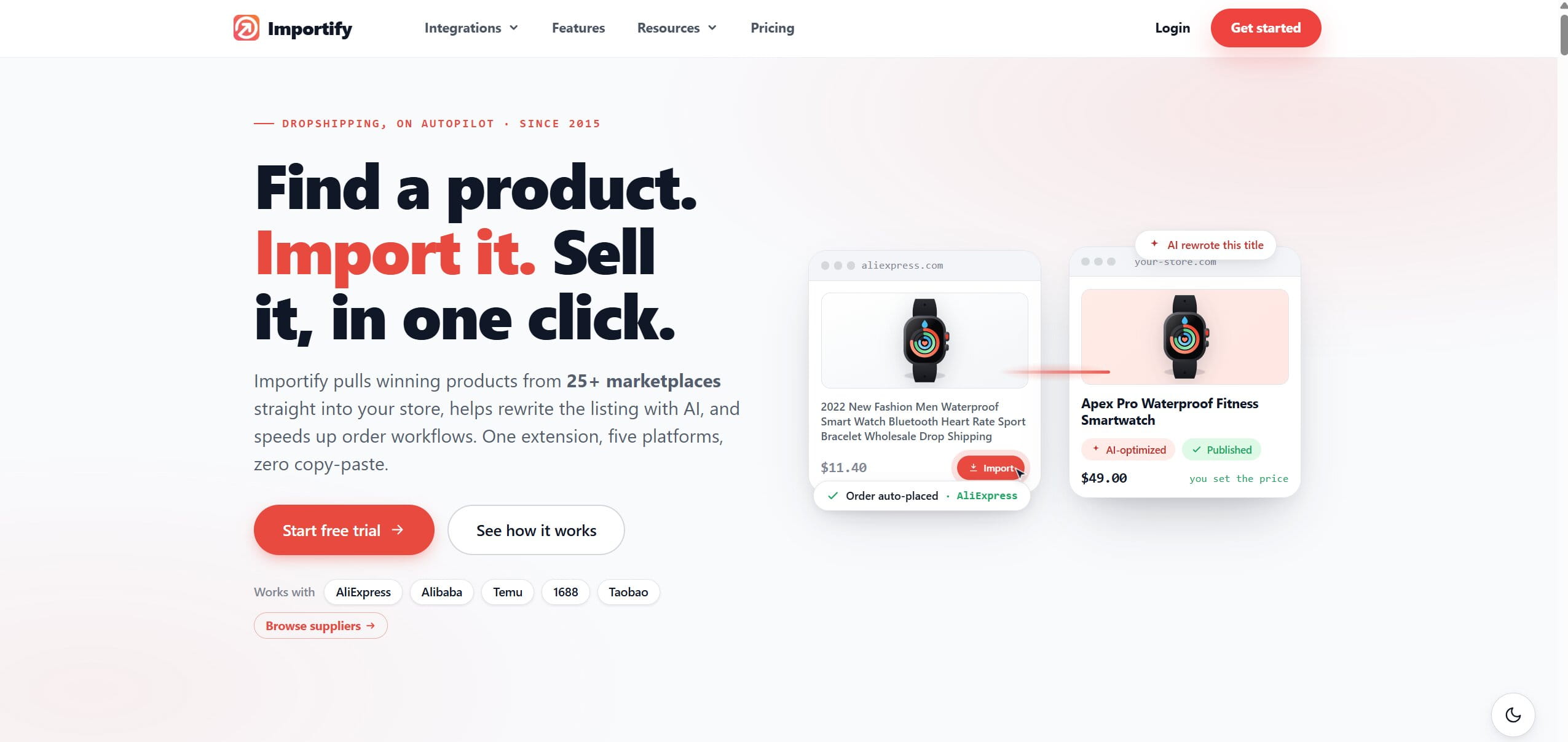
Importify is a semi-automatic importer aimed at the secondary platforms most tools ignore: Etsy, Temu, Shein, and 30-plus others. Its one job it does well, parse a product listing off those platforms and pull it into your store in a click. That’s genuinely handy if your sourcing lives on sites the mainstream apps don’t support.
Who it’s for: sellers sourcing from off-beat platforms like Etsy, Temu, or Shein at low volume who can live with semi-manual fulfillment. Not for anyone scaling hard who needs end-to-end automation.
Pros
- Imports from platforms nobody else reaches (Temu, Shein, Etsy, and a long tail).
- Cheap entry point.
- Fast, one-click product parsing.
Cons
- Almost no end-to-end fulfillment automation on the base tiers.
- You’ll be doing order placement semi-manually.
Set expectations correctly: on the lower plans this is an import tool, not a fulfillment system. You import fast, then you place and track orders largely by hand. At low volume that’s fine. Try to scale on a base tier and the manual order handling becomes the bottleneck that eats your evenings, at which point you’ve outgrown the tool.
Pricing
- Basic: $14.95/month — the cheapest way in, but expect to place and track orders largely by hand at this level.
- Premium: $27.95/month — more supported source platforms and semi-automatic ordering to cut some of the manual work.
- Gold: $37.95/month — the fullest feature set Importify offers, though even here the fulfillment automation stays lighter than the dedicated tools on this list.
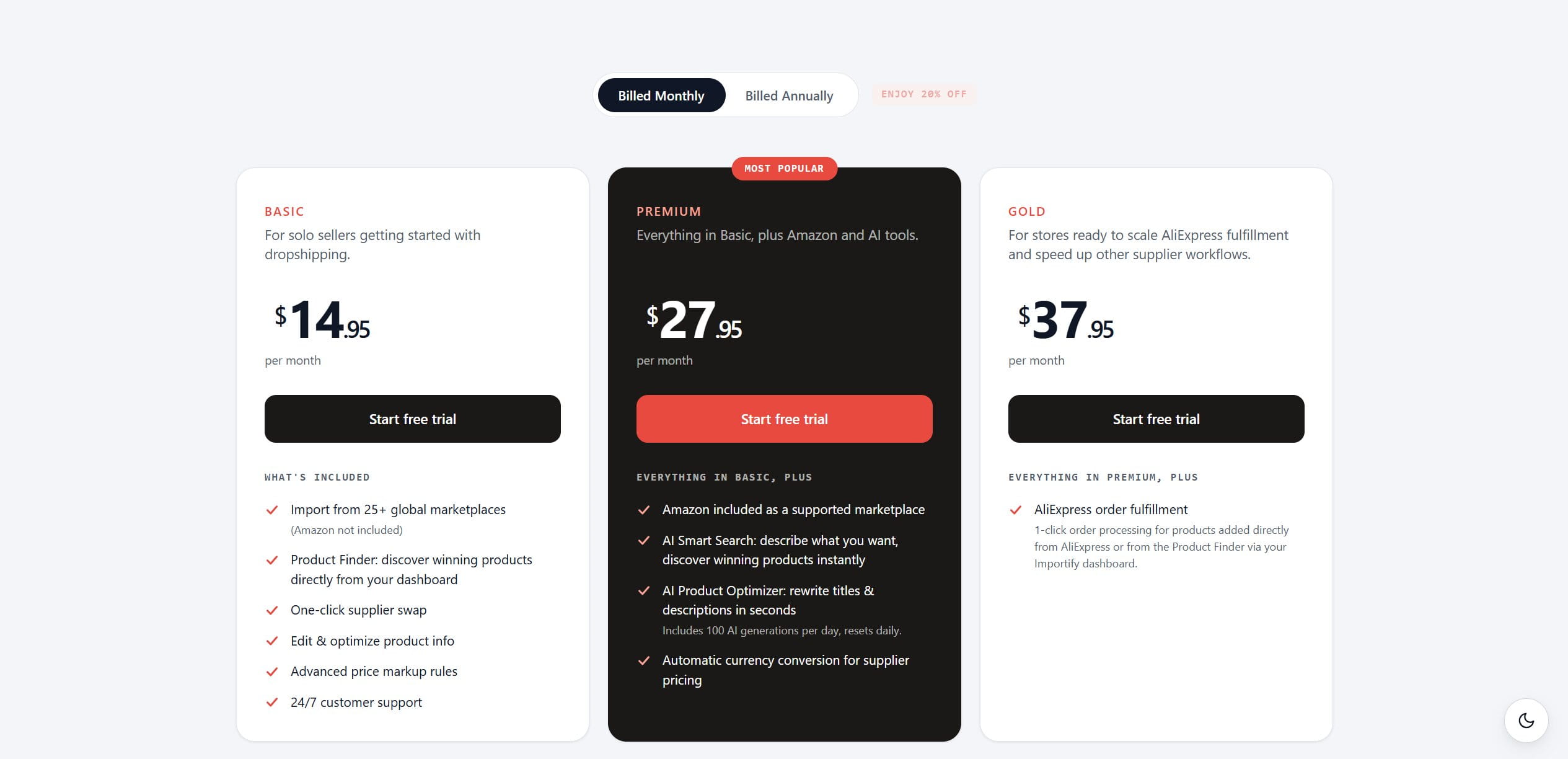
The low entry price is real, but read it as an import tool with a subscription, not a fulfillment system.
Example in practice
You spot a quirky product on Temu that no mainstream app supports. Importify parses the listing into your store in one click, so it’s live in minutes. When it sells, though, you’re the one placing the Temu order and pasting the tracking number back into your store by hand, fine at five orders a week, painful at fifty.
14. Doba — old school, and it feels it
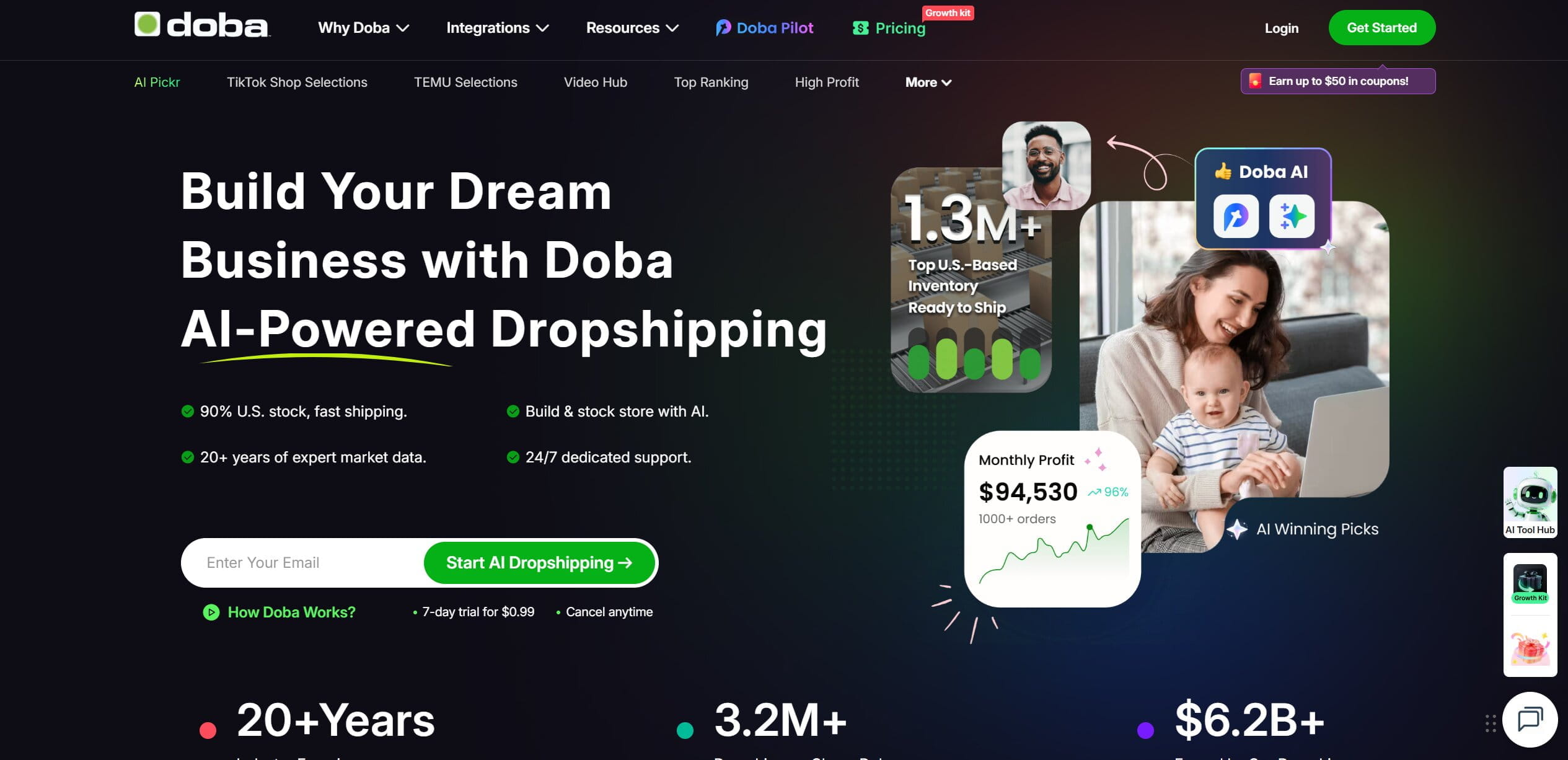
Doba is traditional US wholesale dropshipping: direct relationships with certified American distributors, and, unusually and usefully, the compliance documentation to back the products up. For certain regulated or brand-sensitive categories, that paperwork is worth more than it looks.
Who it’s for: sellers in regulated or brand-sensitive niches who value certified US distributors and compliance documentation over rock-bottom pricing. Not for generic price-war categories.
Pros
- Legitimate, certified US distributors.
- Compliance documents provided, which matters for regulated goods.
- Reliable, if unexciting.
Cons
- High base product cost.
- Nothing here helps you win on price.
The structural problem is competitiveness. Doba’s wholesale prices are high, and a newcomer trying to compete against sellers importing the same item directly from China will get undercut on every listing. Doba pays off when the compliance and reliability genuinely matter to your niche; it’s a poor choice if you’re fighting a price war in a generic category.
Pricing
- Starter: from $54.99/month — 2 store integrations, 250 one-click product listings, 450 products download monthly, and 600 inventory list capacity. The entry point for new sellers testing the model.
- Growth: from $47.90/month (billed annually) — same core limits as Starter but with AI auto-listings, a 60-day free Growth Pack, and more listing capacity bundled in. The tier for sellers who are past testing and building momentum.
- Pro: from $131.99/month — 5 store integrations, 1,000 product listings, 2,000 downloads monthly, and 3,000 inventory capacity. Plus Doba Pilot credits for AI-powered product discovery. Built for active sellers scaling across multiple channels.
- Elite: from $112.49/month (billed annually) — same store and listing limits as Pro but with a 90-day free Elite Expansion Pack, AI Listing Migrator, and deeper annual savings. The tier for power sellers who are optimizing operations at scale.
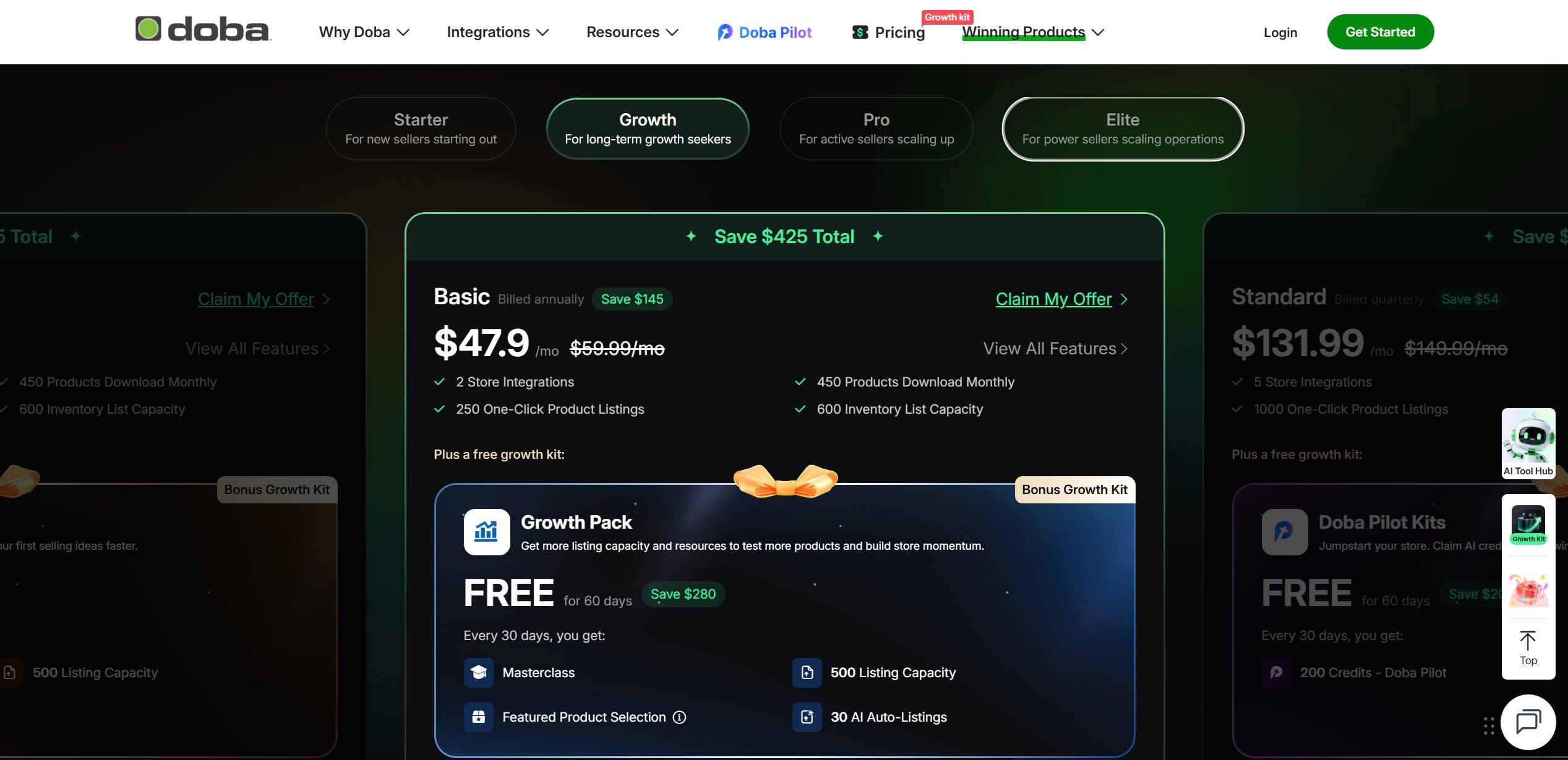
Remember the subscription sits on top of already-high wholesale product costs, so the true cost of selling through Doba is higher than the plan price suggests.
Example in practice
You sell a branded electronics accessory in a category where buyers (and the marketplace) want proof it’s authentic. Doba supplies the distributor documentation to back that up, and the item ships from a certified US distributor, slower to profit than a China-direct competitor, but far less likely to trigger a counterfeit complaint that sinks your account.
15. Eprolo — private label without the minimum order
Eprolo is a dropshipping agent leaning into private label, and its real draw is “no MOQ.” Free branded packaging, custom clothing tags, branded tape, the trappings of an actual brand, with no minimum order quantity required. For a small store trying to look bigger than it is, that’s a real edge you normally have to buy in bulk.
Who it’s for: sellers who want private-label branding without a bulk minimum and can absorb a slightly longer processing time. Less ideal if fast shipping is your entire pitch.
Pros
- Genuine branding and private-label touches with no minimum order.
- Free to install; you pay for materials and goods.
- Overseas warehousing options to improve shipping.
Cons
- Customization slows fulfillment.
- Still fundamentally a China-based operation for much of the catalog.
Branding has a time cost. The customization and private-label packaging add roughly two to three extra working days of processing at the China warehouse before anything ships. That’s fine if your customers expect a branded unboxing and you’ve set the delivery expectation accordingly, it’s a problem if you’re competing on speed, because you’ve just added days to a transit time that was already the weak point.
Pricing
- Free to install: there’s no subscription. You pay only for the products and the branding materials — packaging, custom tags, tape — as you use them. That makes EPROLO accessible for small stores since costs scale with orders rather than hitting you as a flat monthly fee.
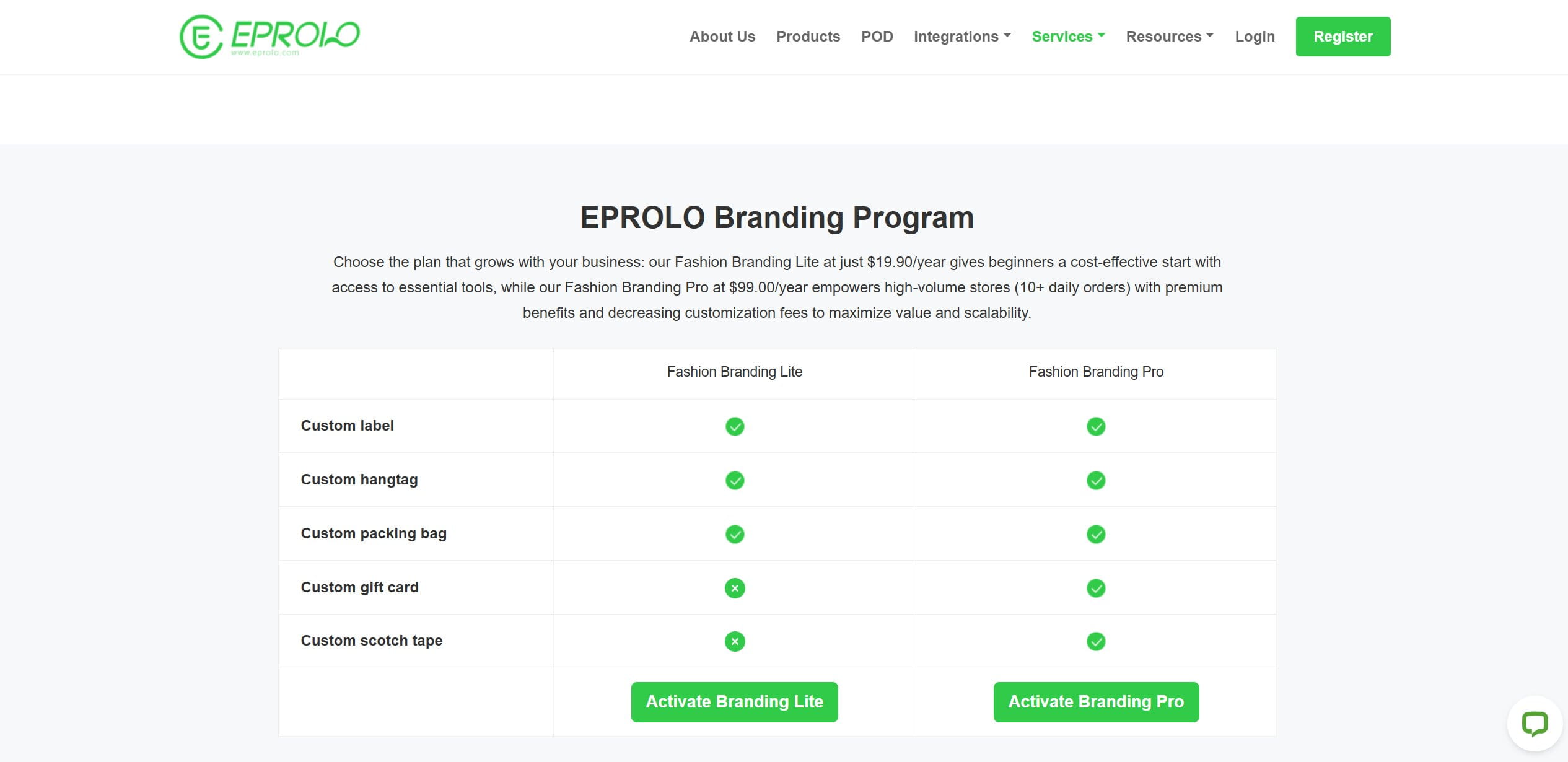
- That said, sellers serious about building a brand should look at the EPROLO Branding Program: Fashion Branding Lite at $19.90/year covers custom labels, hangtags, packing bags, gift cards, and scotch tape with no minimum order quantity — enough to make every package look like it came from a real brand.\
- Fashion Branding Pro at $99/year adds decreasing customization fees as order volume grows, which is where the program starts making financial sense for stores doing 10+ orders a day.
Example in practice
You launch a small skincare line and want it to feel like a real brand from order one. Eprolo applies your custom labels and branded packaging with no minimum quantity, so even a single sale ships out looking own-brand, at the cost of two or three extra processing days at the China warehouse before it leaves.
16. Gelato — local printing, narrow catalog
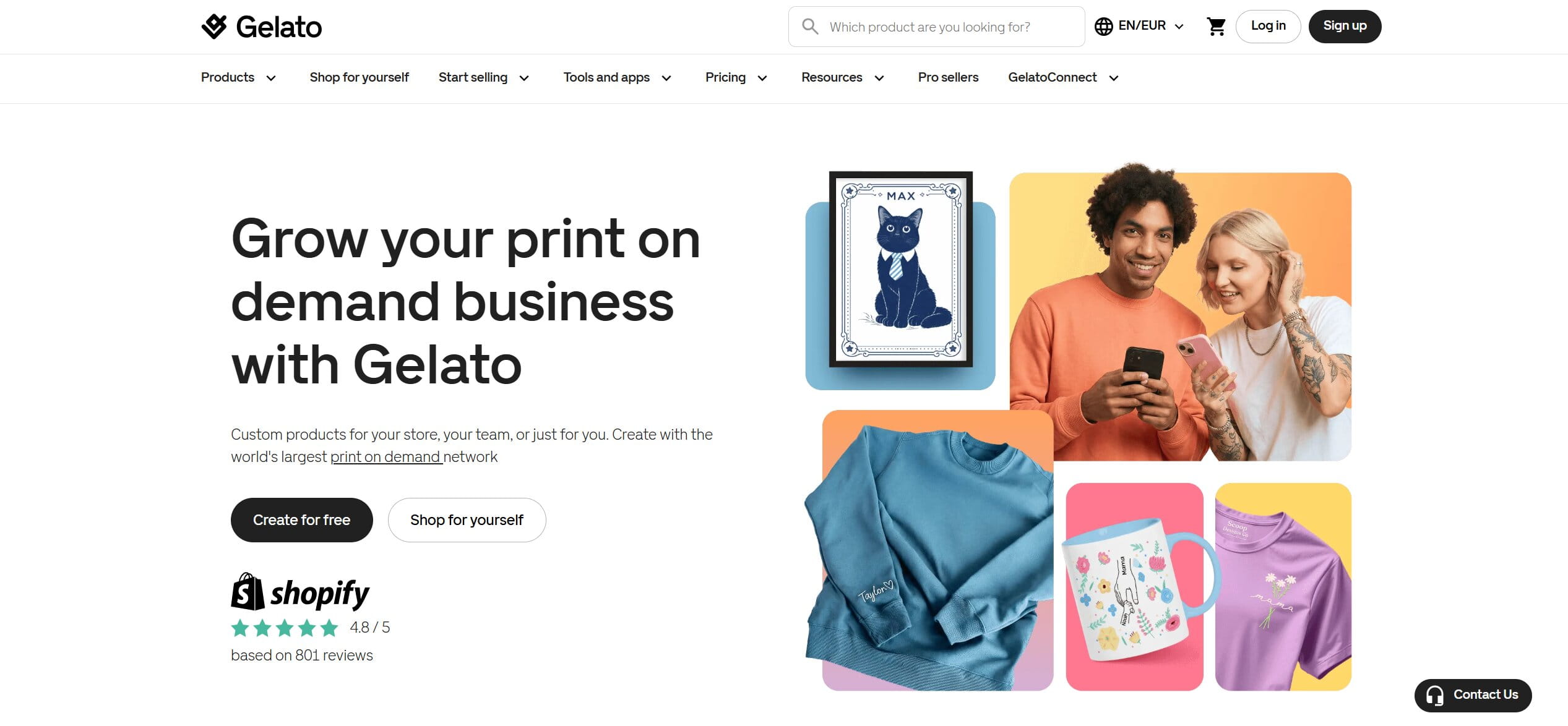
Gelato is print-on-demand built around geography. It prints in 32 countries at whichever partner factory sits closest to the buyer, which simultaneously cuts the carbon footprint and shortens delivery. For posters, mugs, canvases, and paper goods it’s excellent the local-printing model genuinely shines on flat and simple products.
Who it’s for: print-on-demand sellers focused on posters, homeware, and paper goods who want fast local delivery across many countries. A weak fit for apparel-first brands.
Pros
- Local production in 32 countries means fast, low-footprint delivery.
- Excellent for posters, prints, mugs, and homeware.
- Free plan available; Gelato+ is $24/mo.
Cons
- The apparel catalog is thin next to Printify or Printful.
Know what it’s for. Gelato is a polygraphy-and-homeware specialist wearing a general POD label. If your store is a t-shirt brand, the apparel selection will frustrate you and you’ll wish you’d picked Printify. If you’re selling wall art and drinkware, it’s arguably the best tool on this list for the job. Match it to your product, not to the marketing.
Pricing
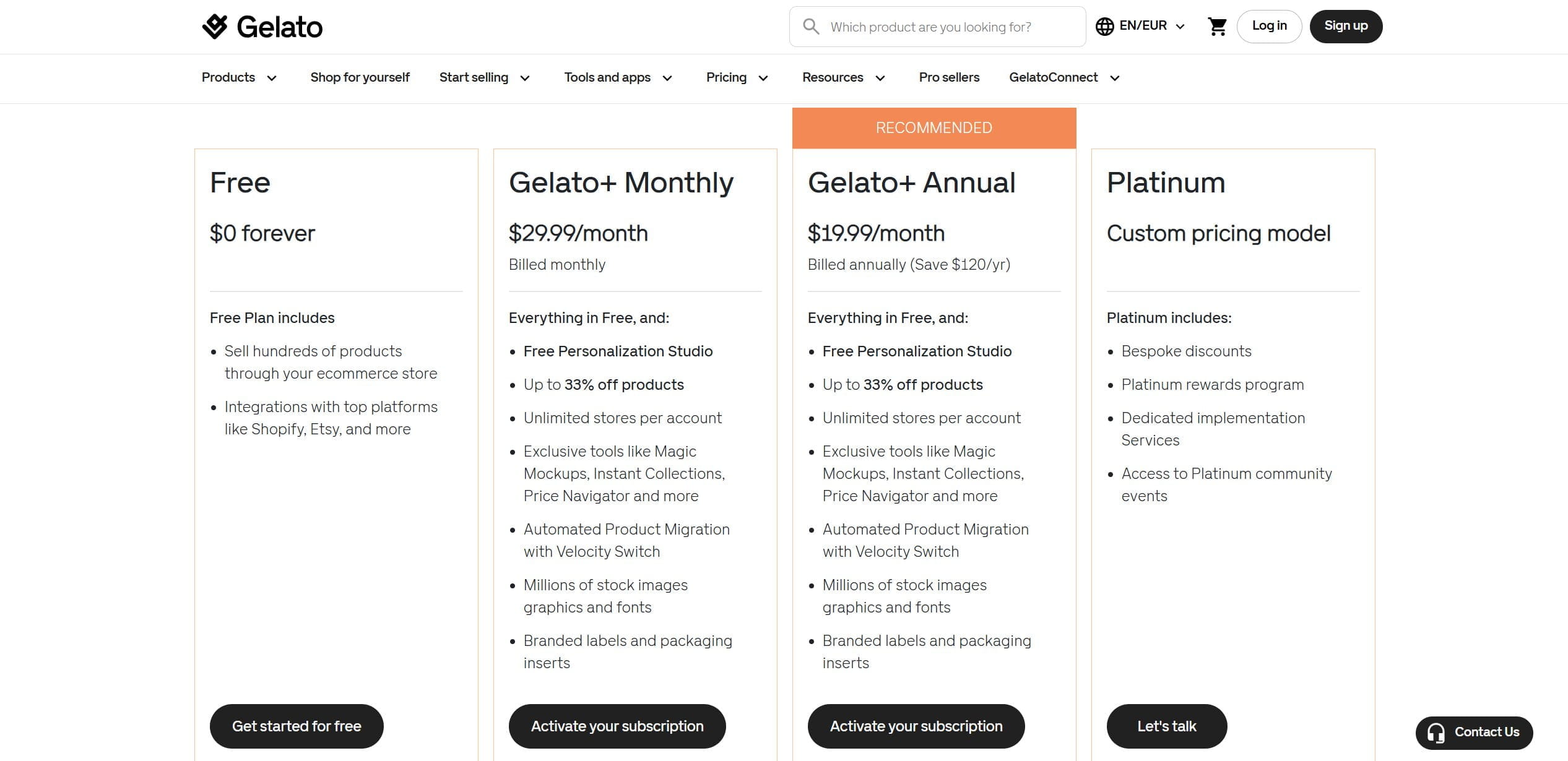
- Free: $0 forever — sell hundreds of products across Shopify, Etsy, and other platforms with no monthly fee. The core network and product range without paying anything upfront.
- Gelato+ Monthly: $29.99/month — up to 33% off products, unlimited stores, Personalization Studio, Magic Mockups, Instant Collections, branded labels and packaging inserts, and automated product migration via Velocity Switch. The tier where the toolset starts matching a serious store.
- Gelato+ Annual: $19.99/month billed annually — everything in the monthly plan, saving $120/year. The straightforward choice if you’re committing to Gelato long-term.
- Platinum: custom pricing — bespoke discounts, a dedicated rewards program, implementation services, and access to Platinum community events. The tier for high-volume sellers where the economics justify a negotiated deal.
Match the tier to your product mix, the value is strongest if you’re leaning into posters, homeware, and paper goods rather than apparel.
Example in practice
A customer in Germany orders a framed art print from your store. Gelato routes the job to a partner printer inside the EU, so it’s printed and shipped locally and arrives in a few days with a small shipping footprint, instead of crossing an ocean and dragging your delivery times down.
17. Spark Shipping — the enterprise router
Spark Shipping isn’t for beginners and doesn’t pretend to be. It’s order-routing infrastructure for businesses running their own network of suppliers: it takes an incoming order and automatically distributes it to the right supplier via API, EDI, or a parser, choosing based on the buyer’s location. When you have a dozen suppliers and need orders to route intelligently by geography, this is the machinery that does it.
Who it’s for: established, technically capable operations running multiple suppliers that need automated, geography-aware order routing. Emphatically not a beginner tool.
Pros
- Sophisticated, genuinely automated routing across your own supplier network.
- Handles API, EDI, and parser-based integrations.
- Built to operate at real scale.
Cons
- Priced for enterprise punishing for anyone small.
- Setup demands real technical skill.
This is the deep end. At $249/mo it’s expensive for a newcomer, and more to the point, the initial integration of your supplier databases requires technical competence that most solo operators don’t have and can’t easily hire cheaply. Spark Shipping earns its keep for an established business with multiple suppliers and someone technical on the team. For everyone else it’s a tool you grow into, not one you start with.
Pricing
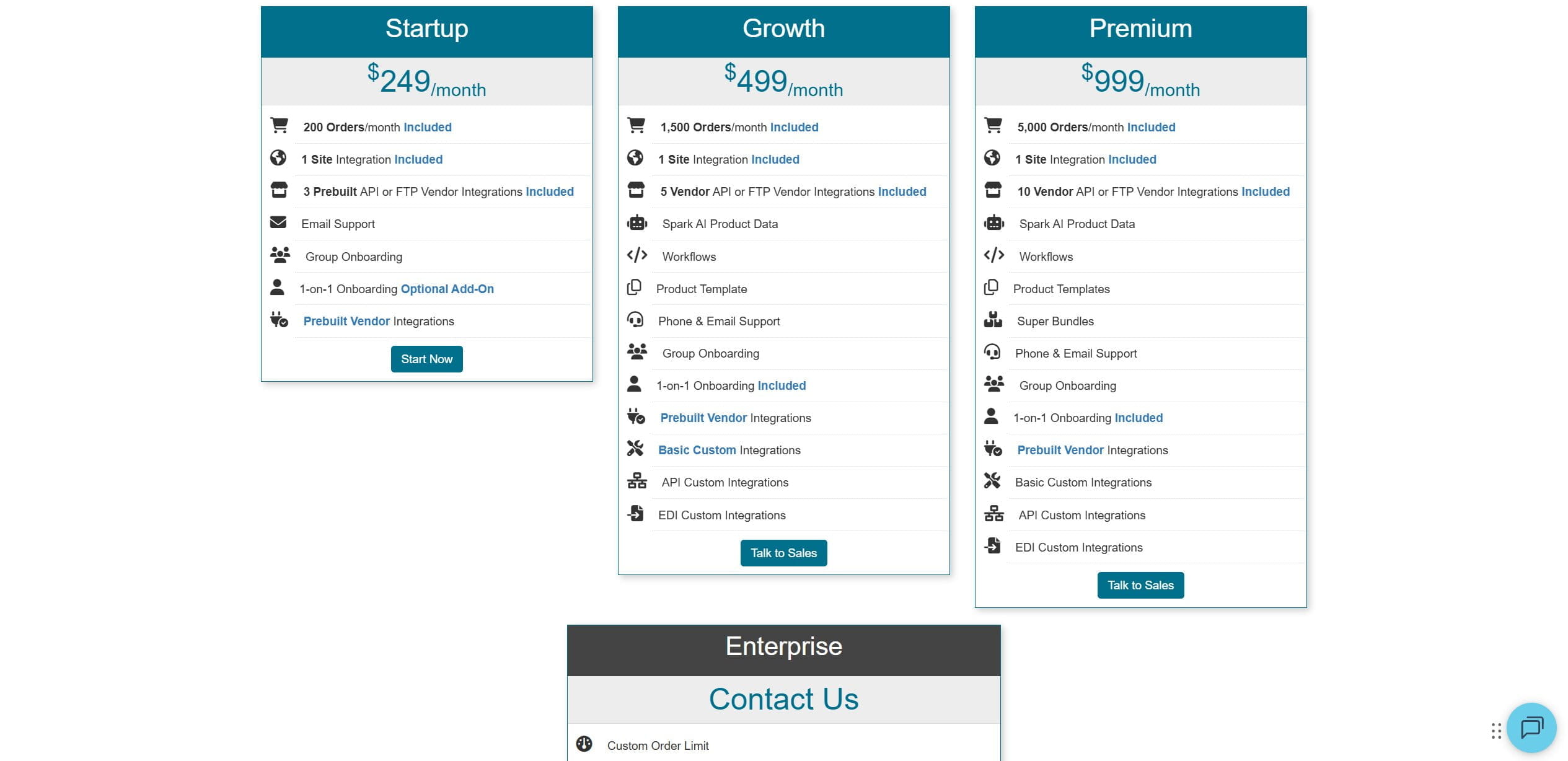
- Startup: $249/month — 200 orders included, 1 site integration, 3 prebuilt vendor integrations, and email support. The entry point for established businesses that need real automation but aren’t yet at scale.
- Growth: $499/month — 1,500 orders, 5 vendor integrations, Spark AI product data, workflows, product templates, custom API and EDI integrations, and 1-on-1 onboarding included. The tier where the platform starts earning out for operations running serious volume.
- Premium: $999/month — 5,000 orders, 10 vendor integrations, super bundles, and the full custom integration stack. Built for high-volume sellers with complex multi-supplier setups.
- Enterprise: custom pricing — negotiated order limits, custom per-order fees, custom SKU limits, a dedicated account representative, invoice billing, and 1-on-1 onboarding. The tier for large operations where every parameter gets tailored to the business.
For an enterprise with multiple suppliers and technical staff, it earns out. For a solo beginner, it’s a tool to grow into.
Example in practice
An order comes in from a customer in Texas. Spark Shipping checks your supplier network and routes it automatically to your nearest warehouse via that supplier’s API, while an order from New York the same afternoon goes to a different supplier entirely, all decided by the buyer’s location, with no one on your team touching either one.
The costs nobody puts on the pricing page
The subscription is the number everyone compares because it’s the easy one. The fees that actually decide whether a store makes money live further down, and two categories do the real damage.
First, transaction and processing fees. Zendrop’s roughly 10% cut on vendor payouts is the clearest example on this list: on a product with a fifteen-dollar margin, that’s a meaningful bite taken before you’ve spent a dollar on ads. Spocket, Syncee, and Printify take nothing on transactions. So when you compare tools, compare the total cost of moving one order through each, plan price plus per-order fees plus processing cuts, not the sticker price on the plan. Two apps with identical monthly fees can have wildly different unit economics once the per-order fees land.
Second, and larger than any subscription, is the cost of mistakes. This one never appears in anyone’s budget and it should. Picture a twelve-dollar item that sells overnight while you’re asleep, and you don’t notice it went out of stock at the supplier. Now you’re choosing between buying it elsewhere at a loss to keep your promise, or cancelling and taking a hit to your marketplace metrics, the same metrics that quietly govern your search ranking. A single mistyped address is worse: the package ships, vanishes, and you’re refunding the order and often shipping a replacement out of your own pocket. Stack on the customer emails, your time, and the account damage, and a handful of these a month can outweigh whatever you’re paying for software. That, stripped of the sales pitch, is the honest case for auto-ordering and live sync. They don’t make you money. They stop you bleeding it in ways that are easy to ignore right up until they add up to your whole margin.
Which app fits your business
A fast way to narrow it by how you actually operate, rather than by which landing page had the best copy:
- Selling AliExpress products at volume and watching every dollar? DSers. Hard to beat on price, and the free plan lets you prove the model first.
- Building a branded or niche store for US and EU buyers? Zendrop if you want the packaging and the hand-holding, Spocket if you want a deeper catalog of fast-shipping local suppliers.
- Sourcing from retailers like Amazon or Walmart and selling across Shopify, eBay, and Amazon at once? Easync is the one shaped for that model with the compliance caveats below firmly in mind.
- Custom merchandise? Printify for margin and range, Printful for quality, Gelato if it’s posters and homeware rather than apparel.
- High-ticket goods and enough capital to absorb the occasional expensive return? AppScenic.
- Women’s fashion? Trendsi.
- Want a broad, vetted marketplace across several countries with a path into wholesale? Syncee.
- Already at real scale with your own multi-supplier network and a technical person on staff? Spark Shipping.
There’s no universal winner here, and anyone who tells you otherwise is selling one of them. It depends on your niche, your capital, and how much manual work you’re currently drowning in.
Staying compliant and avoiding suspensions
Keep one sentence in front of you at all times: you are the seller of record, not your software, and the marketplace holds you responsible when something goes wrong. Automation cuts down the operational mistakes that get accounts flagged. It does not change who’s accountable, and it never will.
Read the current dropshipping policy for every marketplace you sell on, because they differ and they change. eBay generally permits dropshipping from wholesale suppliers but restricts buying from another retailer and having that retailer ship directly to your customer. Amazon expects you to be the seller of record and requires any other retailer’s packing slips to be removed. This is where the Easync/Aquiline conversation from earlier lands: converting an Amazon tracking number so eBay accepts it addresses the technical flag, but the practice it enables is the exact thing eBay’s policy restricts. That’s not a reason nobody does it, plenty do, but go in clear-eyed. A masked tracking number lowers your detection risk; it does not make you compliant, and a suspension appeal is not the moment to discover the difference.
The habits that actually keep accounts alive are dull and they work. Keep tracking valid and prompt, because missing or invalid tracking is the fastest route to “item not received” cases and strikes. Keep prices and stock synced so you’re not cancelling orders for things you can’t supply, cancellations are among the most common penalty triggers there are. Ship from a predictable origin at a predictable speed rather than bouncing between sources, which reads as erratic to the platforms watching your patterns. And answer your buyers yourself, quickly and like a human, because fast customer service protects your account at least as much as it protects the customer.
Software like Easync supports all of that, the price and stock sync, the automatic and marketplace-valid tracking, the managed fulfillment through FBE that takes a lot of everyday risk off the table. The parts no tool can do for you are the customer service and the judgment calls about staying on the right side of each platform’s rules. Treat the automation as a way to make fewer expensive errors. Handle the compliance yourself, personally, because your account is the thing on the line and the vendor’s is not.
FAQ
So what’s the best free app to actually start with?
For most people, DSers. The free plan is the real thing rather than a demo three stores, up to 3,000 products, genuine order automation which means you can test whether dropshipping works for you before spending anything. If you’re going the print-on-demand route instead, Printify’s free plan is the better starting block. And a couple of the paid tools, Easync and Spocket among them, run free trials, so you can wring out the full feature set before a card gets charged. Just, again, note the trial end dates.
How much of this can I really automate?
More than you’d expect on the mechanical side, less than the marketing implies on the judgment side. A tool like Easync will place the source order the second a sale lands, keep your listing prices tracking live supplier prices, and post tracking back to your store, converting it to an eBay-valid number where that’s needed. That’s the whole point, growing your order count without your workload climbing alongside it. What no tool automates is the thinking: which products to sell, how to price against competitors, and how to talk to an angry customer. Automate the repetition, not the decisions.
Can I actually dropship from Amazon to Shopify?
Technically, yes, and tools like Easync are built for it, they import Amazon products (plus Walmart, AliExpress, Costco, Best Buy) into Shopify and handle the ordering and tracking, with managed fulfillment available through FBE. That setup cuts the operational risk of price mismatches, stock-outs, and bad tracking. What it doesn’t do is erase your obligations. You’re still the seller of record, still on the hook for customer service, and still bound by Shopify’s rules and the source retailer’s terms. The software makes it smoother. It doesn’t make it your responsibility any less.
Is fast shipping really worth paying more per unit?
In most Western-facing niches in 2026, yes, but it depends on your niche, which is the honest answer to almost everything in this business. If you’re selling impulse buys to US or EU customers who compare you to Prime whether they mean to or not, the higher unit cost from a Spocket or a Zendrop usually pays for itself in fewer refunds and better reviews. If you’re selling something genuinely unavailable locally to a patient audience who knows it’s coming from overseas, a slower line can survive, provided you set that expectation honestly on the product page. Hide the transit time to make the sale and you’ll pay for it in disputes. Every single time.