
- articles
How to Sell on Walmart Marketplace in 2026: Step-by-Step Guide
Quick answer: To start selling on Walmart, you need a registered business with a tax ID (an SSN is not accepted), a selling history on another marketplace or online store, and products with GTIN/UPC codes. Apply through Walmart Seller Center, pass business verification, connect a payout method, set up shipping and returns, then list your catalog. There is no monthly fee. Walmart charges a referral fee per sale, 15% in most categories.
Walmart Marketplace is no longer the quiet backup channel it was a few years ago. For the quarter that ended in July 2026, Walmart reported more than 50% growth in U.S. marketplace net sales. If you want to know how to sell on Walmart in 2026, this guide walks through the requirements, every setup step, the real costs and the rules that most often get new sellers suspended.
What Is Walmart Marketplace?
Walmart Marketplace is the third-party side of Walmart.com. Approved sellers list products next to Walmart’s own inventory, set their own prices and either ship orders themselves or send stock to Walmart’s warehouses. Anyone who has bought from a third-party seller on Amazon or eBay will find the setup familiar.
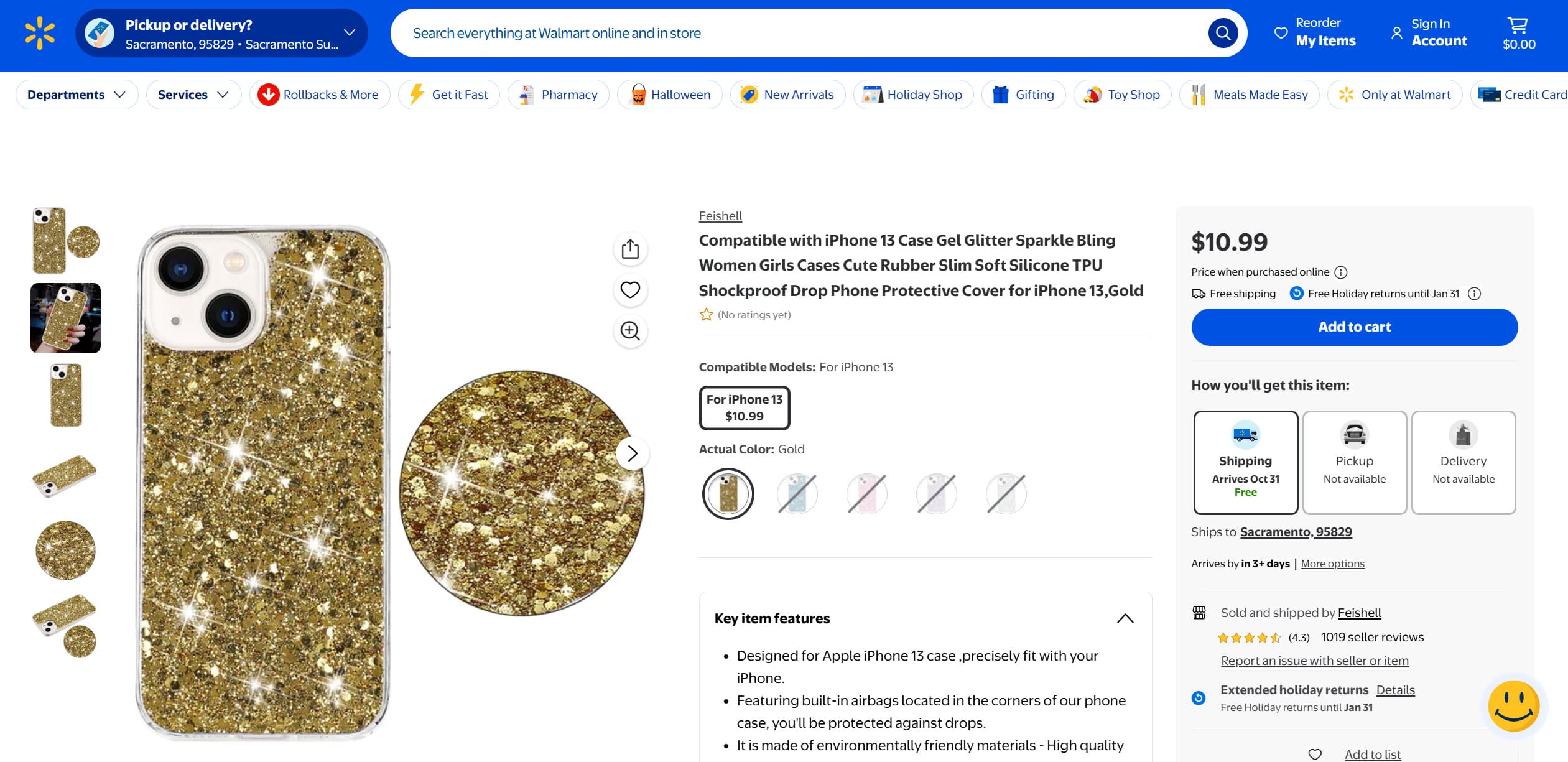
So how does Walmart Marketplace work day to day? As a Walmart Marketplace seller, you run the business. Pricing and inventory are always yours to manage, and so are shipping and customer care unless you hand fulfillment over to Walmart. Walmart brings the shoppers and handles checkout and payments, and it takes a referral fee when something sells.
The timing is good for anyone who wants to sell on Walmart. Walmart U.S. eCommerce sales grew 24% in the same quarter, while Marketplace Pulse estimates the marketplace at roughly 200,000 active sellers. That is a small crowd by Amazon standards, so selling on Walmart Marketplace still means fewer competing offers per listing in many categories.
Is Selling on Walmart Worth It? Pros and Cons
For sellers who already run a store elsewhere, usually yes, as long as you know where Walmart is stricter than other marketplaces. Is selling on Walmart Marketplace worth it for someone with no ecommerce experience at all? Usually not yet, because Walmart asks for a selling history before it approves anyone.
Most people asking whether Walmart is worth it are really comparing it with Amazon, where they already sell or plan to start. Selling on Walmart vs Amazon differs most in cost and access: Walmart charges no subscription but screens every applicant, and Amazon lets almost anyone open an account. Here is how the two compare on the points that matter before you apply.
| For a seller | Walmart Marketplace | Amazon |
|---|---|---|
| Who can sell | Registered businesses only, after an application review and with a selling history | Individuals or businesses, with open sign-up |
| Monthly fee | None | $39.99 on the Professional plan, or $0.99 per item sold on the Individual plan |
| Referral fee | 15% in most categories, from 3% to 20% overall | Varies by category, 15% in many of them |
| Fulfillment by the marketplace | Walmart Fulfillment Services (WFS) | Fulfillment by Amazon (FBA) |
| Competition | Around 200,000 active sellers | Far more third-party sellers, often on the same listings |
| Buying from another retailer to ship to your customer | Not allowed | Not allowed |
Amazon figures come from its seller pricing page and drop shipping policy. Referral fees end up close in most categories, so the per-sale cost is rarely what decides it.
What works in your favor:
- Shoppers who already trust the Walmart name, which makes it easier for an unknown seller to get the first orders.
- Faster growth with WFS. Walmart says sellers who use WFS see 50% GMV growth on average for items with the “Fulfilled by Walmart” and 2-day shipping tags.
- New Seller Savings of up to $75K in referral fee discounts, WFS discounts and ad credits, with conditions attached, for sellers who sign up by January 31, 2027.
What makes it harder:
- Walmart watches prices across the web. When your item is cheaper on another site, your offer can lose visibility.
- Late deliveries and seller cancellations count against your metrics from the very first order.
Amanda, who runs the Flipping with Amanda channel and has sold on Walmart since early 2024, puts it bluntly in her 2026 Walmart masterclass: the platform “is not the easiest, but it’s possible.” She notes that approvals which once took a couple of days now often take weeks or months, that Walmart suspends accounts faster than Amazon does (hers was suspended during Q4), and that returns are the weakest part of the whole experience. She still treats Walmart as a core channel next to Amazon, mainly because there is so much less competition.
Walmart Marketplace Requirements in 2026
Before you apply to become a Walmart seller, check that you can meet everything on Walmart’s own list:
- A business tax ID (an EIN for U.S. companies) or a business license number. A Social Security Number is not accepted.
- Documents that confirm your business name and address, plus a government-issued ID for the applicant or legal representative.
- A history of selling on another marketplace or through your own online store.
- Products with GTIN/UPC codes from a GS1 company prefix, or an approved GTIN exemption.
- A catalog that complies with Walmart’s Prohibited Products Policy.
- Fulfillment through WFS or a U.S. warehouse that can accept returns.
Two points deserve extra attention. The first is the entity type. Walmart’s U.S. marketplace does not support sole proprietorships (sole proprietors from India are the exception), non-profits or Hindu Undivided Family businesses, as a Walmart moderator confirmed on the official Seller Forum in July 2026. So the honest answer to “can anyone sell on Walmart?” is no. The second is consistency. Your legal name and address need to match your tax records exactly, including details like “LLC” versus “L.L.C.” or how you write a suite number.
“What can I sell on Walmart Marketplace?” usually comes next. Most new consumer goods are fine, but approval doesn’t mean you can list everything. Some categories and brands are gated and need extra approval, often with supplier invoices, and Collectibles is open only to approved sellers. A practical way to check an item is to add it to your catalog: if it’s restricted, Seller Center shows an error instead of publishing it.
For businesses outside the U.S., how to become a Walmart seller mostly comes down to extra paperwork. International sellers submit extra, location-specific documents during verification, and the exact list depends on the country where the business is incorporated.
How to Sell on Walmart Marketplace, Step by Step
Once your documents are ready, you can sell on Walmart Marketplace in seven steps. Walmart’s onboarding wizard in Seller Center covers steps 2 through 6.
Step 1. Create Your Walmart Seller Account
To join Walmart Marketplace, go to marketplace.walmart.com and click Join Marketplace. Sign up with a business email and a unique password, then confirm your address through the verification email Walmart sends. If it doesn’t arrive, check your spam folder before starting over with a corrected address.

Use an email on your company’s domain (name@yourbrand.com) instead of a free Gmail or Hotmail address. It matches the business details you’re about to submit, and many sellers report smoother approvals with it.
Step 2. Verify Your Business
In Seller Center, enter your legal business name, entity type, tax classification and registration details, then upload a government ID for the applicant or legal representative. Walmart says verification takes from a few minutes to two business days.
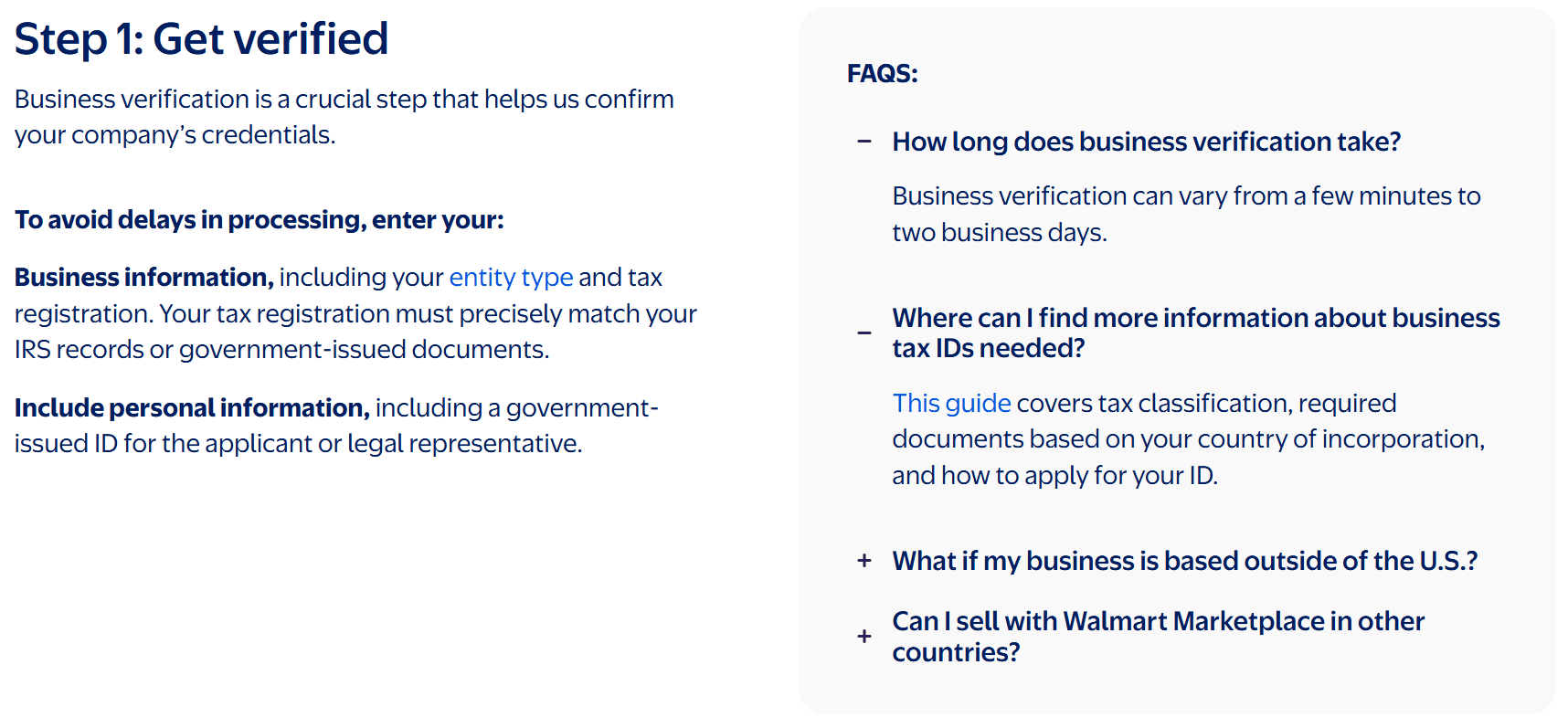
Unclear details usually trigger a follow-up request, for example for an IRS EIN letter or a bank statement showing your business address. Answer it quickly. Open requests keep the account stuck in onboarding.
Step 3. Choose Your Payout Method
Walmart pays sellers through its own Marketplace Wallet or through a third-party payment processor such as Payoneer. Register with the provider you choose, then link the account in the Payments section of Seller Center. Which processors you can pick depends on your country of incorporation.
Plan your cash flow around the New Seller Payment Hold. It gives you time to build sales history, so your first payouts arrive later than your first sales, and the length of the hold also depends on where your business is registered.
Step 4. Add Your Market Details
Here you add what shoppers will see: your display name, customer service email and customer service phone number. International sellers also enter a U.S. tax ID if they have one, along with the matching legal business name. Once the account is set up, you can add a store logo and a short description for your seller page in the account settings, which helps a new store look established. Later, the same account lets you expand to Walmart’s marketplaces in Canada, Mexico and Chile.
Step 5. Set Up Shipping and Returns
Now decide how orders reach customers. With seller fulfilled shipping, you send orders from your own warehouse or a 3PL, configure shipping templates and transit times, buy discounted labels through Ship with Walmart if you like, choose your returns method and set a return center address. With Walmart Fulfillment Services, you send inventory to Walmart, and Walmart stores it, delivers orders and handles customer service for them. You can mix both. WFS opens up only after onboarding is finished and your first item is live, so you’ll move individual items into it after step 6.
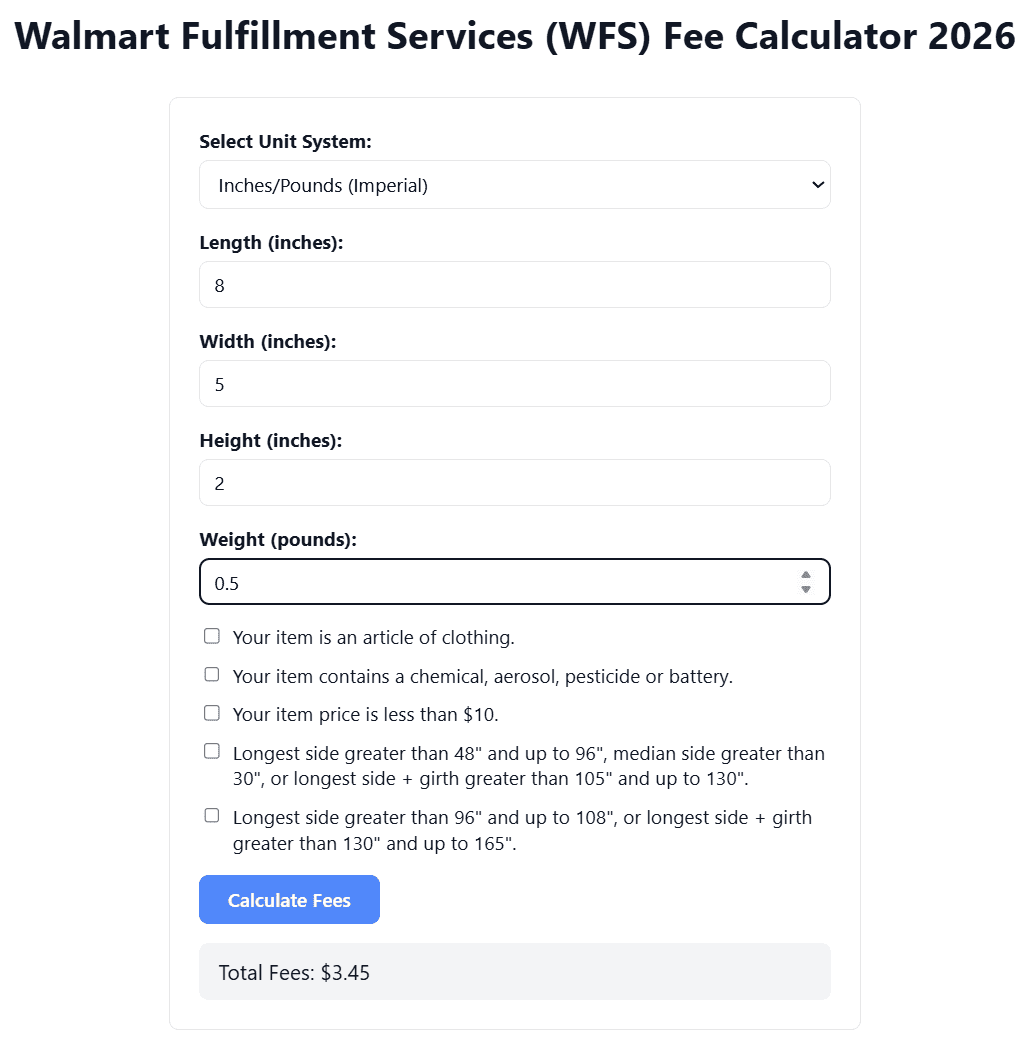
Walmart recommends WFS to new sellers, and for small, light items the numbers often work. Before you book a shipment, run your products through our Walmart Fulfillment Services (WFS) fee calculator so storage and fulfillment fees don’t catch you off guard.
Step 6. Set Up Your Catalog
Most of what you need to know about how to sell items on Walmart comes down to picking a setup method:
- If the product already exists on Walmart.com, use Setup by Match: search by GTIN, UPC or Walmart item ID and add your offer to the existing listing.
- For products that aren’t on the site yet, create listings in Seller Center one at a time or upload a category template in bulk.
- Large catalogs managed in other software usually connect through Walmart’s API or an approved solution provider. For Shopify stores, how to sell on Walmart with Shopify comes down to an app: Shopify’s own Marketplace Connect app links an approved Walmart seller account (U.S. only), and third-party integration apps do the same.
- Walmart’s AI-powered listing tool can draft single or bulk listings if you want to get products live faster.
Products without a barcode, such as private label goods or handmade jewelry, need a GTIN exemption before you can list them. Every upload appears in the Activity Feed, where you can see whether a file processed or failed and download an error report. After you add inventory, Walmart notes it can take up to four hours for account setup to finish.
New accounts also start with monthly selling and item limits, which Walmart adjusts as your sales, metrics and customer feedback improve. You can see where you stand under Health and compliance in Seller Center, and an Appeal button appears there once you qualify for an increase. Until then, list the items you can actually ship rather than filling the catalog in advance.
Step 7. Go Live and Check Your Listing
Once items are published, find them in your Seller Center catalog and open each product page on Walmart.com. Check the price, images and delivery promise the way a shopper would. If an item shows as unpublished, Seller Center lists the reason, which is most often a pricing problem or missing product data.
From here on, inventory updates are routine. Change stock for a few items directly in Seller Center, update many at once with a spreadsheet, or let the API or your solution provider sync it automatically. When something breaks, open a case through Seller Center support, and use Marketplace Learn and its Seller Forum for guides and answers from other sellers.
How Much Does It Cost to Sell on Walmart?
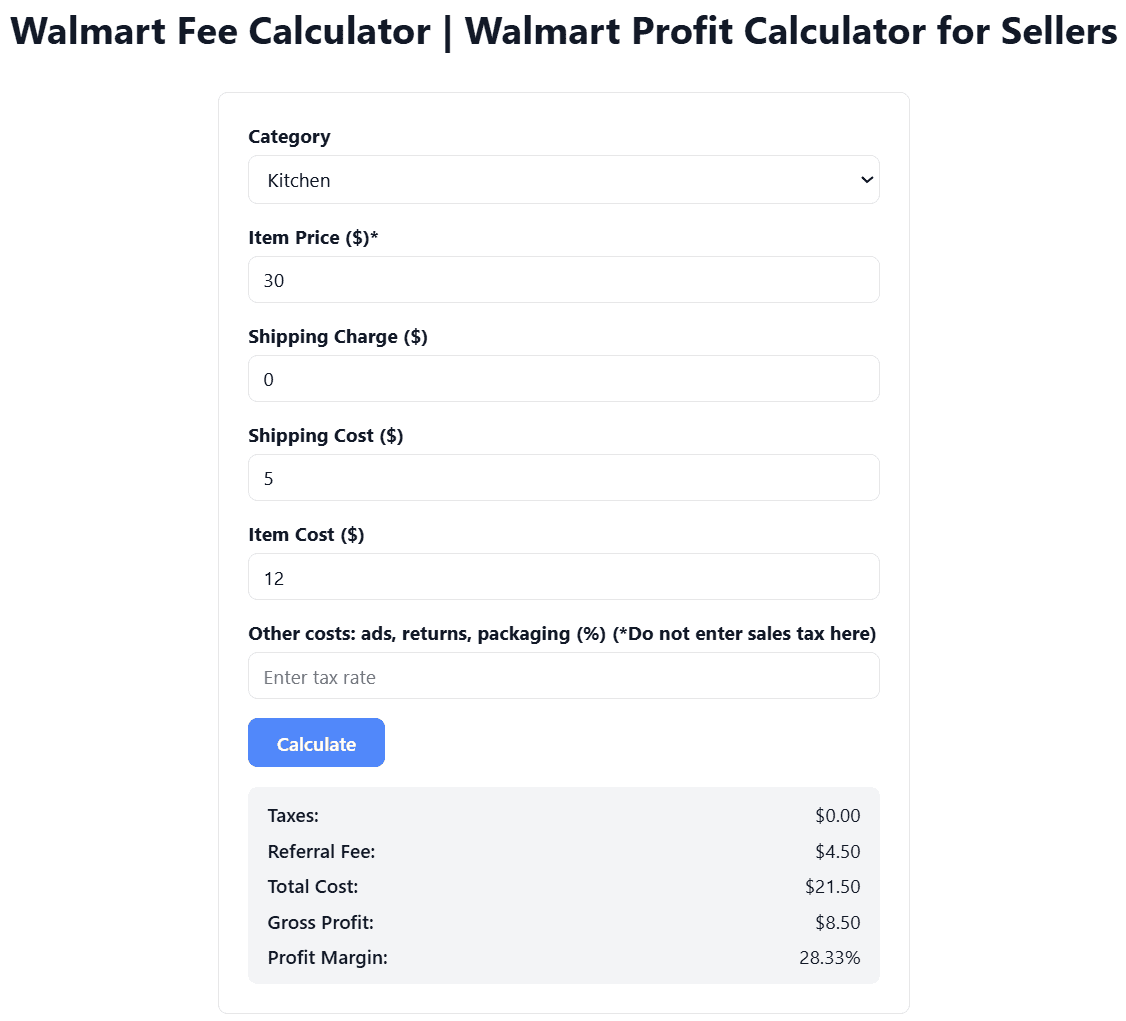
There’s no setup fee and no monthly subscription. Walmart Marketplace seller fees come down to a referral fee on each sale, plus optional costs if you use WFS or advertising. The referral fee is calculated on the total sales price, which includes shipping, handling and gift wrap charges. Here are the rates for the most common categories from Walmart’s pricing page:
| Category | Referral fee |
|---|---|
| Home, Kitchen, Toys, Pet Supplies, Books and most other categories | 15% |
| Apparel & Accessories | 5% up to $15, 10% from $15 to $20, 15% above $20 |
| Consumer Electronics, Camera & Photo, Video Game Consoles | 8% |
| Personal Computers | 6% |
| Jewelry and Precious Metals | 20% on the first $250, 5% on the rest |
| Watches | 15% on the first $1,500, 3% on the rest |
A $30 kitchen gadget shipped for free costs $4.50 in referral fees. If you use WFS, fulfillment fees start at $3.45 for items up to 1 lb, and storage runs $0.75 per cubic foot per month from January through September, with surcharges in peak season and for stock older than 12 months. You can estimate both for a specific product with our WFS fee calculator. To see your referral fee and profit per item before you list, use our Walmart fees calculator.
Selling Jewelry on Walmart
Anyone planning to sell jewelry on Walmart should price with the tiered fee in mind. Walmart takes 20% on the part of the total sales price up to $250 and 5% on anything above it. A $100 necklace costs $20 in fees, while a $400 ring costs $57.50: $50 on the first $250 plus $7.50 on the remaining $150. On the ring, that works out to about 14% instead of 20%. Handmade jewelry without a barcode needs a GTIN exemption before it can be listed.
Selling on Walmart vs. Selling to Walmart
A lot of people searching for how to sell to Walmart actually want their products on Walmart shelves, which is a different business from the marketplace. So if your question is how to sell products on Walmart as a brand, there are two doors. If you want to know how to sell at Walmart stores, or on Walmart.com under Walmart’s own offer, the answer runs through supplier onboarding instead of Seller Center.
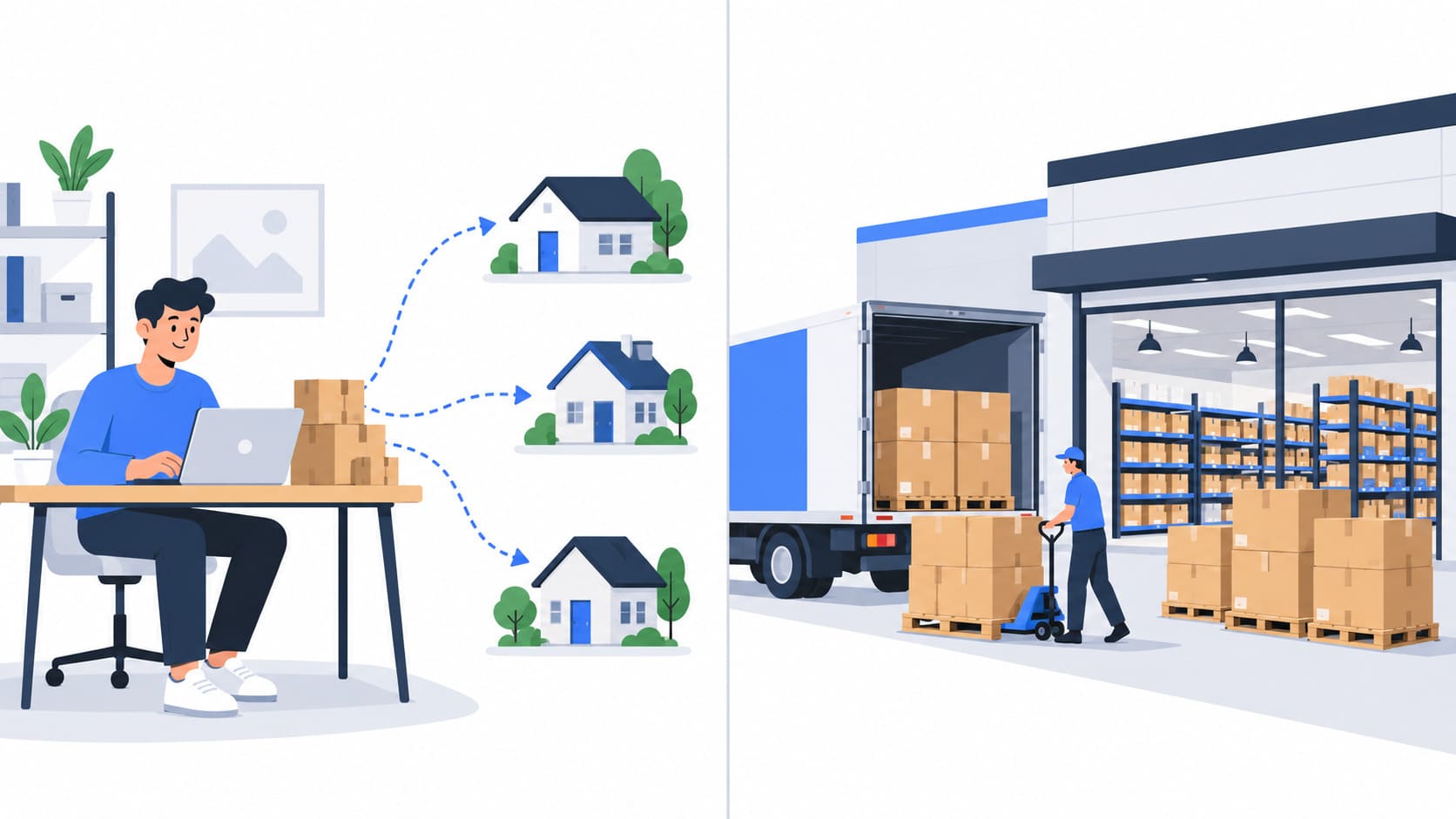
On the marketplace, you’re the seller. You own the inventory, set the price and handle or outsource fulfillment. When you sell to Walmart as a supplier, Walmart buys your products wholesale and resells them. Walmart works with more than 100,000 suppliers, U.S. businesses apply through its supplier application, and registering does not guarantee an agreement.
So how does Walmart decide what to sell? Category buyers review supplier submissions and judge how a product fits their assortment, price points and packaging requirements. The best-known entry point is Walmart’s yearly Open Call, where makers of products made, grown or assembled in the U.S. apply through RangeMe for a chance to pitch buyers directly.
There’s also a middle route called Drop Ship Vendor (DSV). A DSV is a supplier whose products Walmart sells on Walmart.com, while the supplier ships each order directly to the customer. It is still a supplier relationship with Walmart, set up through the supplier process.
When you’re deciding how to sell your product to Walmart, a simple rule helps. A brand with production capacity and retail-ready packaging can pitch for a supplier deal. A reseller or a young brand usually starts on the marketplace and builds sales history there first.
Can You Dropship on Walmart?
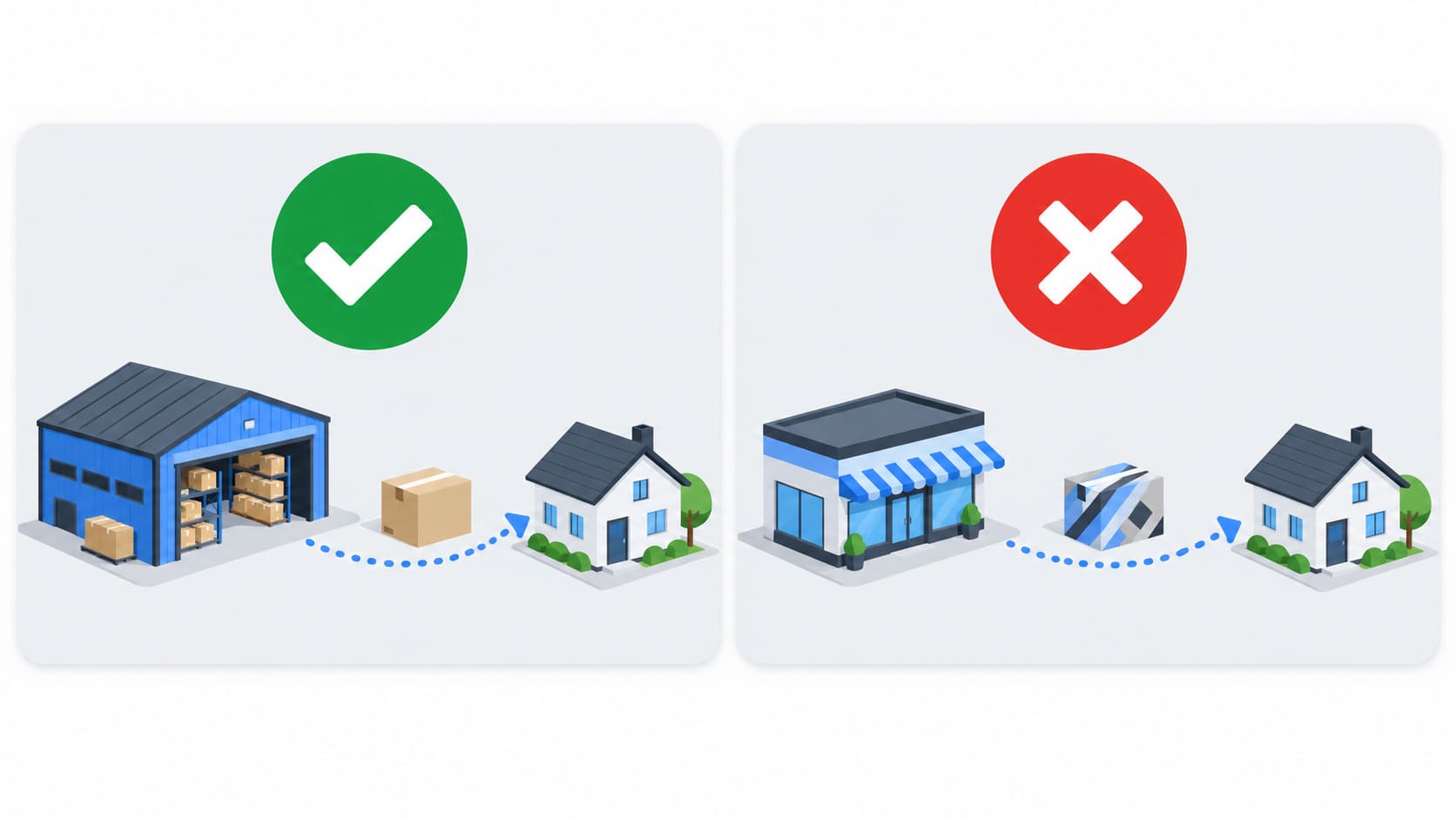
Yes, in one form only. Walmart lets you work with a supplier or manufacturer that ships orders on your behalf, as long as you stay the seller of record and the package carries no other retailer’s branding. What Walmart prohibits is buying the product from another retailer after the sale and having that retailer ship it to your Walmart customer. That rule sits in Walmart’s packaging policy under the Seller Performance Standards, and breaking it puts the account at risk.
That rules out retail-sourced dropshipping on Walmart, such as listing Amazon products and ordering them only after a sale. Retail arbitrage, where you buy discounted products in advance, receive them and resell them as your own stock, is a separate practice, though brand and category restrictions still apply. Walmart dropshipping works only with a wholesale supplier or manufacturer that ships quickly within the U.S., uses neutral packaging and can back up your orders with invoices.
Some sellers turn the model around and use Walmart as a source, listing Walmart products on eBay and buying them only after a sale comes in. This is usually called Walmart to eBay dropshipping. The appeal is easy to see: no stock to buy up front and no warehouse to rent. The risk is just as real. eBay’s drop shipping policy allows fulfillment from wholesale suppliers, but not listing an item and then buying it from another retailer that ships straight to your buyer. Sellers who run this model accept that exposure, and they need constant price and stock monitoring so a price jump or stockout on Walmart doesn’t turn into a late or canceled eBay order. If you test it, build eBay insertion fees and final value fees into every price.
How to Keep Your Walmart Store Healthy
Once you’re live, Walmart measures every seller against its Seller Performance Standards, and slipping below them can lead to suppressed listings or a suspended account. Most metrics in Walmart selling are measured over rolling 30 or 90 day windows, so steady habits count for more than any single busy week.
Hit Your Delivery Promise
Walmart’s Seller Performance Standards spell out the minimums: a cancellation rate of 2% or less, on-time delivery of at least 90%, valid tracking on at least 99% of orders and a response rate of at least 95% on customer messages, which Walmart expects you to answer within 48 hours. Cancellations here mean orders you cancel yourself, for example because an item went out of stock. Keep inventory synced across every channel you sell on, and set transit times you can actually meet. WFS takes delivery and buyer messages off your plate, which is why many sellers move their fastest-moving items there. If you ship yourself and can deliver quickly, Walmart’s Expedited Delivery programs add fast and free delivery badges to your offers.
Budget for returns too. Walmart customers can send items back easily, so treat a share of every month’s sales as a return reserve instead of counting each order as final.
Stay Price Competitive
Walmart compares your prices with what shoppers can find elsewhere, including other retailers, and gives your catalog a price competitiveness score. An offer priced well above the market can lose the Buy Box or get unpublished. The Buy Box usually goes to the offer with the best mix of price and delivery speed, which is why competitively priced WFS offers tend to win it. Turning on Walmart’s Repricer (more on it in the tools section) is also how sellers meet the price requirement for Pro Listing Savings.
Build Listings That Convert and Earn Pro Seller Status
Listing Quality in Seller Center scores each item on its content and offer. Put the product in the right category, write a title with the brand, product type and key attributes, use several sharp images that follow Walmart’s image guidelines, add a product video through the media library in Seller Center if you own the listing, and group sizes or colors as variants of one listing. The basics of optimizing your listings carry over well from eBay, especially for titles and item specifics. New items with no reviews convert slowly, and Walmart’s Post-Purchase Reviews program can help collect the first ones. If you own a brand, enroll it in Walmart’s Brand Portal so you can manage its content and report listings that infringe on it.
After at least 90 days of activity and more than 100 orders in the last 90 days, Walmart evaluates you for its Pro Seller program, which has Rising Seller, Advanced Seller and Pro Seller tiers based on delivery, responsiveness, price competitiveness and other metrics. Walmart reports that sellers who reached Pro Seller status saw an average GMV lift of more than 20%. The higher tiers also unlock referral fee discounts on qualifying listings.
Tools for Running a Walmart Store
You can run a small catalog entirely inside Seller Center. As you grow, these tools take over the repetitive work. The first three come from Walmart itself, and the other three are independent services.
1. Walmart Fulfillment Services
Walmart Fulfillment Services is the natural first step once shipping starts eating your time. Walmart says WFS costs 15% less than competing fulfillment on average, with no inventory minimums or maximums, and through Multichannel Solutions the same inventory can fill orders from your other sales channels.
2. Walmart Connect
Walmart Connect is Walmart’s advertising business. Through Walmart Ad Center you can run Sponsored Search campaigns that place products in search results and on product pages, paying per click. To reach shoppers before they even open Walmart.com, the Search Engine Marketing program promotes your items on Google. New Seller Savings includes credits for both Walmart Connect ads and Search Engine Marketing. Walmart also runs deal events throughout the year, and you can enroll eligible items with a promotional price from Seller Center.
3. Walmart Repricer
The free Walmart Repricer sits inside Seller Center and moves prices between the minimum and maximum you set, following the strategy you pick. For most new sellers, it’s enough.
4. Flashpricer
Once the catalog grows, a paid repricer like Flashpricer starts to earn its fee. It reprices Walmart and Amazon offers from one dashboard and competes for the Buy Box within your limits.
5. Helium 10
Helium 10 started as an Amazon research suite and now covers Walmart too. Its Chrome extension shows Walmart product data, and its keyword tools include Walmart search volume estimates.
6. MonsterSeller
MonsterSeller handles order and inventory management for multichannel sellers. It syncs stock, prints discounted shipping labels and can fulfill orders through Walmart WFS or Amazon FBA and MCF. It runs on technology from GeekSeller, an official Walmart API partner.
Expanding Beyond Walmart? Where Easync Fits
Walmart works best as one channel among several. If you also sell on eBay or Shopify, Easync is an Amazon to eBay dropshipping tool that also supports AliExpress to eBay and Amazon to Shopify. It reprices eBay listings and syncs their stock every 30 minutes, and it adds VERO and blacklist protection.
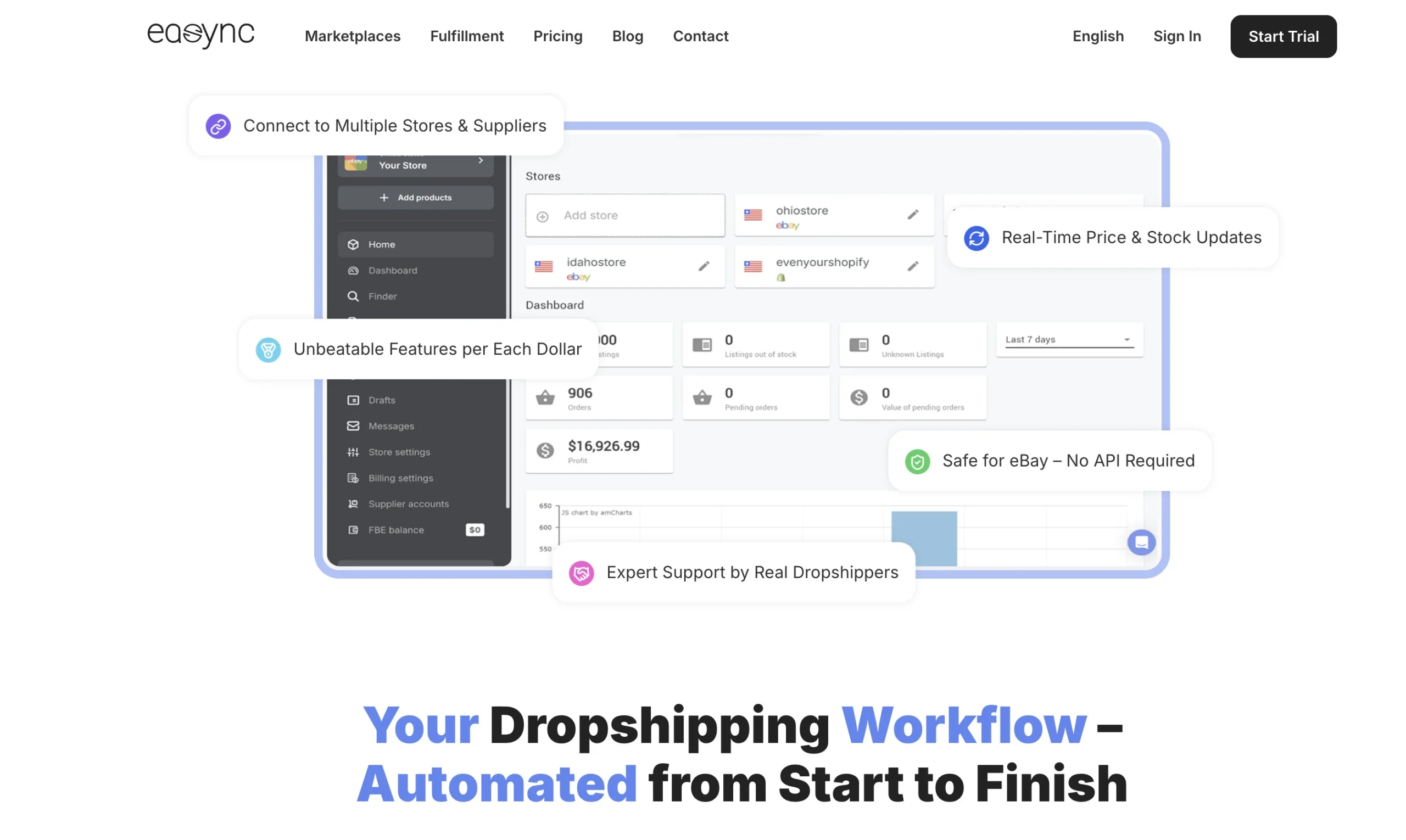
Easync works the way retail-sourced dropshipping does: when an item sells on eBay, the order is bought from the source store and shipped to your buyer. You skip buying stock up front and renting a warehouse, but it’s worth reading eBay’s drop shipping rules covered above before you start. The 30-minute price and stock checks are what keep listings accurate and the account running without disruptions. Easync plans also include Fulfillment by Easync (FBE). New features are listed in the Easync.io release notes, and you can try it free for 7 days with no credit card before comparing the current plans.
FAQ
How to sell on Walmart as a beginner?
Start with a registered business and some selling history elsewhere. Walmart prefers sellers with a track record, so a few months on eBay, Amazon or your own Shopify store makes the application stronger. Then apply through Walmart Marketplace, finish the onboarding steps in Seller Center and begin with a small catalog you can ship reliably.
How much does it cost to start selling on Walmart?
Nothing up front. There’s no registration or monthly fee, and Walmart charges a referral fee only when you make a sale, 15% in most categories. Your real startup costs are inventory, UPC codes, shipping supplies or WFS fees, and any software you decide to use.
Is it hard to get approved to sell on Walmart?
It’s harder than on eBay or Etsy. Walmart reviews every business and looks for marketplace or ecommerce history, documents that match each other and a catalog that fits its policies. Verification itself can take minutes, but the full process may stretch out if Walmart requests extra documents, and mismatched names or addresses are a common reason for delays.
Do you need an LLC to sell on Walmart?
You need a registered business entity with a business tax ID or license, and an LLC is the most common choice for U.S. sellers. Corporations qualify as well. Sole proprietorships don’t on the U.S. marketplace.
Can I sell on Walmart as an individual?
No. The U.S. marketplace doesn’t accept a Social Security Number or sole proprietorships, except for sole proprietors from India. To sell on your own, register a business entity and get an EIN first, and check which entity types Seller Center offers before you form the company.
Can Amazon FBA sellers fulfill Walmart orders with MCF?
Yes. Walmart’s packaging policy allows Multi-Channel Fulfillment as long as orders ship in neutral packaging and on unbranded delivery vehicles. With Amazon MCF, that means choosing unbranded packaging and blocking Amazon Logistics as a carrier. An Amazon-branded box or an Amazon delivery van on a Walmart order still breaks the rules.
Can you sell used items on Walmart Marketplace?
Yes, once Walmart approves you for it. Sellers in good standing apply to sell pre-owned goods on the Exclusive Programs page in Seller Center, while the broader Resold at Walmart program for restored items is still invitation-only. Every item has to be inspected, tested and cleaned, then listed with a condition such as Pre-Owned: Like New or Pre-Owned: Good.
Ready to automate your dropshipping?
Join 41,000+ dropshippers using Easync.
Start Your Free 7-Day Trial G24.6/5
 Capterra4.8/5SourceForge4.8/5