The accounting software market stood at an impressive $6.09 billion two years ago. Experts are confident that this market will keep growing at a CAGR of over 6% between 2025 and 2030. If you run a serious online brand, you should always pick only the best accounting software for eCommerce business companies. But choosing this software is not about pretty dashboards; it’s about whether your stack can survive multi-channel consolidation & payout reconciliation.
And once you start selling various products on popular eCommerce sites like Shopify, Amazon, eBay, TikTok, and whatever else, accounting becomes a major component of your operations architecture. Especially when you establish an LLC for dropshipping! That’s why this article will compare some of the most popular accounting platforms out there (like Xero & Finaloop).
You’ll also learn how to automate eCommerce bookkeeping with automated tools and data layers like Easync.io, A2X, and other connectors that make sure that your entire general ledger maintenance isn’t built simply on manual CSV uploads. Let’s analyze how these systems perform in a multi-channel environment.
What Makes eCommerce Accounting Unique?
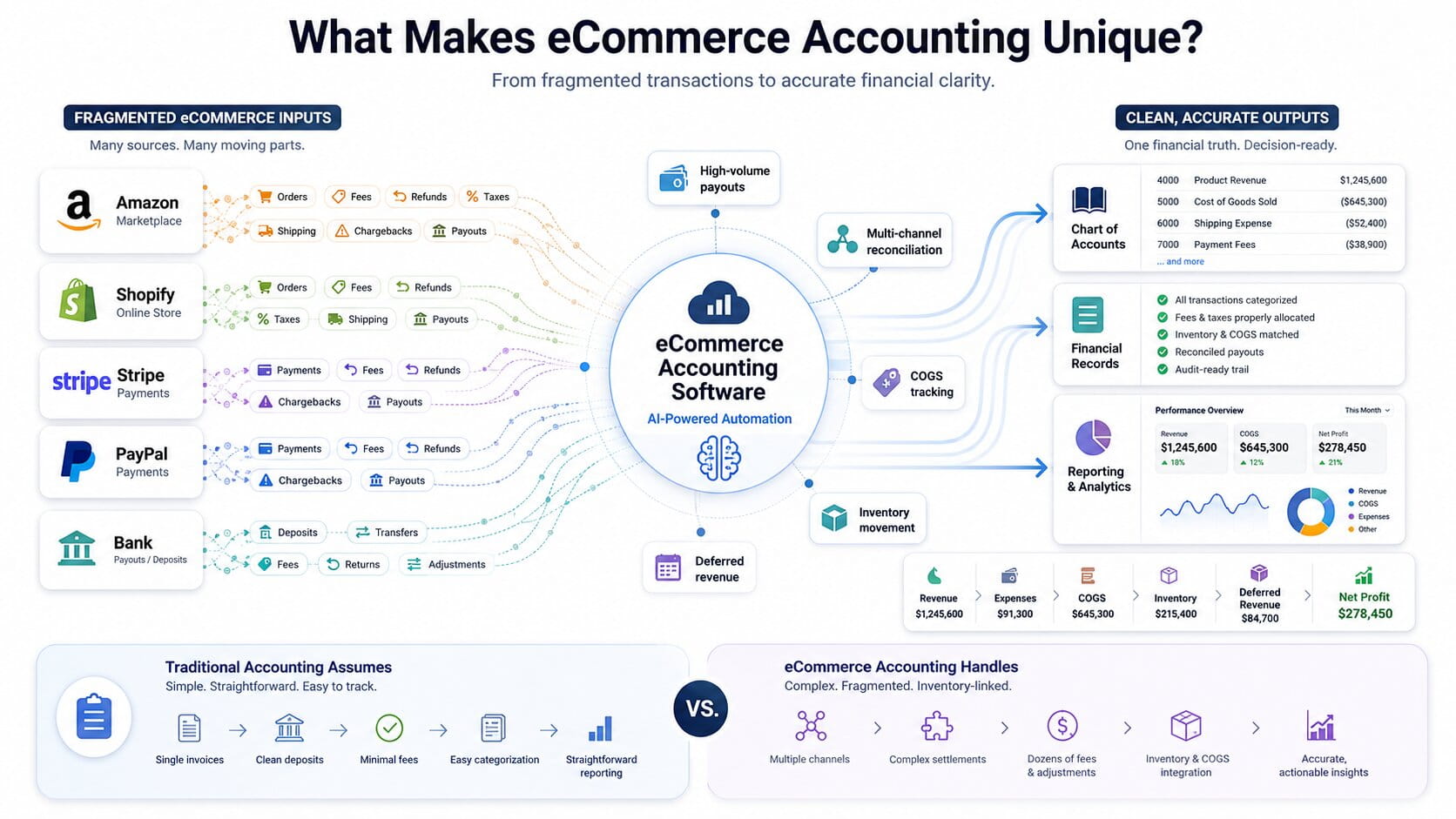
Basically, eCommerce accounting software differs from standard bookkeeping systems because it has to reconcile high-volume, multi-channel transaction payouts, track volatile Cost of Goods Sold (COGS), and correctly account for deferred revenue across multiple payment processors.
As many accounting software buyers today are integrating AI into these solutions, it seems that the era of traditional accounting software is long gone; traditional accounting solutions assume it’s a handful of invoices and clean bank deposits with every business. But you know the reality is quite different; eCommerce in the 2020s has a lot to do with multi-channel consolidations and dozens of fee types. Not to mention all those inventory movements!
Each Amazon settlement report, Shopify payout, Stripe or PayPal deposit is composed of many micro-transactions that have to remain untangled before they touch your chart of accounts.
Multi-Channel Consolidation Across Marketplaces
The first friction point in your eCommerce journey is multi-channel consolidation. It simply refers to the fact that eBay, Shopify, Amazon, and TikTok Shop have different payout logic. They have different statements and fee structures. Your accounting system has to treat these channels as a single & coherent stack. The best accounting software for eCommerce business solutions will map each marketplace’s activity into a unified chart of accounts without losing any details.
Payment Processing Fees and Payout Reconciliation
Let’s move on to the next friction point, i.e., payment processing fees and payout reconciliation. You are dealing with Stripe, PayPal, Shopify Payments, and different other gateways that send net deposits after fees, refunds, reserves, etc. Your bank side likes to show it all as a lump sum that looks nice and bountiful; the accounting side ends up with the responsibility to decode that deposit into gross revenue, payment processing fees, chargebacks, & tax components.
Needless to say, your accounting software has to make sense of these payments.
Inventory Tracking, Inventory Valuation (FIFO/AVCO), and Deferred Revenue
Here comes the final obstacle that keeps you from achieving operational balance. We call it inventory tracking and inventory valuation (or… let’s use the term “FIFO/AVCO”). If you follow a dropshipping or arbitrage model, you realize better than others how supplier prices and shipping costs keep moving constantly. If you keep tracking your stock in spreadsheets, your Cost of Goods Sold calculations will stay in a constant battle to the death with reality.
Goes without saying, your brand-new, 2026-prepared accounting system needs COGS tracking that ties your actual purchase costs to orders. It needs inventory valuation (FIFO/AVCO) to keep your balance sheet and P&L aligned. Deferred revenue management… when you end up taking pre-orders, getting new subscribers, or working with long lead-time customer payments.
Top 8 Best Accounting Software for eCommerce Business Options Ranked
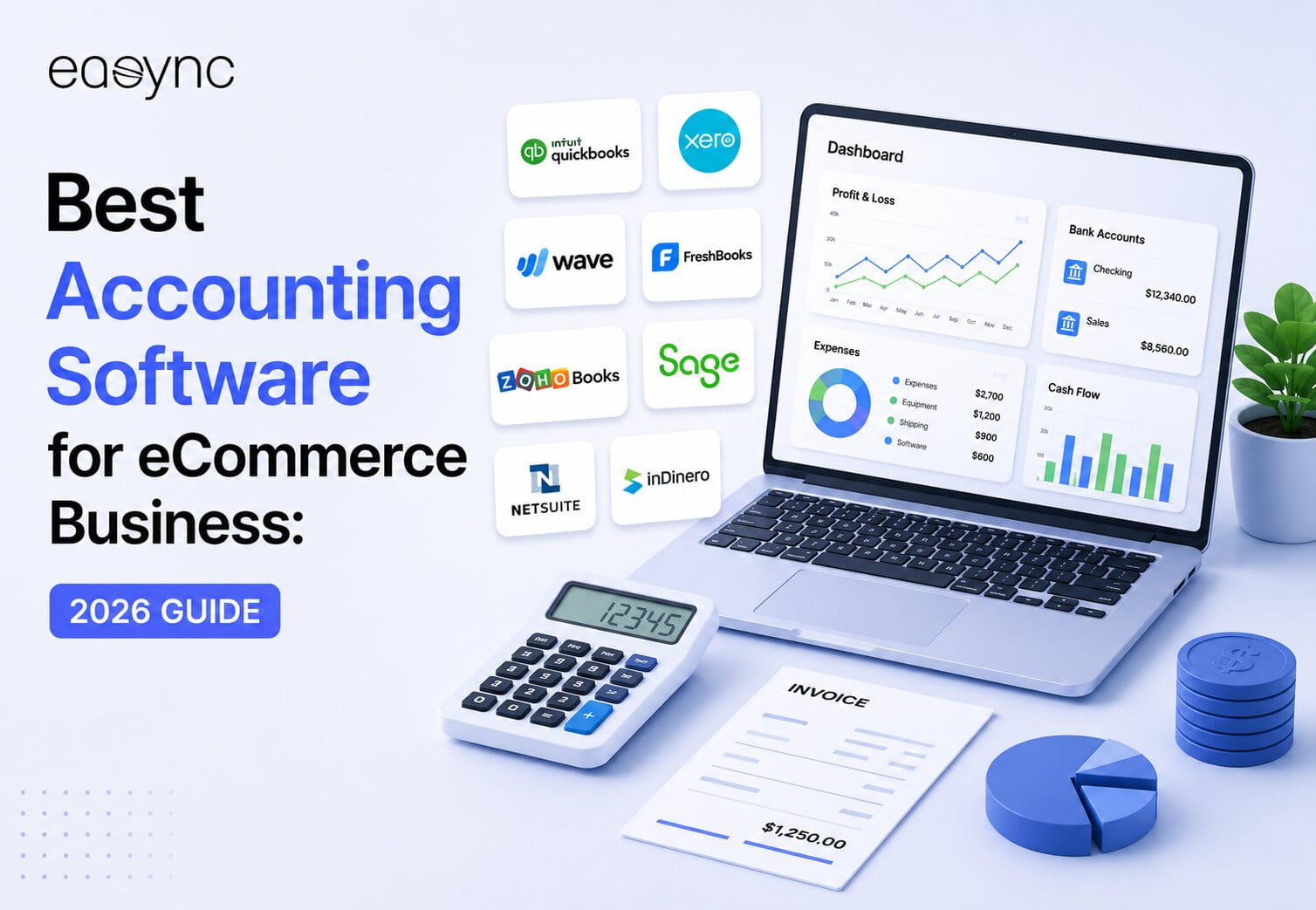
The best accounting software for an eCommerce business depends on transaction volume and store architecture: QuickBooks Online and Xero lead for small-to-medium multi-channel brands, Finaloop dominates for AI-native real-time reconciliation, and NetSuite remains the standard for enterprise-level ERP consolidation. Check out these 8 options that we have compared. We’ve also added four more platforms further down — Zoho Books, Synder, Wave, and Webgility — that fill the gaps these headline tools leave open, from free bookkeeping for solo stores to deep QuickBooks Desktop integrations for mid-market operations.
Here is how all eight compare at a glance before we get into the detailed reviews:
| Accounting System | Best Suited For | Average Cost Per Month | Multi-Channel Sync Architecture |
|---|---|---|---|
| QuickBooks Online | Growing brands under $5M GMV | $90 – $300 | Requires third-party integration layers |
| Xero | International multi-currency sellers | $65 – $170 | Requires third-party syncing software |
| Finaloop | DTC brands wanting real-time AI books | Scaled to revenue ($245+) | AI-native app and ledger integration |
| NetSuite | Complex enterprise operations ($10M+) | $999+ | Native enterprise ERP infrastructure |
| Zoho Books | Cost-conscious, automation-first SMBs | $0 – $275 | Native sync within Zoho suite; middleware for niche channels |
| Synder | High-volume multi-channel payout reconciliation | $65 – $599+ (tier & volume-based) | Direct gateway-to-ledger sync engine (QBO/Xero/own books) |
| Wave Accounting | Micro-sellers and bootstrapped solo stores | $0 – $19 (plus processing fees) | None built in; manual entry only |
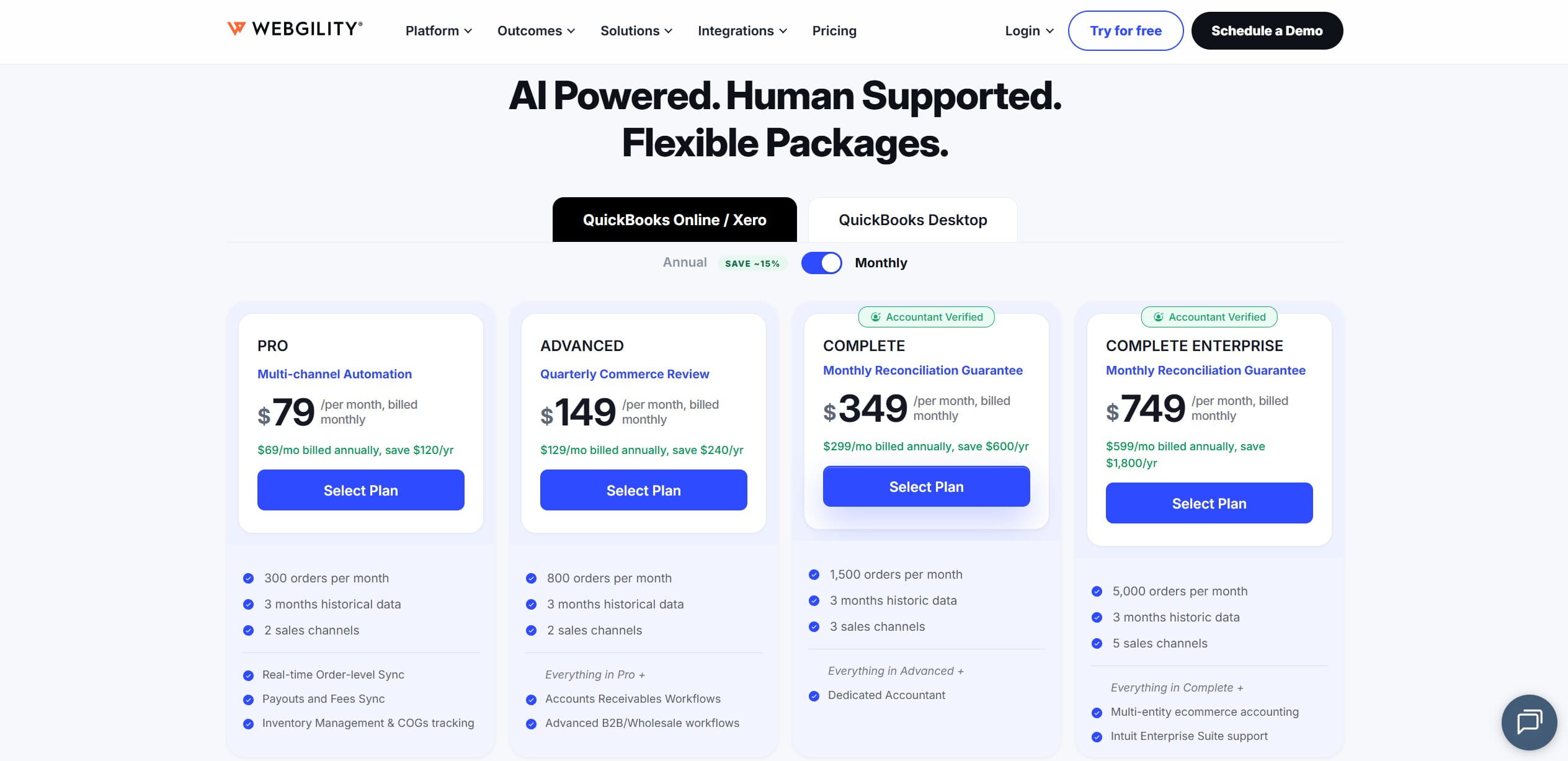
| Webgility | Mid-market QuickBooks Desktop & Enterprise users | $69 – $749 (plan & order volume) | Deep two-way sync with QuickBooks Desktop/Enterprise |
1. QuickBooks Online (QBO): Best Overall for Multi-Channel SMBs
7.5 million active subscribers isn’t a small thing; it explains why QuickBooks Online (QBO) is the default general ledger for many small businesses. You’ll find many accountants & controllers comfortable with its chart of accounts model. This software also provides QuickBooks Online Integration options for eCommerce solutions as well.
Review
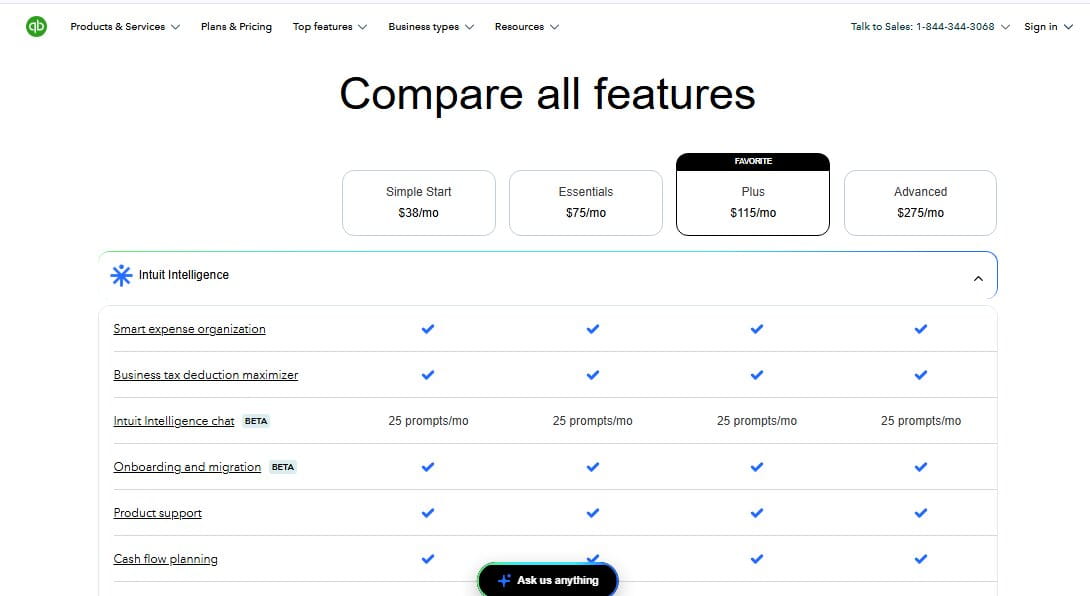
QBO’s first impression is its setup that requires your phone number, email address, and billing information. Plans start at around $38 a month for Simple Start. You can scale it to $275 every month for Advanced; new users can apply for a 30-day free trial that lets them check out all the features available in QBO and cancel their subscription before the 30th day, paying $0.
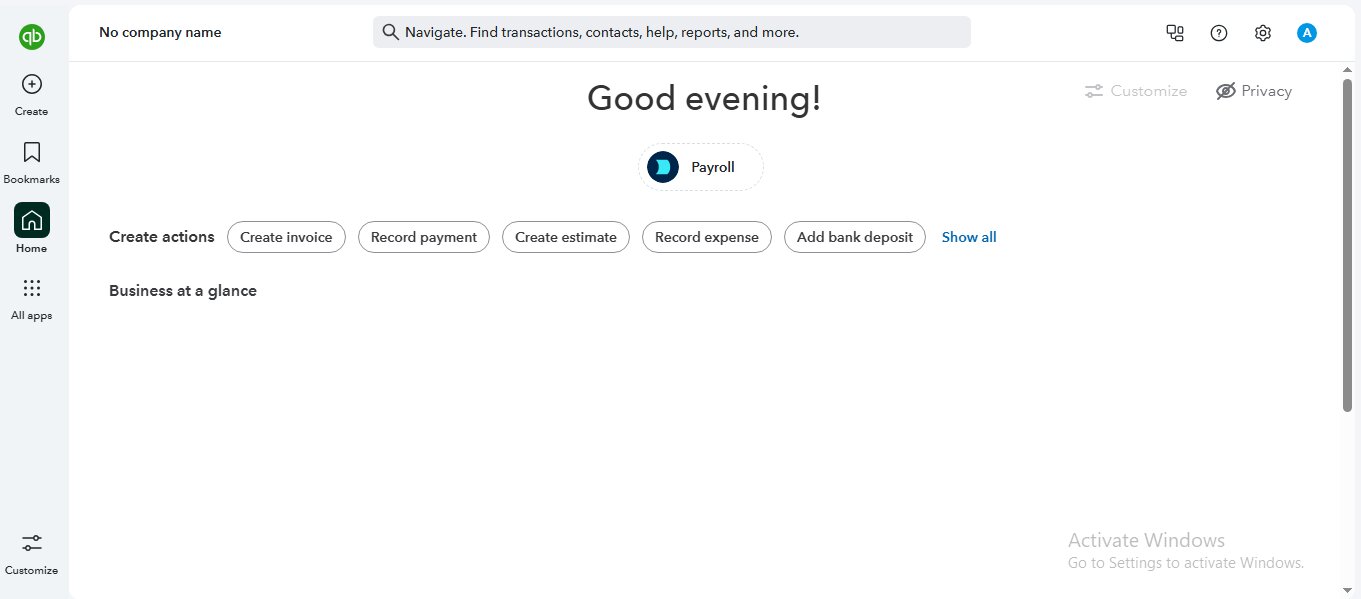
But you need higher-tier plans to unlock inventory management, budgeting, project tracking, & advanced reporting, so growing eCommerce brands may quickly outgrow entry-level packages. Moreover, when you explore this platform, one thing stands out right away: QBO offers a very polished and navigation-friendly interface. The dashboard provides cash flow, bank balances, invoices, expenses, and profit snapshots without overwhelming new users.
You can easily connect your bank accounts; the Intuit App Store lets you get your hands on integrations like A2X, Synder, MyWorks, Link My Books, etc. However, you may experience a wave of disappointment upon realizing that QBO wasn’t designed for eCommerce. Marketplace payout reconciliation, COGS tracking, & inventory accounting depend heavily on third-party integrations; the need for paid integrations can actually make QBO costlier than advertised.
Pros
- QBO connects easily to A2X, MyWorks, Synder, and other major eCommerce tools that can handle Amazon settlement reports, Shopify accounting automation, and even eBay bookkeeping tool workflows. You’ll get clean journal entries with these connectors.
- Most CPAs know QBO inside out (the same way they know Quicken). It helps you a lot when you need professional input on general ledger maintenance, sales tax compliance, year-end reporting, etc.
Cons
- Out-of-the-box QBO isn’t for multi-channel consolidation. If you are not using A2X or a similar tool, you may have to do payout reconciliation and COGS tracking on your own. Also, automating multi-channel payout reconciliation and eliminating manual CSV uploads typically requires an integration stack, not just the base QBO app.
Final Verdict: If you run a small or mid-sized eCommerce business… and if you value flexibility and accountant support, QBO is one of the strongest all-around accounting software solutions for you.
2. Xero: Best for Global Sellers and Multi-Currency Reconciliation
Xero is QBO for international sellers. Its multi-currency capabilities and clean interface (not to mention its hot new Anthropic deal) make it a popular choice for brands dealing with multiple currencies & regions. It’s also an ideal core ledger for international eCommerce startups.
Review
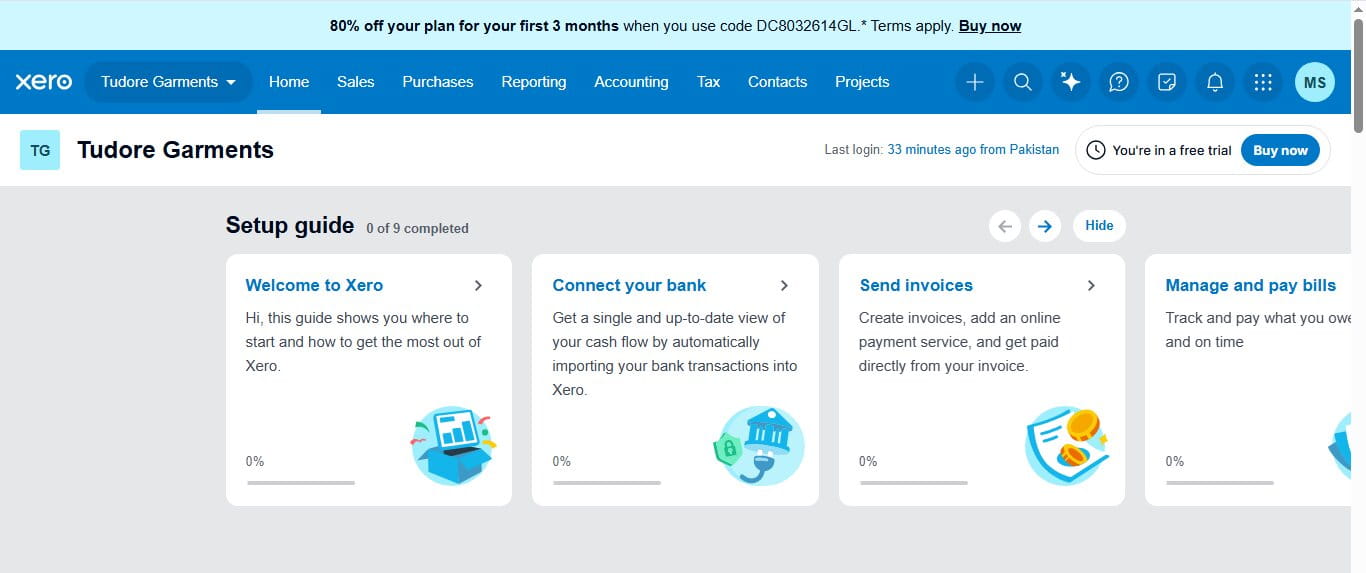
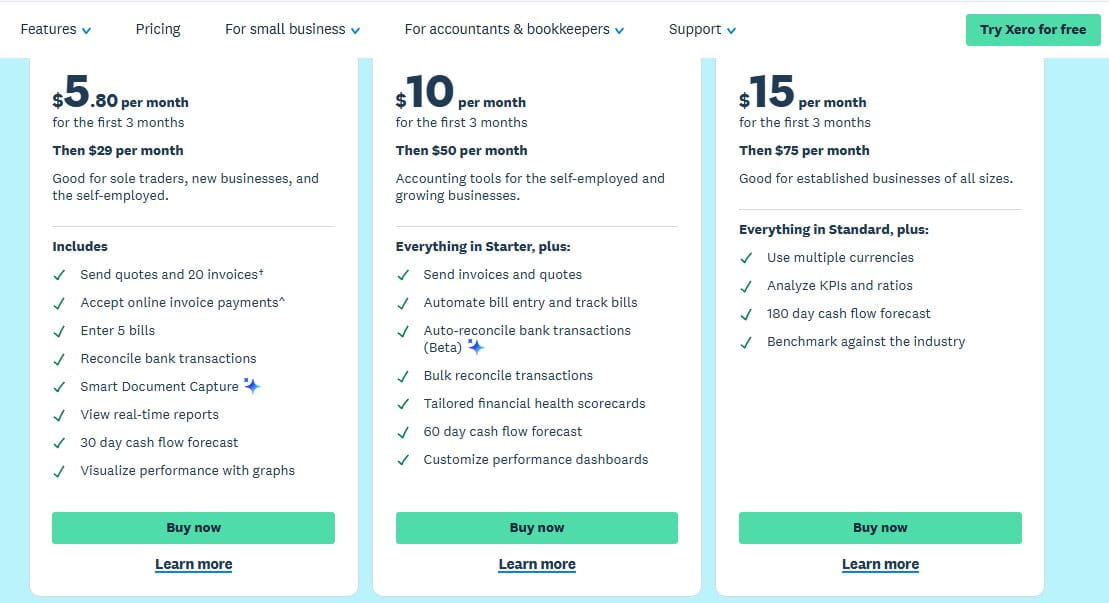
Creating an account on Xero was really quite easy; you don’t have to give away your phone number or your credit card information. Just use your email to create an account and get access to most features. Pricing starts at $29 a month (but you get a discount that lets you get this software at just $5.80 a month for the first 3 months). It’s the Ignite plan. There’s a nice little option called “Demo Company” that gives you a fake business overview, so you can see what genuine accounting success looks like.
The dashboard shows you options like “Sales,” “Purchase,” “Reporting,” “Accounting, “Tax,” “Contacts,” and others, accessibly. But only higher-tier plans unlock advanced features, such as multi-currency support, advanced analytics, expense management, etc. But the free trial lets you explore the platform before you make up your mind about committing to Xero.
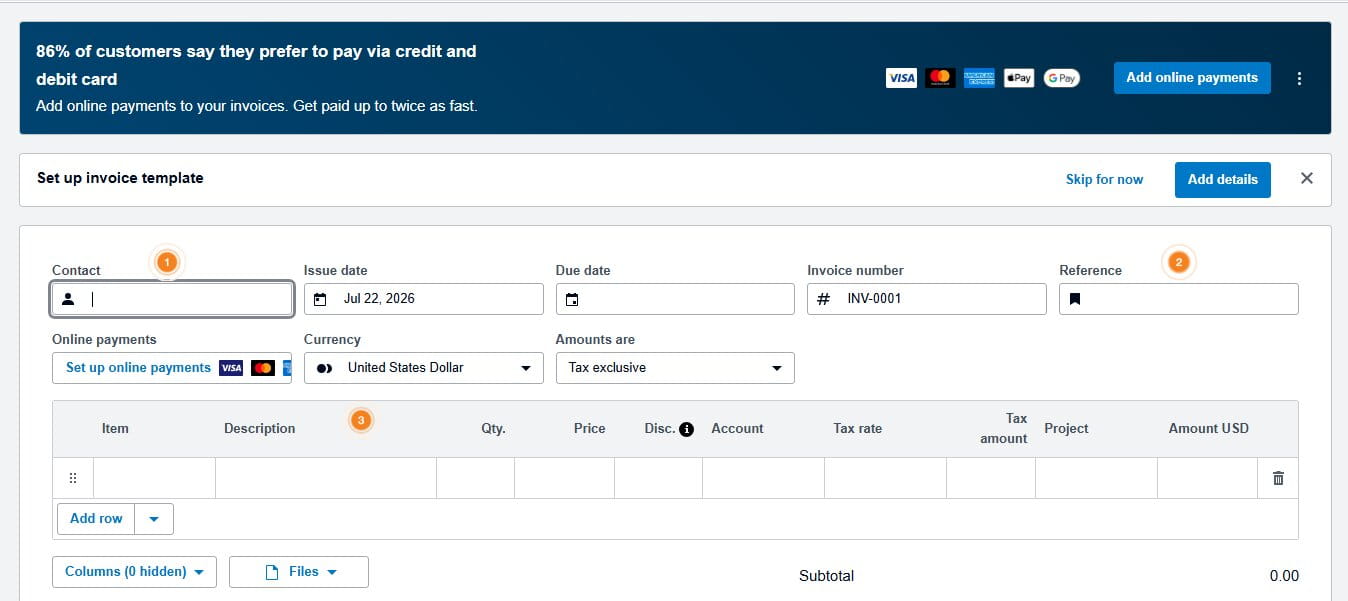
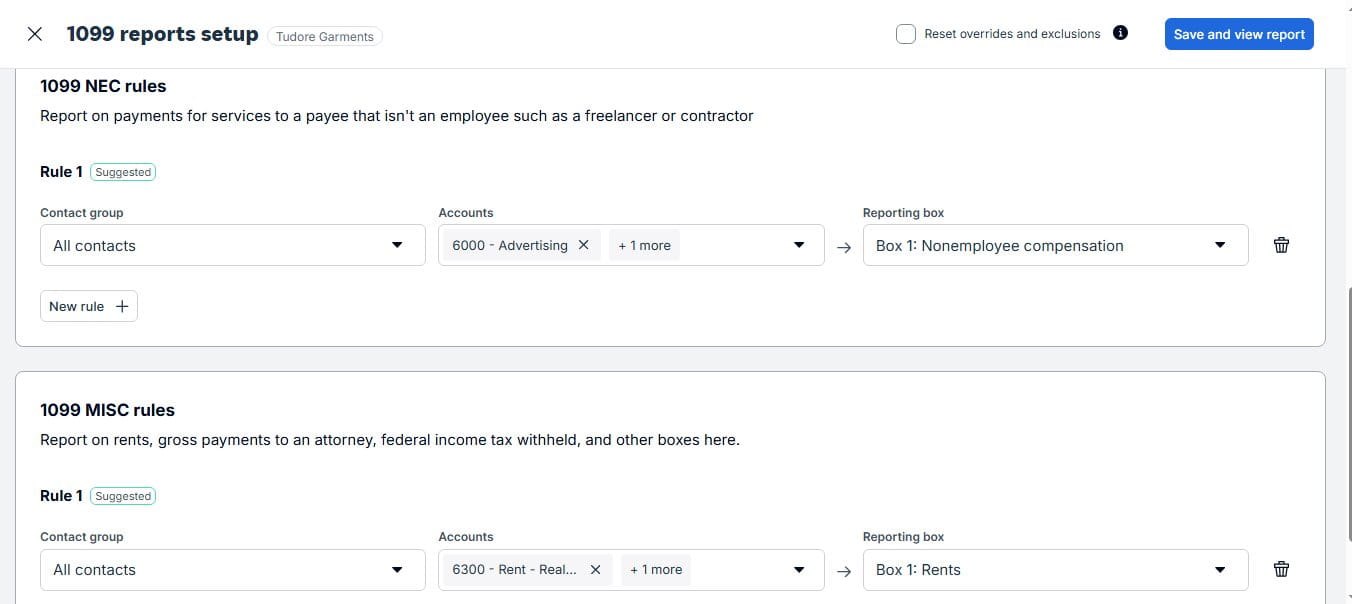
Xero’s biggest strength is its clean & modern user experience. Navigating through it is very easy. Connecting bank feeds is simple. Xero will automatically import transactions for reconciliation; you can match transactions or categorize them with minimal clicks. These small usability improvements save you time over the course of a month. Moreover, it’s better to pair Xero with Link My Books or Amaka. Don’t forget that Xero’s API and extensive app marketplace enable you to connect payment processors and inventory platforms as well.
Once you switch from QBO to Xero, you can’t help appreciate how clean its interface is; Xero is also easier to navigate. Your bookkeepers will praise its bank reconciliation process. However, there have been reports about Xero’s customer support being slow. Moreover, when it comes to advanced inventory management, you may have to rely on third-party apps.
Pros
- Xero’s exchange-rate handling is simply amazing. Its foreign currency reporting matters for eCommerce startups when they are selling to customers in different countries. That is why they trust Xero for its FX-aware COGS tracking and sales tax compliance across borders.
- A user-friendly interface & API lead to hassle-free Xero payout syncing and automated data sync across marketplaces.
Cons
- Just like QBO, Xero’s flawless performance depends on different tools. Like A2X or Link My Books; you can’t turn Amazon settlement reports or Shopify accounting automation data into ledger-ready summaries without these tools.
Final Verdict: If you’re running an international eCommerce brand that manages multiple currencies and sales channels, Xero will be a great software solution for you.
3. Finaloop: Best AI-Native E-commerce Platform

Finaloop sits in a slightly different category here; this AI-native accounting platform was made with eCommerce solutions in mind (unlike the first two solutions on this list… that were designed for traditional businesses). It’s not yet another general ledger that you need to customize. In fact, it arrives pre-optimized for online brands. Finaloop is a natural choice for DTC brands that need automated data sync between different storefronts, ad platforms, the ledger, etc.
Finaloop doesn’t showcase a detailed list of pricing options. Its Pricing page simply states that the Starter Plan is $245 a month, which is way higher than Xero or QBO. Even though it does not publicly list its pricing tiers, you can still explore the platform by signing up with your email and phone number. There’s no need to give away your credit card information to check out this software solution’s interface. The onboarding process revolves around these questions:
- Where do you sell your products? Connect your stores. Amazon, Shopify, TikTok, eBay, Walmart, Squarespace, etc.
- How do you get paid? Connect your payment gateways. Amazon Pay, Shopify Payments, PayPal, Stripe, Affirm, Sezzle, etc.
- Where do you show your ads? Connect your ad platforms. Amazon Ads, Meta Ads, and Google Ads.
- Are you using lending apps? Tell us about your business loans. Shopify Capital, Amazon lending, PayPal Credit, Wayflyer, 8fig, etc.
- Connect your back-office apps. Crstl, Gusto, Settle, etc.
- Connect your business banks and credit cards
- Enter your business information
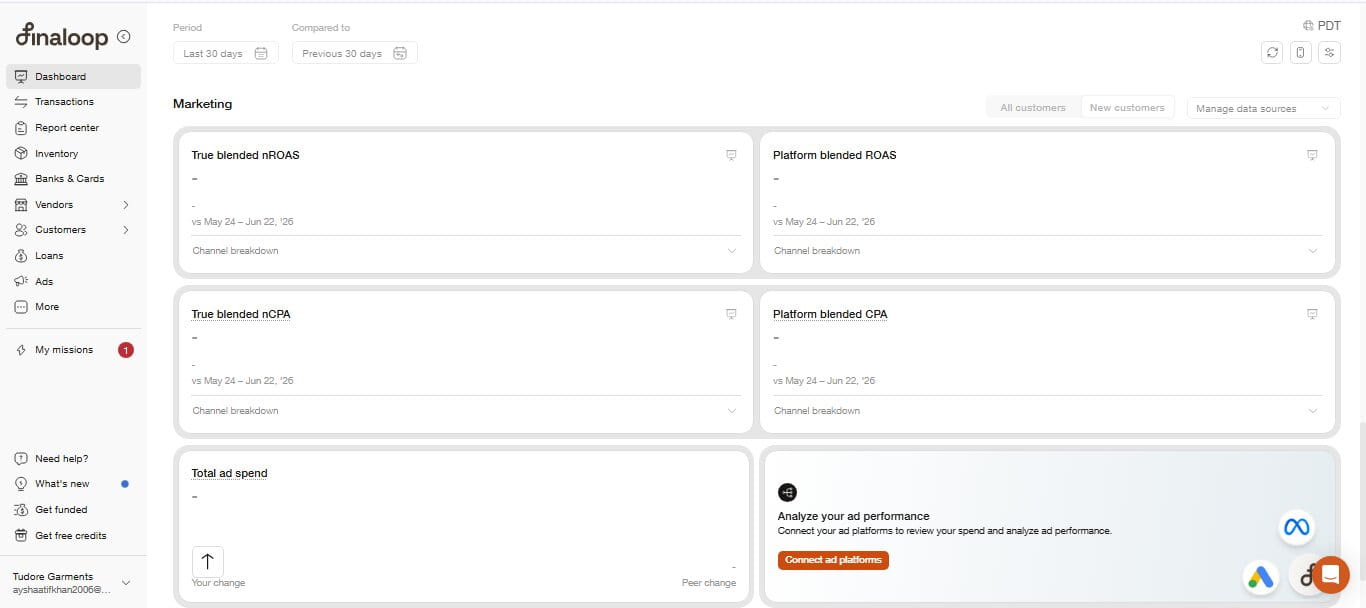
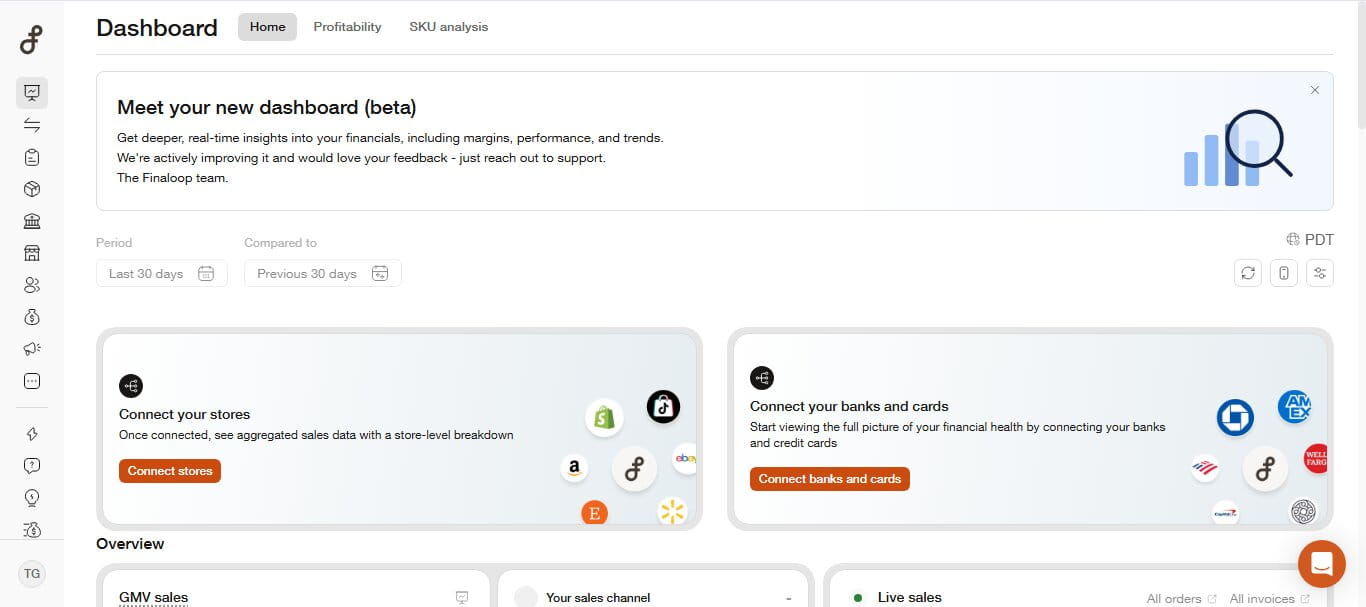
When you explore Finaloop, you realize that Finaloop’s interface is perfect for online sellers, since it was designed for eCommerce brands… not traditional accountants. It doesn’t focus primarily on invoices and manual entries; instead, Finaloop’s dashboard emphasizes your real-time sales performance, inventory movements, gross margin, cash flow, & profitability across connected sales channels. Shopify integrations are really fast and seamless. Your transaction data syncs automatically to reduce manual reconciliation needs.
One of the most attention-worthy capabilities is Finloop continuous accounting model. It does not wait until the end of the month to reconcile your transactions; this platform updates your financial records as new sales, returns, fees, & inventory changes take place. Automated COGS calculations and inventory tracking come as built-in product features that give you real-time visibility into your financial performance without relying on complex spreadsheets.
Pros
- It offers you a zero-day monthly close. Quite attractive to operators who want automated bookkeeping with the latest data. Not last month’s snapshot. Your reconciliation tasks may eventually become background jobs that this platform will take care of on its own! Automation on the fast track!
- COGS tracking and multi-channel consolidation come built-in in Finaloop. They are not operational add-ons!
Cons
- Like said before, this tool is for eCommerce-first and data-driven teams. If you want a software solution for your average single-channel shop, this might feel like overkill. It shines the brightest when accounting & analytics become part of your OS.
Final Verdict: If you’re operating a fast-growing DTC brand or if you happen to be a multi-channel seller, enjoy purpose-built accounting experiences with Finaloop.
4. NetSuite: Best for Enterprise Scalability ($10M+ GMV)
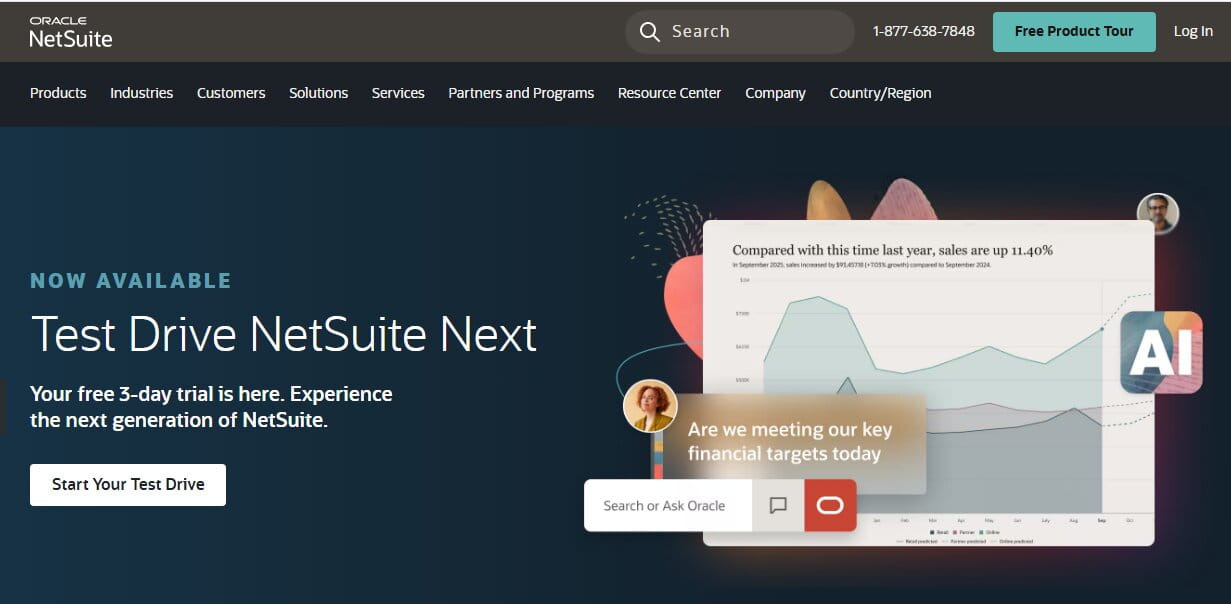
NetSuite is the enterprise-level answer to your big business problems. You should think of this software solution as a full ERP. For complex operations, NetSuite ERP solutions become the backbone of finance, inventory, and order management.
Review
Setting up your Oracle NetSuite account can be a bit difficult, considering that there is no pricing plan available. You can’t start a free trial; Oracle asks you to send a free trial request with your company information, after which you’ll be allowed to experience a demo version of the software. If you wish to buy a subscription to NetSuite, you’ll get a custom quote.
However, after exploring this platform, it’ll become clear to you that NetSuite is designed mainly for well-established and growing organizations. The dashboard is really customizable, so your finance teams can easily monitor different KPIs, inventory levels, cash flow, purchasing, and sales performance from a centralized workspace. Navigating NetSuite can be different from using a standard small-business accounting software solution; however, this complexity comes from the fact that NetSuite has more options and functionalities than other software solutions.
It means that you can automate your workflows, customize reports, and even manage different subsidiaries, currencies, & tax jurisdictions, etc. Just from one platform, justifying its seemingly pricey subscriptions (over $999). This is especially true as your company becomes valuable and grows over time; you acquire different brands and warehouses, while your sales channels tend to multiply. You don’t need to “stitch together” different software options to manage inventory, plan demand, fulfill orders, or report your finances. NetSuite supports SuiteCommerce and lets your business connect front-end sales with back-office operations through a unified ERP.
Pros
- Getting NetSuite is like getting a single bundle with accounting, inventory, purchasing, CRM, and other tools present. You get amazing customization opportunities… not to mention workflow support. This software also enforces charts of accounts discipline and sales tax compliance.
- When your eCommerce business spans dozens of legal entities (we’re talking about warehouses and brands), NetSuite’s structure gives you the sort of control that normal & smaller tools simply can’t match.
Cons
- Implementing NetSuite is a project measured in months, not days. You need clear processes, a strong ops culture, and a willingness to live inside a structured system.
Final Verdict: If you are an established business owner with ambitious growth plans, you’ll find NetSuite one of the most comprehensive & scalable financial management platforms out there.

5. Zoho Books: Best for Cost-Conscious & Automation-First SMBs
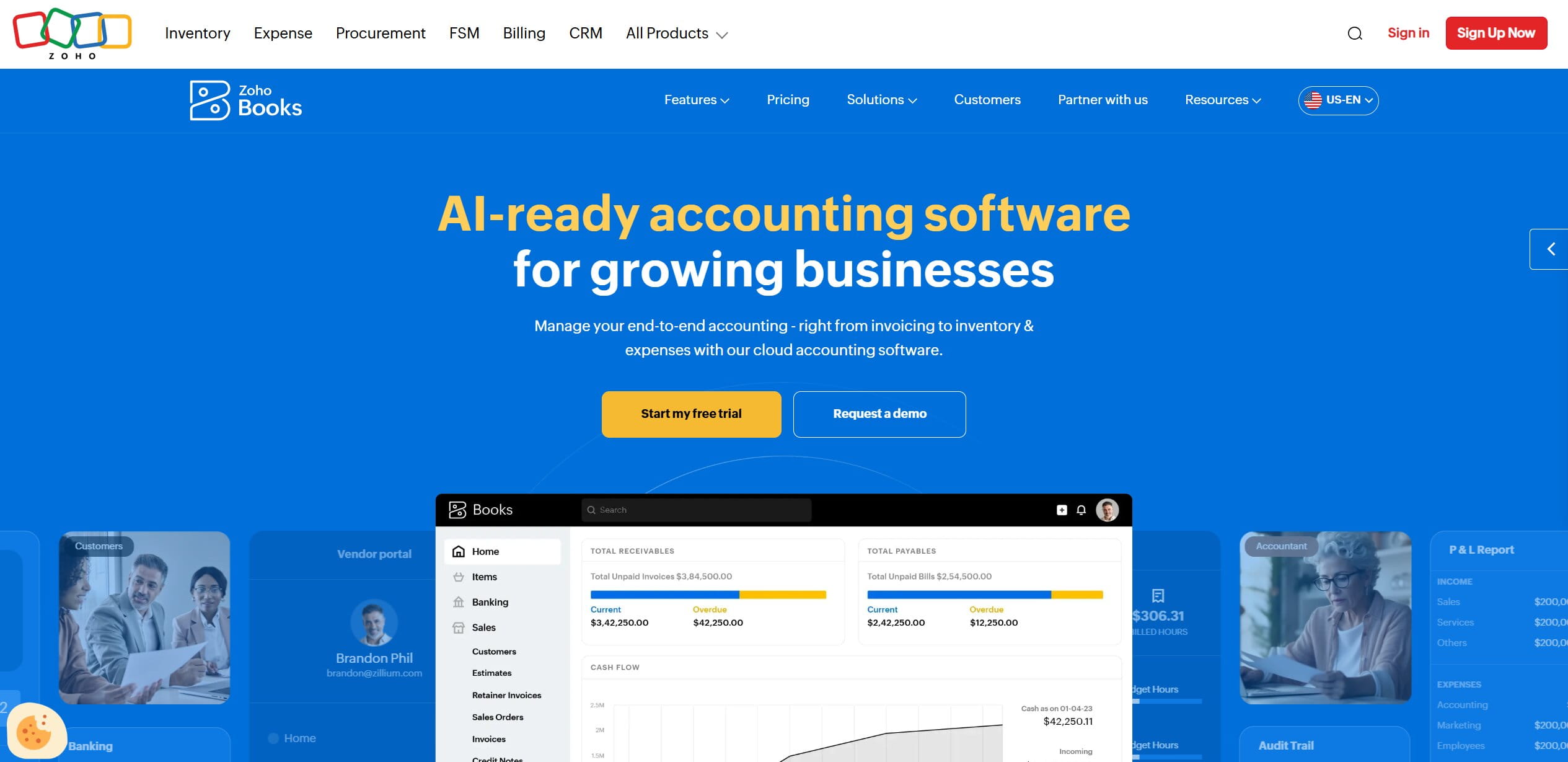
Zoho Books rarely headlines eCommerce accounting roundups, mostly because it lives inside the wider Zoho ecosystem instead of marketing itself as a standalone ledger. For sellers who watch their software line item as closely as their ad spend, that quiet positioning hides real value. If part of your operation already runs on Zoho CRM or Zoho Flow, the accounting module slots into workflows you’ve built anyway.
Review
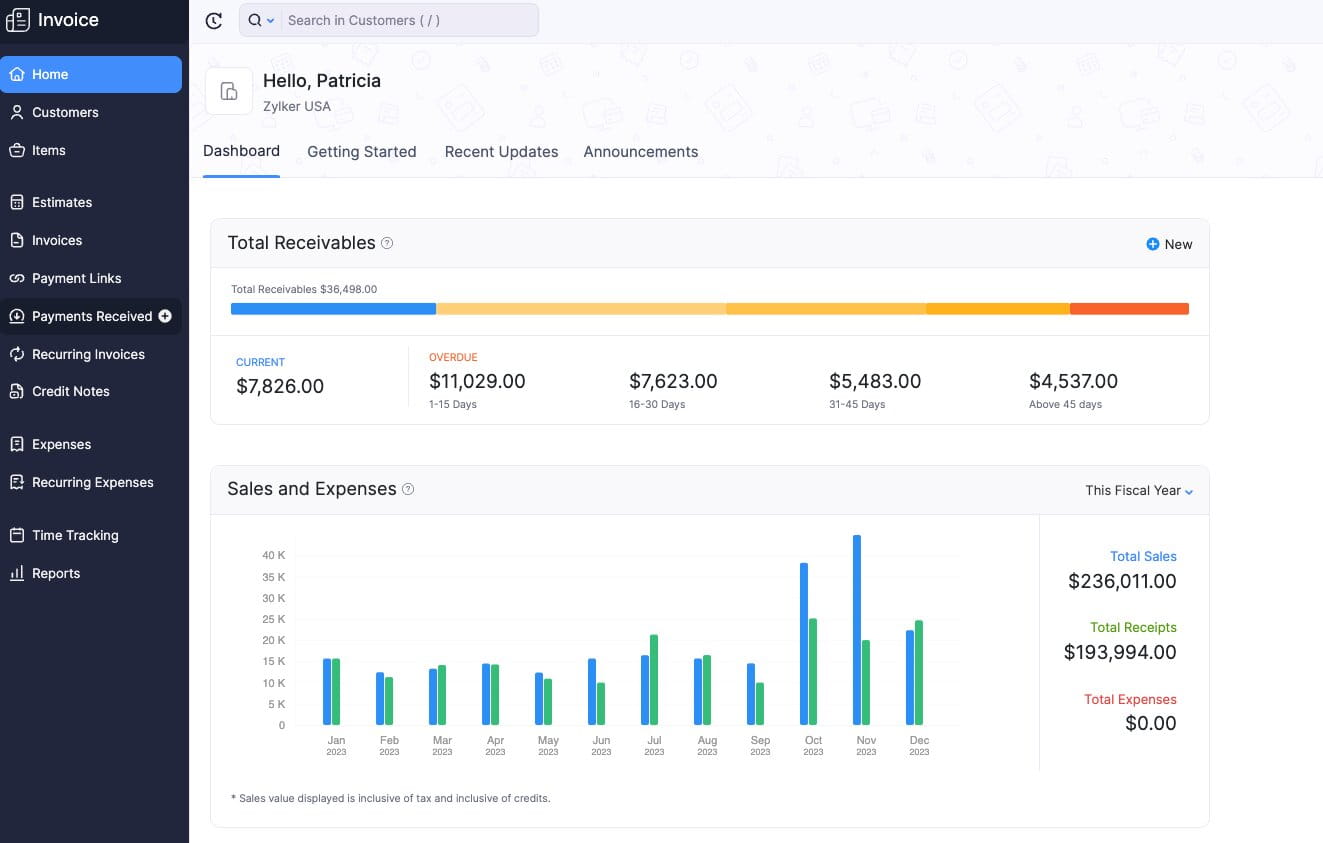
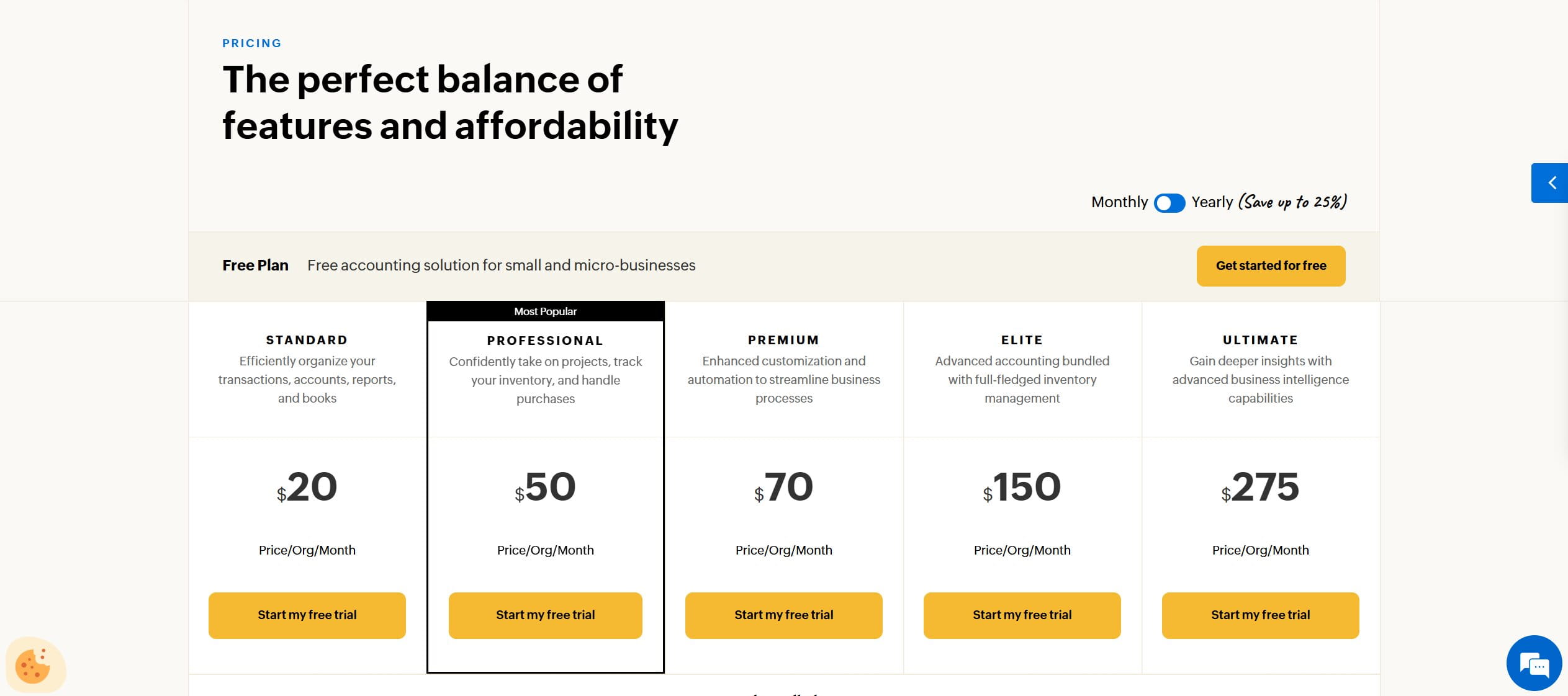
Signing up takes nothing more than an email address, and there’s a free plan for businesses under a modest annual revenue threshold. Paid tiers start at roughly $20 a month and stretch to $150 and $275 for the top plans, so while the entry point undercuts QBO by a wide margin, the highest tiers land in the same territory as QBO Advanced. The value argument holds mostly at the lower and middle plans, where you get inventory-aware accounting for a fraction of Intuit’s price. The interface follows the familiar ledger pattern: banking, invoices, bills, reports, all reachable from a left-hand menu without much hunting.
The feature that earns Zoho Books its place on this list is how tightly it pairs with Zoho Inventory. Stock levels, purchase orders, landed costs, and item-level adjustments move between the two products with no third-party connector sitting in the middle, a genuinely different architecture from the QBO-plus-A2X pattern. Its automation layer deserves attention too: workflow rules can auto-categorize incoming bank transactions, fire custom functions when an invoice hits a certain status, and schedule recurring journal entries. Sellers with a technical bent can write custom logic in Zoho’s scripting language to handle edge cases, say, splitting a mixed Shopify deposit by product line, that would otherwise mean manual entries every month.
The catch shows up in the connector ecosystem. QBO’s app store has an integration for nearly every niche marketplace and 3PL you can name; Zoho’s catalog covers Amazon, Shopify, and Stripe well enough, but sellers on TikTok Shop, Walmart, or regional marketplaces often end up building the bridge themselves through Zoho Flow or generic middleware.
Pros
- Native, connector-free sync with Zoho Inventory brings purchase orders, landed costs, and stock adjustments straight into the ledger, so COGS tracking works without an extra subscription.
- Custom workflow rules and scripting give automation-minded SMBs real control over transaction categorization and recurring entries at a price well below QBO or Xero.
Cons
- Fewer out-of-the-box connectors for niche marketplaces compared to QBO, and US accountants know the platform less well, so year-end handoffs to a CPA can involve onboarding friction.
Final Verdict: If you want native inventory accounting and heavy automation on a small budget, and can live without Intuit’s plug-and-play marketplace connectors, Zoho Books is one of the best value picks on this list.
6. Synder: Best for High-Volume Multi-Channel Payout Reconciliation
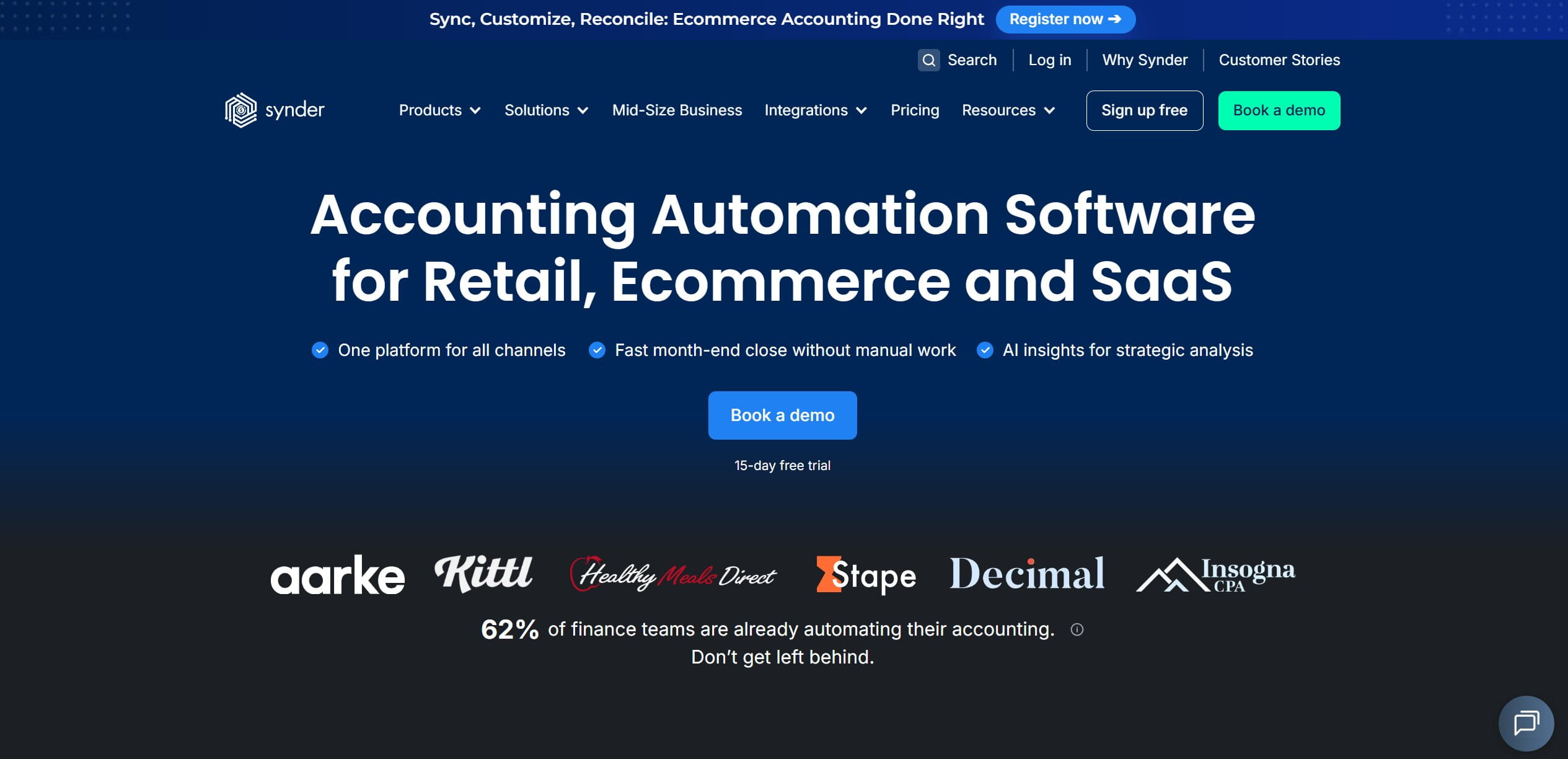
You already met Synder earlier in this guide as one of the connectors in the Intuit App Store. It deserves its own entry, because for stores processing thousands of orders a month, the connector often does more heavy lifting than the ledger it feeds.
Review
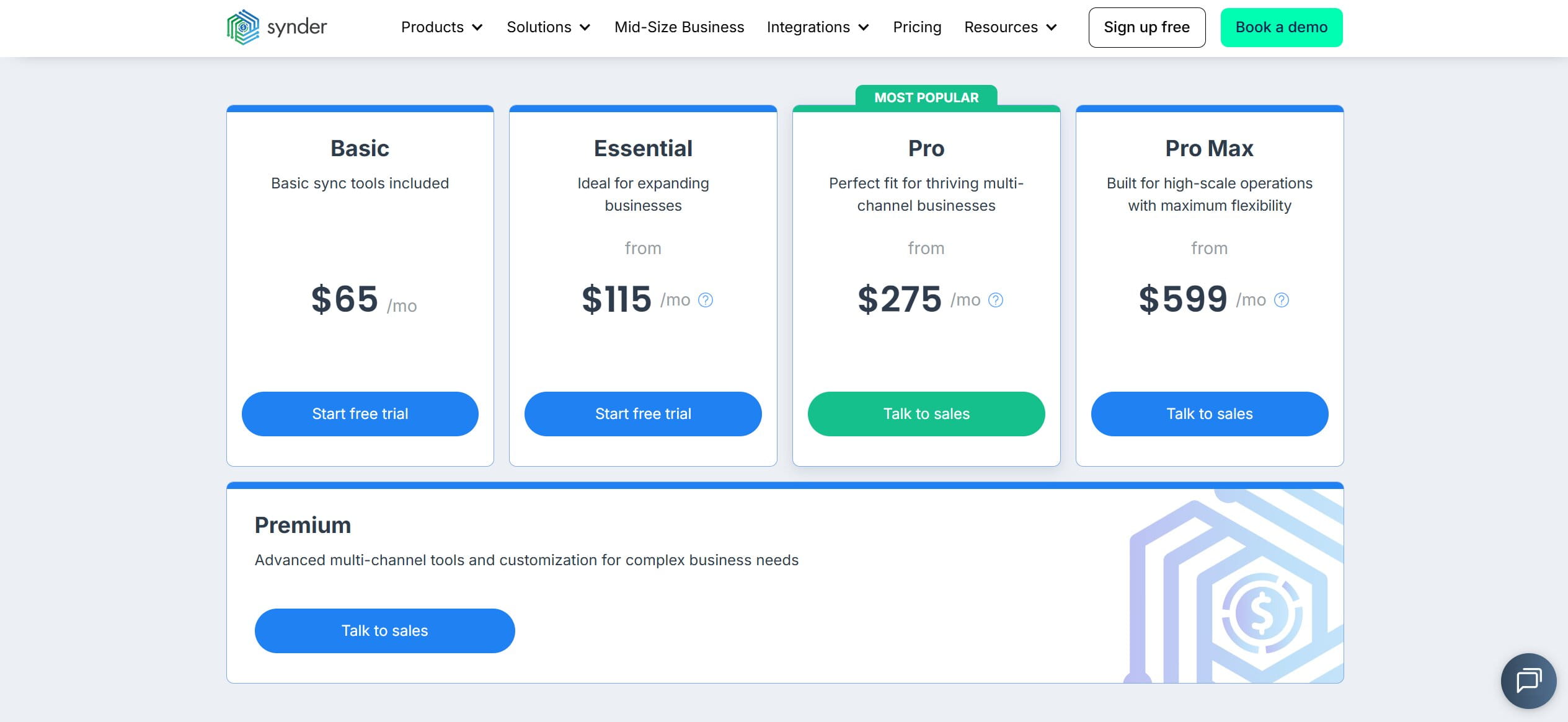
Setup starts with connecting your sales channels and gateways, after which Synder walks you through mapping fees, refunds, and tax lines to your chart of accounts. That mapping stage is where you should slow down; a rushed configuration can push a month of misclassified fees into your ledger before anyone notices. Pricing scales with plan and transaction volume: Basic starts at $65 a month, Essential runs $115, Pro sits at $275, and the Pro Max tier reaches $599, with a custom-priced Premium plan above that for complex multi-channel setups. In other words, the “cheap connector” framing only describes the entry tier; at high volume, Synder costs more than the ledger it feeds.
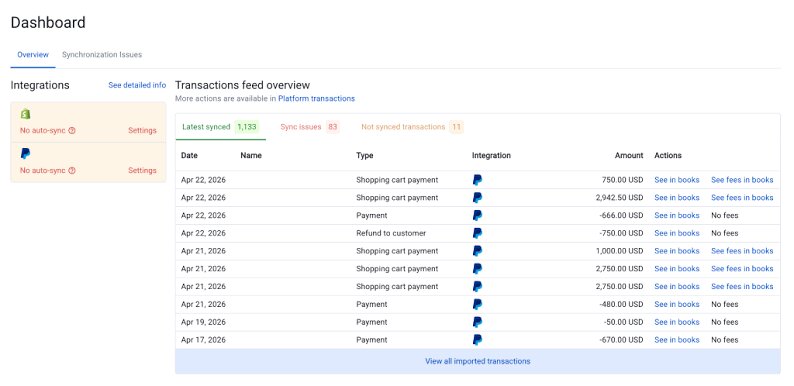
Synder’s core job is decomposition. A Stripe payout that lands in your bank two or three business days after the underlying charges, a PayPal transfer with refunds netted out, a Shopify Payments deposit that quietly includes a rolling reserve deduction: Synder pulls the raw transaction data from each gateway, splits every batch into gross sales, processing fees, refunds, and tax lines, and posts the result to QuickBooks Online, Xero, or its own built-in books. The clearing-account logic means your bank feed match becomes a one-click confirmation instead of a forensic exercise. You can also choose between per-transaction posting (full detail, heavier ledger) and daily summary mode (lighter books, still reconcilable), which matters once you pass a few hundred orders a day.
Pros
- Duplicate protection is the standout. High-volume sellers who have connected both a sales channel and its payment gateway know how easily the same order can post twice; Synder detects overlaps and offers a rollback function that undoes a bad sync in bulk rather than transaction by transaction.
- Gross-to-net payout breakdowns from Stripe, PayPal, and Shopify Payments arrive in the ledger already split into sales, fees, refunds, and taxes, ready for bank matching.
Cons
- Synder is a reconciliation engine rather than a full accounting platform, and its usefulness depends entirely on how carefully the initial account mapping was done. Volume-based pricing also grows with your order count.
Final Verdict: For multi-channel sellers whose main pain is untangling net payouts from Stripe, PayPal, and Shopify Payments, Synder is arguably the most focused tool on this list; just budget real time for the initial setup.
7. Wave Accounting: Best for Micro-Sellers & Bootstrapped Solo Stores
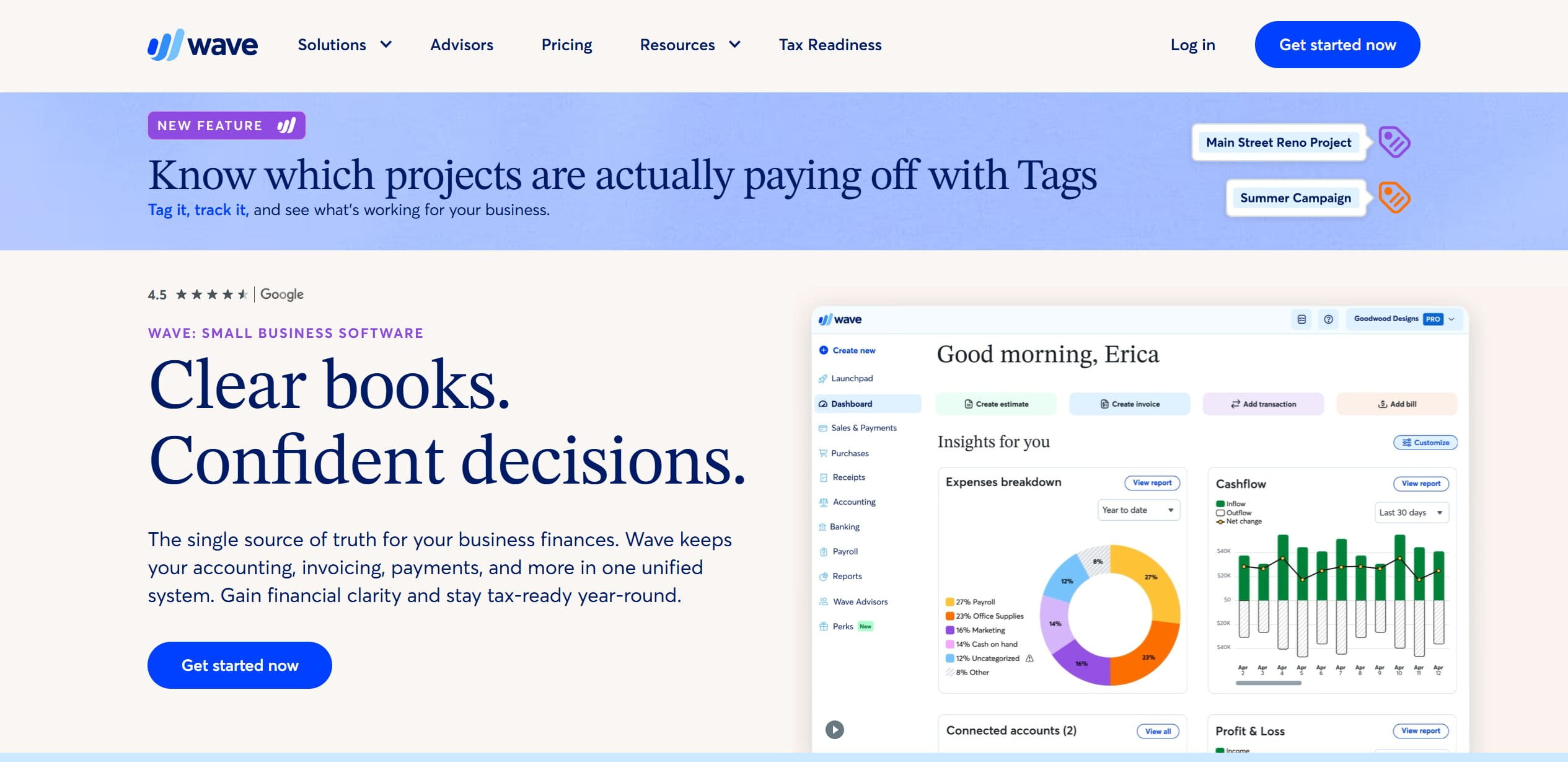
Wave is the honest answer for people who ask whether they really need to pay for accounting software in year one. It won’t take you far into multi-channel territory, but for a brand-new Etsy shop or a single Shopify store, it covers the essentials at a price that’s hard to argue with.
Review
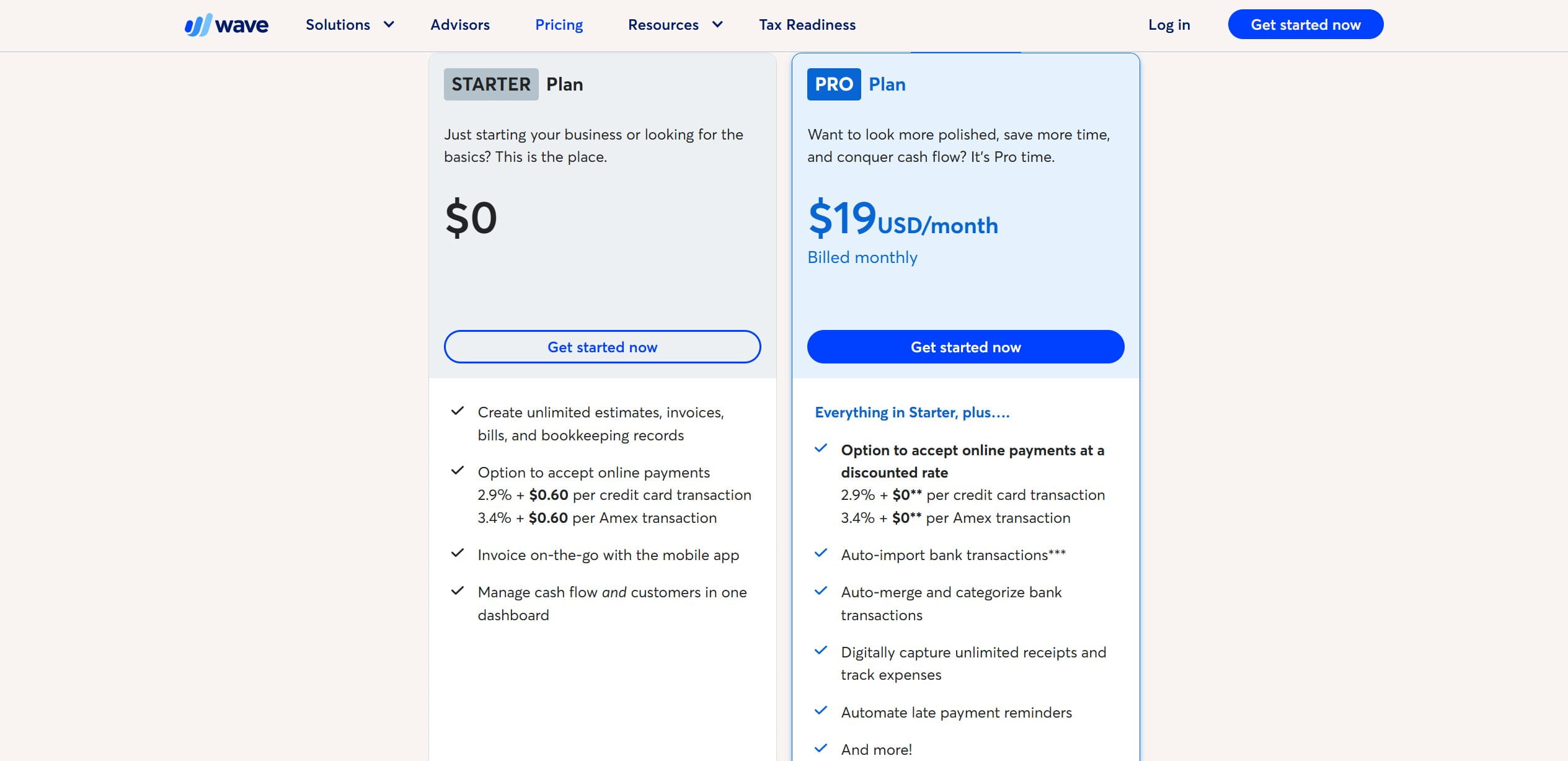
Wave keeps its pricing to two plans. The Starter plan costs $0 and includes unlimited invoices, estimates, bills, and bookkeeping records, plus a cash flow dashboard and mobile invoicing. The Pro plan runs $19 a month billed monthly and adds the features that actually save time: auto-imported bank transactions, automatic merging and categorization of those transactions, unlimited digital receipt capture, and automated late payment reminders. Wave also earns money on payment processing: accepting online payments costs 2.9% plus $0.60 per credit card transaction (3.4% plus $0.60 for Amex) on the free plan, while Pro drops the fixed fee to 2.9% flat. Setup takes minutes, and the interface assumes no accounting background whatsoever.
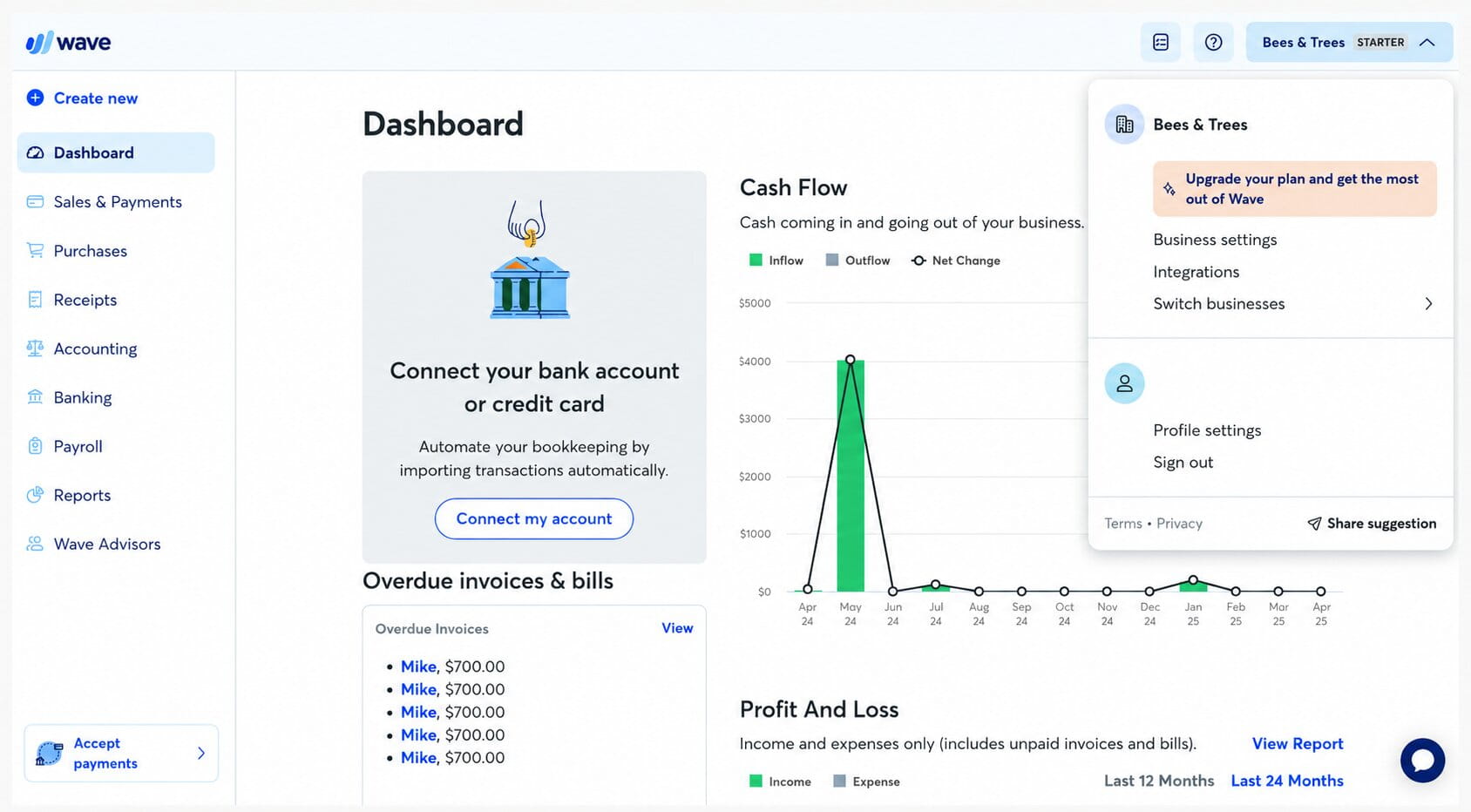
For a seller doing a handful of orders a day, the free tier covers what actually matters at that stage: a clean P&L for tax season, categorized expenses, and professional invoices for the occasional wholesale order. The ceiling arrives fast, though. Wave has no inventory module at all: no COGS tracking, no purchase orders, no stock valuation. If you want cost of goods sold on your P&L, you’re posting manual journal entries from a spreadsheet you maintain yourself. There are also no native marketplace connectors, so Amazon settlement reports and Shopify payouts arrive as lump-sum bank deposits that you decode by hand.
Pros
- Free core bookkeeping with unlimited invoicing and expense tracking makes it the natural starting point for bootstrapped solo stores and new Etsy or Shopify sellers.
- Genuinely simple onboarding; you can go from signup to a usable P&L in an afternoon without touching a manual.
Cons
- Total lack of built-in inventory tracking and COGS, plus no marketplace connectors, means Wave cannot scale past basic single-channel sales. Once a second channel appears, manual reconciliation eats the savings.
Final Verdict: Wave is a sensible starting point for pre-revenue and micro-scale sellers, with the explicit understanding that a move to QBO, Xero, or Zoho Books is part of the plan rather than a failure of it.
8. Webgility: Best for Mid-Market QuickBooks Desktop & Enterprise Integrations
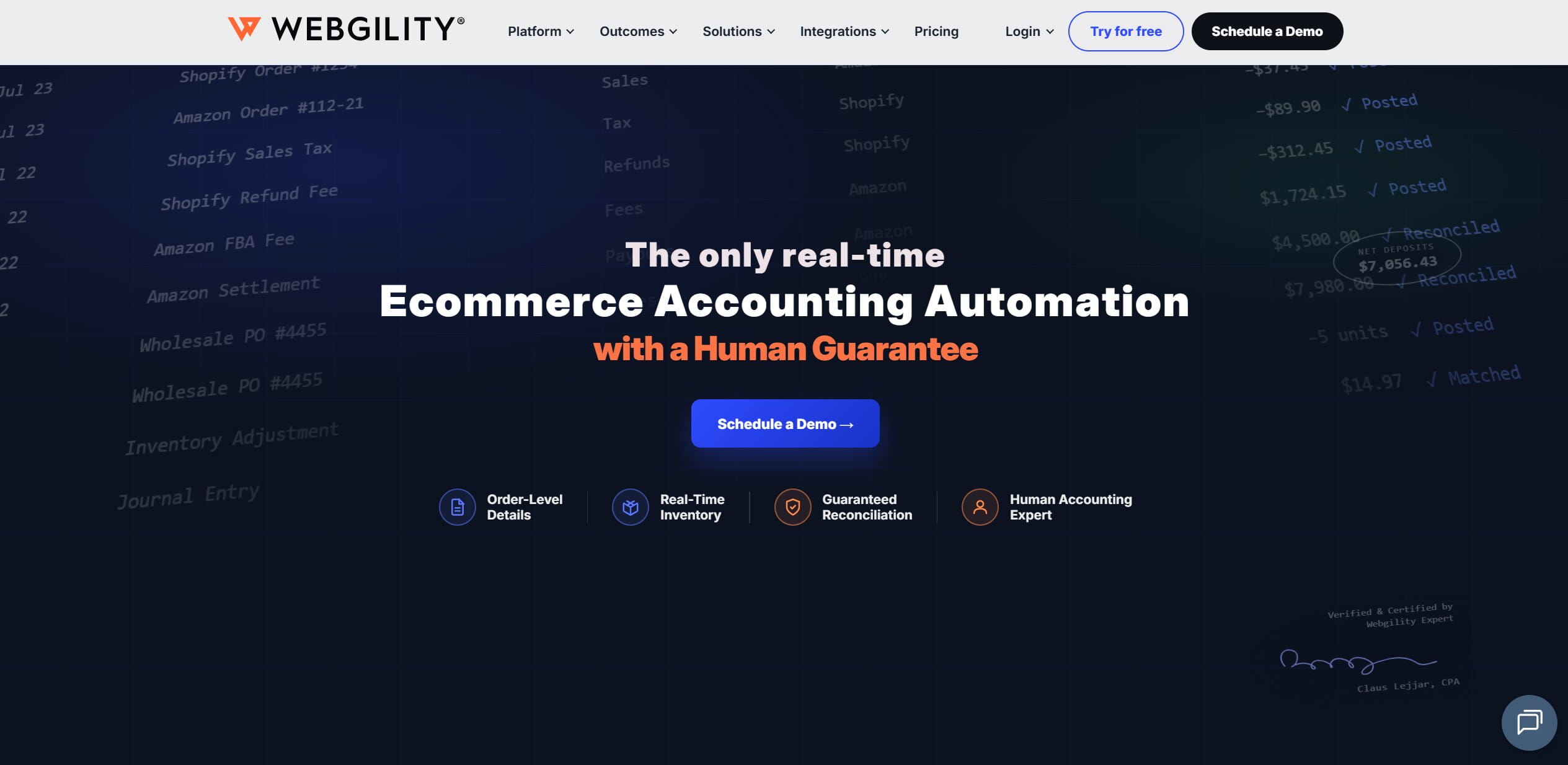
A surprising number of established eCommerce companies still run their books on QuickBooks Desktop or QuickBooks Enterprise, often because a decade of item-level history, custom reports, and warehouse workflows lives there. Most modern connectors ignore this segment entirely and assume everyone is on cloud QBO. Webgility built its business on not making that assumption.
Review
Webgility acts as a two-way sync layer between QuickBooks (Desktop, Enterprise, and Online) and sales channels like Amazon, Shopify, eBay, Walmart, and WooCommerce. Orders flow into QuickBooks with line-item detail mapped to your existing item list; inventory quantities and price changes flow back out to every connected storefront. For a company running Enterprise with multiple warehouses, that outbound sync is the difference between overselling on eBay while stock sits reserved for Amazon FBM orders and having every channel reflect actual availability.
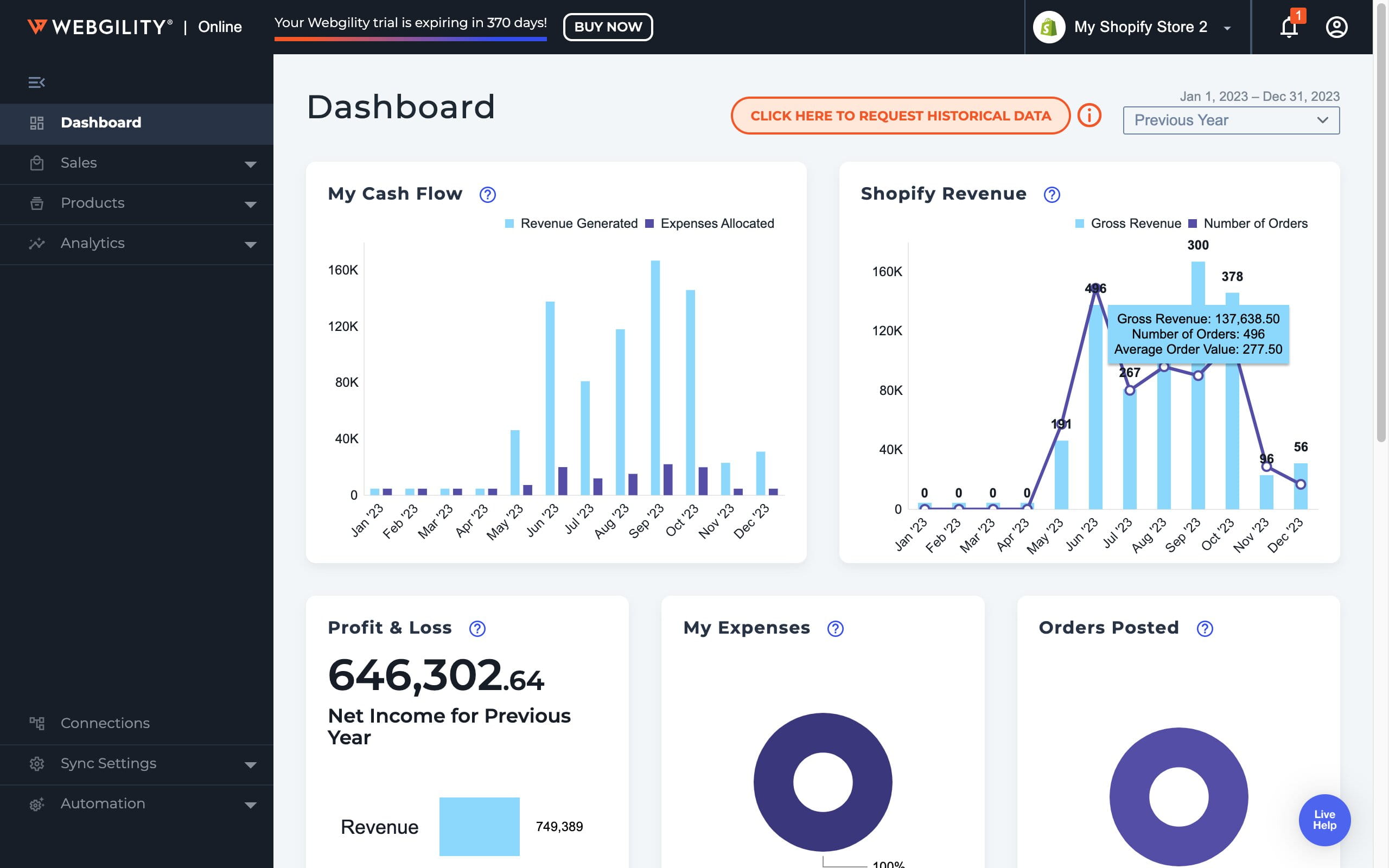
It also handles the accounting side of settlements, posting marketplace fees and payout batches against the right accounts, and can automate posting rules once the initial mapping is dialed in. Pricing splits into two tracks depending on which QuickBooks you run. The QuickBooks Online/Xero track starts at $69 a month billed annually ($79 monthly) for 300 orders and two channels, and climbs through $129 and $299 tiers to $599–$749 for the Complete Enterprise plan covering 5,000 orders, five channels, and multi-entity accounting. The QuickBooks Desktop track runs $109 to $749 on the same logic, from a single-channel Plus plan up to Complete. On top of that sit add-ons: extra sales channels at $20 a month each, a $350-a-month human-verified reconciliation guarantee (bundled into the top tiers), and a $200 one-time fee for importing order history older than three months. All of it stacks on your existing QuickBooks license, so budget the total stack rather than the sticker price of one tier. Expect a proper implementation phase rather than an afternoon of clicking through a setup wizard, and be prepared for parts of the interface that show the product’s age.
Pros
- Genuine depth on QuickBooks Desktop and Enterprise, including item-level and multi-warehouse inventory sync that cloud-first tools don’t attempt.
- Consolidates order, inventory, and pricing sync across channels in one product instead of three separate point solutions, which suits mature businesses on legacy systems.
Cons
- It’s an integration layer, so the cost stacks on top of a QuickBooks license, implementation takes real effort, and the UI feels dated next to newer cloud tools.
Final Verdict: Webgility makes sense for mid-market operations committed to QuickBooks Desktop or Enterprise that need serious multi-channel order and inventory syncing without migrating to a full ERP like NetSuite.
How to Automate eCommerce Bookkeeping and Inventory Operations
Learning how to automate eCommerce bookkeeping requires pairing a robust general ledger with a background automation layer that synchronizes real-time product sourcing costs and inventory movements instantly. So, how to automate eCommerce bookkeeping?
Most sellers who ask this question aren’t really looking for fewer clicks… or something; what they want is fewer surprises. It means they need an architecture where operational tools can capture costs, stock movements, tracking events, and everything else. All done correctly! And accounting systems do payout reconciliation and reporting on top of that, readily available clean data.
As AI is changing the accounting software industry, here’s how you can introduce the magic of automation to your bookkeeping and inventory operations in the 2020s:
Garbage In, Garbage Out: Why Data Quality Beats Features
The core rule here is quite simple: garbage in, garbage out. Your accounting systems are not here to fix broken procurement practices. They simply organize whatever they get. In other words, if your procurement and fulfillment processes depend on manual CSV uploads, ad-hoc spreadsheets, one-off journal entries, or something similar, COGS tracking must be inconsistent (not to mention that your FIFO/AVCO won’t be able to reflect what’s really happening).
Native Product Integration: Easync.io as the Operational Automation Layer
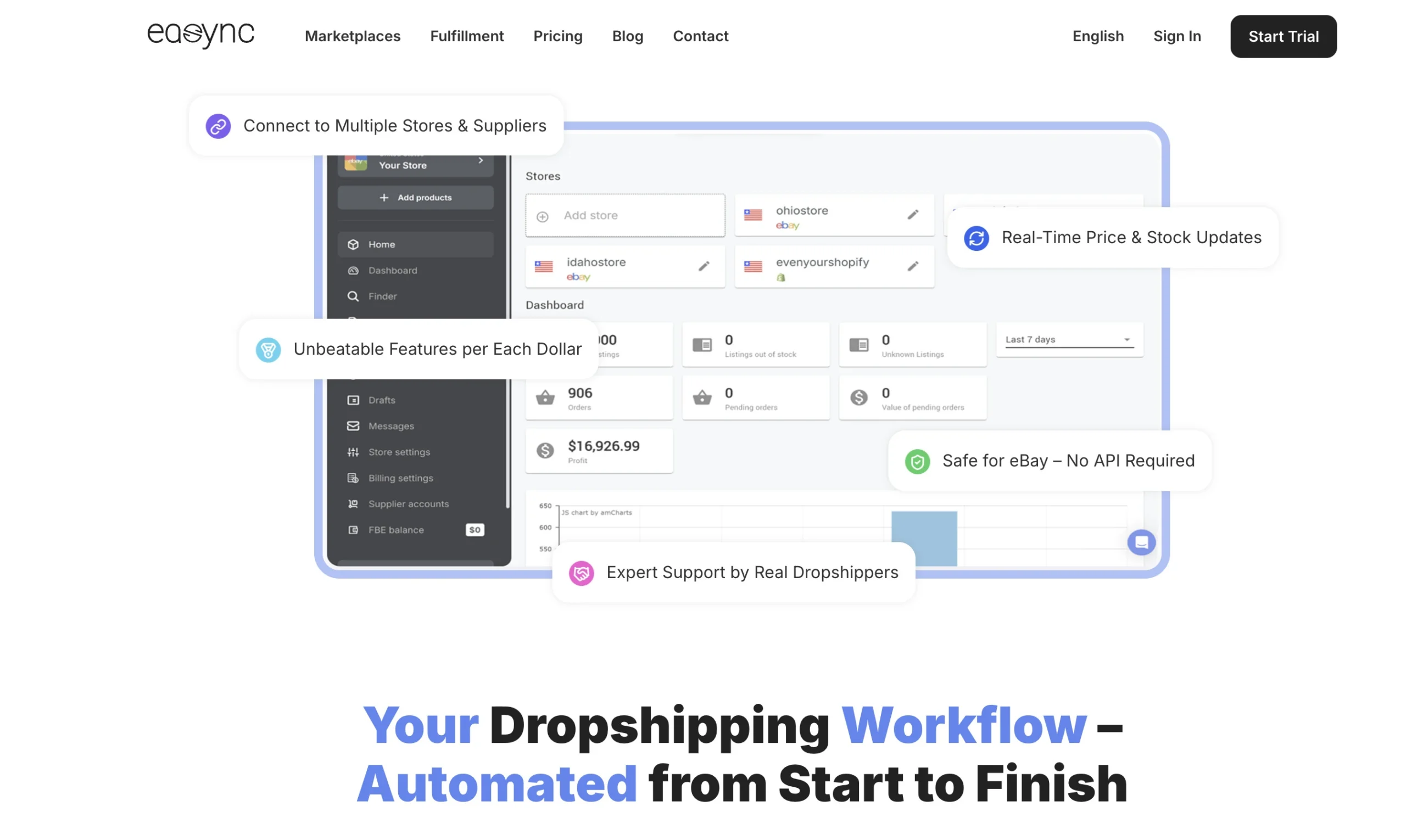
When it comes to an automated multi-channel seller, Easync.io is your perfect dropshipping automation software for eBay, Amazon, & Shopify. It’s the mid-layer that can turn operational chaos into structured, ledger-ready data. The role of Easync in the stack is quite simple, but also very critical. You can check out its different features with the free trial option. Start trial.
- Real-Time Inventory Tracking and Supplier Price Monitoring: Easync can track supplier price volatility and update product quantities hourly. This software makes sure that every order uses accurate & current cost data. Locking in COGS at the moment of auto-fulfillment. Not weeks later!
- Background Auto-Ordering and Multi-Channel Order Reconciliation: When a sale happens on eBay or Amazon, Easync executes auto-ordering in the background. That is how it takes care of fulfillment and ties each order to a specific supplier & cost. Similarly, multi-channel order reconciliation becomes a byproduct of the whole system.
- Clean Tracking Numbers and Automated Data Sync Back to Marketplaces: Easync also pushes tracking numbers back to marketplaces in almost real time! That’s how it closes the loop b/w customer-facing orders and backend records. Reducing disputes and missing data…
When you look at it from a finance perspective, the logic becomes crystal clear: you just can’t automate eCommerce bookkeeping successfully if your procurement data is chaos! You can now fix this problem by handling real-time inventory tracking & locking in the exact purchase cost (COGS) at the moment of auto-fulfillment. Ensuring flawless financial data before it ever hits your accounting ledger. You can eliminate manual CSV uploads, reduce transaction errors in QBO/Xero, prepare data for A2X, and feed your chart of accounts with these connectors.
Easync’s automated engine becomes the bridge between storefront activity and accounting software… making automated bookkeeping actually viable rather than a marketing phrase. Start trial.
Key Features to Look for in an E-commerce General Ledger
Automated Payout Reconciliation and Bank Matching Automation
- It will take Amazon settlement reports, Shopify payout statements, PayPal and Stripe deposits, etc., breaking them into gross sales, payment processing fees, refunds, and reserves.
- This general ledger should also map every single line into the chart of accounts without making mistakes. It means that your revenue, fees, and tax lines should be accurate.
- If gateway discrepancies emerge, it should take a few minutes (at max) for resolution; don’t trust a ledger that takes hours of manual checking to see what’s bugging the system.
COGS Tracking and Inventory Valuation (FIFO/AVCO)
Robust COGS tracking and inventory valuation (FIFO/AVCO) are two things you can’t survive without! That’s why your ledger should always tie purchase cost to certain SKUs and orders.
Your ledger must also adjust inventory and COGS in tandem. Since your stock will continue to move in and out… Don’t forget about clear reporting on margins by product, channel name, or campaign. Layering Easync.io and connectors like A2X on top of QBO or Xero ensures that COGS and inventory data arrive at the ledger already clean, rather than patched in retrospect.
Chart of Accounts, Deferred Revenue, and Sales Tax Compliance
- eCommerce-Optimized Chart of Accounts Design: Separate revenue by channel. It also includes discount tracking and monitoring marketplace fees. Not to mention, this ledger should isolate COGS & overhead clearly.
- Deferred Revenue Management: This ledger should be able to handle subscriptions and pre-orders. Delayed fulfillment in a way that keeps revenue recognition honest.
- Sales Tax Compliance Across eCommerce Nexus Boundaries: We’re talking about tracking tax liabilities in different states or countries. That’s how you make sure that the brand doesn’t discover compliance gaps all by surprise.
How to Choose the Right eCommerce Accounting Stack (By Business Stage)
The right accounting stack depends less on feature checklists and more on your order volume, channel count, and how messy your cost data is. Here is a direct breakdown by store scale.
Micro-Sellers / Bootstrapped (under $100k/yr). Start with Wave (free) or Zoho Books’ entry plan. At this stage your books need a clean P&L and categorized expenses for tax filing, and either tool handles that. Track COGS in a simple spreadsheet if you must, but write down your method (FIFO or average cost) now so the data migrates cleanly later. Skip paid connectors until a second channel forces the issue.
Scaling Mid-Market Brands ($100k – $5M/yr). This is QBO or Xero territory, paired with a payout connector such as A2X, Synder, or Link My Books. Choose Xero if you sell across currencies; choose QBO if your accountant already lives in it. The single biggest failure mode at this stage is procurement data: supplier costs shifting weekly while the ledger records last quarter’s numbers. An operational execution engine like Easync.io sits upstream from the ledger here, monitoring supplier prices, executing auto-orders, and recording the actual purchase cost of each fulfilled order so the COGS figure reaching QBO or Xero reflects what you genuinely paid, along with real-time tracking data synced back to each marketplace.
High-Growth DTC & AI-First Brands ($1M – $10M/yr). Finaloop earns its price here through continuous reconciliation and a near-instant monthly close, provided you accept its eCommerce-specific model. Teams that prefer to stay on QBO/Xero at this scale should expect to run two or three connectors and a part-time controller to supervise them. Either way, the upstream layer still matters: Finaloop reconciles whatever cost data it receives, so an operational tool locking in supplier costs at fulfillment keeps the AI-generated books tied to reality.
Enterprise / Multi-Entity Operations ($10M+/yr). NetSuite, or Webgility if your finance team is committed to QuickBooks Enterprise. At this scale the decision involves subsidiaries, consolidated reporting, multiple warehouses, and audit requirements, so plan for a months-long implementation and treat channel-level data hygiene (order-to-cost linkage, tracking sync) as a prerequisite the ERP inherits rather than fixes.
FAQ:
Can I use standard QuickBooks for an ecommerce business?
Yes, but it usually needs an ecommerce connector to handle multi-channel sales, payouts, and fees properly.
What is the best accounting software for ecommerce?
It depends on your size and setup, but QuickBooks Online, Xero, Finaloop, and NetSuite are the main options.
How do you automate ecommerce bookkeeping?
Use an automation layer to sync orders, payouts, fees, and inventory data into your accounting system.
Why is payout reconciliation important?
It helps match bank deposits with marketplace sales, fees, refunds, and chargebacks.
What is COGS tracking in ecommerce?
It’s the process of recording the true cost of products sold so you can calculate accurate profit margins.
Why do ecommerce businesses need special accounting software?
Because they deal with multi-channel sales, inventory changes, payment fees, and tax complexity that standard bookkeeping tools don’t handle well.
What is the difference between an accounting ledger and an operational automation tool like Easync?
A ledger like QBO or Xero records financial events after they happen. Easync works upstream, handling the operations themselves: monitoring supplier prices, auto-ordering when a sale lands, and syncing tracking numbers. The ledger then receives accurate purchase costs and order data instead of reconstructing them from bank deposits.
Is free accounting software enough for a multi-channel ecommerce business?
Usually not for long. Wave handles basic income and expense tracking fine, but multi-channel selling brings settlement reports, gateway fees, reserves, and COGS that free tools can’t decompose. Once you’re reconciling Amazon and Shopify payouts by hand every month, a paid ledger plus a connector pays for itself in hours saved.

Kaylin Bailey is an experienced e-commerce strategist and content writer specializing in dropshipping, automation, and online retail growth. At Easync, she focuses on helping entrepreneurs streamline their stores with data-driven insights, practical guides, and software solutions that optimize product sourcing, pricing, and order fulfillment. With years of hands-on experience in digital commerce and platform integrations, Kaylin’s articles offer actionable advice grounded in real-world testing, helping sellers stay competitive in a rapidly evolving marketplace.

Reviewed by Cameron Lawrence
Cameron is a marketplace dropshipping operator and educator known for clear, repeatable workflows that take newcomers from first listing to consistent sales. On his YouTube channel he breaks down Facebook Marketplace, eBay, and adjacent platforms with step-by-step tutorials, live Q\&A sessions, supplier outreach templates, and real “from-the-field” case studies.