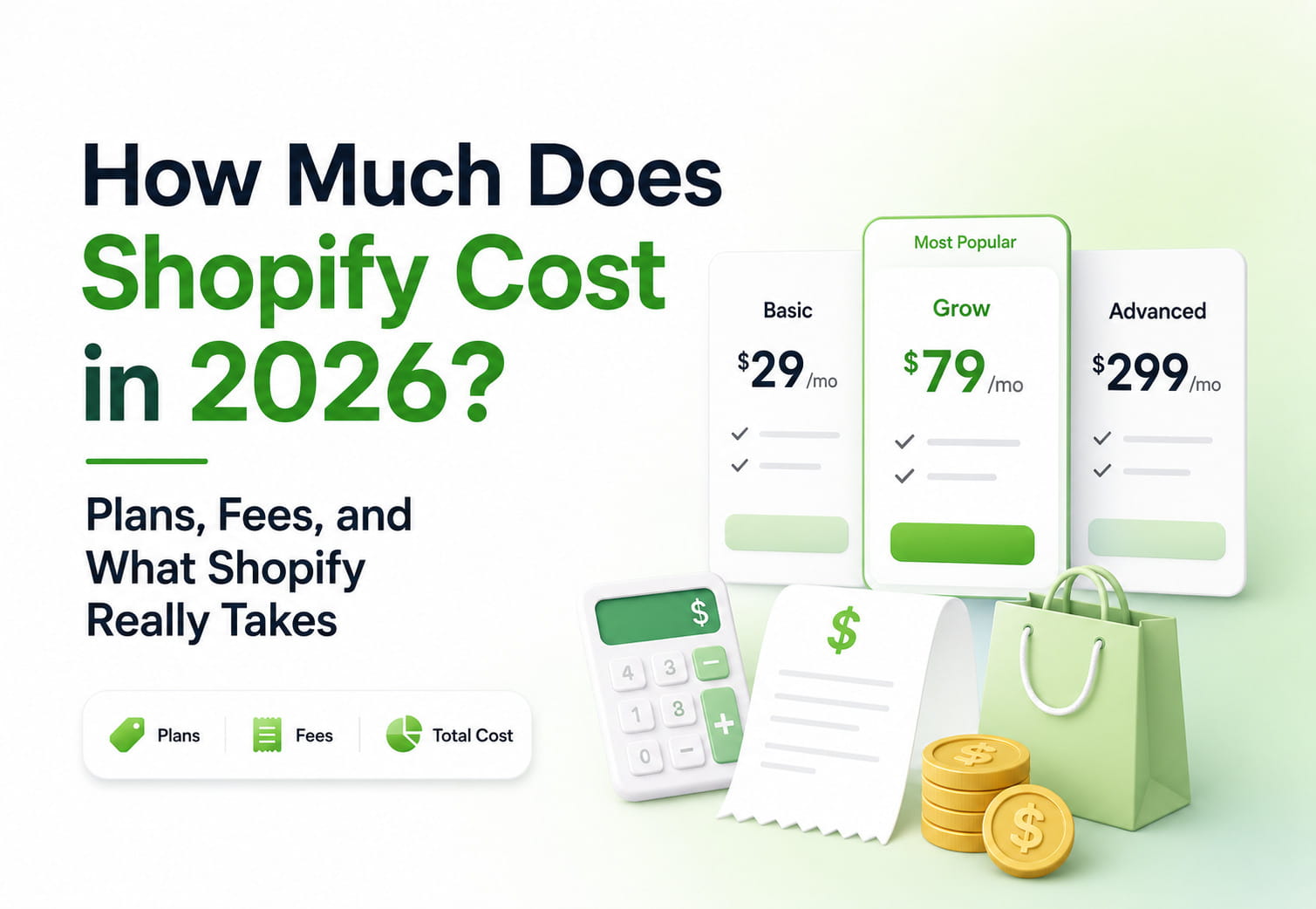
If you have ever searched “how much does Shopify cost,” you have probably found vague answers buried under affiliate disclaimers. The truth is that Shopify costs are layered: the monthly subscription fee is only the starting point. Payment processing fees, transaction fees, app fees, theme costs, POS charges, tax tools, marketplace integrations, and cross-border fees can all affect your net profit on every sale.
This guide breaks down Shopify costs in 2026, including pricing plans, payment processing fees, third-party transaction fees, worked examples, and the real ongoing costs merchants need to budget for.
Key Takeaways
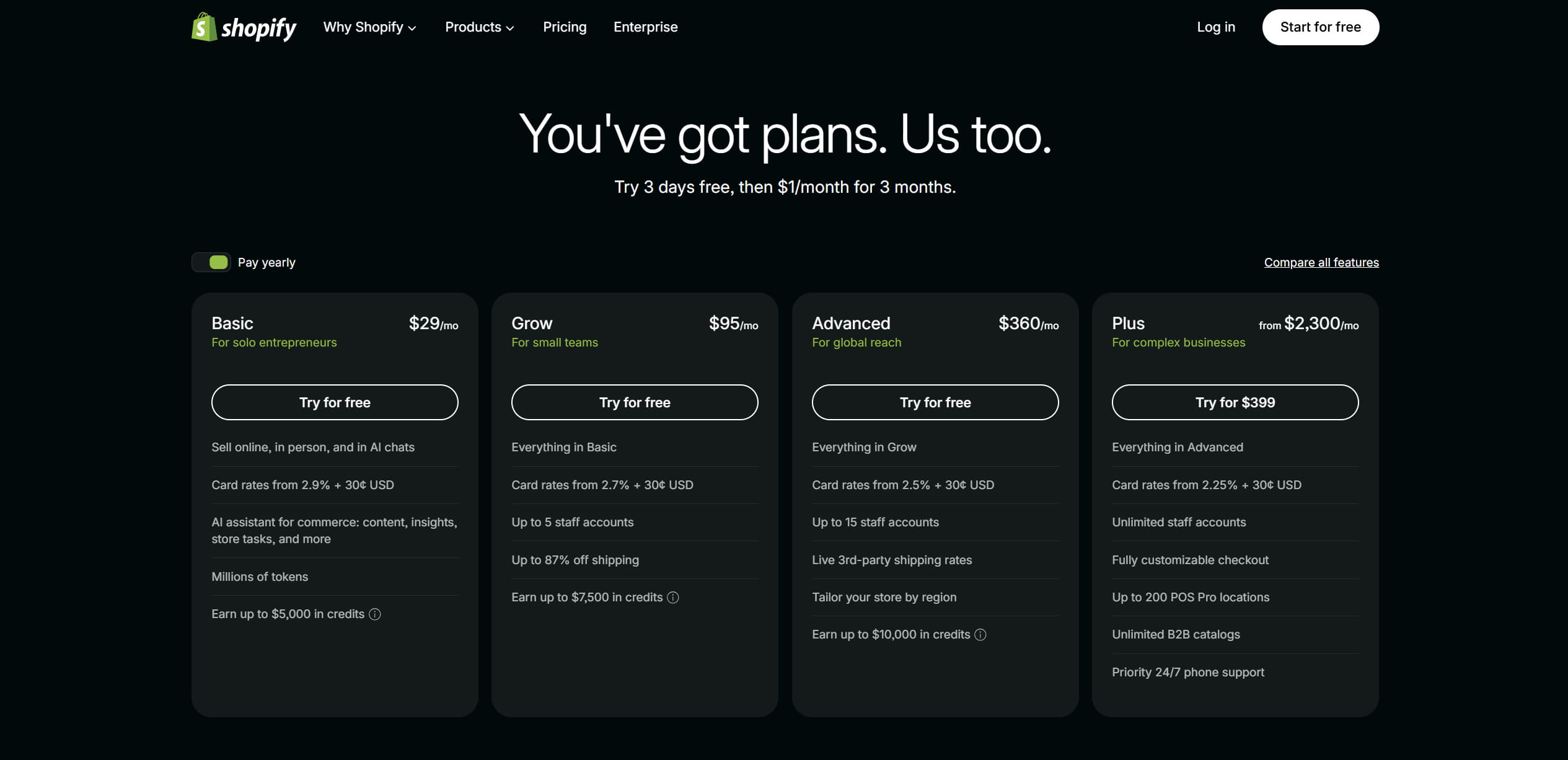
- Core Shopify pricing plans in 2026 include Basic, Grow, Advanced, and Plus, while Starter may appear separately depending on region and account status. On Shopify’s US pricing page, Basic starts at $29/month with annual billing or $39/month monthly, Grow starts at $95/month annually or $105/month monthly, Advanced starts at $360/month annually or $399/month monthly, and Plus starts from $2,300/month.
- Most Shopify merchants pay two main types of fees: payment processing fees and, if they do not use Shopify Payments, extra third-party transaction fees.
- On a $100 domestic online sale processed through Shopify Payments, Shopify takes about $2.55 to $3.20 depending on the plan, based on US card rates.
- Using a third-party payment processor instead of Shopify Payments can add an extra Shopify transaction fee on top of the payment gateway’s own charges.
- The real monthly cost of running a Shopify store also includes apps, paid themes, domains, Shopify POS, Shopify Tax, Shopify Marketplace Connect, and automation tools.
- The easiest ways to reduce Shopify fees are using Shopify Payments where available, choosing the right plan for your sales volume, paying annually, and using automation to protect margins.
Quick Answer: Does Shopify Take a Cut?
Yes. Shopify takes a cut mainly through payment processing fees and, in some cases, through additional third-party transaction fees. If you use Shopify Payments, you pay the card processing rate for your plan. If you use an external payment provider instead, Shopify can add an extra transaction fee on top of the provider’s own charges. That is why the payment setup you choose often matters as much as the monthly Shopify plan itself. Shopify explains that third-party transaction fees apply when merchants use external payment providers, while Shopify Payments can remove those extra platform transaction fees for supported payment methods.
Shopify Pricing Plans in 2026: Quick Overview
Shopify’s main pricing page usually highlights the core online store plans: Basic, Grow, Advanced, and Shopify Plus. Shopify also offers a Starter plan for merchants who want to sell through social media, messaging apps, or simple product links rather than build a full online store. Because pricing, availability, and plan names can vary by country, merchants should confirm the latest details on Shopify’s official pricing page and Starter plan documentation before making a plan decision.
International merchants may also search for Shopify tarif or local Shopify pricing, but the exact plan names, taxes, payment rates, and availability can vary by country.
- Starter: a lightweight plan for selling through social media, messaging apps, and product links rather than building a full online store. It is not always shown on Shopify’s main pricing page, so verify current availability and pricing in Shopify’s Starter plan documentation.
- Basic: $39 per month, or around $29 per month with annual billing. This is the first full Shopify online store plan.
- Grow: $105 per month, or around $95 per month with annual billing. This is Shopify’s mid-tier plan for growing stores that need better reporting and lower card processing rates.
- Advanced: $399 per month, or around $360 per month with annual billing. Built for scaling merchants that need advanced reporting, calculated shipping, and more international selling tools.
- Plus: starts from $2,300 per month on Shopify’s US pricing page. Shopify Plus pricing can become variable for more complex or high-volume businesses, depending on contract terms, setup needs, and sales volume. (Shopify)
Annual billing can reduce subscription costs on Basic, Grow, and Advanced. Shopify also runs offers and promotions for new merchants, but these change over time. Always verify current annual pricing and promotional offers on Shopify’s official pricing page and offers documentation before publishing specific numbers.
Shopify’s official pricing page highlights the main online store plans, while Starter may appear separately in Shopify documentation depending on region and account status.
Shopify Costs Table: Plans, Credit Card Fees, and Transaction Fees
The table below summarizes the core Shopify costs merchants usually compare first: monthly subscription price, Shopify Payments card rates, in-person rates, and the extra transaction fee that applies when using a third-party payment provider.
| Plan | Monthly Price | Annual Price | Online Card Rate with Shopify Payments | In-Person Card Rate | Extra Third-Party Transaction Fee | Best For |
|---|---|---|---|---|---|---|
| Starter | Check current availability | N/A | Check current regional rate | Check current regional rate | N/A | Social selling, link-in-bio selling, simple checkout links |
| Basic | $39/month | $29/month | 2.9% + $0.30 | Check current regional rate | 2% | New stores and small businesses |
| Grow | $105/month | $95/month | 2.7% + $0.30 | Check current regional rate | 1% | Growing stores with steady sales |
| Advanced | $399/month | $360/month | 2.5% + $0.30 | Check current regional rate | 0.6% | High-volume stores needing advanced reporting |
| Plus | From $2,300/month | From $2,300/month | 2.25% + $0.30 | Check current regional rate | Custom / lower by contract | Enterprise, B2B, multi-store, high-volume brands |
This table uses Shopify’s US pricing page as a snapshot. Shopify pricing, card rates, offers, and available plans can vary by country, currency, payment method, and account status. Always confirm the current regional pricing on Shopify’s official pricing page before choosing a plan or publishing fee numbers.
Shopify Free Trial and Starter Options
Shopify does not offer a permanent free plan for merchants who want to run a live store and accept payments. However, there are several low-cost ways to test the platform:
- Free trial: Shopify often offers a short free trial for new users.
- Promotional pricing: Shopify sometimes runs limited-time offers for new merchants, such as discounted first months.
- Starter plan: The cheapest paid option for creators who want to sell through social links or messaging apps without building a complete online store.
- Shopify Partners can create free client transfer stores for clients, but clients only begin paying when ownership is transferred and they select a paid plan.
The Starter plan can work for creators testing a few products, but it is not the best fit for most merchants who need a full online store, advanced customization, or lower per-order costs. Most sellers planning a serious ecommerce business should start with Basic or higher.
Full Shopify Pricing Plans: Basic, Grow, Advanced, and Plus
Basic Plan
The Basic plan is the first Shopify tier that gives you a complete online store with product pages, a storefront, Shopify checkout, hosting, SSL, and access to Shopify’s app ecosystem. It is usually the best starting point for new merchants who want to build a real ecommerce website rather than only sell through social links.
Basic costs $39 per month on monthly billing, or about $29 per month with annual billing. With Shopify Payments, the online card rate is commonly listed as 2.9% + $0.30 for US merchants, while in-person payments are lower. If you use a third-party payment provider instead of Shopify Payments, Shopify can charge an extra 2% transaction fee on eligible orders.
Basic is usually enough for early-stage stores, but its higher transaction fees and limited reporting can become restrictive as monthly revenue grows.
Grow Plan
Grow is Shopify’s mid-tier plan for merchants who have moved beyond the testing phase. It costs $105 per month on monthly billing, or $95 per month with annual billing on Shopify’s US pricing page.
The main advantage is lower payment processing fees and better reporting. For US merchants using Shopify Payments, the online card rate is commonly listed around 2.7% + $0.30. The extra third-party transaction fee also drops from 2% on Basic to 1% on Grow.
Grow can become more cost-effective than Basic once the fee savings offset the higher monthly subscription. For many merchants, that happens when monthly sales volume becomes consistent enough that lower per-transaction costs matter more than the subscription difference.
Advanced Plan
Advanced costs $399 per month on monthly billing, or $360 per month with annual billing on Shopify’s US pricing page. It is designed for scaling stores that need more advanced reporting, international selling tools, and better control over shipping and operations.
For US merchants using Shopify Payments, the online card rate is commonly listed around 2.5% + $0.30. The extra third-party transaction fee drops further, commonly around 0.6% for eligible external gateway transactions.
Advanced is usually not necessary for a small store, but it can make sense for high-volume sellers, international merchants, and businesses that need advanced analytics or lower payment rates.
Shopify Plus
Shopify Plus is Shopify’s enterprise plan. On Shopify’s US pricing page, Plus starts from $2,300 per month for complex businesses. More complex, high-volume businesses may move to variable or custom pricing based on contract terms, setup needs, revenue, and business model. (Shopify)
Plus is built for large ecommerce brands that need custom checkout capabilities, B2B features, advanced API access, multiple storefronts, automation, and enterprise-level support. Card rates and transaction fee structures are often negotiated, so Plus merchants should confirm exact costs directly with Shopify sales.
What Percentage Does Shopify Take?
Shopify can charge sales-related fees in two main ways:
- Payment processing fees. These are card processing fees charged when a customer pays by credit or debit card. If you use Shopify Payments, Shopify handles the card processing and charges the plan-specific rate.
- Third-party transaction fees. These apply when you use an external payment provider instead of Shopify Payments. Shopify says these fees cover the cost of providing a secure checkout and integrating with external payment providers. They vary by plan and can also apply in specific cases involving store credit or gift cards for newer stores. (Shopify Help Center)
If you are asking how much does Shopify take per sale, the answer depends on your plan, payment gateway, and whether the order is domestic or international. For a $100 domestic online sale processed through Shopify Payments, the rough Shopify take is:
- Basic: 2.9% + $0.30 = $3.20
- Grow: 2.7% + $0.30 = $3.00
- Advanced: 2.5% + $0.30 = $2.80
- Plus: 2.25% + $0.30 = $2.55
If you use a third-party gateway, you pay that gateway’s own processing fee plus Shopify’s extra third-party transaction fee. This is why Shopify Payments is usually the lower-cost option where it is available.
How Much Does Shopify Take From a $100 Sale?
The easiest way to understand Shopify fees is to model a simple $100 domestic online order. The examples below show how the fee changes depending on the Shopify plan and whether the merchant uses Shopify Payments or a third-party gateway.
Example 1: Basic Plan, Shopify Payments, Domestic Online Order
A customer pays $100 with a domestic credit card.
- Shopify Payments rate: 2.9% + $0.30
- Processing fee: $2.90 + $0.30 = $3.20
- Merchant receives: $96.80 before product cost, shipping, apps, taxes, and other expenses
Example 2: Advanced Plan, Shopify Payments, Domestic Online Order
The same $100 order on Advanced:
- Shopify Payments rate: 2.5% + $0.30
- Processing fee: $2.50 + $0.30 = $2.80
- Merchant receives: $97.20 before other business costs
Example 3: Basic Plan With a Third-Party Gateway
If a Basic merchant uses a third-party gateway, Shopify can add an extra 2% transaction fee on top of the gateway’s own processing cost.
For a $100 order:
- Shopify third-party transaction fee: $2.00
- External gateway fee: depends on the provider
- Total payment cost: Shopify fee + gateway fee
This is the scenario where Shopify’s extra fees become most noticeable.
Example 4: Grow Plan With Shopify POS
Shopify lists in-person card rates separately from online card rates. On the Grow plan, Shopify’s US POS pricing page shows 2.7% + $0.30 for online card payments and 2.5% + $0.10 for in-person payments, so an in-person card transaction can cost less than an equivalent online card transaction. However, hardware, POS Pro, and retail operations can add separate costs.
Why Shopify Charges Fees
Shopify fees are not only a platform “cut”; they also pay for the infrastructure that keeps an online store running. This includes hosted storefronts, SSL security, checkout reliability, fraud analysis, platform updates, Shopify Payments, POS tools, and access to the Shopify app and theme ecosystem.
A self-hosted ecommerce setup can look cheaper at first, but merchants would still need to pay separately for hosting, security, payment processing, maintenance, checkout optimization, fraud tools, and integrations. Shopify bundles many of these costs into one platform, which is why comparing subscription price alone gives an incomplete picture.
Shopify Fees and Commissions You Need to Budget For
Shopify costs extend beyond the monthly plan. Here are the main fee types merchants should include in their budget.
Monthly Subscription Fees
This is the fixed monthly cost of your Shopify plan. Basic, Grow, and Advanced can be paid monthly or annually, and annual billing usually reduces the monthly equivalent.
Payment Processing Fees
These are charged on card payments. Rates vary by plan, country, and transaction type. Online card rates are usually higher than in-person POS rates.
Third-Party Transaction Fees
If you do not use Shopify Payments, Shopify can charge extra transaction fees on eligible orders processed through an external payment provider. These fees vary by plan and are explained in Shopify’s official third-party transaction fees documentation.
Shopify POS Costs
POS Lite features are included with Shopify plans, but POS Pro is a paid upgrade for retail locations. On Shopify’s US POS pricing page, POS Pro costs $89 USD per month per location, on top of the main Shopify subscription. Retail merchants also need to budget for hardware such as card readers, barcode scanners, receipt printers, and cash drawers.
Shopify Tax
Shopify Tax pricing depends on when your store was created. For stores created before May 13, 2026, Shopify Tax is free until the store reaches an annual sales threshold. For stores created on or after May 13, 2026, Shopify Tax is free until the store reaches a lifetime sales threshold. Shopify’s official tax pricing page currently lists a $100,000 USD threshold, but merchants should review the correct pricing model for their own store before relying on the fee structure.
After the free threshold is reached, Shopify Tax fees can vary by region and plan. In the United States, Shopify Tax pricing may differ between standard Shopify plans and Shopify Plus, and fees are capped per order. Because tax pricing is one of the more region- and account-specific Shopify costs, merchants should verify the latest rates directly on Shopify’s official Shopify Tax pricing page before publishing exact numbers.
Shopify Marketplace Connect
If you sell through marketplaces such as Amazon, eBay, Walmart, or Etsy using Shopify Marketplace Connect, additional marketplace-related fees can apply. Shopify’s Marketplace Connect documentation says the app is free for connecting and listing products, unlimited manual order imports, and the first 50 automatically synced marketplace orders per month. Shopify’s App Store listing for Marketplace Connect currently describes additional synced orders as subject to a 1% fee per order, capped at $99 USD per month. Marketplace commissions, fulfillment fees, and payment processing charges from Amazon, eBay, Walmart, Etsy, or other marketplaces are separate from Shopify’s own fees.
Cross-Border and Currency Fees
International selling can add fees for currency conversion, international cards, duties, import taxes, and cross-border services. Shopify’s international pricing documentation says that when customers pay in a currency different from your payout currency, a currency conversion fee can apply. For local currency pricing, Shopify says this fee is typically 1.5% or 2%, depending on the store’s location. Because these fees depend on region, payout currency, Shopify Payments availability, and payment setup, merchants should check Shopify’s official international pricing documentation before publishing exact cross-border fee numbers.
Chargebacks
Chargebacks can create additional costs. When a customer opens a chargeback, the disputed amount and a chargeback fee can be withdrawn from the merchant’s account. If the dispute is resolved in the merchant’s favor, Shopify says the disputed amount and chargeback fee are returned. Chargeback fees vary by country and payment provider, so merchants should check Shopify’s official chargeback documentation for the current fee in their market.
Other Ongoing Costs of Running a Shopify Store
When merchants ask “how much is Shopify,” they often focus only on the subscription. In practice, the total cost of ownership includes several other expenses.
Apps
Most Shopify stores rely on apps for reviews, upsells, email marketing, product importing, inventory management, order tracking, analytics, bundles, loyalty programs, and fulfillment. Some apps charge flat monthly fees, while others use usage-based or revenue-linked pricing.
A small store may only need one to three paid apps. A scaling store can easily spend more on apps than on the Shopify subscription itself.
Themes and Design
Shopify offers free themes that are good enough for many early-stage stores. Premium themes and custom design work increase upfront costs. A paid theme can be a one-time purchase, while custom development can cost significantly more.
Domains
A professional store usually needs a custom domain. Domain costs are separate from the Shopify subscription and are typically billed annually.
Email and Marketing Tools
Shopify Email includes a limited amount of email sending, with additional paid usage after the free monthly allowance. Shopify Messaging email pricing currently lists 10,000 free emails per month, with additional emails charged based on volume. Many stores also pay for external email, SMS, analytics, personalization, and retargeting tools, so marketing costs should be treated separately from the Shopify subscription.
Retail Hardware and Logistics
Stores using Shopify POS need hardware. Stores handling fulfillment directly or using 3PL services also need to budget for shipping software, warehousing, packaging, returns, and fulfillment fees.
International, Currency, and Cross-Border Shopify Fees
International selling can make Shopify costs more complicated. A store selling across countries should budget for:
- international card surcharges;
- currency conversion fees;
- duties and import tax collection;
- country-specific tax tools;
- cross-border service fees;
- marketplace fees if selling through Amazon, eBay, Walmart, or Etsy;
- bank-side fees that customers may see on their own card statements.
These costs do not always appear as one simple Shopify fee. They can be split between Shopify, Shopify Payments, card networks, banks, tax services, marketplaces, and payment providers.
For international sellers, the safest approach is to model the full landed cost of each order: product cost, Shopify fees, payment fees, shipping, tax, duties, currency conversion, returns, and marketplace commissions.
Using Shopify Payments vs Third-Party Gateways
The single biggest lever for reducing Shopify transaction fees is your payment gateway setup.
When you use Shopify Payments, Shopify does not charge extra third-party transaction fees for supported Shopify Payments transactions. Shopify’s billing documentation also notes that Shopify Payments can exclude certain payment methods, such as PayPal Express Checkout and manual payments, from third-party transaction fees when Shopify Payments is activated. (Shopify Help Center)
When you do not use Shopify Payments, Shopify can add an extra transaction fee on top of the external provider’s own processing fees. That can make third-party gateways materially more expensive, especially on the Basic plan.
For most merchants, the practical setup is:
- use Shopify Payments as the primary payment processor where available;
- keep PayPal or other wallets as secondary options if customers expect them;
- compare total payment cost, not just the visible subscription price;
- check regional availability, because Shopify Payments is not available everywhere.
Break-Even Points: When to Upgrade Shopify Plans
Each time you upgrade your Shopify plan, the monthly subscription increases, but payment processing rates and third-party transaction fees usually decrease. At a certain sales volume, the fee savings can outweigh the higher subscription price.
Starter to Basic
Upgrading makes sense when you want a full online store, stronger branding, standard storefront features, or lower per-order costs. Starter is useful for lightweight selling, but it is not the right long-term plan for most ecommerce businesses.
Basic to Grow
Basic is often best for new stores. Grow can become better once sales volume is high enough that lower card rates and better reporting justify the higher subscription. Many stores compare this once they reach consistent five-figure monthly revenue.
Grow to Advanced
Advanced usually makes sense for higher-volume merchants that need stronger reporting, lower fees, international tools, and more operational control. The subscription is much higher, so merchants should calculate whether the fee savings and features justify the jump.
Advanced to Plus
Plus is not just a fee decision. It is usually about enterprise needs: custom checkout, B2B, higher API limits, multiple storefronts, automation, and dedicated support. Plus pricing starts from $2,300 per month on Shopify’s US pricing page, but exact costs can depend on contract terms, setup needs, revenue, and business model. (Shopify)
How Easync Automation Helps Offset Shopify Costs and Fees
When evaluating how much Shopify costs and whether Shopify takes too large a cut, operational efficiency matters as much as shaving fractions off payment processing rates.
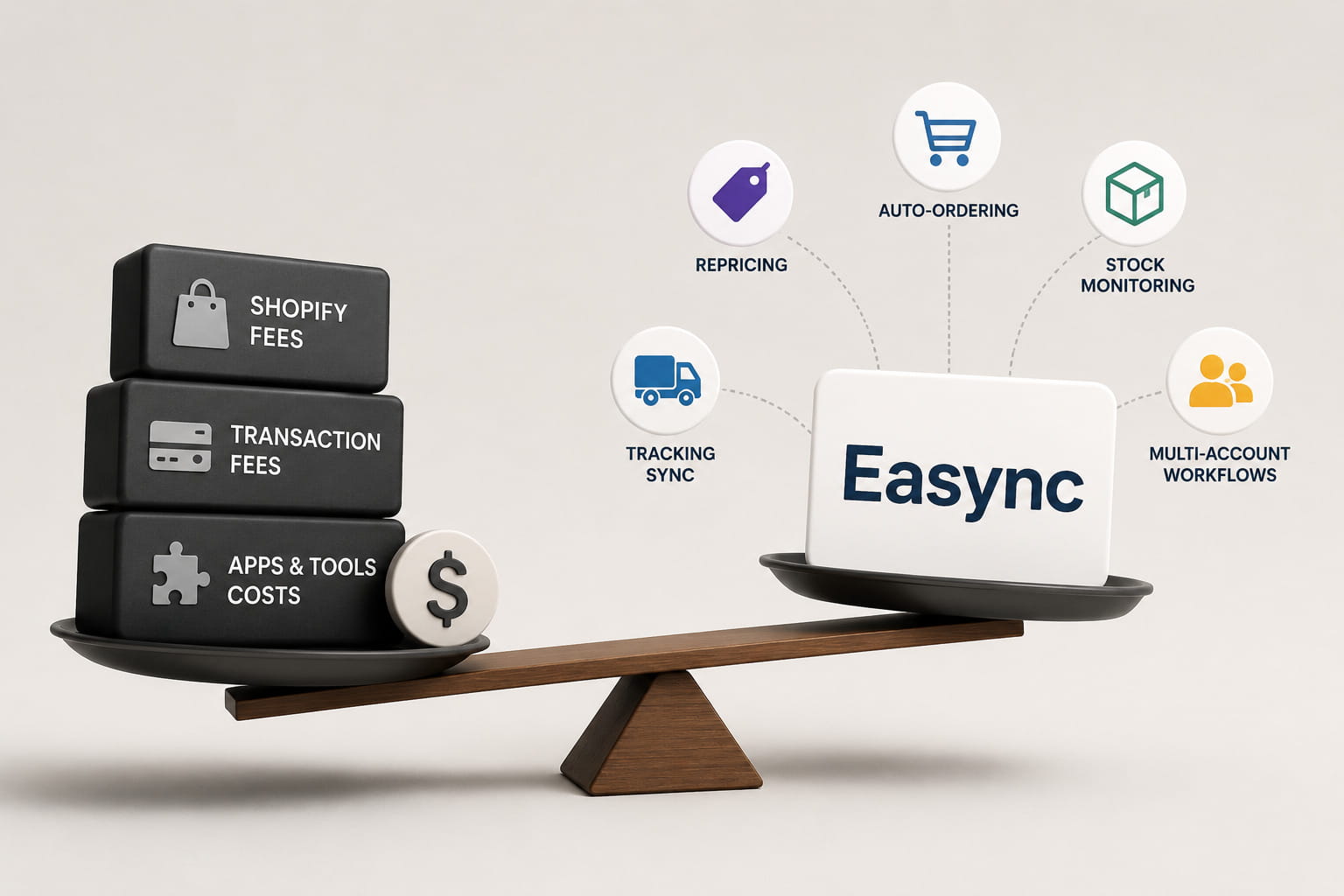
Dropshipping software Easync supports automated product importing, real-time stock and price monitoring, auto-ordering, repricing rules, tracking synchronization, and multi-account workflows. Automated product importing lets merchants test more SKUs without adding manual work. Real-time stock and price monitoring helps prevent selling out-of-stock items or underpricing products when supplier costs change. Auto-ordering and tracking synchronization reduce manual labor and fulfillment errors. Repricing rules can adjust Shopify prices when supplier prices or shipping rates shift, helping protect net profit after Shopify fees. Multi-account workflows help agencies, resellers, and multi-store operators manage several stores or marketplaces without multiplying staff costs.
For dropshipping and reseller stores, Shopify fees are only one side of the margin equation. Preventing stock mistakes, stale prices, late tracking updates, and manual fulfillment errors can have a larger impact on profitability than saving a small percentage on payment processing.
Learn More: How to Add a Shopify Store in Easync
Why Shopify Costs Increase Over Time as You Scale
The Basic plan can look affordable at $39 per month, but total Shopify-related costs usually grow with the business.
Higher Sales Mean Higher Processing Costs
A 2.9% payment fee is manageable at low volume, but it becomes a larger absolute dollar amount as GMV grows. A store doing $10,000 per month pays much less in processing fees than a store doing $100,000 per month, even if the percentage rate is the same.
App Costs Grow With Complexity
As stores scale, they often add apps for reviews, subscriptions, bundles, analytics, email, SMS, loyalty, fulfillment, returns, and customer support. Some app fees increase with orders, revenue, or usage.
Multi-Market Selling Adds Costs
International selling can add tax calculation fees, duties, currency conversion, cross-border services, and localized payment costs.
Retail Adds POS and Hardware Costs
Merchants selling in person may need POS Pro, card readers, barcode scanners, receipt printers, and other hardware.
Enterprise Adds Platform and Operational Costs
Shopify Plus can include variable platform fees for high-volume or complex businesses. Enterprise merchants also spend more on integrations, development, apps, analytics, and operations.
Understanding total cost of ownership over three to five years is more useful than comparing the monthly Shopify subscription alone.
Is Shopify Worth the Cost?
For Small Businesses
Shopify Basic can be cost-effective for small businesses that want hosting, SSL, checkout, payment security, and store management in one platform. If the store uses a free theme, limited apps, and Shopify Payments, early platform costs can stay manageable.
For Growing Brands
Grow and Advanced can justify their higher monthly fees when lower payment rates, better reporting, and stronger operational features help protect margins. At this stage, merchants should watch app sprawl, payment setup, and automation carefully.
For High-Volume and Enterprise Sellers
Shopify Plus is expensive, but it can make sense for brands that need advanced checkout control, B2B, multiple storefronts, custom integrations, higher API limits, and enterprise reliability. The right question is not only “how much does Shopify cost?” but whether the platform reduces operational complexity enough to justify the spend.
How to Keep Shopify Costs Under Control
- Use Shopify Payments where available to avoid extra third-party transaction fees.
- Compare plans based on total monthly cost, not only subscription price.
- Pay annually if cash flow allows and the discount is available.
- Audit app subscriptions every quarter.
- Avoid adding apps that duplicate existing features.
- Model Shopify fees against product margins before scaling ad spend.
- Track refund rates, chargebacks, and payment disputes.
- Use automation tools to reduce manual work and prevent costly errors.
- Review plan break-even points as GMV grows.
- Check official Shopify pricing pages before making long-term plan decisions.
FAQ
How much is Shopify per month?
On Shopify’s US pricing page, Basic costs $39/month on monthly billing or $29/month with annual billing, Grow costs $105/month or $95/month annually, Advanced costs $399/month or $360/month annually, and Plus starts from $2,300/month. Starter may appear separately from Shopify’s main pricing page depending on region and account status. Always confirm current regional pricing on Shopify’s official pricing page.
Does Shopify take a cut on every sale?
Yes, Shopify takes a cut through payment processing fees when customers pay by card. If you use Shopify Payments, you pay the card rate for your plan. If you use a third-party payment provider, Shopify can also charge an extra third-party transaction fee on eligible orders.
Can I avoid Shopify’s cut completely?
No ecommerce platform lets merchants avoid payment processing costs completely. However, you can often avoid Shopify’s extra third-party transaction fees by using Shopify Payments where available.
How much does Shopify take from a $100 sale?
On a $100 domestic online sale through Shopify Payments, Shopify takes about $3.20 on Basic, $3.00 on Grow, $2.80 on Advanced, and about $2.55 on Plus, based on Shopify’s US card rates shown on the pricing page.
Does Shopify refund fees if I refund a customer?
When you refund an order, the customer receives the refunded amount, but payment processing fees may not always be returned to the merchant. Refund rules can vary by region, payment method, and provider, so merchants should check Shopify Payments and billing documentation for their market.
Does Shopify charge fees on manual orders, drafts, or cash payments?
Shopify does not charge card processing fees on offline payments such as cash or bank transfer if no payment gateway processes the transaction. However, if a draft order is paid through an online card link or Shopify checkout, normal payment processing and transaction fee rules can apply.
Are there extra Shopify fees for chargebacks or disputes?
Yes, chargebacks can create additional costs. The exact fee varies by country and payment provider. Merchants should maintain clear return policies, shipping documentation, and customer communication records to reduce dispute risk.
Can I pause my Shopify store to reduce costs during slow seasons?
Shopify offers pause options in some regions, allowing merchants to reduce costs while keeping store data and configurations. Exact terms and availability vary, so check Shopify’s current pause plan documentation before relying on this for seasonal businesses.
How do Shopify marketplace integrations affect fees?
Marketplace integrations can add extra costs. If you use Shopify Marketplace Connect or sell through Amazon, eBay, Walmart, or Etsy, you may face Shopify integration fees, marketplace commissions, fulfillment fees, and marketplace-specific payment costs. These should be added to Shopify subscription and payment processing fees when calculating total selling cost.

Noah Edis is a freelance writer and systems engineer with a wealth of experience in modern hardware and software. When he’s not working on his latest project, you can find him playing competitive dodgeball or pursuing his personal interest in programming. At Easync, Noah helps thousands of sellers optimize their eBay and Amazon businesses by providing automation tools and practical guidance on account health, pricing, and inventory management.

Eugene Stepnov – Author
Eugene is a senior e-commerce strategist with over 10+ years of experience in dropshipping, online arbitrage, and marketplace compliance. At Easync. Eugene has experience in developing multi-account management technologies, such as Gologin and secure browser solutions, providing Easync users with a head start in regulatory compliance and platform changes.